Free Lessons
Courses
Seminars
TechHelp
Fast Tips
Templates
Topic Index
Forum
ABCD
 
Home   Courses   TechHelp   Forums   Help   Contact   Merch   Join   Order   Logon  
 
Back to Access Developer Forum    Comments List
Upload Images   @Reply   Bookmark    Link   Email   Next Unseen 
Customer Pricing
Liem Khen 
     
41 hours ago
the query displaying correct price as I change the customer name in the orderf
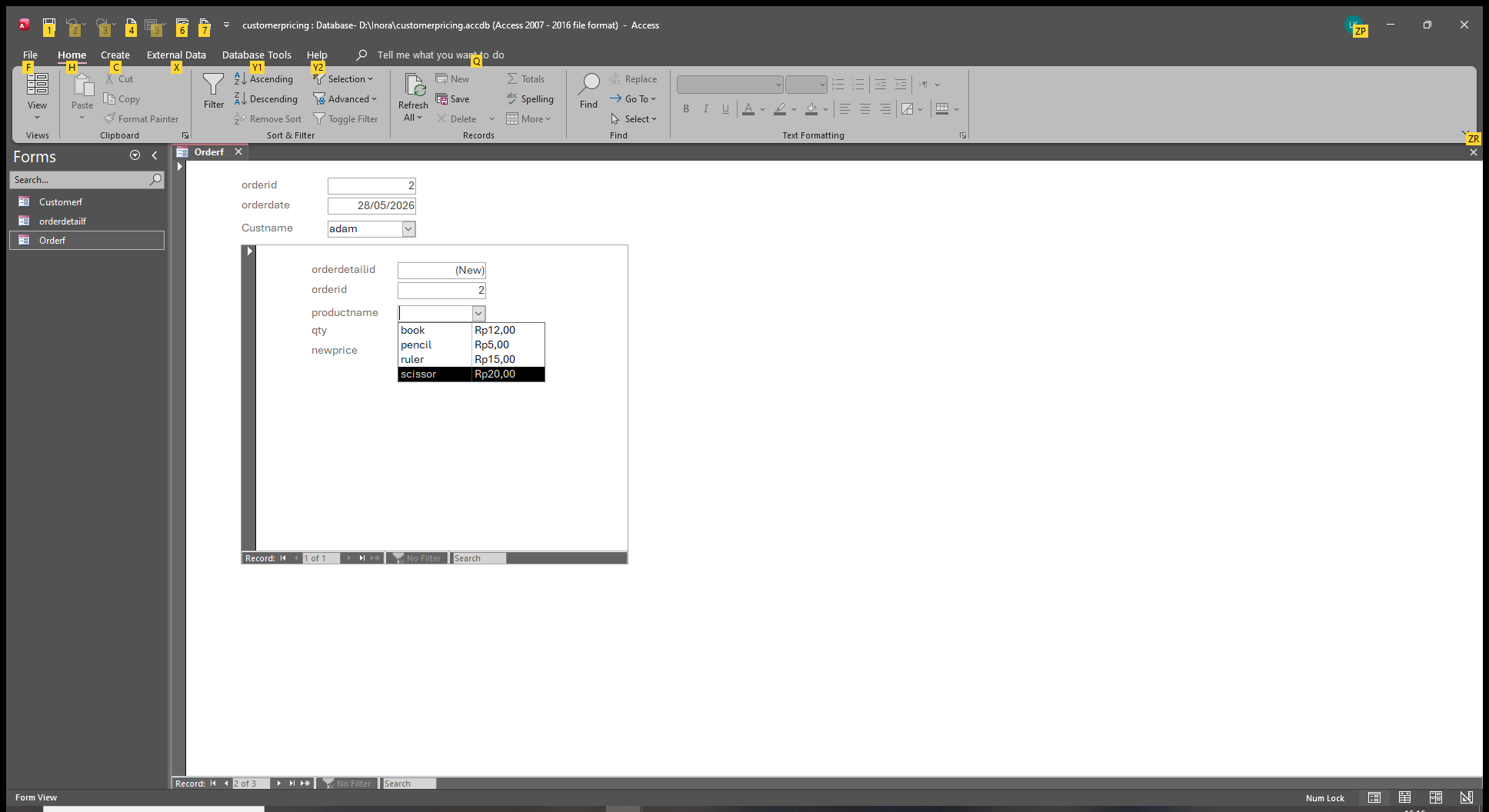
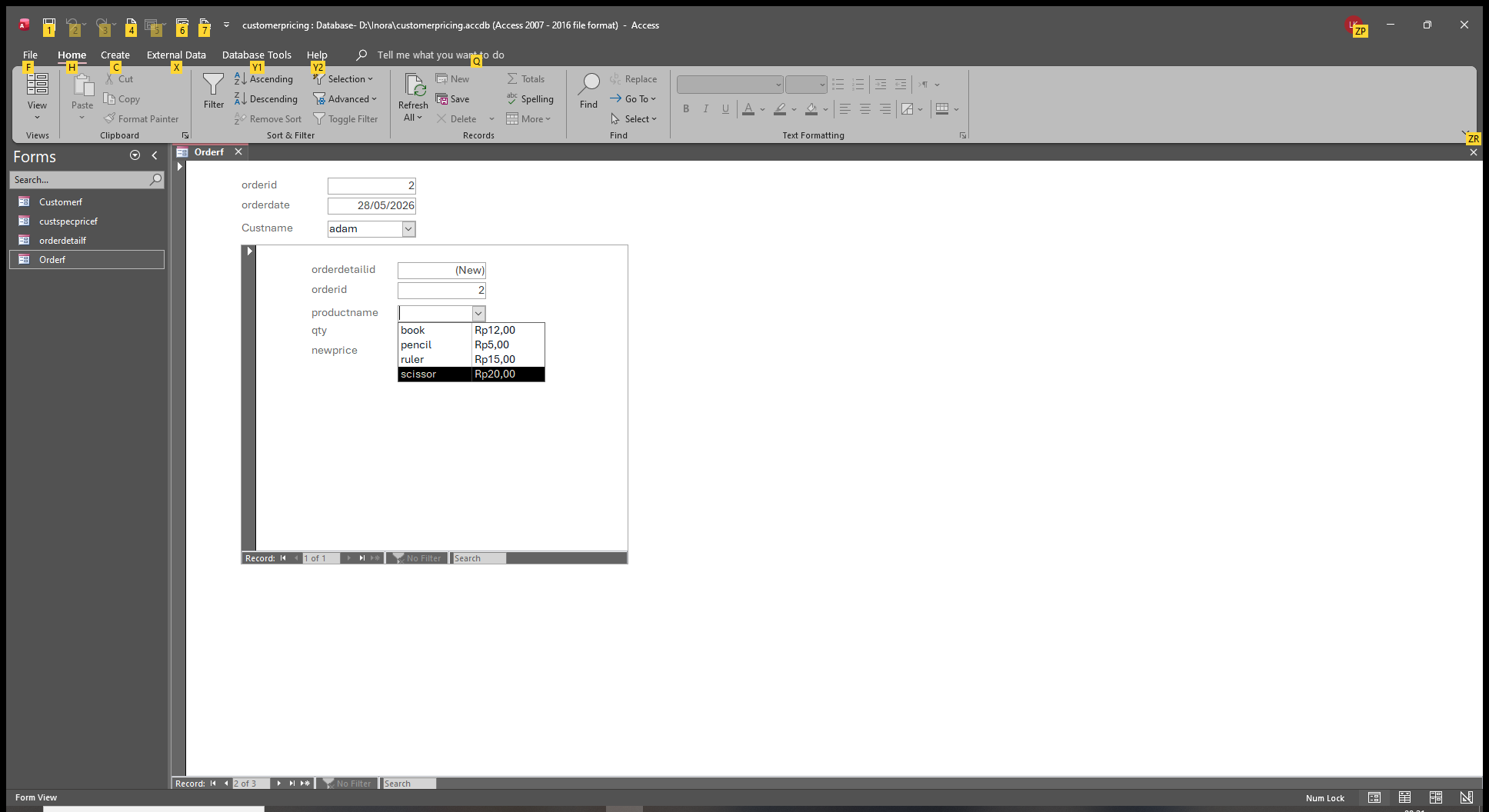
but in my subform of the order detail ,the productid field (relational combo) if I clicked the field (prodid field),it showed the list of price the same even I clicked different customers
hopefully anybody could help me
Liem Khen OP  @Reply  
     
41 hours ago
I am sorry...I can not upload the database
Liem Khen OP  @Reply  
     
38 hours ago
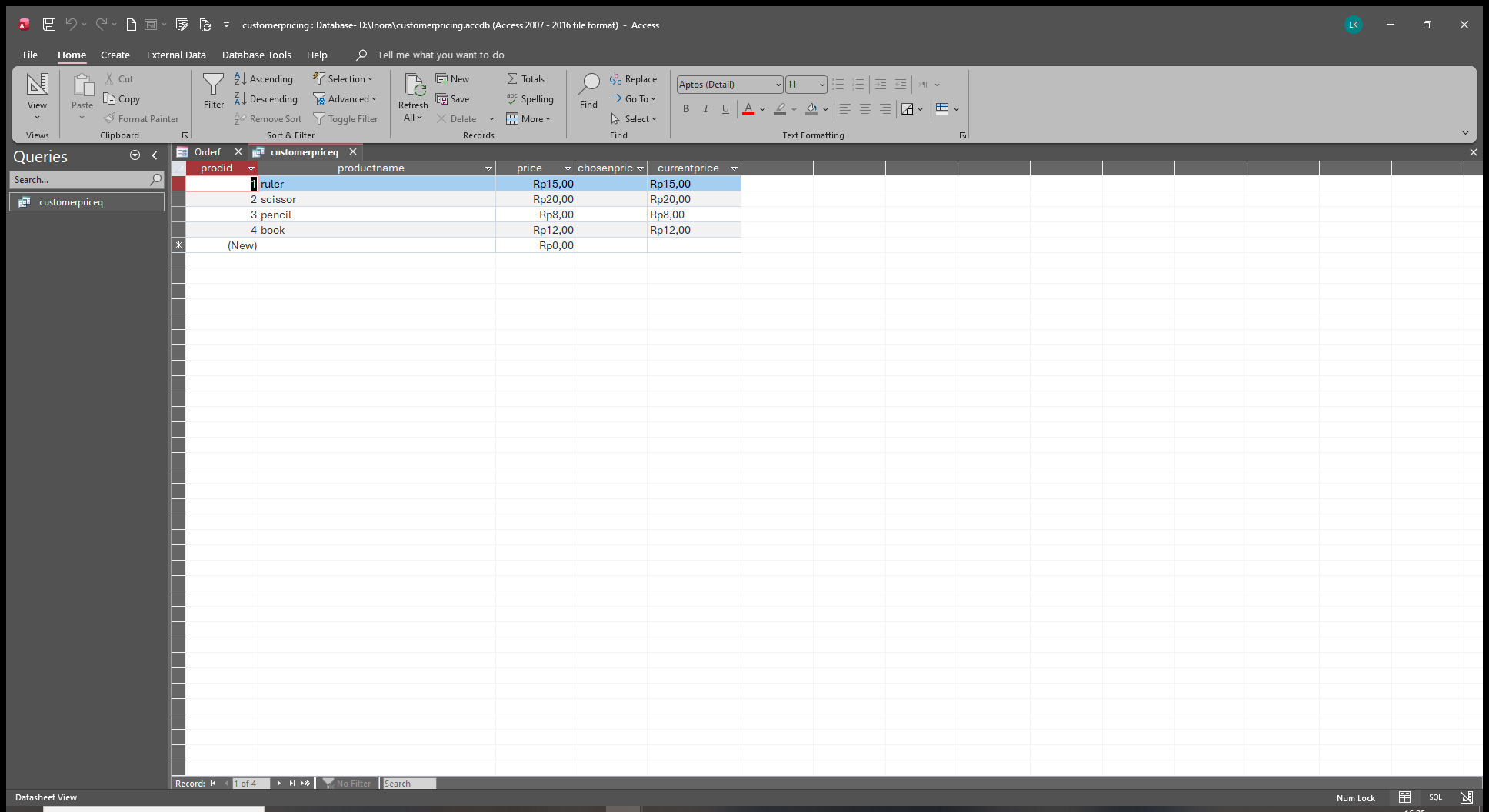
Adam has no specific price
Liem Khen OP  @Reply  
     
38 hours ago

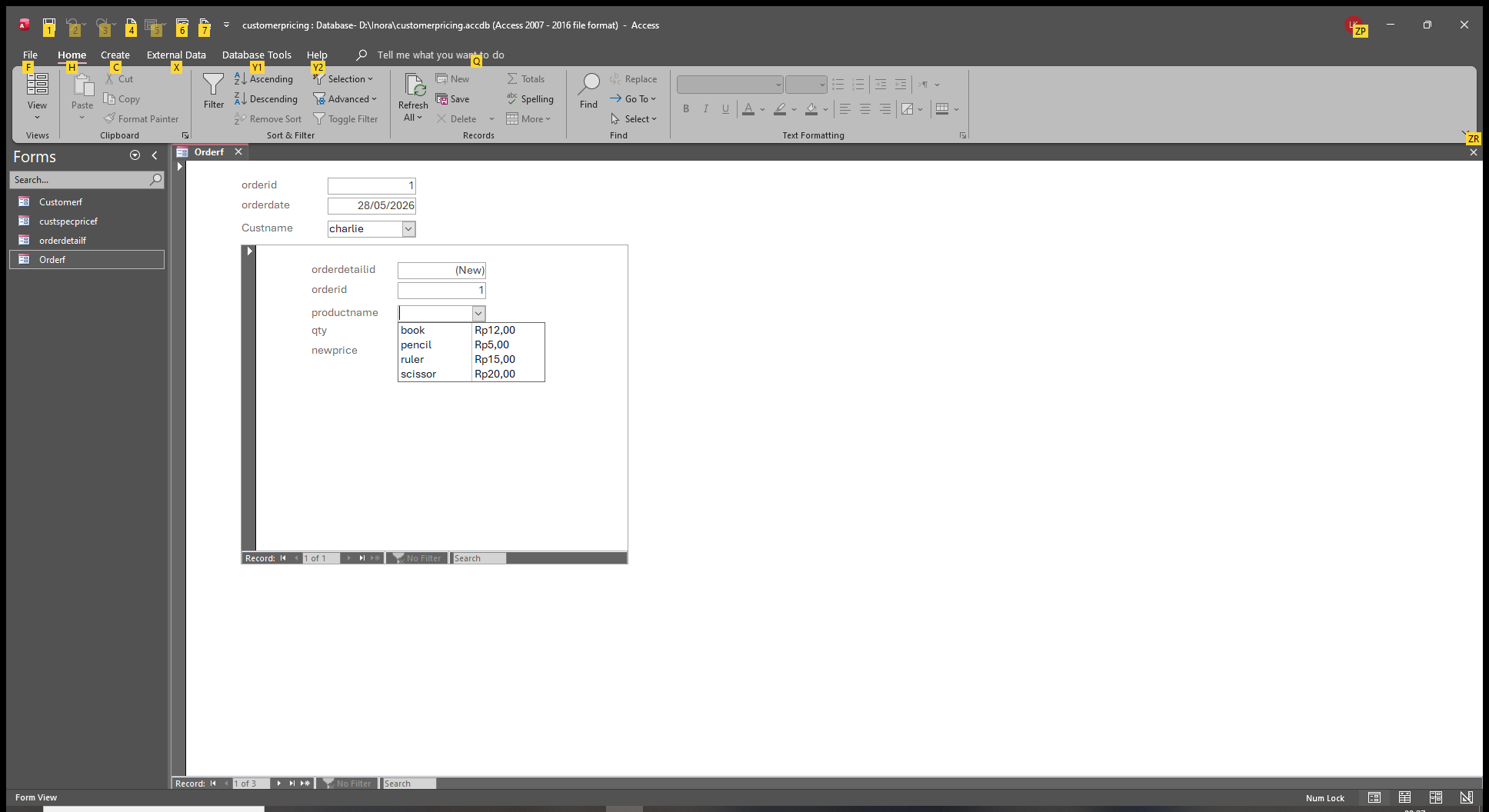
Liem Khen OP  @Reply  
     
38 hours ago
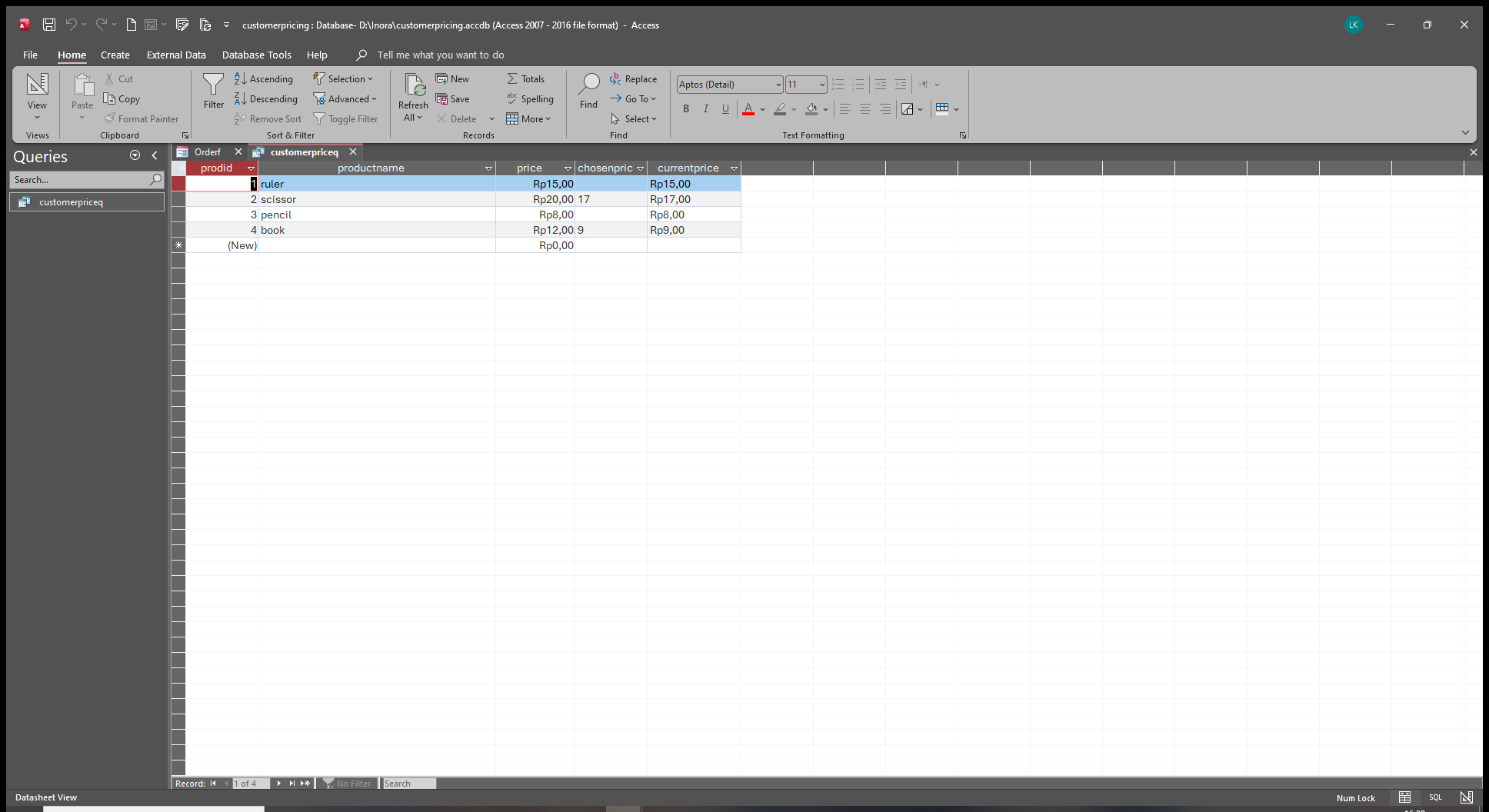
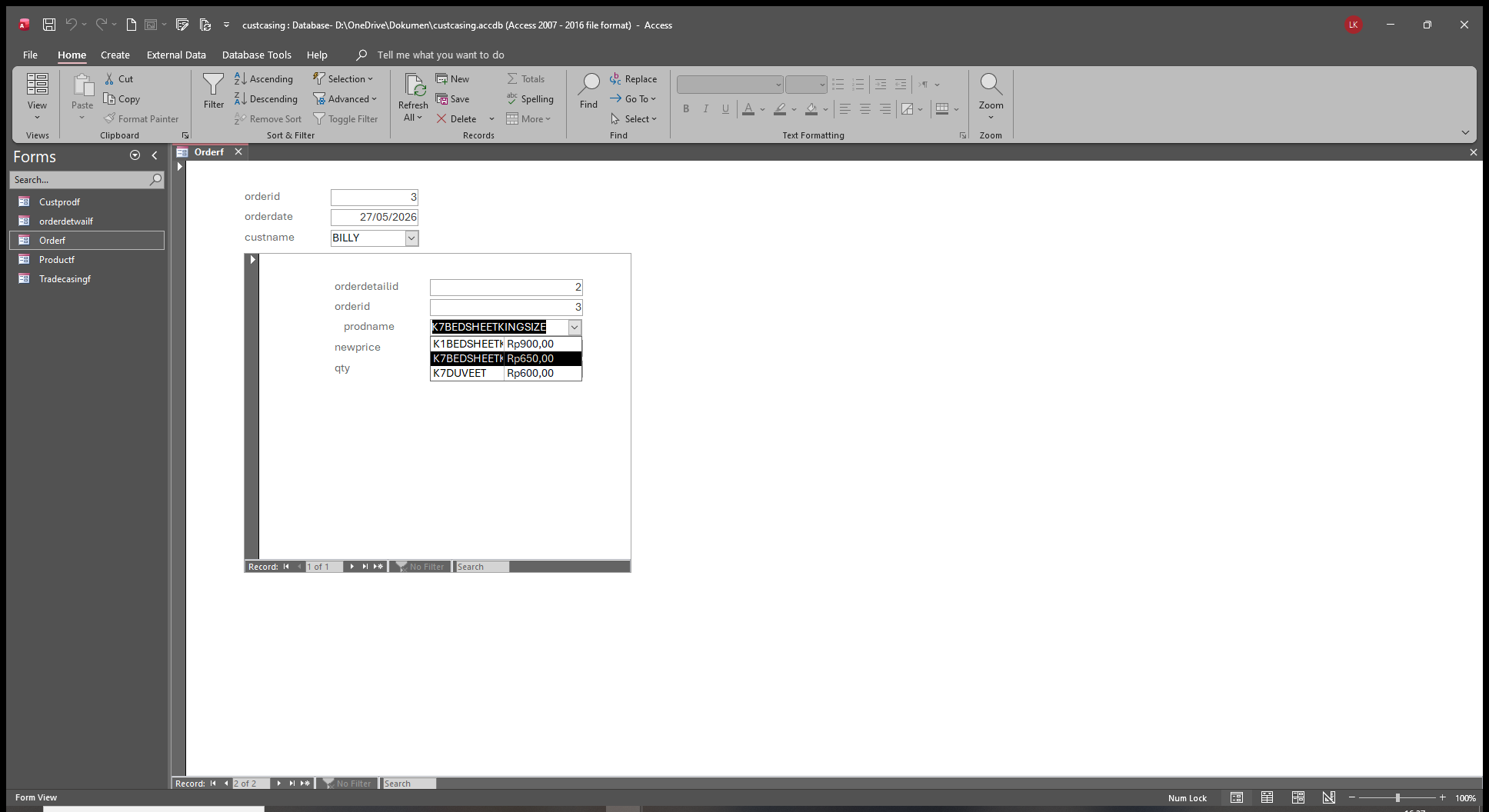
charlie has a specific price
by scrolling to differrent customer ,the list in the productid field displaying the specific price of charlie
if I open the query it displays the price correctly
Liem Khen OP  @Reply  
     
38 hours ago

Liem Khen OP  @Reply  
     
38 hours ago
opening query for adam,no special price
Liem Khen OP  @Reply  
     
38 hours ago

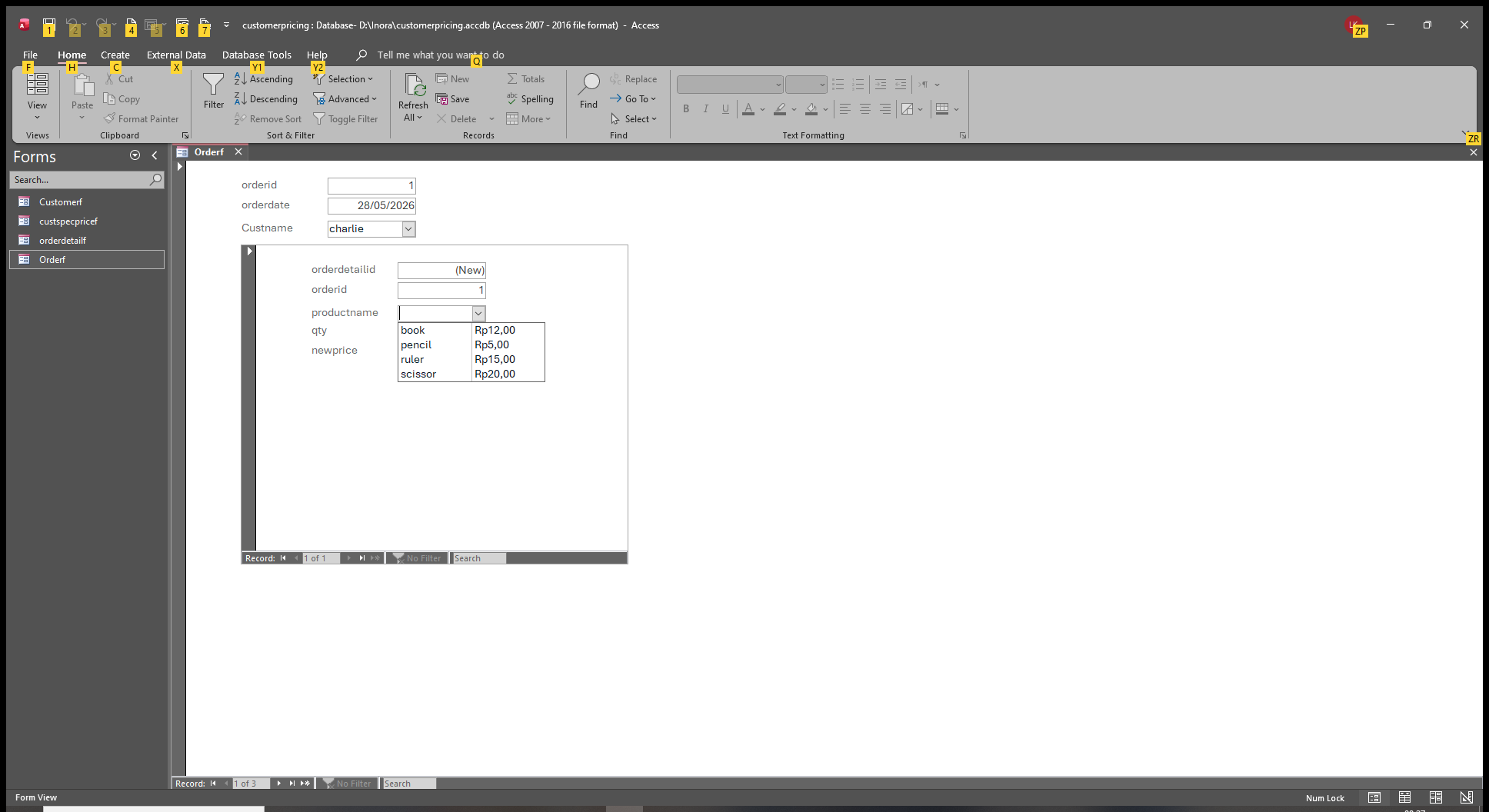
Liem Khen OP  @Reply  
     
38 hours ago
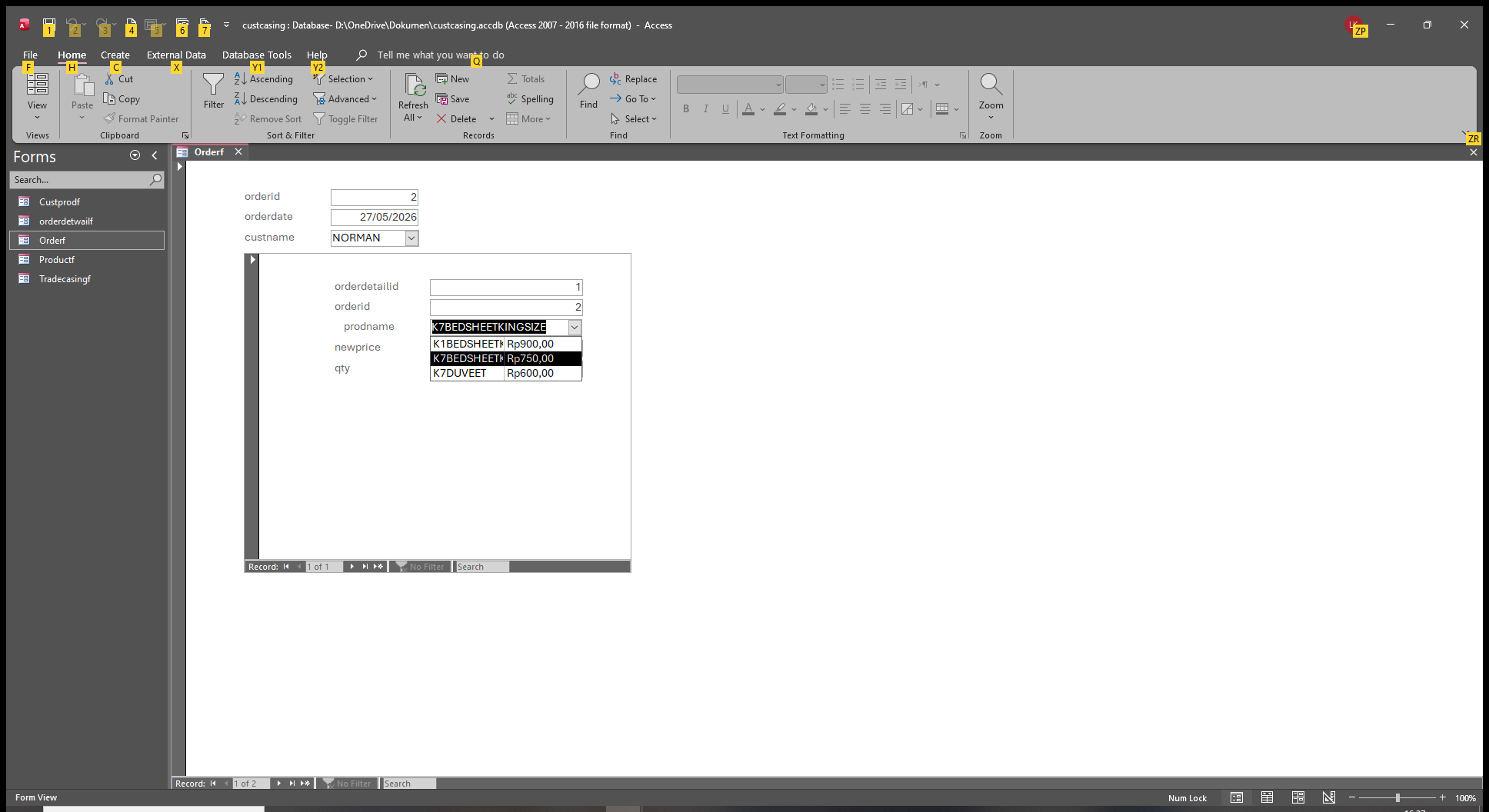
that is norman has a specific price
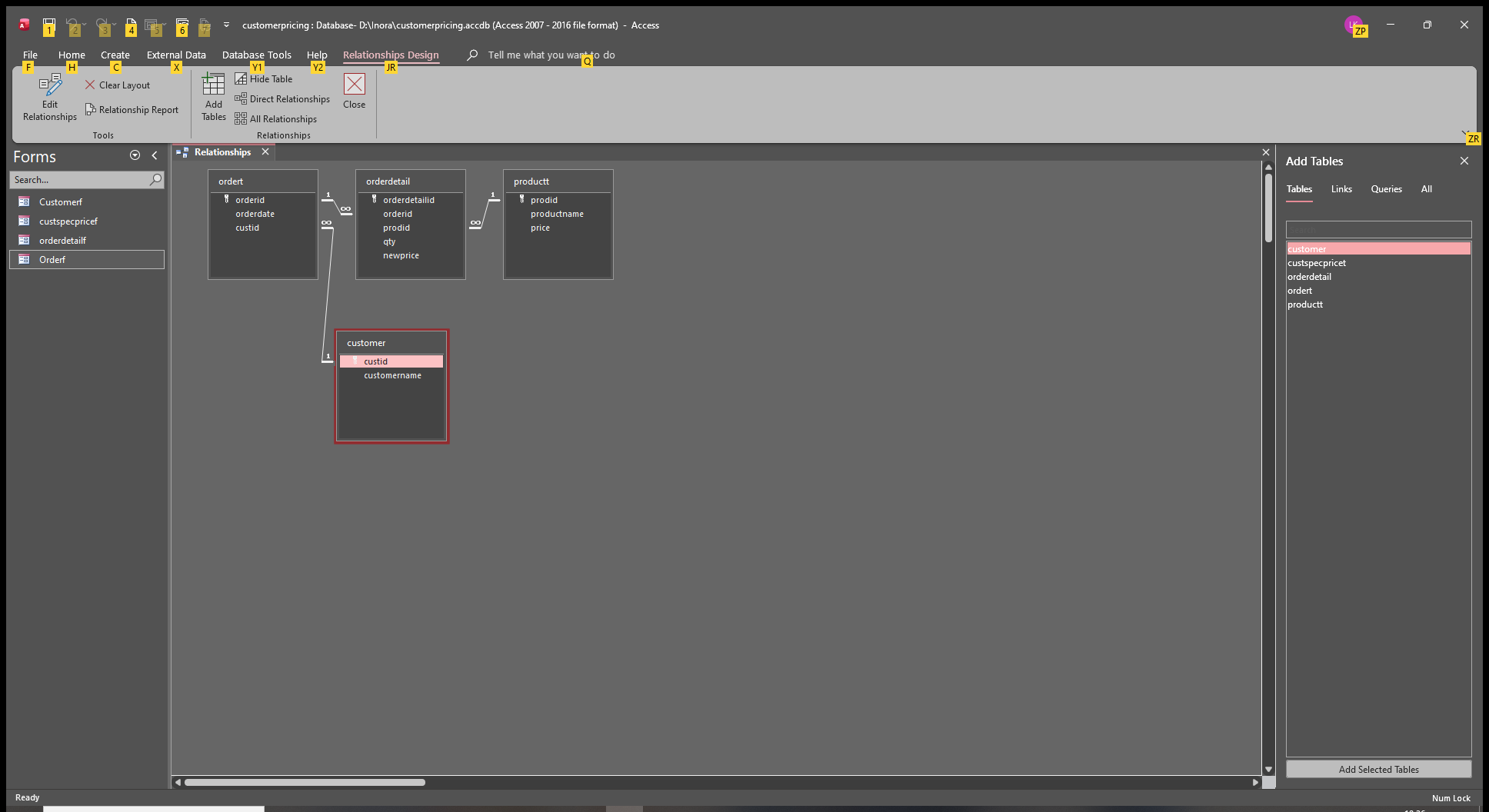
the query is okay but the productid field in subform (I use PRODID in my database for productid) displaying wrongly.
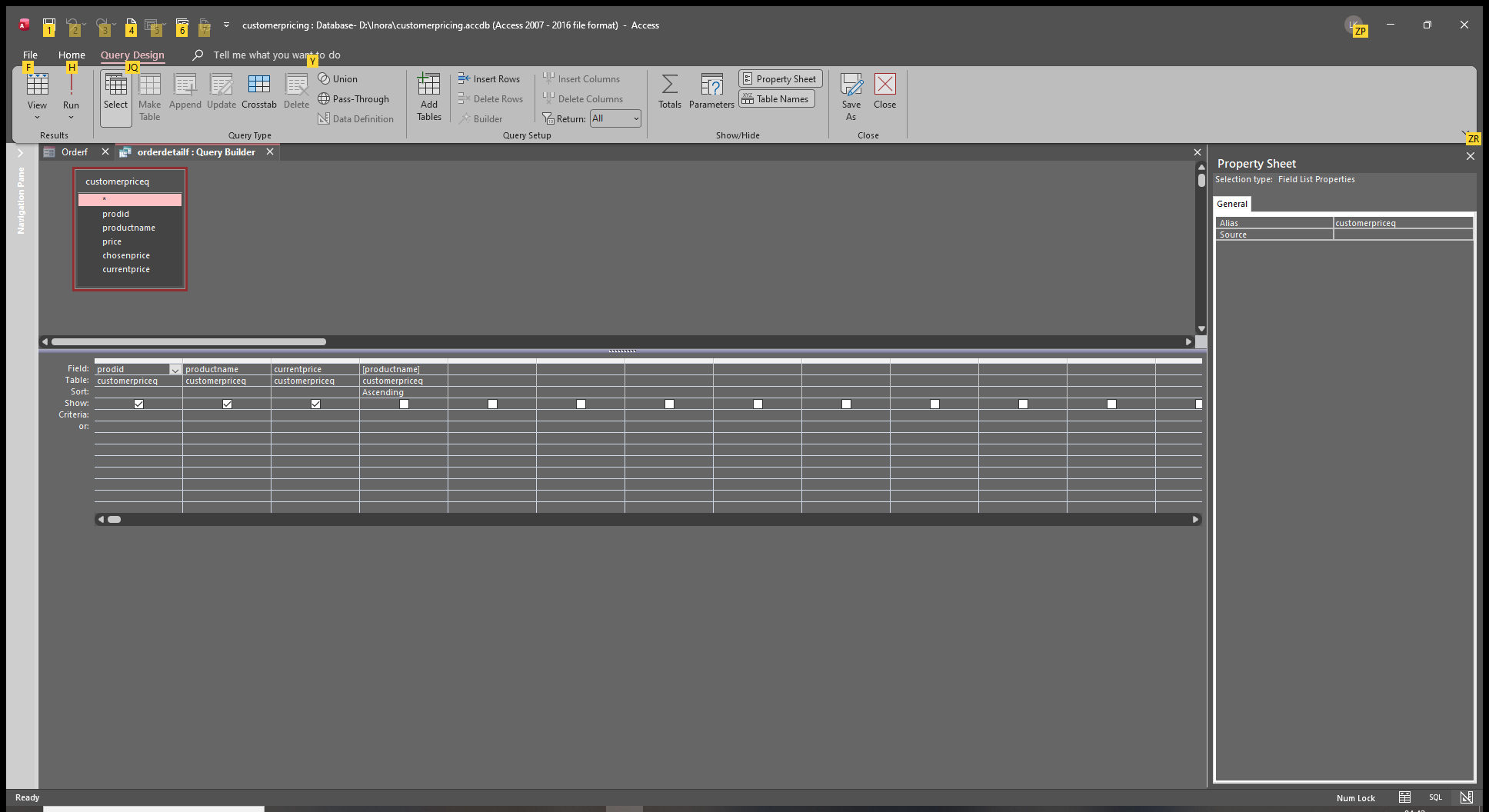
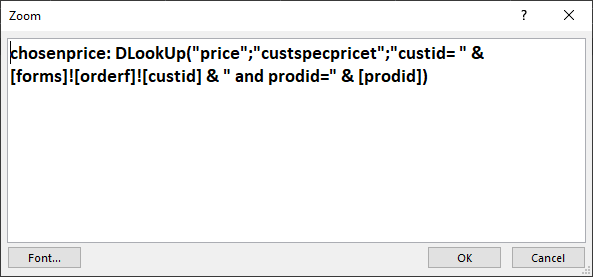
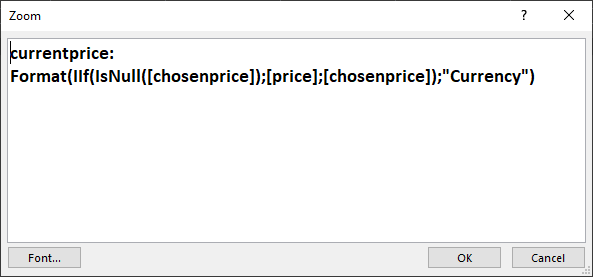
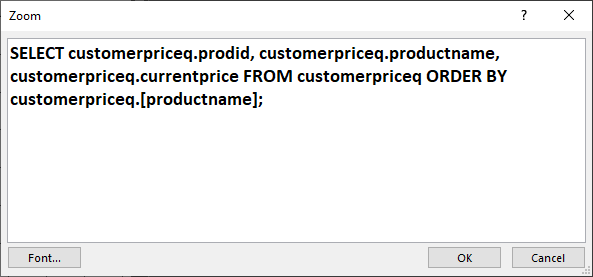
I use the query as the rowsource.
Liem Khen OP  @Reply  
     
38 hours ago

Liem Khen OP  @Reply  
     
38 hours ago
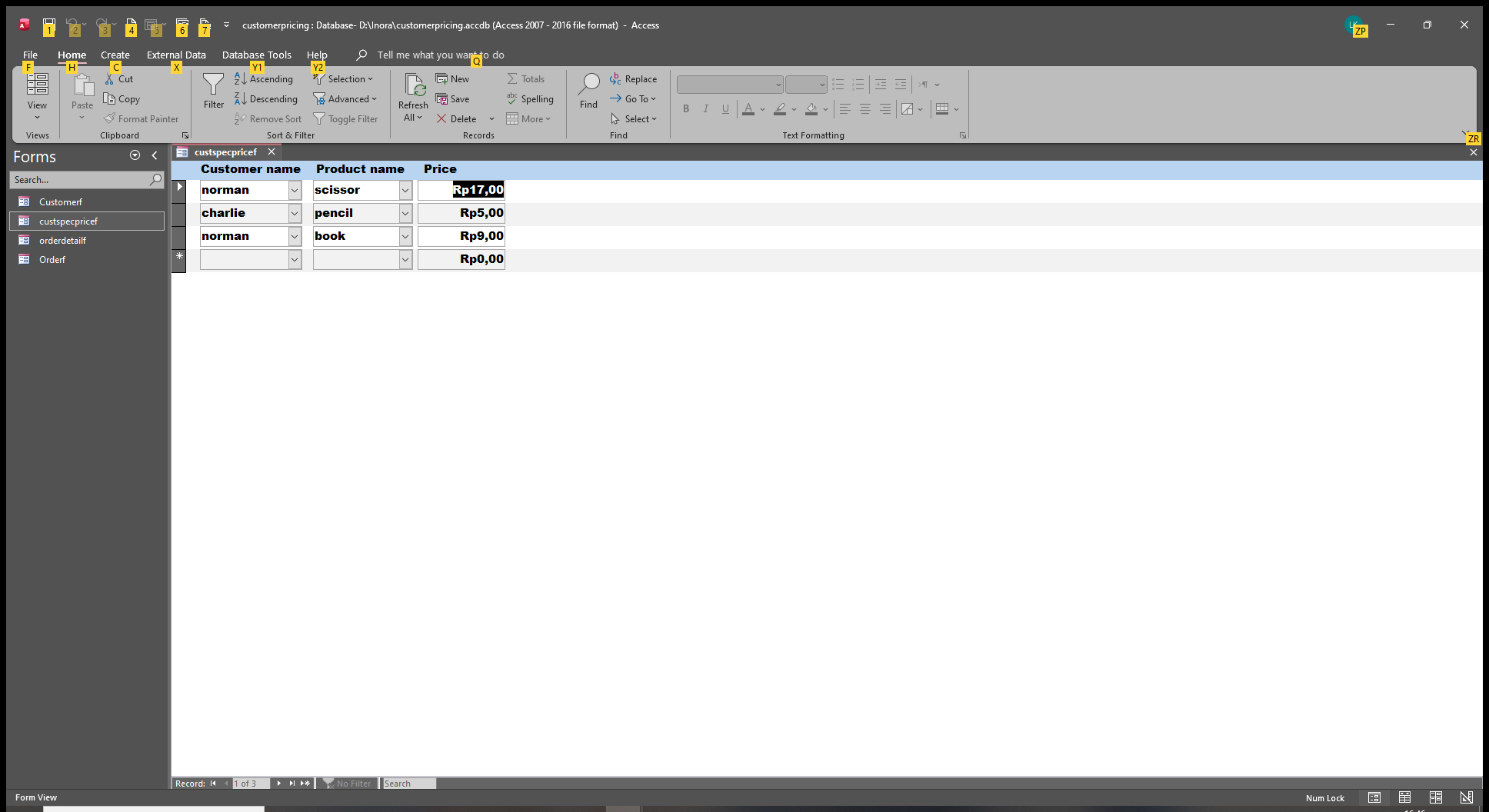
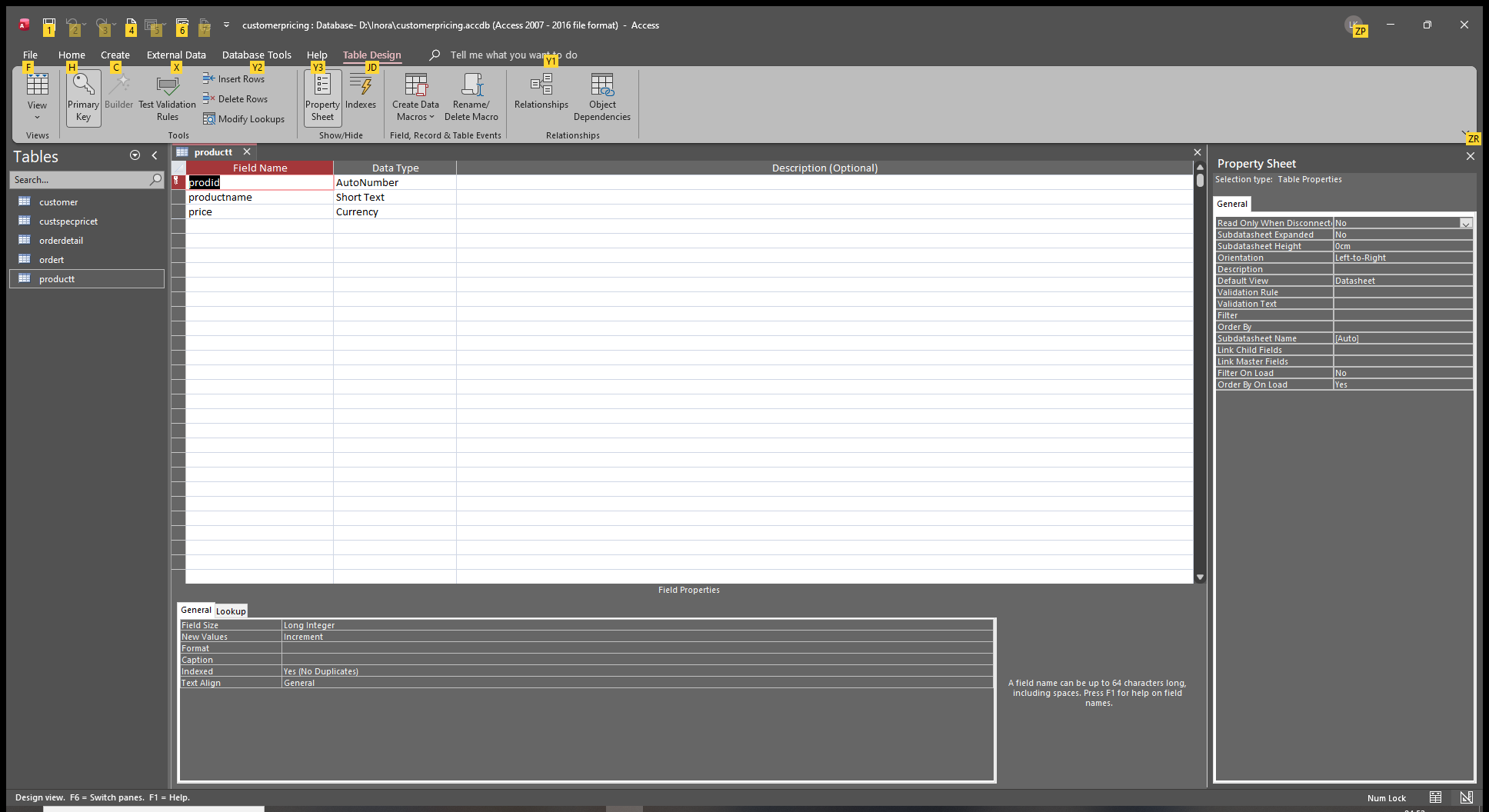
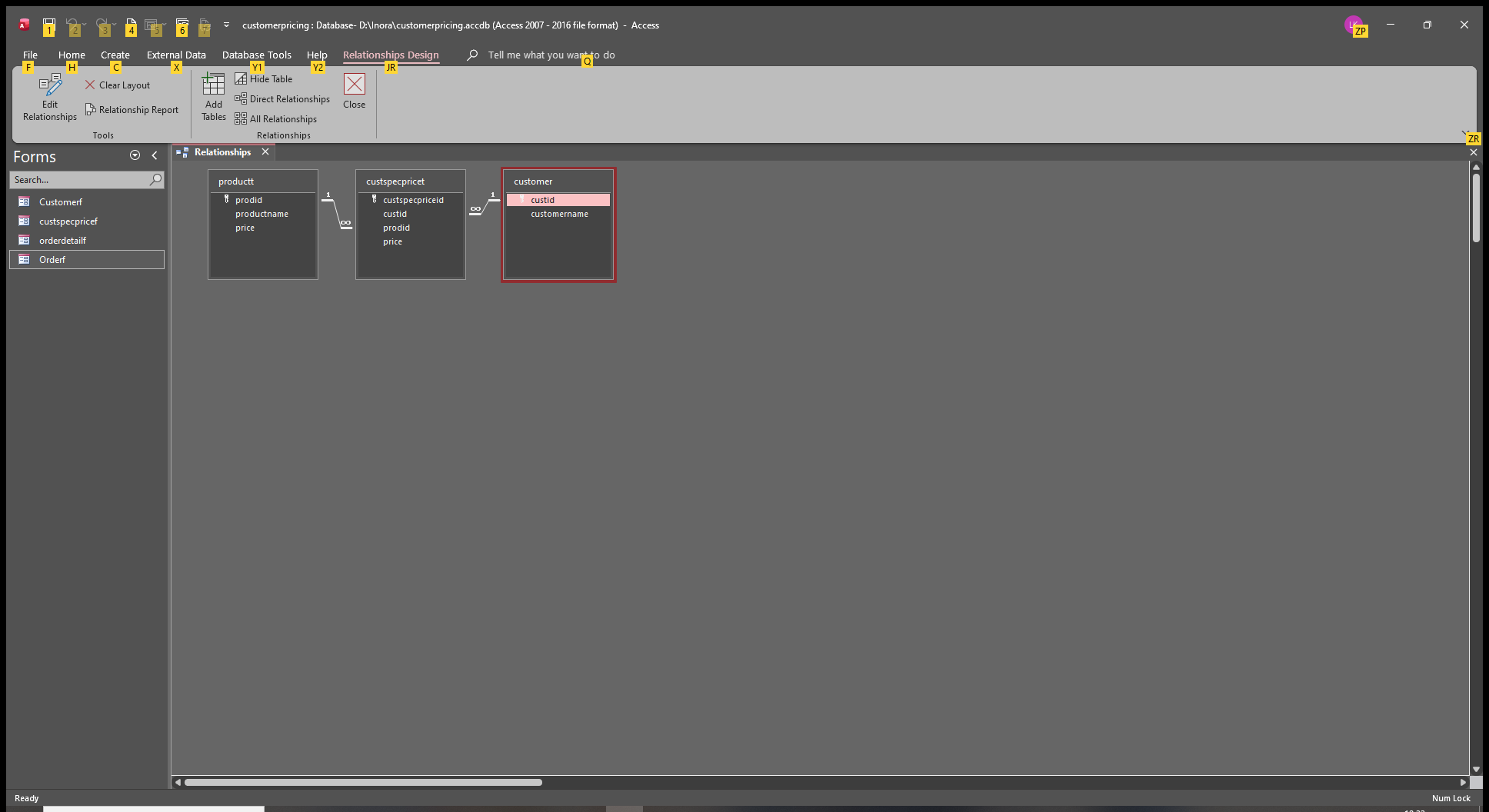
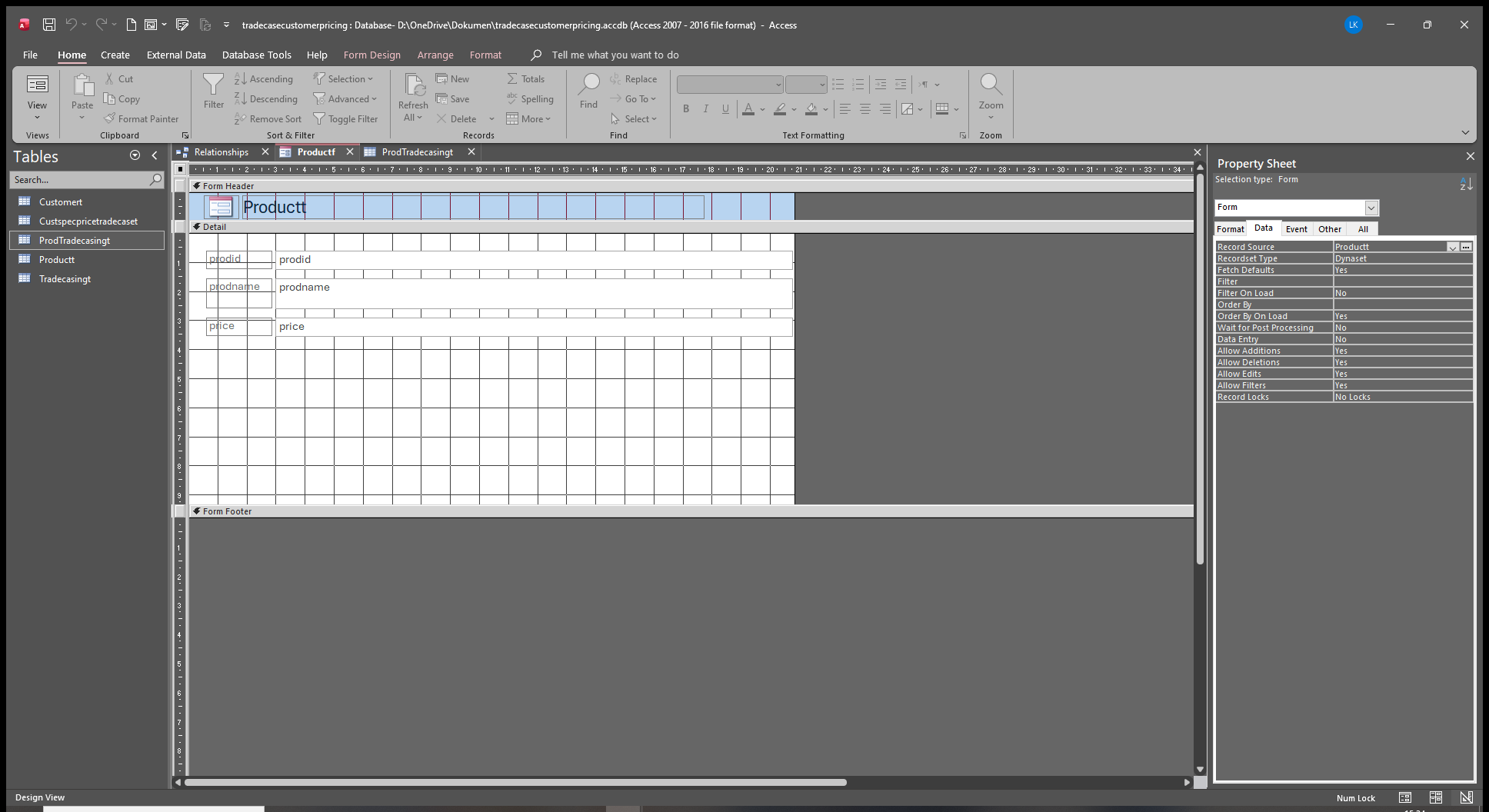
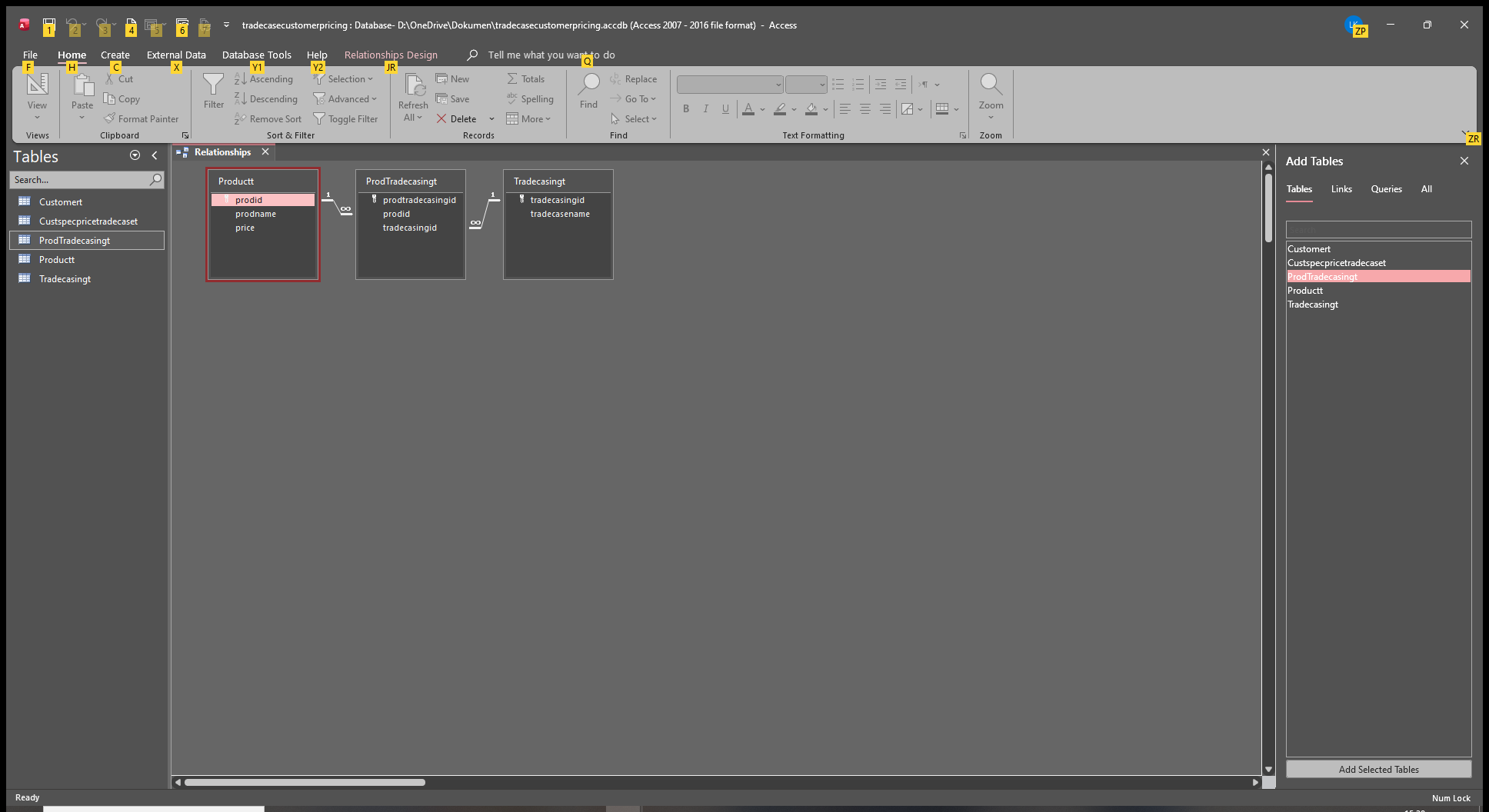
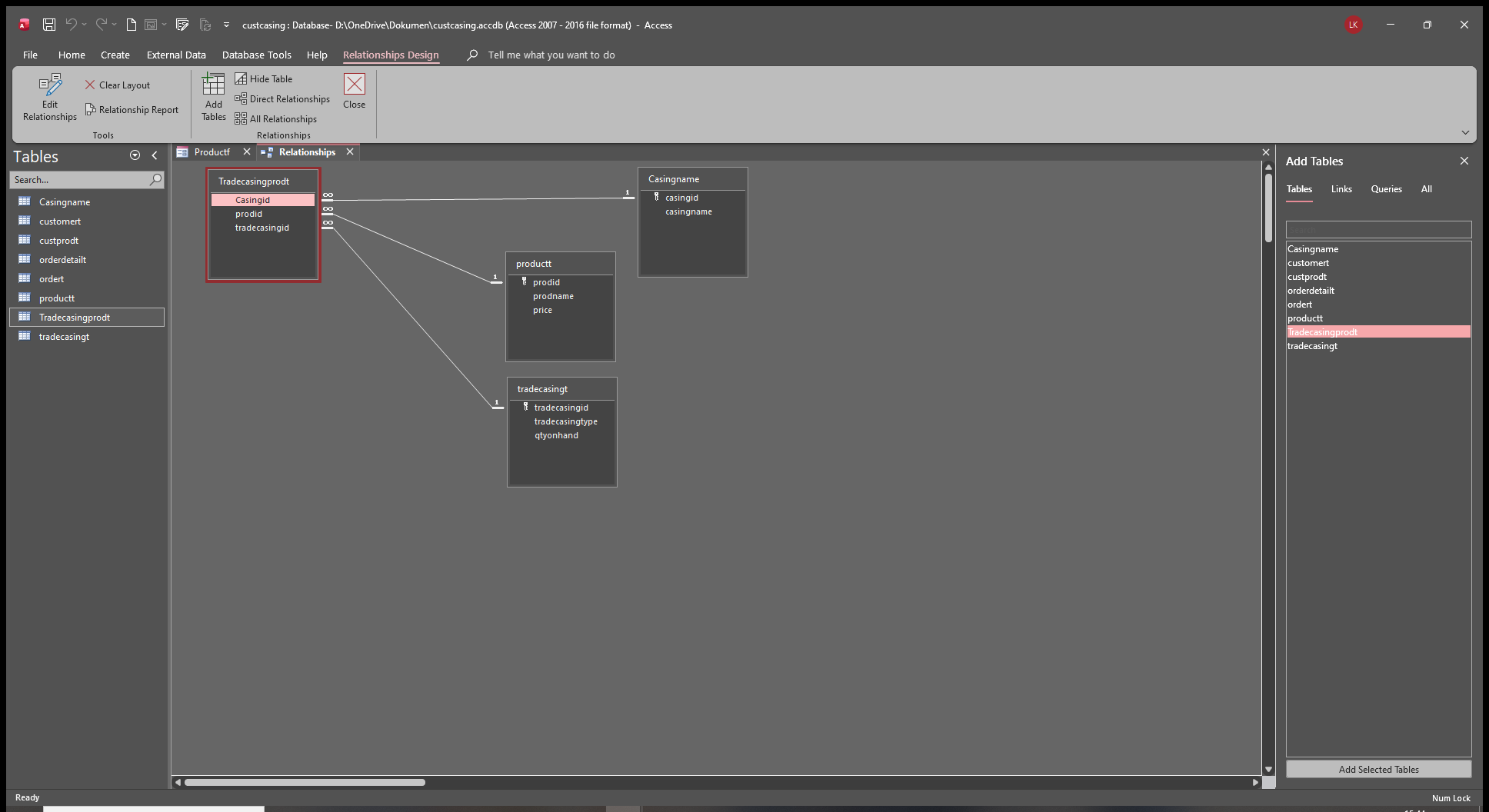
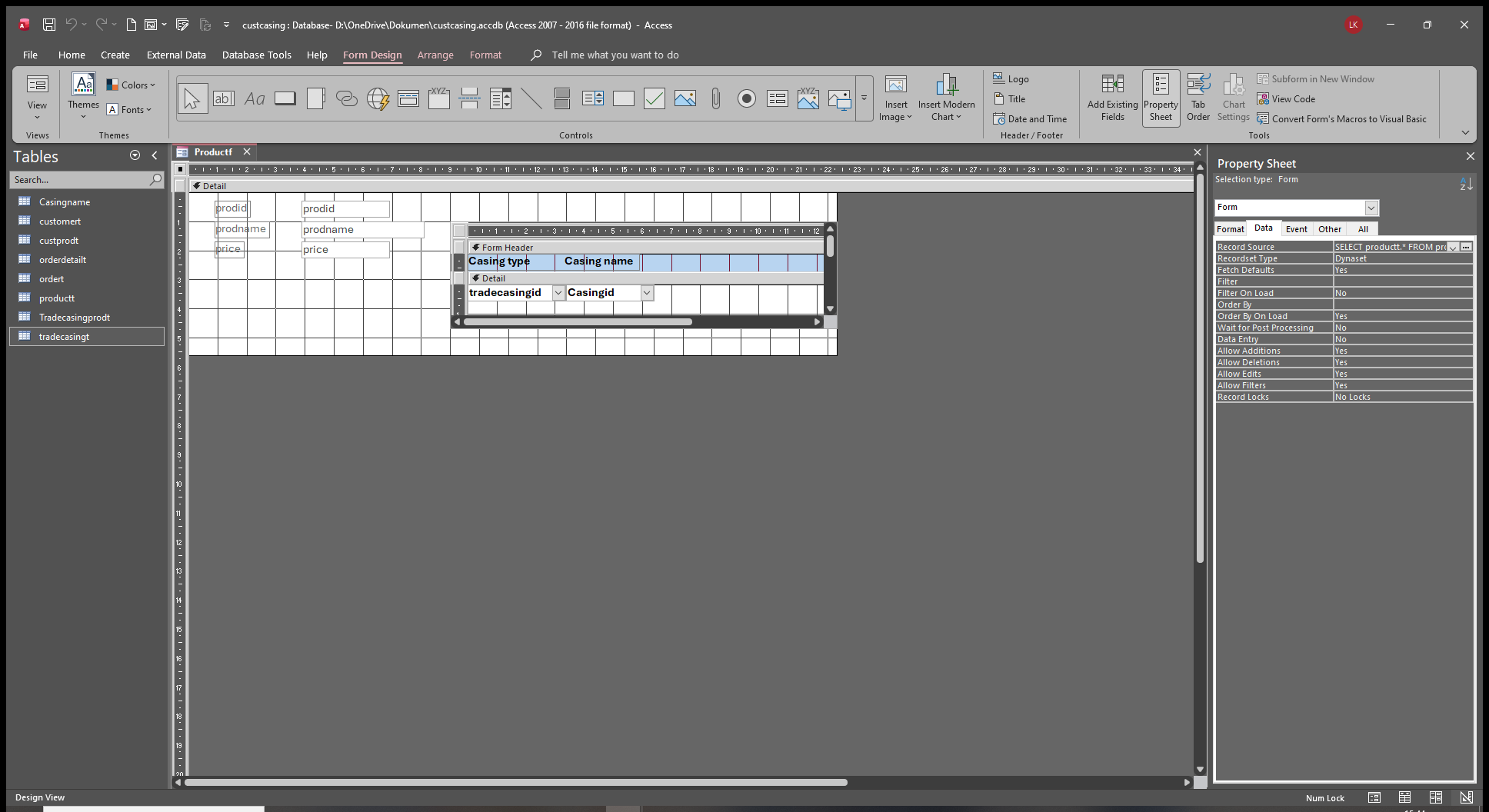
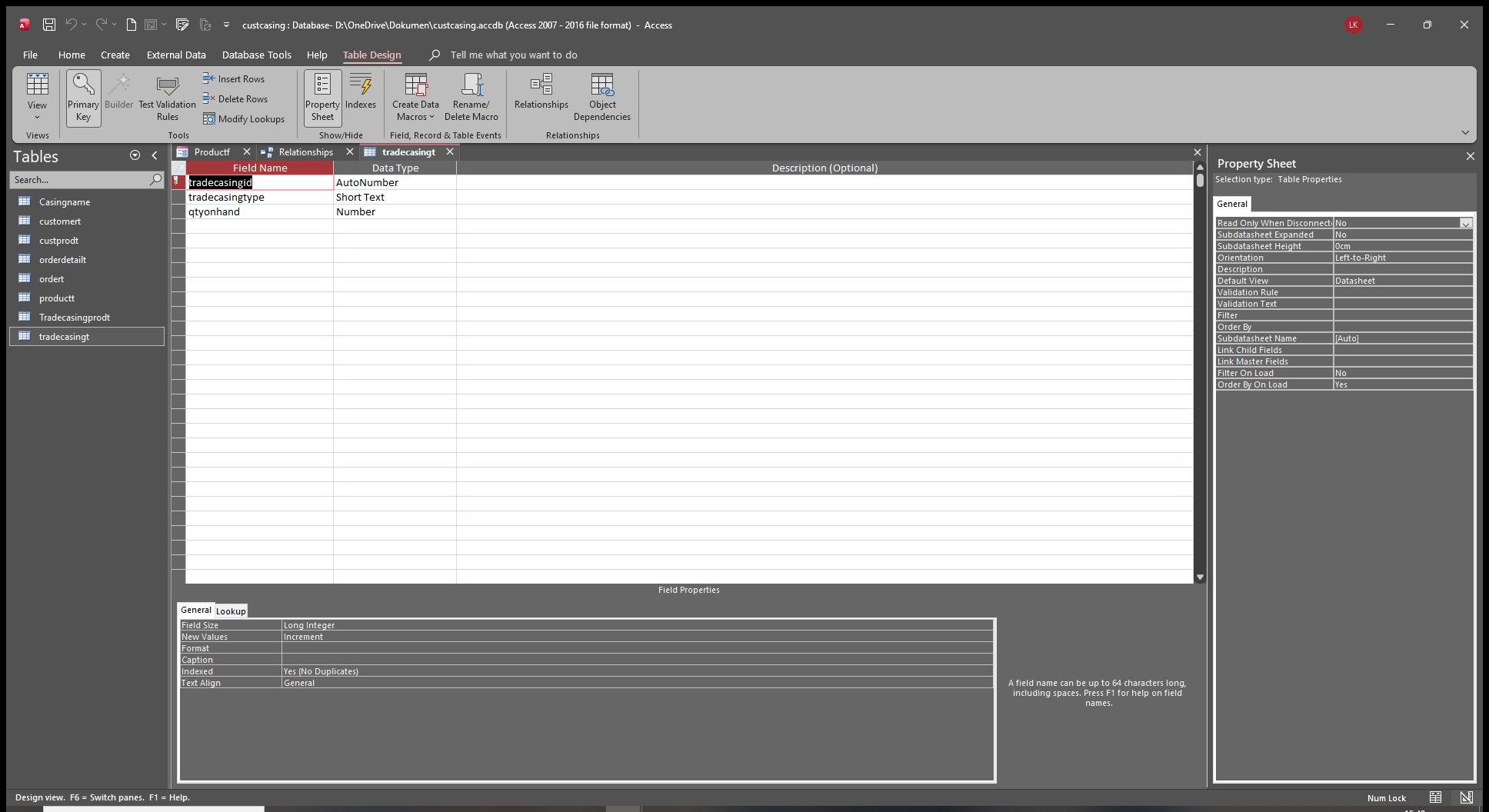
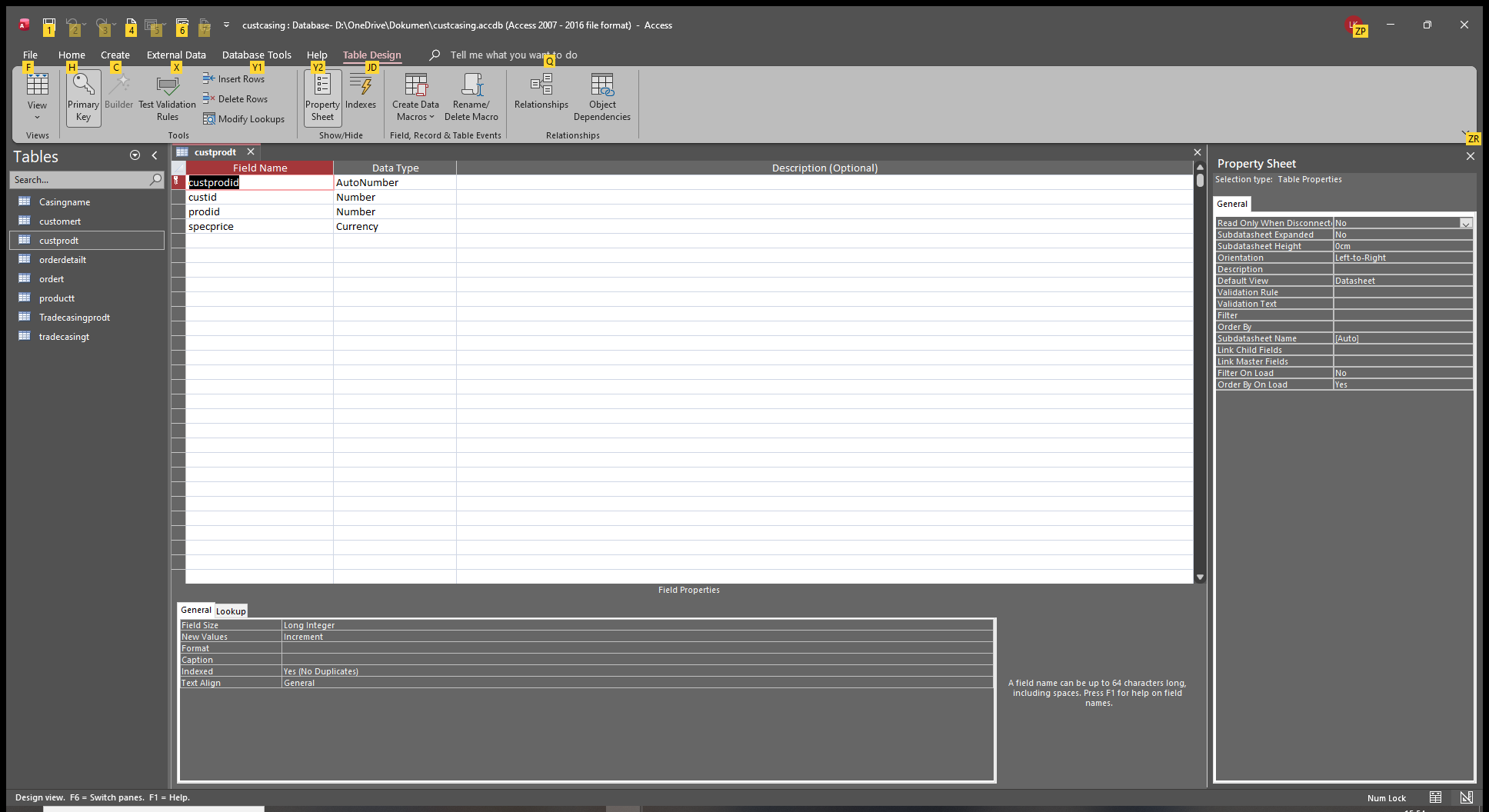
the specific price form
Liem Khen OP  @Reply  
     
38 hours ago
hopefully anybody could hel me
Donald Blackwell  @Reply  
       
35 hours ago
Hi Liem,

OK, I think that the first question you had is why your subform doesn't update pricing when you change the customer in the custname field in the order form and/or why, when the form loads, why it doesn't show the pricing information for that customer.

This is how forms load in Access. The subform loads before the form, so if you start with a new record, it will use the default values in the form before you change the customer is selected so you have to have some code or macro in the main form to update the subform as you select a customer.

If starting with an existing record that already has a customer selected and it isn't showing the correct pricing, then that means your subform isn't set to respond to those changes.

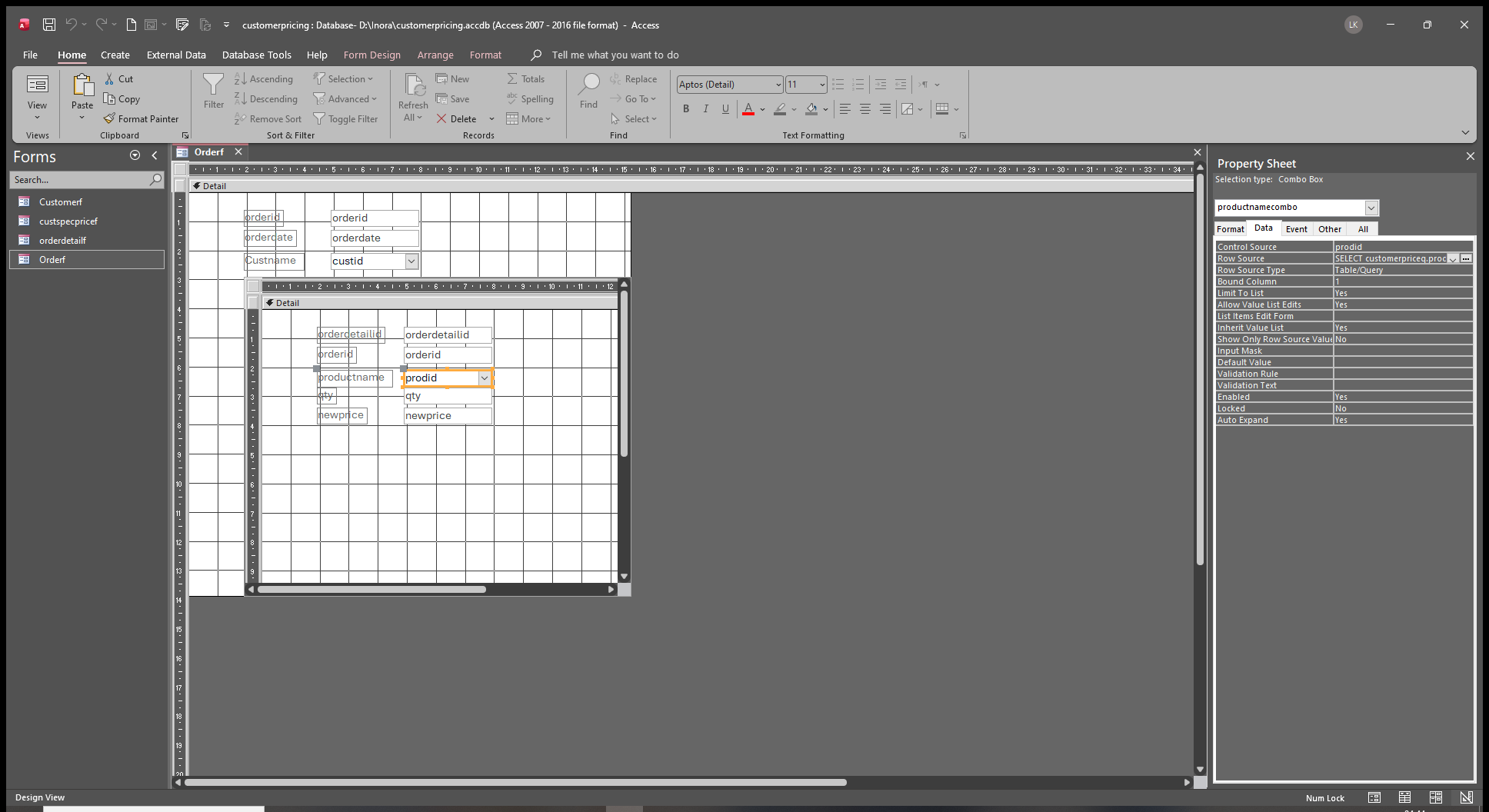
Can you show us a screen shot of the subform in design view with the prodid combo box selected with it's property dialog visible showing the rowsource of that combo box so we can see the full content of it. If necessary, highlight the rowsource and press shift+F2 to zoom. If it just points directly to a query, then we will need to see that query in design view as well.
Liem Khen OP  @Reply  
     
26 hours ago

Liem Khen OP  @Reply  
     
26 hours ago

Liem Khen OP  @Reply  
     
26 hours ago

Liem Khen OP  @Reply  
     
26 hours ago

Liem Khen OP  @Reply  
     
26 hours ago

Donald Blackwell  @Reply  
       
25 hours ago
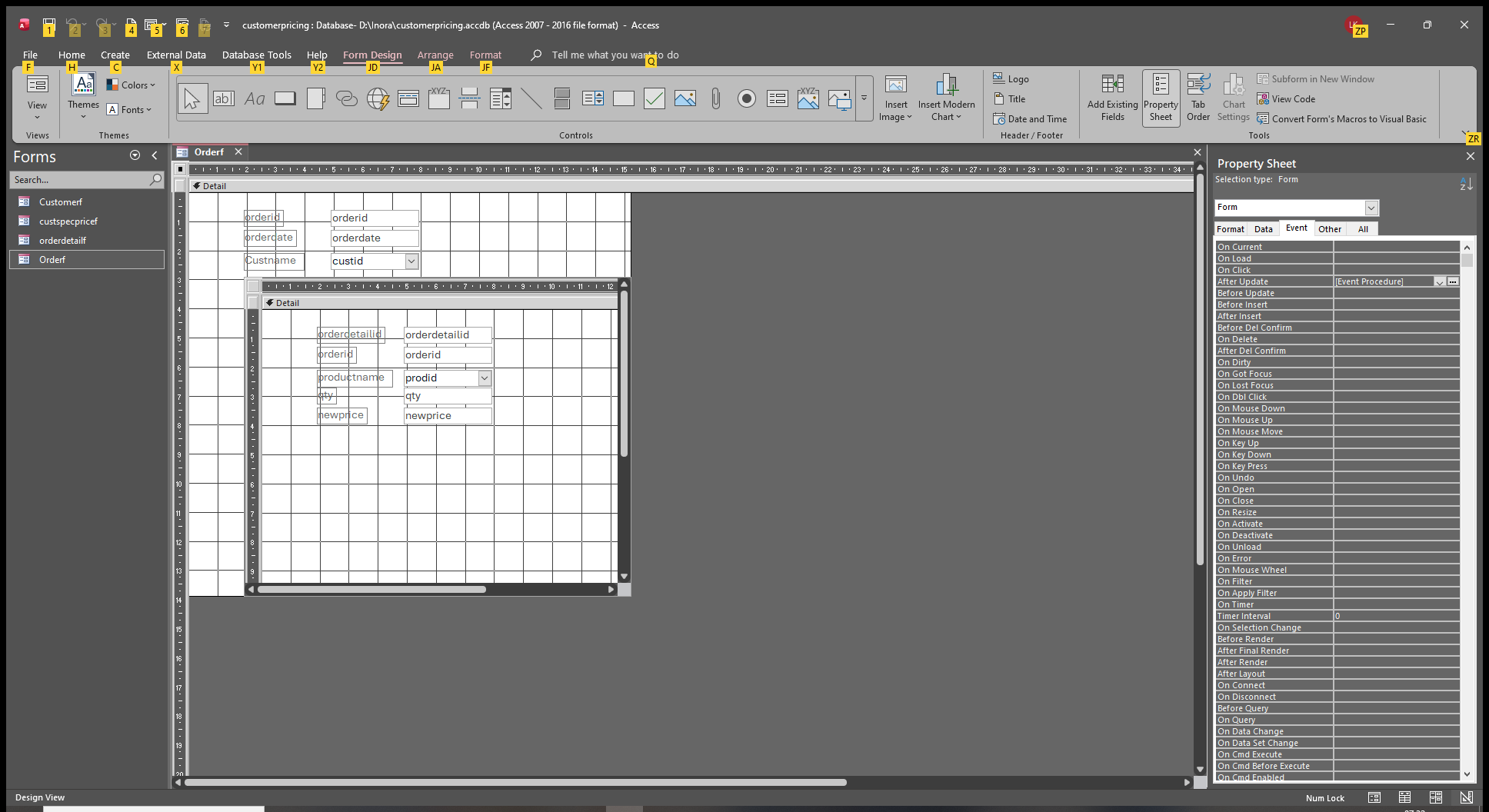
On OrderF, in design view, select the CustID combo box (representing customer name). In the property window, go to the Events tab. Do you have anything listed anywhere there?

If so, which event(s) is/are used? Are they macros or VBA?

Basically, without looking at every single object and property in your database, I'm thinking you may just need to add an event that requeries the subform when you select a customer.
Liem Khen OP  @Reply  
     
25 hours ago
At the moment the event proerty is still empty

Iam sorry I am not good at vba
I know how to change the new price if the price gets higher or lower
Donald Blackwell  @Reply  
       
24 hours ago
Ok, not a problem, it's one line of code :)

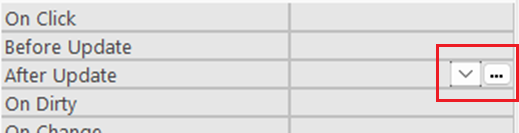
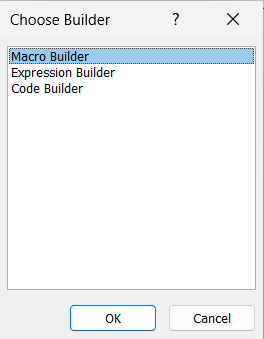
In the events properties, click on the "After Update" event. Next to it will be blank but you should see a drop down followed by 3 dots (ellipses). Click the Ellipses and if prompted, choose "Code Builder". When the VBA Editor opens, it will already have some code entered:

VBA Editor BEFORE adding codePrivate Sub CustID_AfterUpdate()

End Sub


Next, between the first line and the "End Sub" line, add the requery line so it will look something like:


VBA Editor AFTER Editing codePrivate Sub CustID_AfterUpdate()

     SUBFORMCONTROLNAME.Requery

End Sub


1) Click on the code blocks above to expand/copy
2) In the last block, replace "SUBFORMCONTROLNAME" with the actual name of the subform control in OrderF which may or may not be the same as the name of the form it holds.

Save you form and code, close it, reopen it and see if it works as you need it to.
Liem Khen OP  @Reply  
     
24 hours ago
Is it just to write REQUERY on afterupdate event or which event
Thanks
Liem Khen OP  @Reply  
     
24 hours ago
Sorry
Liem Khen OP  @Reply  
     
24 hours ago

Liem Khen OP  @Reply  
     
24 hours ago
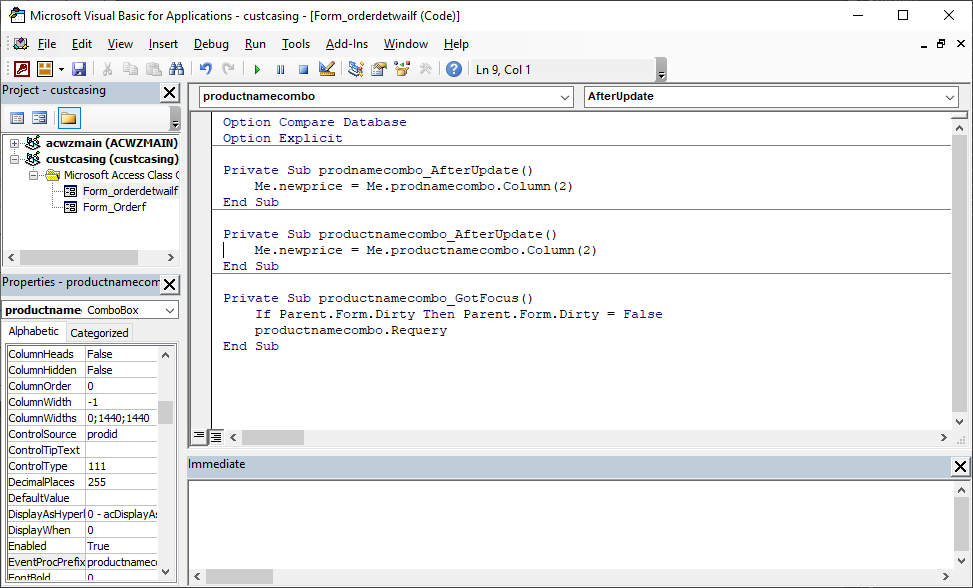
is it okay,the rowsource of the productname
Liem Khen OP  @Reply  
     
24 hours ago

Liem Khen OP  @Reply  
     
24 hours ago

Liem Khen OP  @Reply  
     
24 hours ago
the control name
Donald Blackwell  @Reply  
       
24 hours ago
If you click on the grey boxes in my previous post, it will show what you need in vba, or, if you'd rather use a macro, choose macro builder instead of code builder.

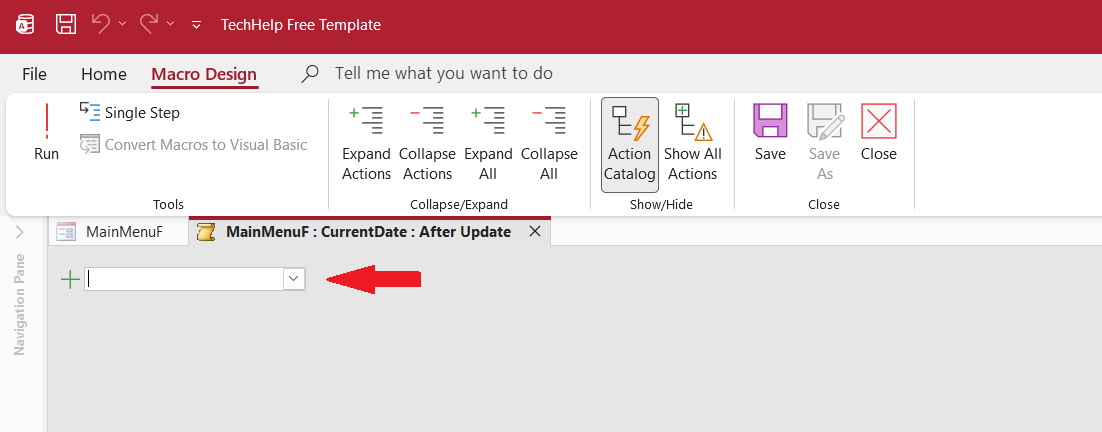
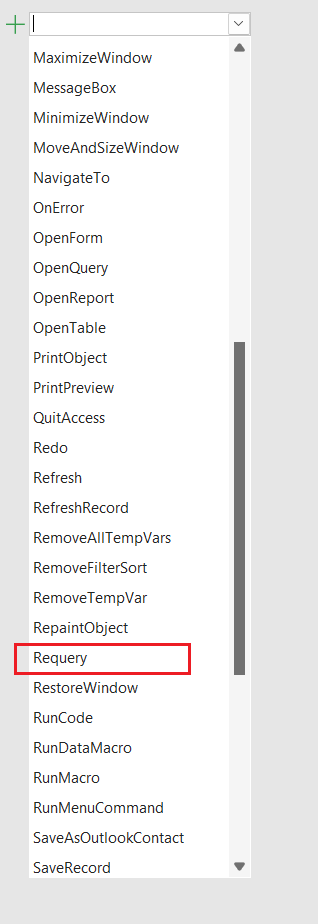
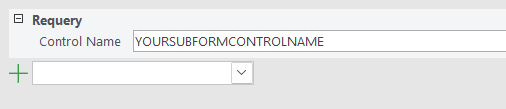
When the Macro Builder opens, in the drop down next to the "+" choose Requery and press tab
In the Control Name box, type the name of the SubForm control in OrderF and press tab.
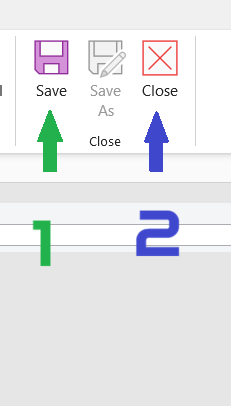
Click Save and Close the Macro Builder.
Save your form and close it. Reopen your form and see if it works.
Liem Khen OP  @Reply  
     
24 hours ago
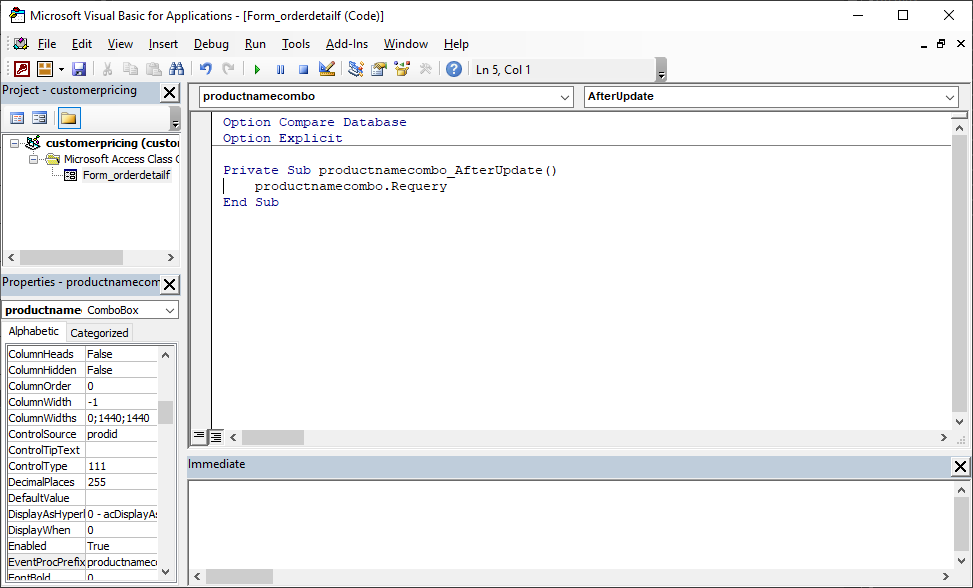
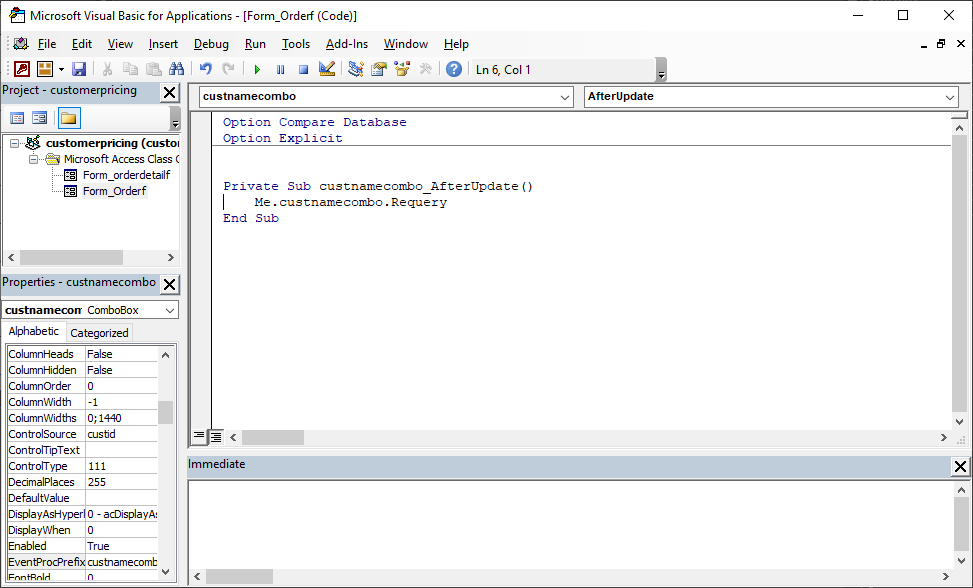
no...I'd rather use vba
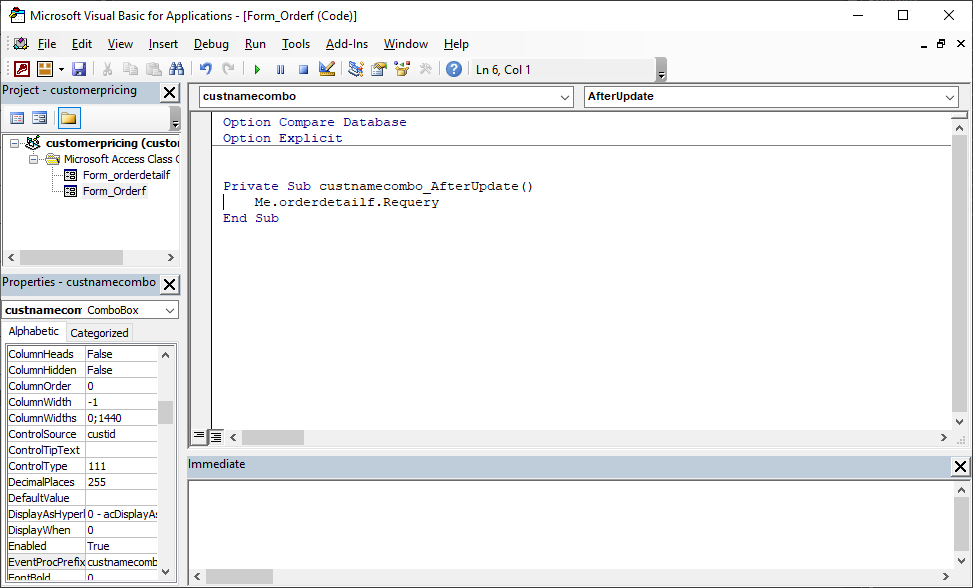
is my vba correct
Donald Blackwell  @Reply  
       
24 hours ago
In the following pictures, I will walk you step by step thru the Macro version as it may be a little less confusing:
Donald Blackwell  @Reply  
       
24 hours ago

Donald Blackwell  @Reply  
       
24 hours ago
1) Click the button with the 3 dots
Donald Blackwell  @Reply  
       
24 hours ago

Donald Blackwell  @Reply  
       
24 hours ago
2) Choose Macro Builder
Donald Blackwell  @Reply  
       
24 hours ago

Donald Blackwell  @Reply  
       
24 hours ago

Donald Blackwell  @Reply  
       
24 hours ago
3) In the dropdown, Select or Type "Requery"
Donald Blackwell  @Reply  
       
24 hours ago

Donald Blackwell  @Reply  
       
24 hours ago

Donald Blackwell  @Reply  
       
23 hours ago
4) In the Control Name box, enter the name of your sub form control (Replace "YOURSUBFORMCONTROLNAME" with your control's name)
Donald Blackwell  @Reply  
       
23 hours ago

Donald Blackwell  @Reply  
       
23 hours ago
5) Click Save (sorry, it's marked as "1" here)
6) Click Close (sorry, it's makred as "2" here)
7) Save your "OrderF" form and close it
8) Reopen your "OrderF" form and see if it is working.

Sorry if I went too fast or threw too much at you earlier.
Liem Khen OP  @Reply  
     
23 hours ago
is it right the controlname "PRODUCTNAMECOMBO"
Donald Blackwell  @Reply  
       
23 hours ago
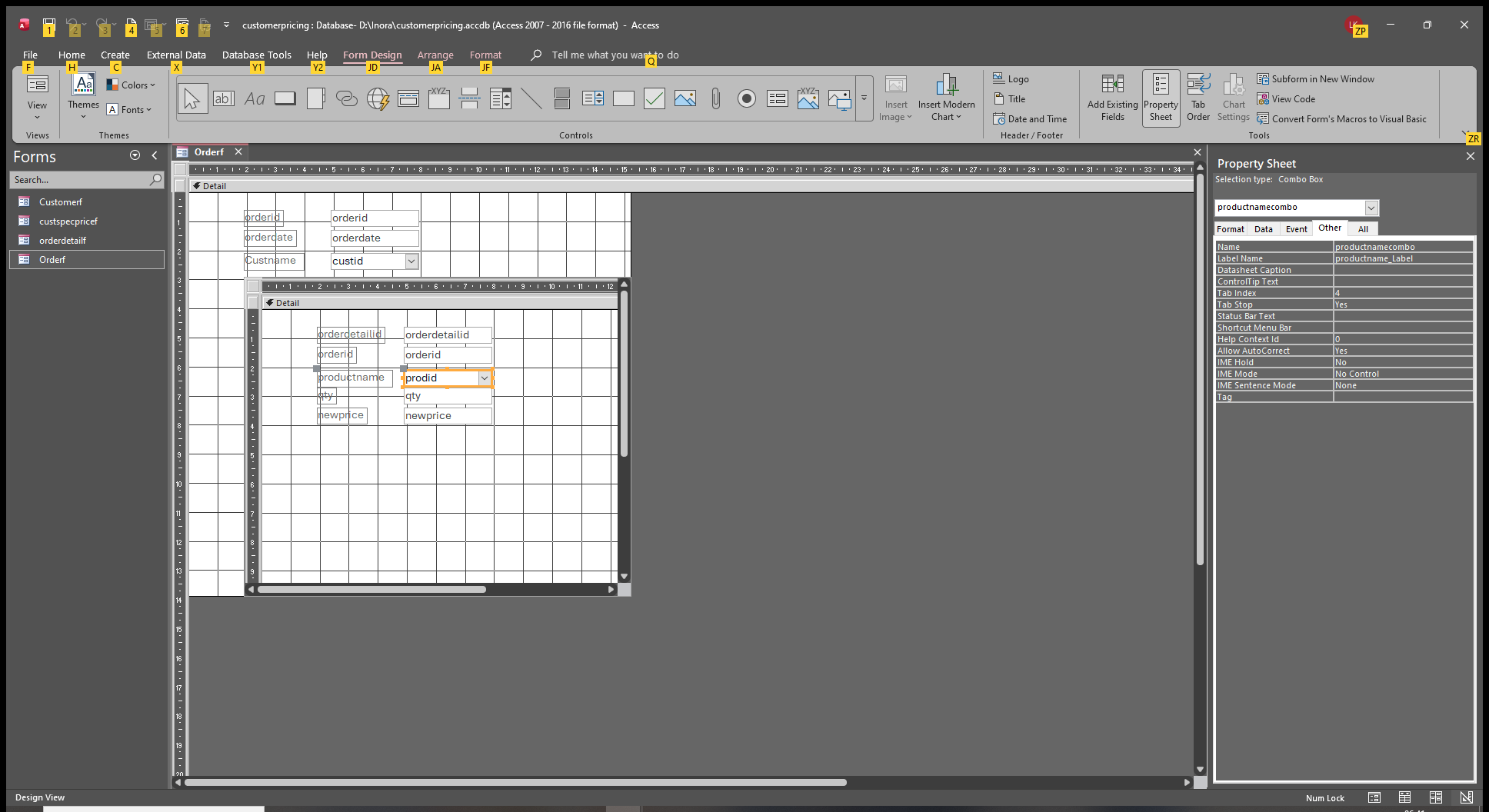
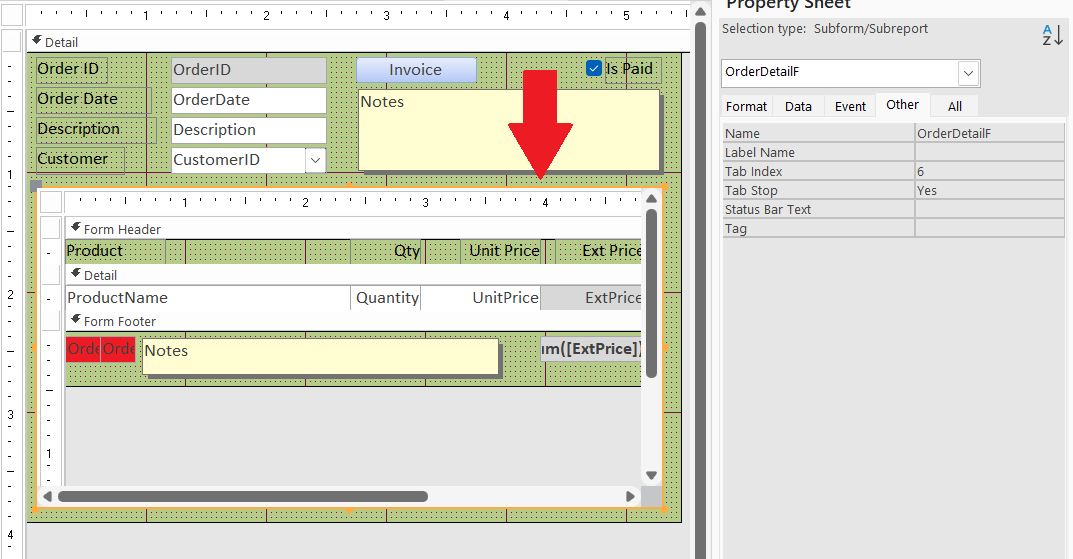
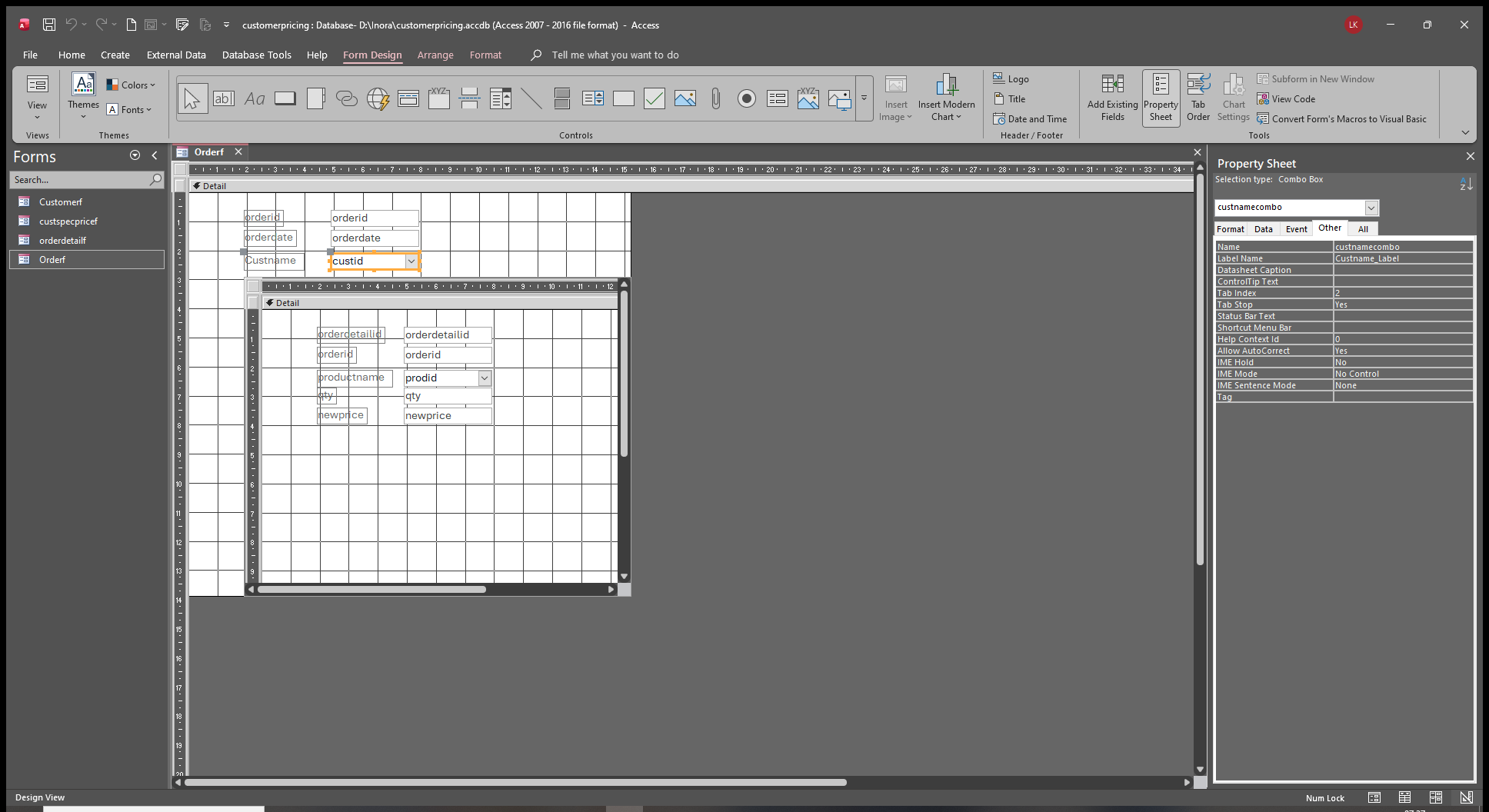
The control name you need is the name of the sub form control itself in the OrderF. See below
Donald Blackwell  @Reply  
       
23 hours ago

Liem Khen OP  @Reply  
     
23 hours ago
oooo....I am sorry
Donald Blackwell  @Reply  
       
23 hours ago
The subform control is the control that is selected with the orange border around it in the image above of Richard's TechHelp Invoicing Template/Order Form. Whatever the actual name of your subform control is, that's what you put in the control name field
Liem Khen OP  @Reply  
     
23 hours ago

Liem Khen OP  @Reply  
     
23 hours ago
oooo....sorry
Liem Khen OP  @Reply  
     
23 hours ago

Liem Khen OP  @Reply  
     
23 hours ago

Liem Khen OP  @Reply  
     
22 hours ago
Oooo...sorry
Liem Khen OP  @Reply  
     
22 hours ago

Liem Khen OP  @Reply  
     
22 hours ago

Liem Khen OP  @Reply  
     
22 hours ago
actually adam has no special price
Liem Khen OP  @Reply  
     
22 hours ago

Liem Khen OP  @Reply  
     
22 hours ago

Liem Khen OP  @Reply  
     
22 hours ago
charlie has one
Liem Khen OP  @Reply  
     
20 hours ago
Sorry,Iwas not careful to read Your explanation....I am very sorry

the custid field (orderf) name is custnamecombo and I have to requery the orderdatailf (subform)
Add a Reply Upload an Image
Next Unseen

 
New Feature: Comment Live View


The following is a paid advertisement
Computer Learning Zone is not responsible for any content shown or offers made by these ads.
 

Learn
 
Access - index
Excel - index
Word - index
Windows - index
PowerPoint - index
Photoshop - index
Visual Basic - index
ASP - index
Seminars
More...
Customers
 
Login
My Account
My Courses
Lost Password
Memberships
Student Databases
Change Email
Info
 
Latest News
New Releases
User Forums
Topic Glossary
Tips & Tricks
Search The Site
Code Vault
Collapse Menus
Help
 
Customer Support
Web Site Tour
FAQs
TechHelp
Consulting Services
About
 
Background
Testimonials
Jobs
Affiliate Program
Richard Rost
Free Lessons
Mailing List
PCResale.NET
Order
 
Video Tutorials
Handbooks
Memberships
Learning Connection
Idiot's Guide to Excel
Volume Discounts
Payment Info
Shipping
Terms of Sale
Contact
 
Contact Info
Support Policy
Mailing Address
Phone Number
Fax Number
Course Survey
Email Richard
[email protected]
Blog RSS Feed    YouTube Channel

LinkedIn
Copyright 2026 by Computer Learning Zone, Amicron, and Richard Rost. All Rights Reserved. Current Time: 5/31/2026 7:30:34 PM. PLT: 0s