Free Lessons
Courses
Seminars
TechHelp
Fast Tips
Templates
Topic Index
Forum
ABCD
 
Home   Courses   TechHelp   Help   Contact   Merch   Join   Order   Logon   Forums   
 
Back to Access Developers    Comments List
Pending Approval    Upload Images   @Reply   Bookmark    Link   Email   Next Unseen 

Anonymous 
 
Joe Holland  @Reply  
      
9 hours ago
Any chance you can get access to and control over the CSV creation/export?
Donald Blackwell  @Reply  
       
8 hours ago
Joe
No... The CSV gets created by the user selecting and ordering the fields in the web portal which means they may not always select all the fields or in the same order.

I've also talked to the developers maintaining the web portal and they've assured me they are working on a new version that has an API and it will be available after the next Union Convention... This was in 2021 - the next convention was in 2022 and the next 2025... Just another case of a small developer group handling all IT resources for 1.3 million members and employees globally and several leadership changes in the last half decade as well refocusing priorities.

Matt Hall  @Reply  
          
2 hours ago
If you alphabetize your fields, that could provide a "known" order for you to sort the incoming fields to.  

Maybe create a FieldName table where you could look up the field names.  If a name if found, no problem.  If It doesn't, use an input box to correlate the new name to the appropriate field.

Joe Holland  @Reply  
      
84 minutes ago
Matt interesting idea. Can you use VBA to get the input field names and create a map to each import field names?
Donald Blackwell  @Reply  
       
74 minutes ago
Matt I had thought about a FieldName cross reference table. I was thinking of a variation of Richard's Multi Language video but instead of different languages, just different names (or aliases) for the same field.

After thinking about it a bit, I don't think the order of the fields is as big of a concern as ensuring they have the critical fields and handling new fields.

I'm kind of leaning to just refusing to do the import if certain columns/fields aren't present (from the list above) just because there won't be enough data to compare for update or to add a new record. As for new fields that I don't already have in the database I was thinking of something like Richard's Add Anything video.

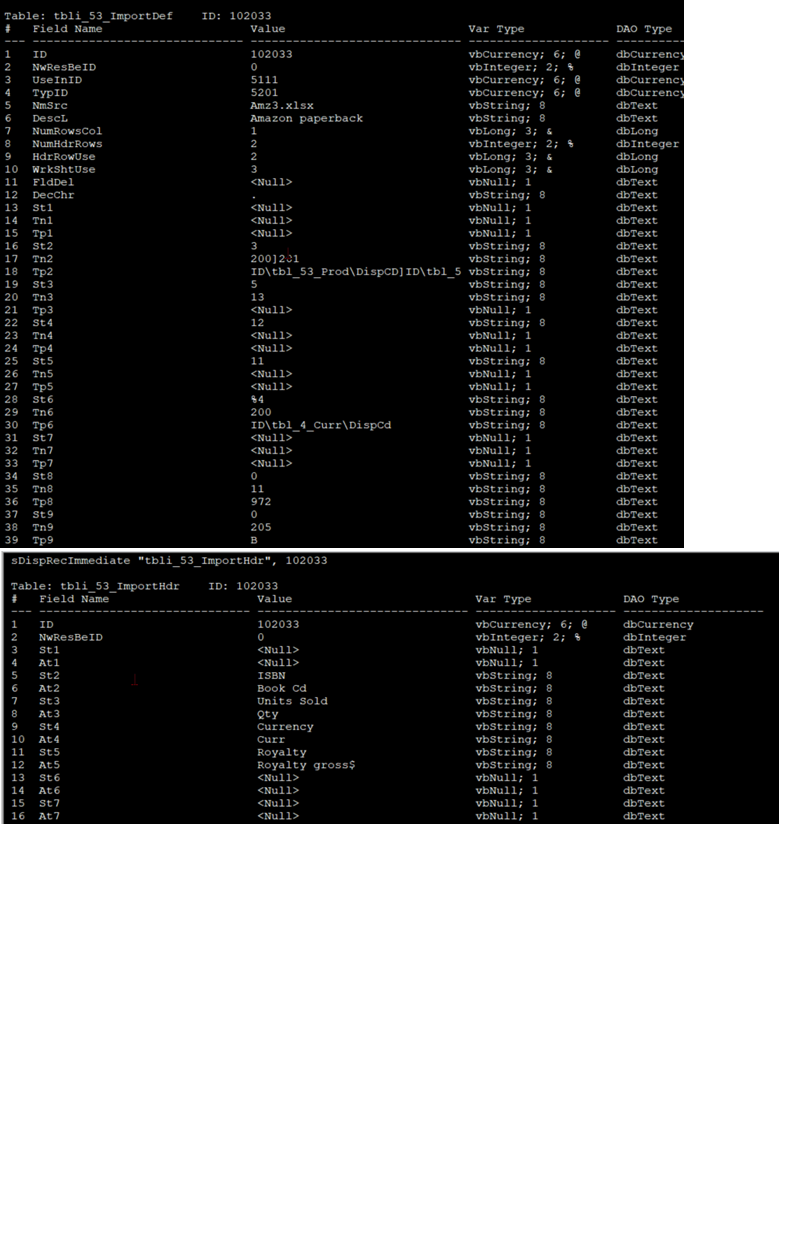
Mainly trying to figure the best way to get from the 1st row to the cross ref table to the staging table.

Example:First Row values:
Status,Veteran,Unit,Member #,Last Name

Cross Ref values:
Status, Veteran, Unit, MemberNbr, LastName

rs2.Add (or rs2.Edit)
rs2(StagingValue) = rs!Field1
rs2(StagingValue) = rs!Field2
etc.
Donald Blackwell  @Reply  
       
66 minutes ago
Joe For the VBA, I was thinking of creating an Array such that whatever the mapped name for Field1 is would be in the # 1 index slot, Field2 in the 2nd and so on but, not sure if that's best approach. I thought maybe a Dictionary would work better, but I've never worked with those... Or, if there's a better approach, probably something super simple that I'm not seeing.
Donald Blackwell  @Reply  
       
49 minutes ago
The other method I thought of would be to first, use vba to edit the csv file's first row by using the cross table as above then replacing the first row of the CSV file and THEN import the file.

As a side note, the export from source can be other formats as well, but all of them will eventually run into the field names conundrum.

Options:
CSV (Text File)
XML (Text File)
DOC (Word Table)
PDF (Table)
XLS (Excel Sheet)

However, the other formats often have issues. The DOC and XLS are old format not the modern format. The XLS version when opened in Excel throws errors about it not being properly formatted and Excel tries to format as HTML so I typically stick with the CSV format because that way everything comes in as text and I can convert to proper format once I get it into Access without having to guess what other funky format issues I'll have.
Add a Reply Upload an Image
Next Unseen

 
New Feature: Comment Live View


The following is a paid advertisement
Computer Learning Zone is not responsible for any content shown or offers made by these ads.
 

Learn
 
Access - index
Excel - index
Word - index
Windows - index
PowerPoint - index
Photoshop - index
Visual Basic - index
ASP - index
Seminars
More...
Customers
 
Login
My Account
My Courses
Lost Password
Memberships
Student Databases
Change Email
Info
 
Latest News
New Releases
User Forums
Topic Glossary
Tips & Tricks
Search The Site
Code Vault
Collapse Menus
Help
 
Customer Support
Web Site Tour
FAQs
TechHelp
Consulting Services
About
 
Background
Testimonials
Jobs
Affiliate Program
Richard Rost
Free Lessons
Mailing List
PCResale.NET
Order
 
Video Tutorials
Handbooks
Memberships
Learning Connection
Idiot's Guide to Excel
Volume Discounts
Payment Info
Shipping
Terms of Sale
Contact
 
Contact Info
Support Policy
Mailing Address
Phone Number
Fax Number
Course Survey
Email Richard
[email protected]
Blog RSS Feed    YouTube Channel

LinkedIn
Copyright 2026 by Computer Learning Zone, Amicron, and Richard Rost. All Rights Reserved. Current Time: 7/18/2026 4:54:05 PM. PLT: 0s