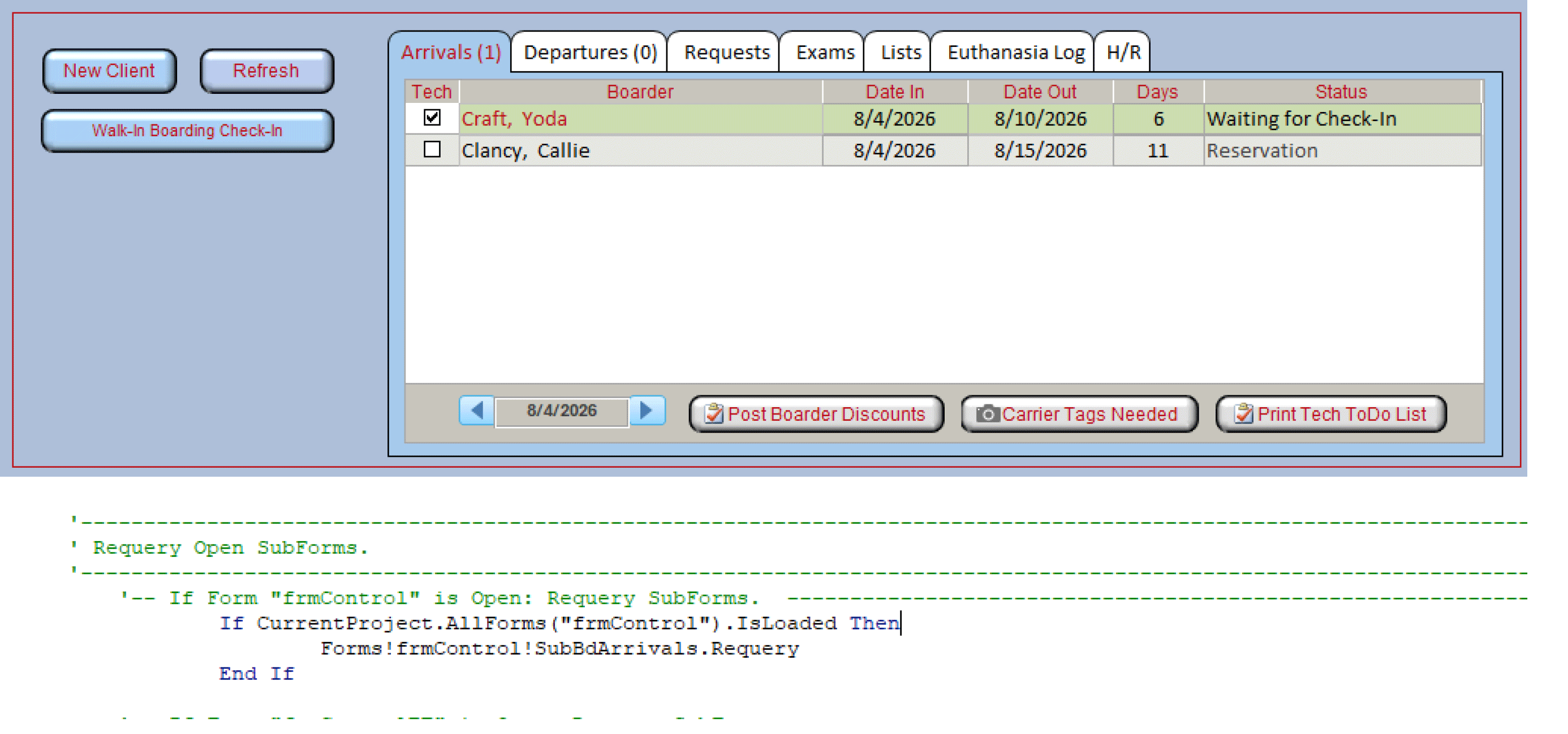
I have a main menu form that has a tabControl (named TabMain). the tab Control has 7 pages. Page 1 has a subform showing the list of boarding arrivals to check in that day. My user double-clicks on the particular boarding reservation when they arrive, which opens a popup form to complete the check-in process. When the check-in is complete, I am trying to requery that subform in Page 1 of the tab control. I do not get any error msg, but the subform is not refresh. Is there a limitation because the subform is in a tab control?
Main form: frmControl TabControl: TabMain Tab Page1: TabBdArrivals Subform: SubBdArrivals
Here is the syntax:
'-- If Form "frmControl" is Open: Requery SubForms. If CurrentProject.AllForms("frmControl").IsLoaded Then ' Return Control object pointing to a combo box. Forms!frmControl.SubBdArrivals.Requery End If
Did you try requerying the form in the subform instead of the control itself?
Forms!frmControl!SubBdArrivals.Form.Requery
Tab Controls can make the connection goofy sometimes. I've been able to do requeries before just as you've typed and I've had to go through the entire hierarchy Form!FormName!SubFormControl.Form!TabControlName!PageName!SubFormControlName.Form.Requery. I've never pinned down what makes Access behave differently, though I suspect it's environmental - such as version, etc.
Donald has it. The tab control itself isn't the limitation. The important part is that SubBdArrivals is the subform control on frmControl, and the actual form loaded inside that control is its .Form property.
Try:
Forms!frmControl!SubBdArrivals.Form.Requery
Also, make sure "SubBdArrivals" is the name of the subform control, not just the name of the form object used as its Source Object. Those are often the same name, but they don't have to be.
If that code is running from the check-in popup, I'd put it right after the record is saved, or in the popup's Form_Close event if the check-in is always complete by then.
Plus, as everyone knows, I'm not a huge fan of tab controls. I prefer changing a subform's SourceObject property. But that's just me.
Joel LaBoOP
@Reply 3 months ago
Thank you so much for your help. It is now working as desired. The actual cause of my problem was the missing vba command to save the record before executing the requery command. :)
Richard, intead of using at Tab Control, would you suggest creating an Option Group and change the SourceObject property to change the subform displayed?
Donald Blackwell
@Reply 3 months ago
Richard talks about some different alternatives to the tab control in Quick Queries # 75.
He also discusses alternatives in other videos, but this was the first one that came to mind for me.
If you are a Visitor, go ahead and post your reply as a
new comment, and we'll move it here for you
once it's approved. Be sure to use the same name and email address.
This thread is now CLOSED. If you wish to comment, start a NEW discussion in
Access TechHelp.