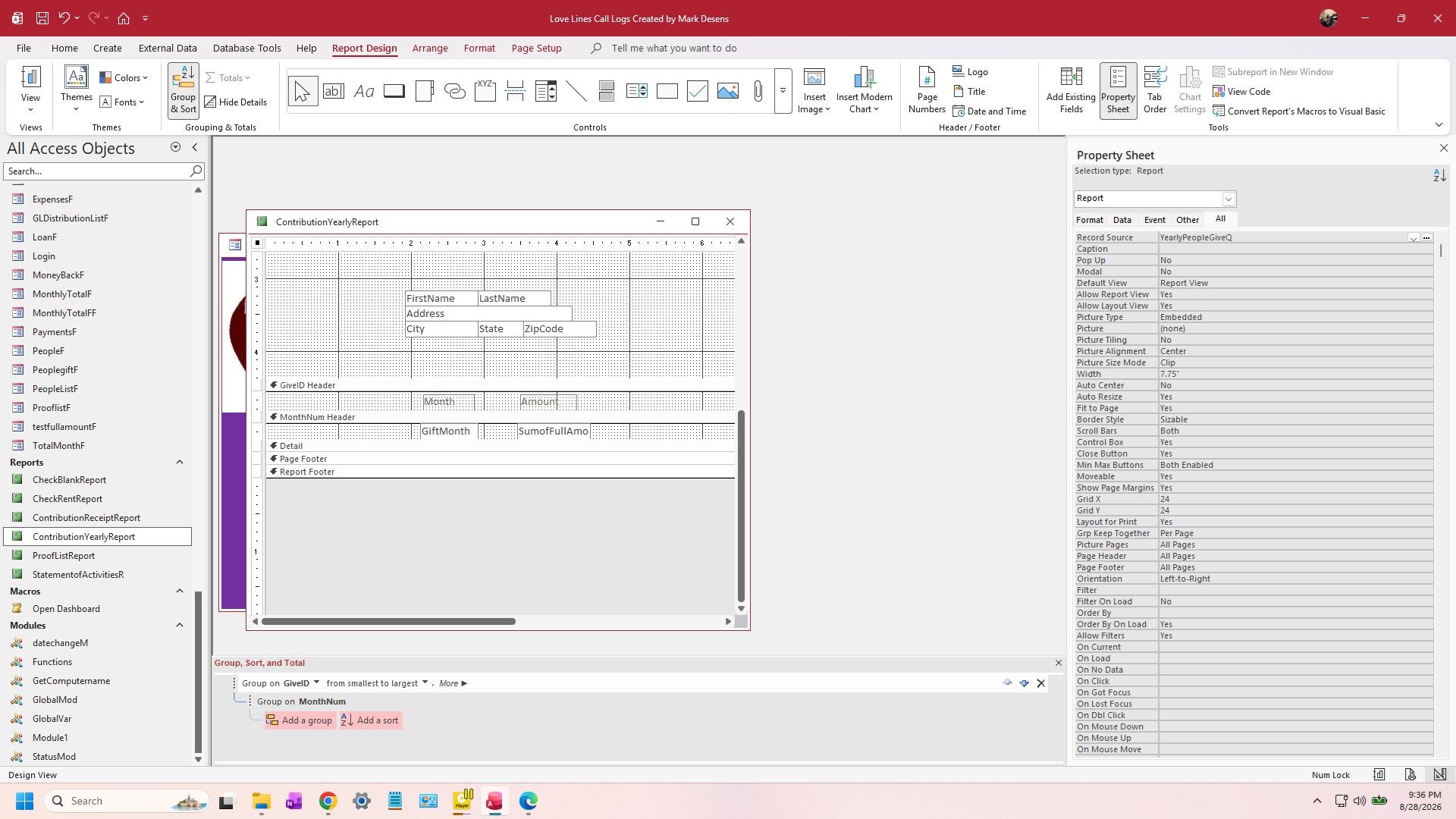
Hi everyone. I have created a report with months showing the actual month along with the amount that each person gave per month. At the bottom of the report I need the total that they gave for the year, even if they only gave several months out of the year. how do i go about putting a total in my report.
What does the underlying record source look like? That is the key piece here.
From the screenshot, it looks like your report is already showing a monthly total from a query, and the Detail section is empty. If the query is returning one record per customer per month with SumOfFullAmount already calculated, then add a grouping level for the year. Put a textbox in that Year Footer with a Control Source like:
=Sum([SumOfFullAmount])
That will total all of the months for that customer within that year, even if they only contributed in a few months.
On the other hand, if your query is based on individual contribution records and is doing the monthly totals itself, I would normally put the individual records in the Detail section and let the report grouping handle the month and year totals.
Post a screenshot of the query design or a few sample records from the underlying table, along with the report's Group, Sort, and Total settings, and I can tell you exactly which setup fits your data.
Mark DesensOP
@Reply 2 months ago
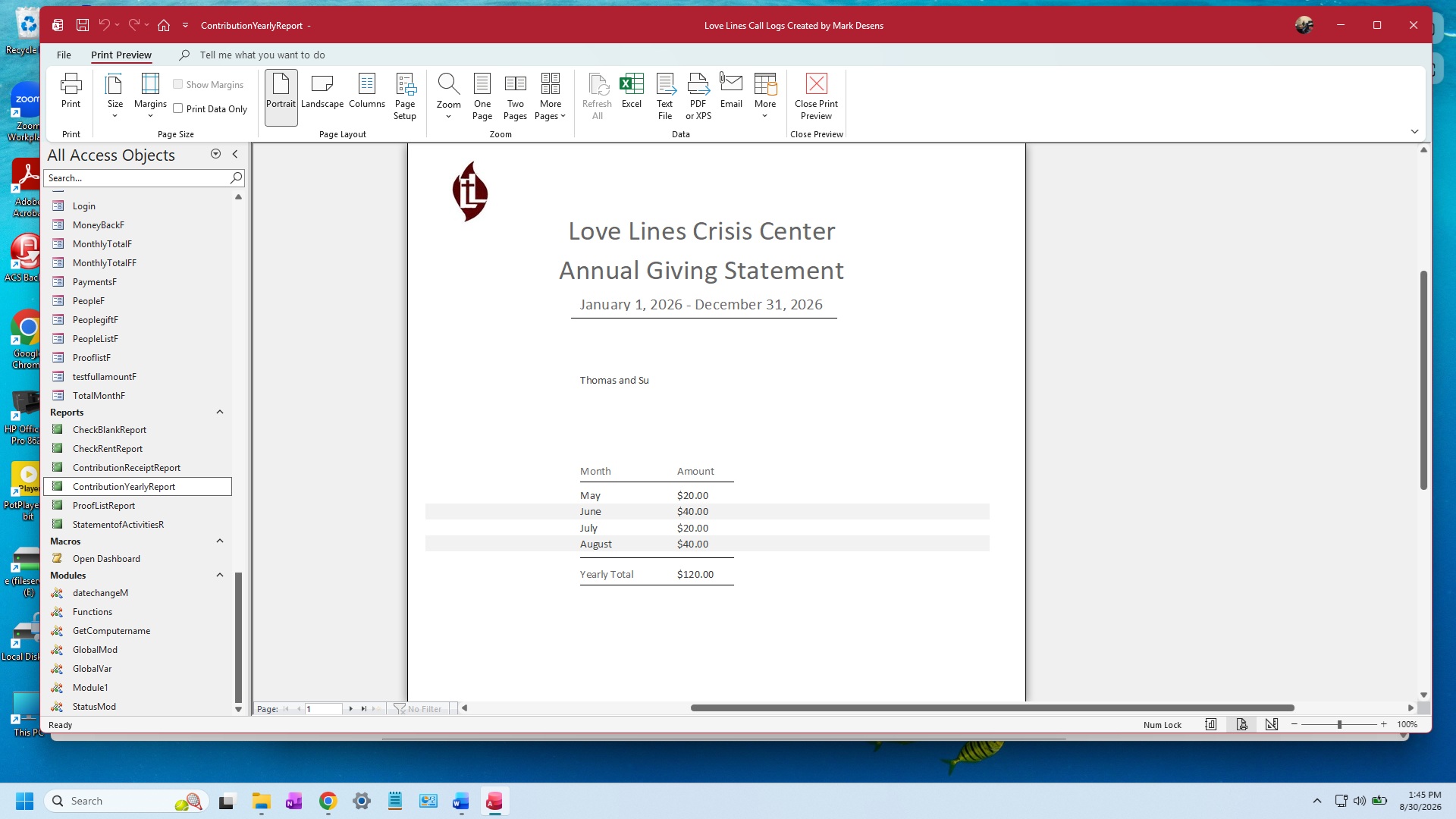
Hi Richard thanks for the reply, and I did try some things but after i posted this about an hour later i Finally got it to show. I don't remember the video i watched to help. Now i have one more question which i am still doing research about it. I did upload a screenshot of the print preview and one thing i would like to do to make it more personal for each person is under their address I'd like to send a note under it and put the actual persons first name so it personalizes it. so any suggestions will help. Thanks. oh by the way i did leave only the first name and hid the address for privacy concerns.
Glad you got the yearly total working. Figuring it out through troubleshooting is one of the best ways to learn this stuff.
For the note, if the report is based on records for one person and you already have their name and address in the Report Header, just put the note in the Report Footer. You can personalize it with their first name, for example:
="Thank you, " & [FirstName] & ", for your generous support this year."
If the note itself is stored in their CustomerT record, include that field in the report's Record Source and place it in the Report Footer as well.
If the note is in an unrelated table, you can use DLookup in a textbox on the report. That works fine in a report too.
Where is the note information coming from? Is it something you want to type at the time you print the report, or do you want to save a separate note for each person?
Mark DesensOP
@Reply 2 months ago
Hi Richard, Thanks. It's going to be the same note for everyone with their personal name in where the firstname is. I'm making it look professional with our logo in the upper right corner, and not some half baked stuff that looks burned. Thanks again for the tips. great video's also.
Sorry, only students may add comments.
Click here for more
information on how you can set up an account.
If you are a Visitor, go ahead and post your reply as a
new comment, and we'll move it here for you
once it's approved. Be sure to use the same name and email address.
This thread is now CLOSED. If you wish to comment, start a NEW discussion in
Access TechHelp.