Free Lessons
Courses
Seminars
TechHelp
Fast Tips
Templates
Topic Index
Forum
ABCD
 
Home   Courses   TechHelp   Help   Contact   Merch   Join   Order   Logon   Forums   
 
Back to Access Developers    Comments List
Upload Images   @Reply   Bookmark    Link   Email   Next Unseen 
Swap Subform Control SourceObject
Adrian Connolly 
      
23 hours ago
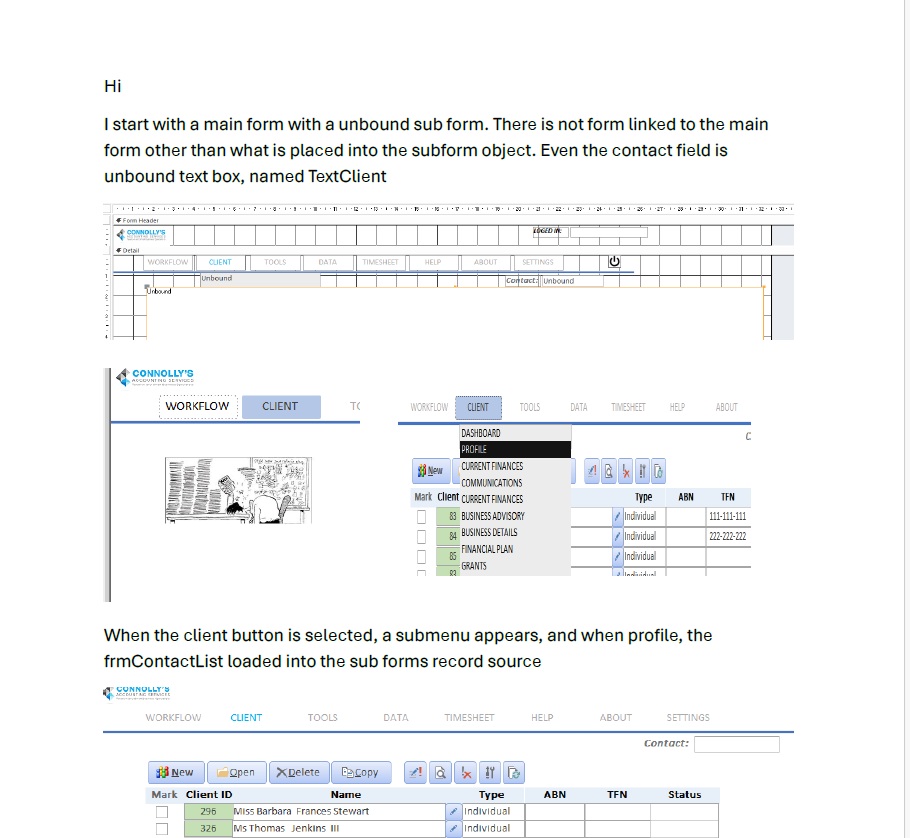
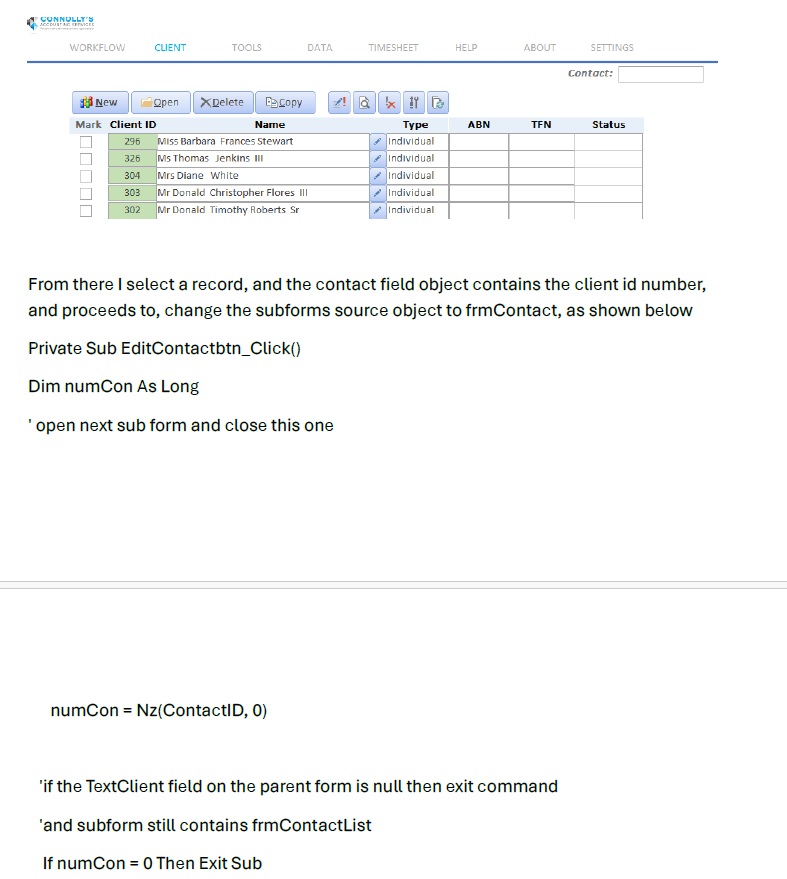
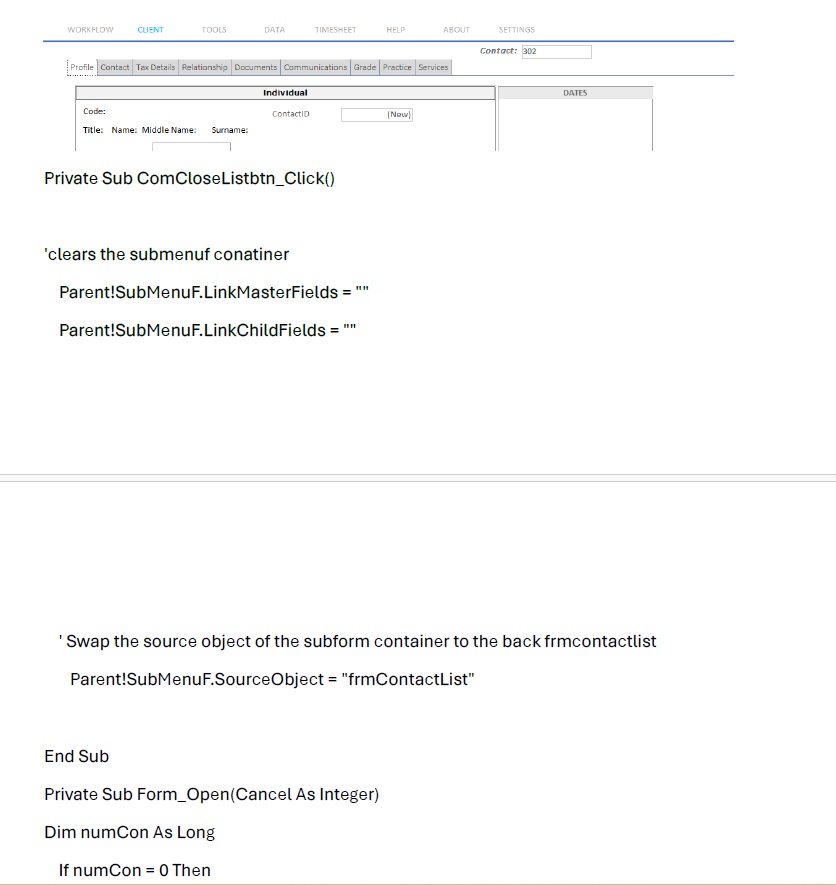
Hi, i have three forms frmMainForm and two subforms. I have made the main form have a subform with a button.
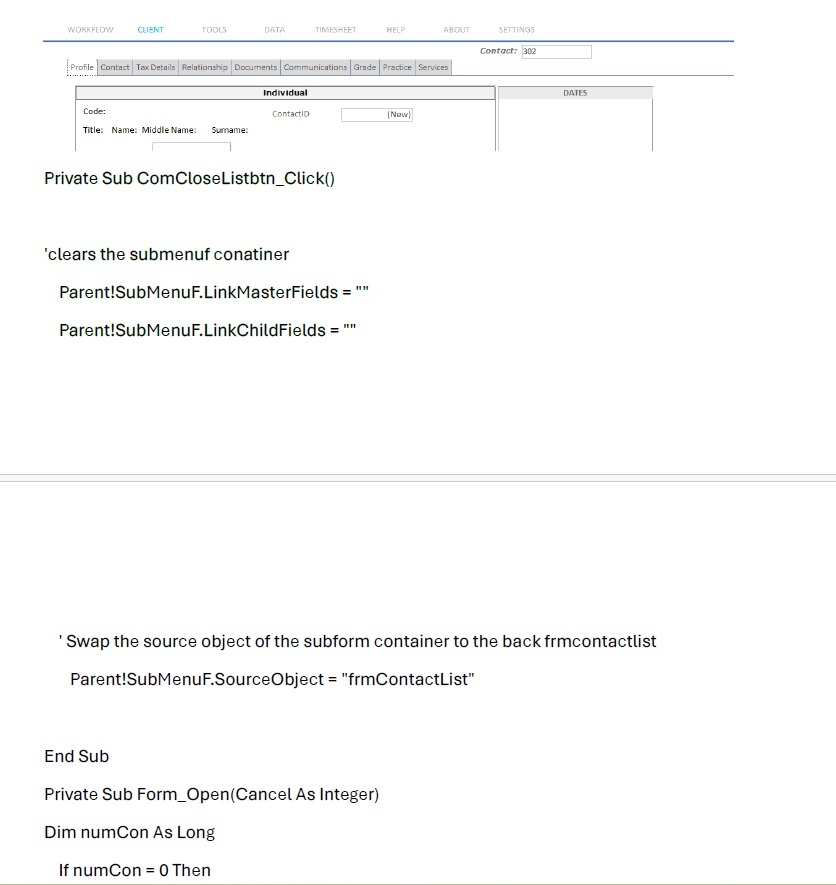
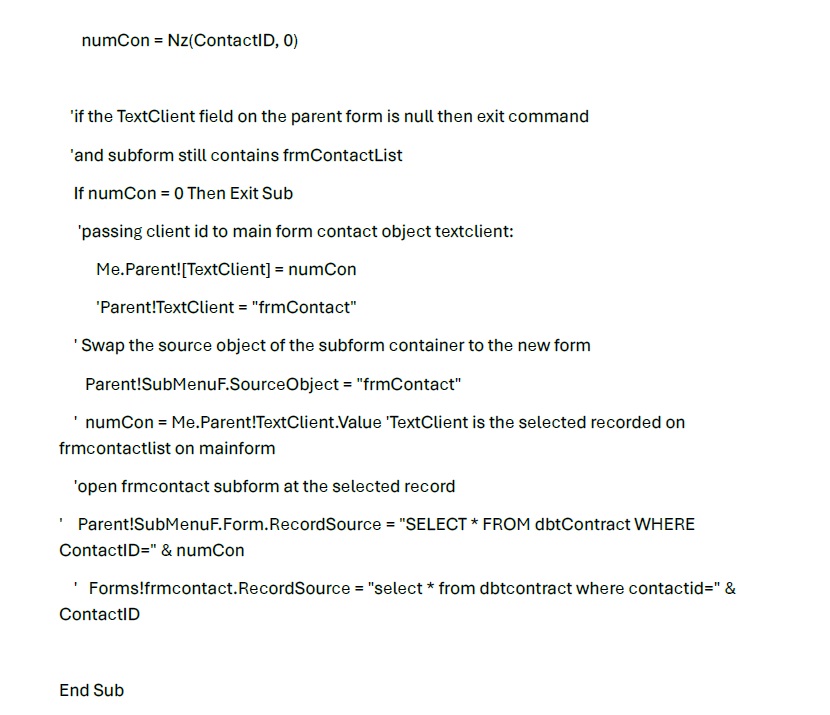
What i'm trying to achive is i press the button the subformone and it then opens the second subform in its place, and close the first subform, I'm also trying to fill in a box on the mainform from the first subform

this is the vba code i have been trying

DetailsPrivate Sub Command1_Click()
'ópen next sub form and close this one
    On Error GoTo ErrorHandler

    ' 1. Move focus out of the current subform to the main form
    Me.SetFocus
    
    ' 2. Swap the source object of the subform container to the new form
    Me!dbtmainform2.frmSubformOne.SourceObject = "frmSubFormTwo"

ExitProcedure:
    Exit Sub

ErrorHandler:
    MsgBox "Error " & Err.Number & " (" & Err.Description & ")", vbCritical, "Error Swapping Forms"
    Resume ExitProcedure
End Sub
Alex Hedley  @Reply  
           
22 hours ago
Alex Hedley  @Reply  
           
22 hours ago
Richard Rost  @Reply  
           
12 hours ago
You don't close a subform separately in this situation. The subform is a form loaded inside a subform control. To replace it, you change the SourceObject property of the subform control on the main form.

From the button on SubformOne, you need to reference the subform control on the parent form. Also, dbtmainform2.frmSubformOne looks like it is trying to reference the form object rather than the subform control.

It should be something like this:

Private Sub Command1_Click()

    Parent!YourSubformControlName.SourceObject = "frmSubFormTwo"

End Sub


Replace YourSubformControlName with the NAME of the subform control on frmMainForm, not necessarily the name of the form currently loaded in it. Those are often different.

To put a value from SubformOne into a control on the main form, use:

Parent!YourMainFormControlName = SomeControlOnSubformOne

Again, use the actual control names. If the main form control is bound to a field, make sure changing it there is what you want, since it will modify the current main-form record.

The important part is that Parent refers to frmMainForm from inside the subform. You don't need Me.SetFocus first.
Richard Rost  @Reply  
           
12 hours ago
I've used this technique myself years ago in a survey database I built for a client. The main form contained the general survey information - the person's name, etc. - and I used the subform control as the area for the individual survey questions (or pages of questions). I swapped the SourceObject to move from one page or step to the next, with Next and Previous buttons right on the subforms.

It gave the user a much cleaner wizard-like experience than closing and opening full forms. This would probably make a good TechHelp video. I'll add it to my list.
Add a Reply Upload an Image
Next Unseen


What's This?


The following is a paid advertisement
Computer Learning Zone is not responsible for any content shown or offers made by these ads.
 

Learn
 
Access - index
Excel - index
Word - index
Windows - index
PowerPoint - index
Photoshop - index
Visual Basic - index
ASP - index
Seminars
More...
Customers
 
Login
My Account
My Courses
Lost Password
Memberships
Student Databases
Change Email
Info
 
Latest News
New Releases
User Forums
Topic Glossary
Tips & Tricks
Search The Site
Code Vault
Collapse Menus
Help
 
Customer Support
Web Site Tour
FAQs
TechHelp
Consulting Services
About
 
Background
Testimonials
Jobs
Affiliate Program
Richard Rost
Free Lessons
Mailing List
PCResale.NET
Order
 
Video Tutorials
Handbooks
Memberships
Learning Connection
Idiot's Guide to Excel
Volume Discounts
Payment Info
Shipping
Terms of Sale
Contact
 
Contact Info
Support Policy
Mailing Address
Phone Number
Fax Number
Course Survey
Email Richard
[email protected]
Blog RSS Feed    YouTube Channel

LinkedIn
Copyright 2026 by Computer Learning Zone, Amicron, and Richard Rost. All Rights Reserved. Current Time: 9/4/2026 1:11:24 AM. PLT: 1s