Free Lessons
Courses
Seminars
TechHelp
Fast Tips
Templates
Topic Index
Forum
ABCD
 
Home   Courses   TechHelp   Help   Contact   Merch   Join   Order   Logon   Forums   
 
Back to Access Developers    Comments List
Upload Images   @Reply   Bookmark    Link   Email   Next Unseen 
Search As You Type List Box Query
Amir Ouranus 
      
24 hours ago
Hello,

In Access Developer 8, Lesson 3, Richard creates the List Box using a query rather than directly from the table.

My question is: Is it possible to build a "Search as You Type" List Box using a table instead of a query?

If the answer is no, I would appreciate understanding why. What is the reason a query is required instead of a table?

I am currently trying to build one using a table as the data source, but it is not working. I'd like to understand whether this is a limitation of the feature or if there is a specific technical reason behind using a query.

Thank you for your help.
Thomas Gonder  @Reply  
       
23 hours ago
I didn't do that lesson, but if I understand your question and what you're trying to do:
(I use combo boxes in my apps, not list boxes; probably the same answer)
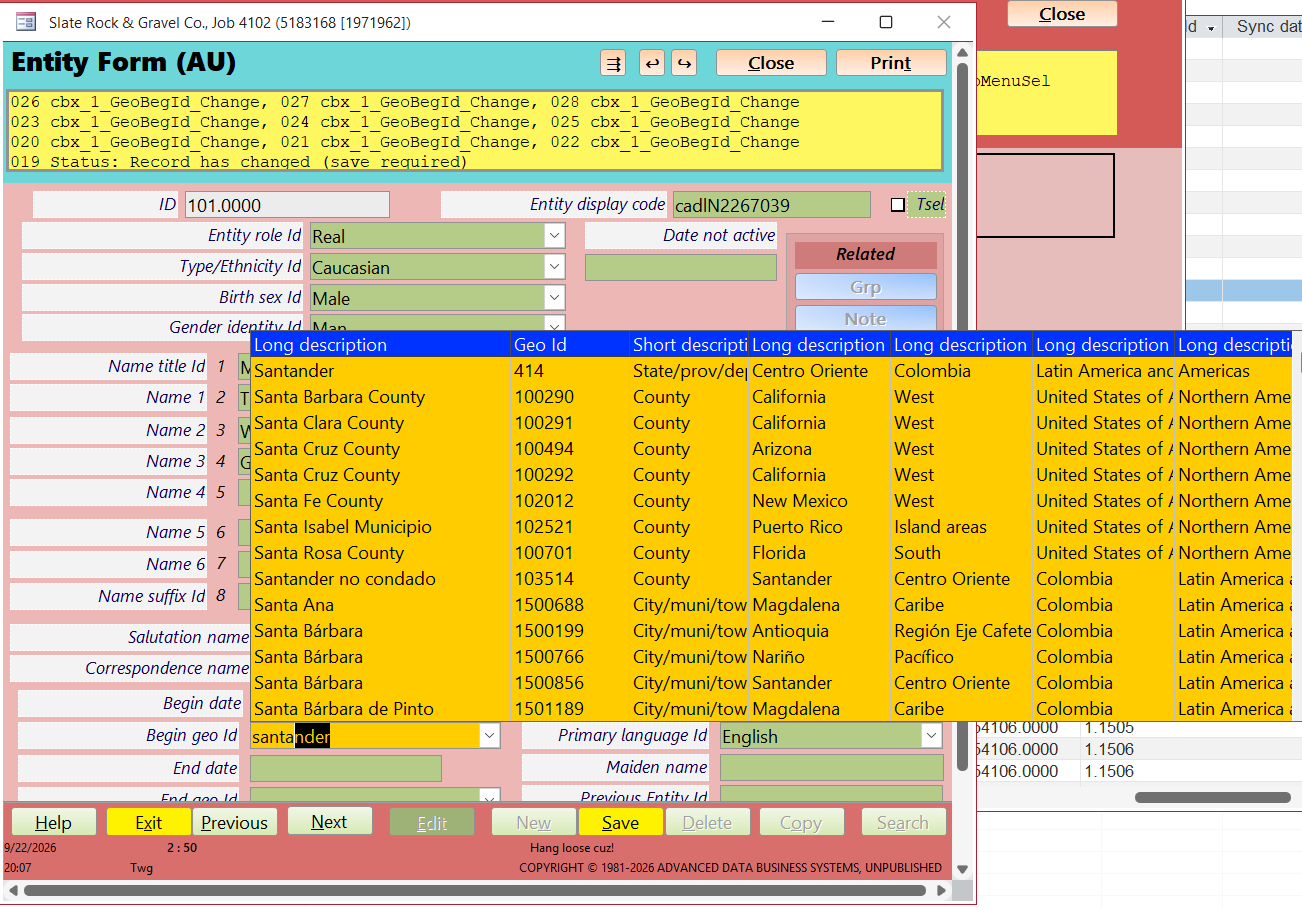
If you're searching as you type, you want a progressively smaller list of records to choose from.
Using a table for the Row Source of the control will always get just one source set of records, not fewer and fewer.
If the control allowed filters on the Row Source, then you could use a table and then keep filtering down, but I don't see that property for combo box controls.
Thomas Gonder  @Reply  
       
22 hours ago

Amir Ouranus OP  @Reply  
      
22 hours ago
Hi Thomas,
Thank you for your response; that makes sense and that is exactly is what happening to me.
When I type the first character, the whole list disappears; although I don't even get the one result, the whole list disappears.
Richard Rost  @Reply  
           
19 hours ago
Thanks, Thomas, for jumping in and helping out. You're basically on the right track with why the query is being used here.

Amir, I actually cover exactly what you're looking for in a couple of other places. Since you already have my Search Seminar, take a look at Lesson 6, where I cover wildcard searches so you can match text anywhere in a field instead of only at the beginning. Later in that seminar I take the searching techniques further and build a dynamic Search as You Type form.

I also have a TechHelp video called Filter Combo that specifically shows how to filter a combo box or list box as you type, including finding text that appears anywhere in the field. You may want to check that one out too.

And in the future, if you have a question about something covered in a specific lesson or video, please post the question on that lesson's page. Just scroll to the bottom of whatever video you're watching and post your comment there. Every video has its own forum thread. That makes it much easier for me to see exactly which lesson you're referring to and quickly review what was covered instead of having to go digging around to find the original material.
Richard Rost  @Reply  
           
19 hours ago
Also see Fitness 29.
Add a Reply Upload an Image
Next Unseen


What's This?


The following is a paid advertisement
Computer Learning Zone is not responsible for any content shown or offers made by these ads.
 

Learn
 
Access - index
Excel - index
Word - index
Windows - index
PowerPoint - index
Photoshop - index
Visual Basic - index
ASP - index
Seminars
More...
Customers
 
Login
My Account
My Courses
Lost Password
Memberships
Student Databases
Change Email
Info
 
Latest News
New Releases
User Forums
Topic Glossary
Tips & Tricks
Search The Site
Code Vault
Collapse Menus
Help
 
Customer Support
Web Site Tour
FAQs
TechHelp
Consulting Services
About
 
Background
Testimonials
Jobs
Affiliate Program
Richard Rost
Free Lessons
Mailing List
PCResale.NET
Order
 
Video Tutorials
Handbooks
Memberships
Learning Connection
Idiot's Guide to Excel
Volume Discounts
Payment Info
Shipping
Terms of Sale
Contact
 
Contact Info
Support Policy
Mailing Address
Phone Number
Fax Number
Course Survey
Email Richard
[email protected]
Blog RSS Feed    YouTube Channel

LinkedIn
Copyright 2026 by Computer Learning Zone, Amicron, and Richard Rost. All Rights Reserved. Current Time: 9/23/2026 7:13:49 PM. PLT: 0s