Free Lessons
Courses
Seminars
TechHelp
Fast Tips
Templates
Topic Index
Forum
ABCD
 
Home   Courses   TechHelp   Help   Contact   Merch   Join   Order   Logon   Forums   
 
Home > Forums > Access Forum > Photo Album Database by David Clement
Back to Access Forum    Comments List
Upload Images | @Reply | Bookmark | Link | Email | Next Unseen |
Photo Album Database
David Clement 
       
6 hours ago
Hello Rchard,
I am wondering if it is possible to create for lack of a better term, a photo album database? I do understand that I would keep the photos in a separate folder. What I would like to do is have a profile photo which would link to the rest of the photos. Click on the profile photo, what ever the subject might be, then have that go to the actual photos, similar to a webpage I guess, or file explorer.
Thank you.
Richard Rost  @Reply  
          
6 hours ago
Hi David. Yep, absolutely. You'd typically have a table for the subjects/albums and a related table for the individual photos. Store the file path and file name for each image in the photo table, not the image itself.

Then you can make a main form showing one profile photo per subject. Clicking that photo, or a button next to it, can open a second form filtered to that subject's related photo records. From there, you can display thumbnails and use a button or double-click event to open the full-size image in its default viewer.

It's basically a little photo-gallery interface inside Access. The key is getting the one-to-many relationship set up properly: one subject, many photos.

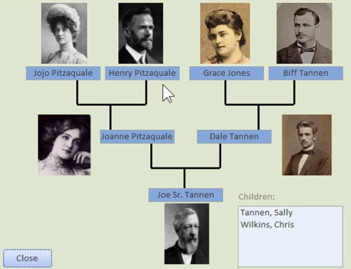
I do something similar to this in my genealogy database, where I show you how to make a basic family tree that shows you, your parents, and your grandparents. Each one of those profile pictures is a link you can click on, and then it reorganizes the tree around that person.

David Clement OP  @Reply  
       
6 hours ago
Several years ago I used Microsoft Front Page that could do what I am looking for. I would create my album in Front Page, I verified all the links worked (which they did) and the I would publish it to a CD Rom so I could let others view what I created. It was great.
Richard Rost  @Reply  
          
6 hours ago
Oh, I loved FrontPage at the time. In fact, I've even got some lessons on the website here about FrontPage. It was so simple to build a website. Then they upgraded it to Expression Web, which was pretty much the same thing, and then they completely got rid of it. That's a shame, because I miss it.
David Clement OP  @Reply  
       
6 hours ago
I miss it too!
Kevin Robertson  @Reply  
           
5 hours ago
I still have Expression Web 4.0.
Discontinued in 2012; Ended support in 2015.

Would be great if Microsoft would maintain a page for all their legacy software.
Richard Rost  @Reply  
          
5 hours ago
I'd still love to find a nice, simple WYSIWYG web page editor that also has full code support. I loved FrontPage's split-screen view, where you could make WYSIWYG edits up top and watch the HTML update below. It did mangle the HTML sometimes, so you had to keep an eye on it, but it was still very cool.

These days, I edit the HTML, refresh the browser, and see whether it worked or whether I'm about to get another 500 error. I've been using EditPlus for the past like 10 years now. Works fine.
Alkan Toykan  @Reply  
       
5 hours ago
Richard If you ever miss the good old days of FrontPage or Expression Web and feel like reliving that experience, I'd recommend Pinegrow or Blue Griffon. They both offer a modern take on that classic dual view editing experience.
Kevin Yip  @Reply  
      
4 hours ago
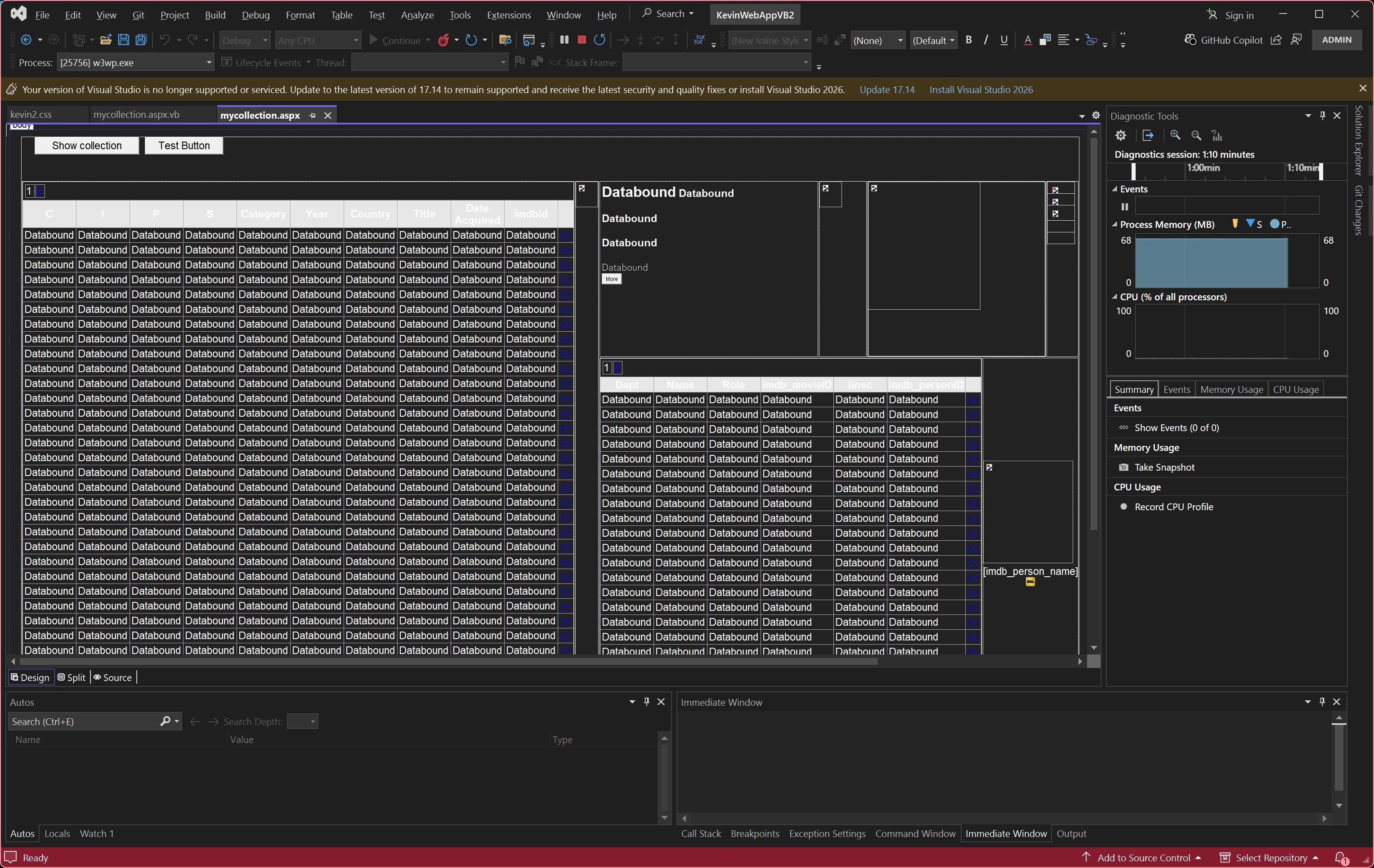
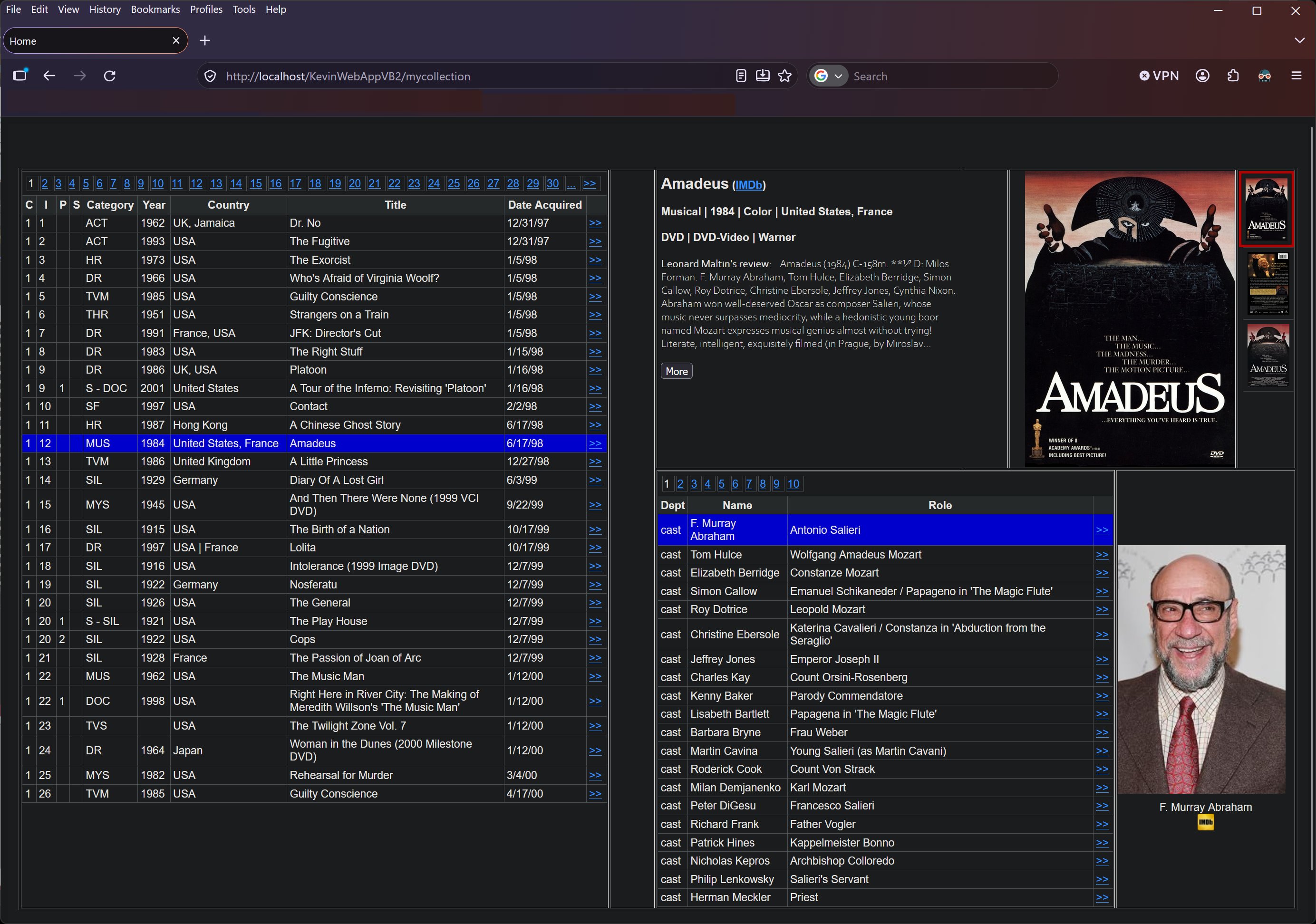
I use Visual Studio to create web apps.  It has a graphical designer that shows a rough appearance at design time (pictured below).  To see what the app actually looks like, I have to see it at run time, which I means I have to run the code.  Hence, true WYSIWYG editing is not possible.  The graphical designer has property sheets of every element, but it's often easier to just edit the code -- for instance, I can copy and paste code, but I can't in property sheets.  So I basically spend most of my time in code editors.
Kevin Yip  @Reply  
      
4 hours ago

Kevin Yip  @Reply  
      
4 hours ago

David Clement OP  @Reply  
       
3 hours ago
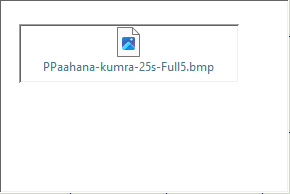
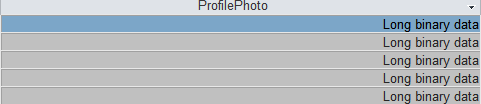
I don't know what I am doing wrong. I can't get the OLE Object to work in my form/table. all I get is this.....
David Clement OP  @Reply  
       
3 hours ago

David Clement OP  @Reply  
       
3 hours ago

Alex Hedley  @Reply  
           
2 hours ago
Sandra Truax  @Reply  
         
55 minutes ago
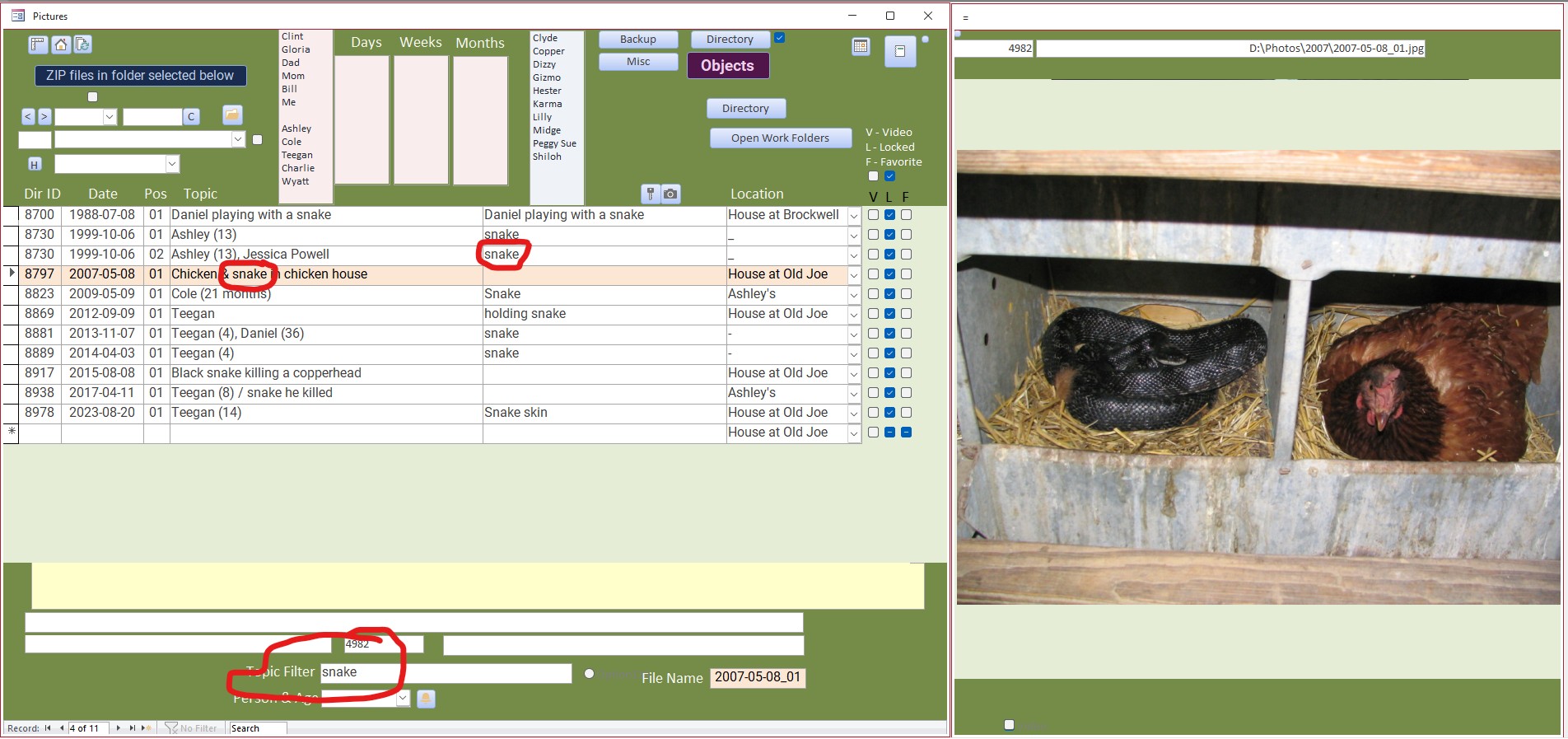
This is my photo album database. I have it coded so that if someone is in it that I take lots of pictures of, I cick on their name and it will put them along with their age at the date of the photo in the Topic. I also can filter, in this instance "snake", and it will pull them up and display the pictures in the database.  The picture in the photo is what I found when I went out to get the eggs one day. When I held the snake up by the tail, it's head was almost touching the ground.
Sandra Truax  @Reply  
         
55 minutes ago

David Clement OP  @Reply  
       
28 minutes ago
Thank you, now I just need to remember how to hide the Image Text Box and replace it with a button to take me to the full size picture.
Add a Reply Upload an Image
Next Unseen


What's This?


The following is a paid advertisement
Computer Learning Zone is not responsible for any content shown or offers made by these ads.
 

Learn
 
Access - index
Excel - index
Word - index
Windows - index
PowerPoint - index
Photoshop - index
Visual Basic - index
ASP - index
Seminars
More...
Customers
 
Login
My Account
My Courses
Lost Password
Memberships
Student Databases
Change Email
Info
 
Latest News
New Releases
User Forums
Topic Glossary
Tips & Tricks
Search The Site
Code Vault
Collapse Menus
Help
 
Customer Support
Web Site Tour
FAQs
TechHelp
Consulting Services
About
 
Background
Testimonials
Jobs
Affiliate Program
Richard Rost
Free Lessons
Mailing List
PCResale.NET
Order
 
Video Tutorials
Handbooks
Memberships
Learning Connection
Idiot's Guide to Excel
Volume Discounts
Payment Info
Shipping
Terms of Sale
Contact
 
Contact Info
Support Policy
Mailing Address
Phone Number
Fax Number
Course Survey
Email Richard
[email protected]
Blog RSS Feed    YouTube Channel

LinkedIn
Copyright 2026 by Computer Learning Zone, Amicron, and Richard Rost. All Rights Reserved. Current Time: 10/10/2026 6:23:35 PM. PLT: 1s