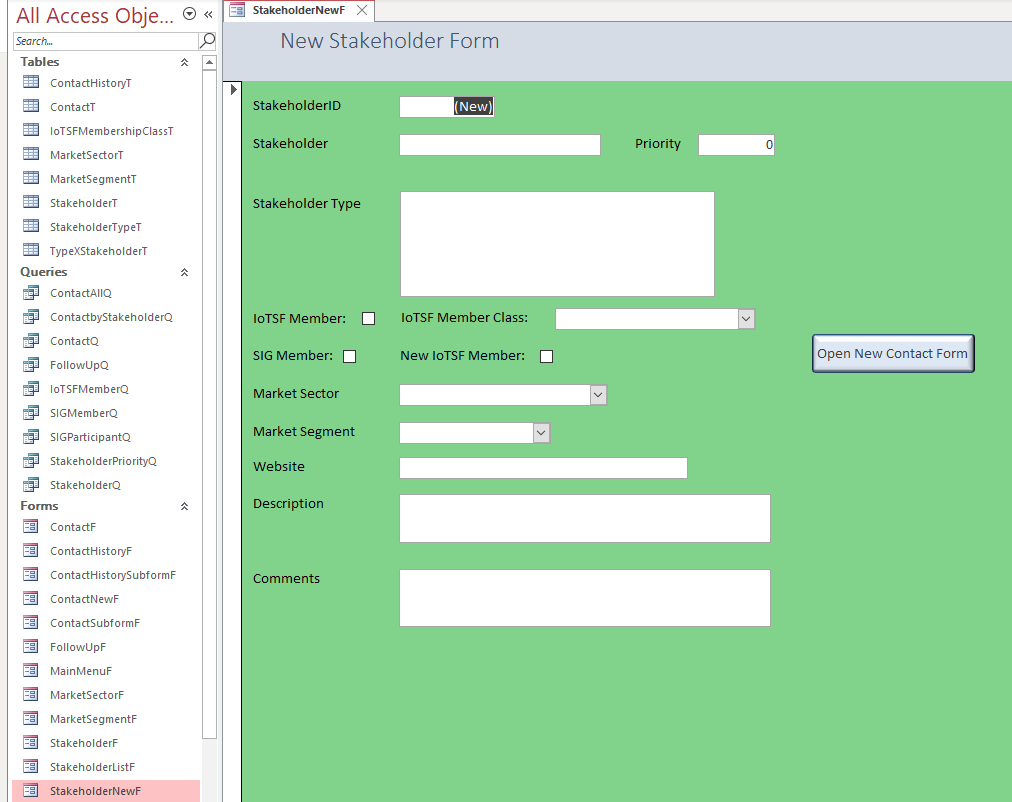
I Have followed the Expert Level 7 Many to Many Relationships video and created: 1. CustomerType Table - which stores the 'CustomerTypeID' vs 'Type' (e.g.OEM, Software vendor, Cloud vendor, End User, Consultant). In your video you talked about 'Groups' whereas I have used the term 'Type' instead. 2. Customer Table - with CustomerID, Customer name and other details. 3. Junction Table - which stores the CustomerID and CustomerTypeID. A customer can have multiple Types associated with them. 4. CustomerType Subform - to see the types associated with the customer e.g. a customer may be a Cloud and Software vendor I then added the CustomerType Subform to a pre-existing Customer Form and it all worked perfectly as illustrated in your video. I can see the Customers, their details and which 'Types' are associated with them. The problem came when I tried to add the 'CustomerType Subform' to a 'New Customer' Form that I use to add new customers and their details to the 'Customer Table'. As well as add the new customer details to the 'Customer Table' (this works fine); I would like to select (e.g. from a combo box) the associated 'Types' and add this to/ update the Junction Table. After I added the subform, saved and opened: I see only a blank rectangle - whereas on the 'Customer Form' I see multiple entries and a dropdown combo box. Please advise where I am going wrong or if you have a video lesson that I can purchase that illustrates how do fix this - I am missing the ability update the junction table at the same time as adding new customer details. I would like to do this at the same time rather than as a 2 step process. Thanks
Make sure your fields that create the relationship between the tables (CustomerID for example) are the same in both tables/forms.
Duncan PurvesOP
@Reply 5 years ago
Duncan PurvesOP
@Reply 5 years ago
Duncan PurvesOP
@Reply 5 years ago
Duncan PurvesOP
@Reply 5 years ago
Duncan PurvesOP
@Reply 5 years ago
Duncan PurvesOP
@Reply 5 years ago
Richard
Thank you for coming back to me so promply. I have checked the fields and they seem to be in order.
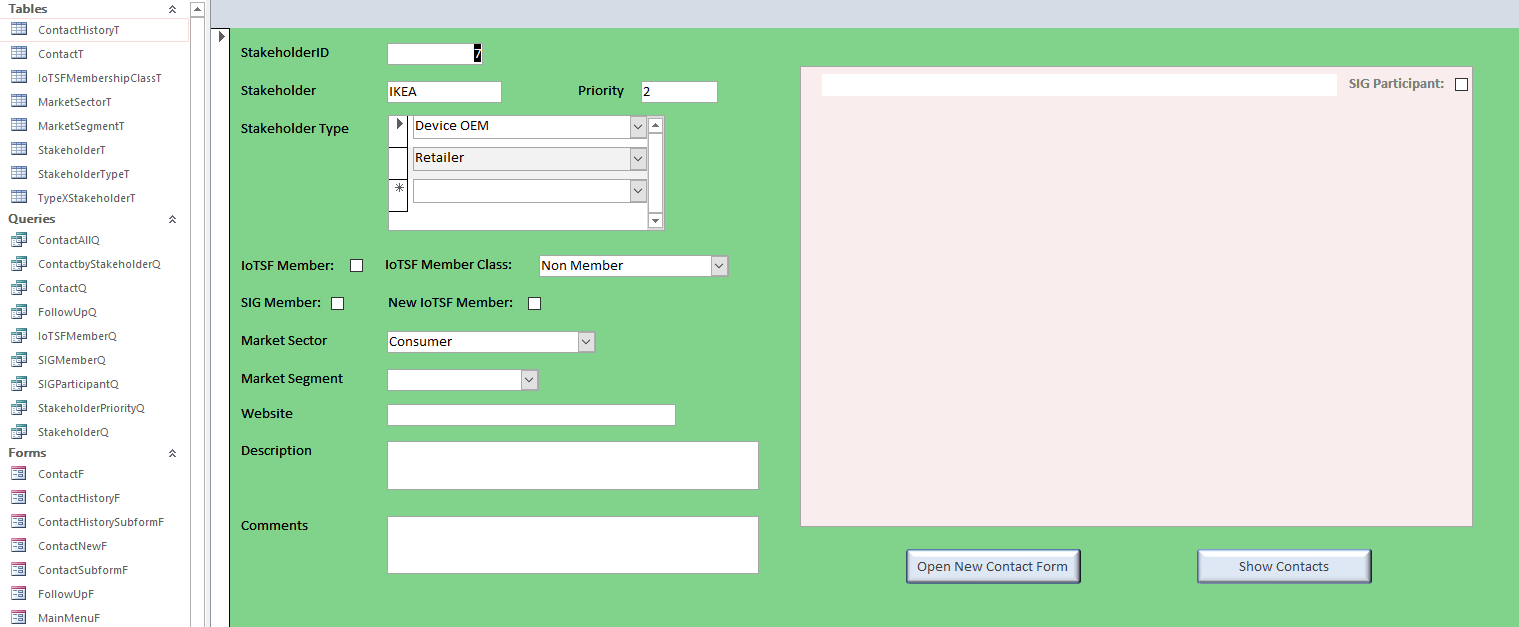
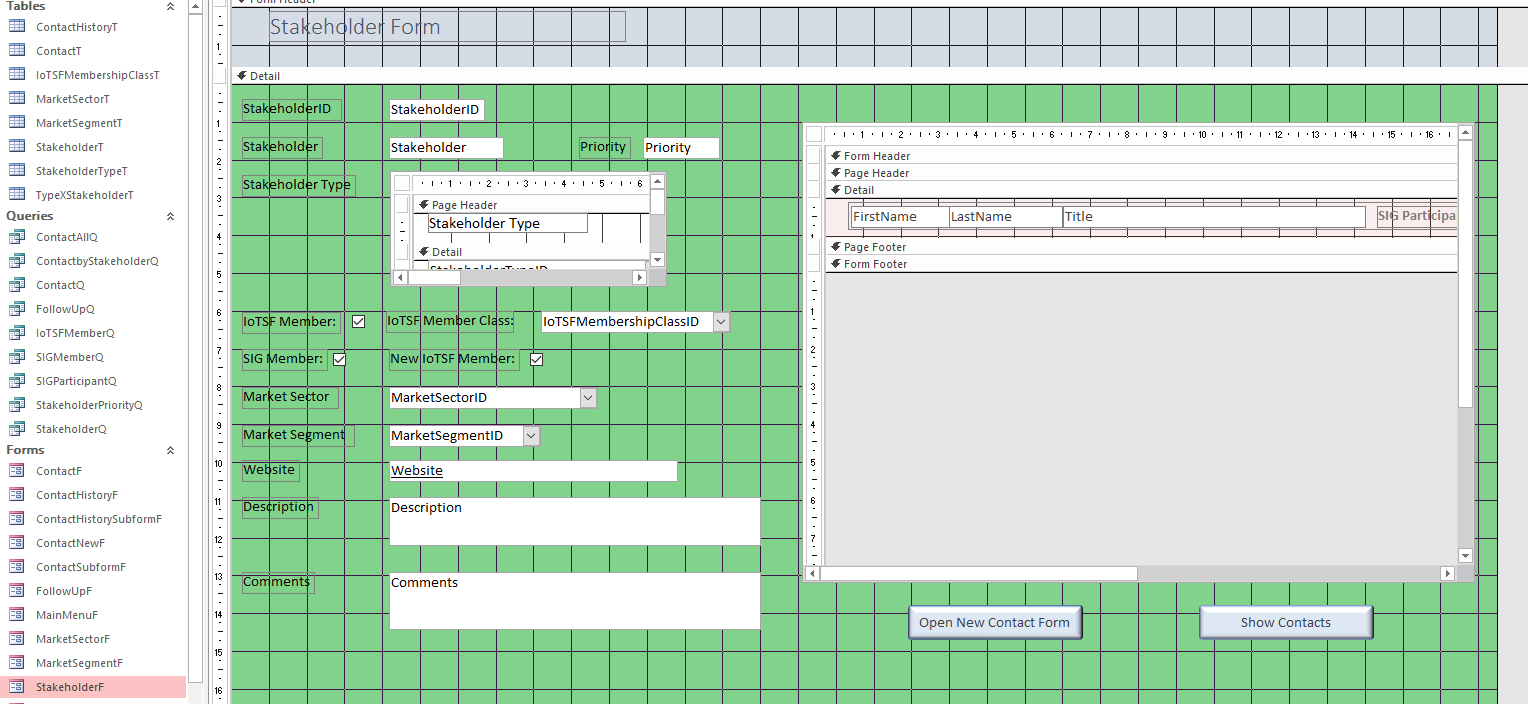
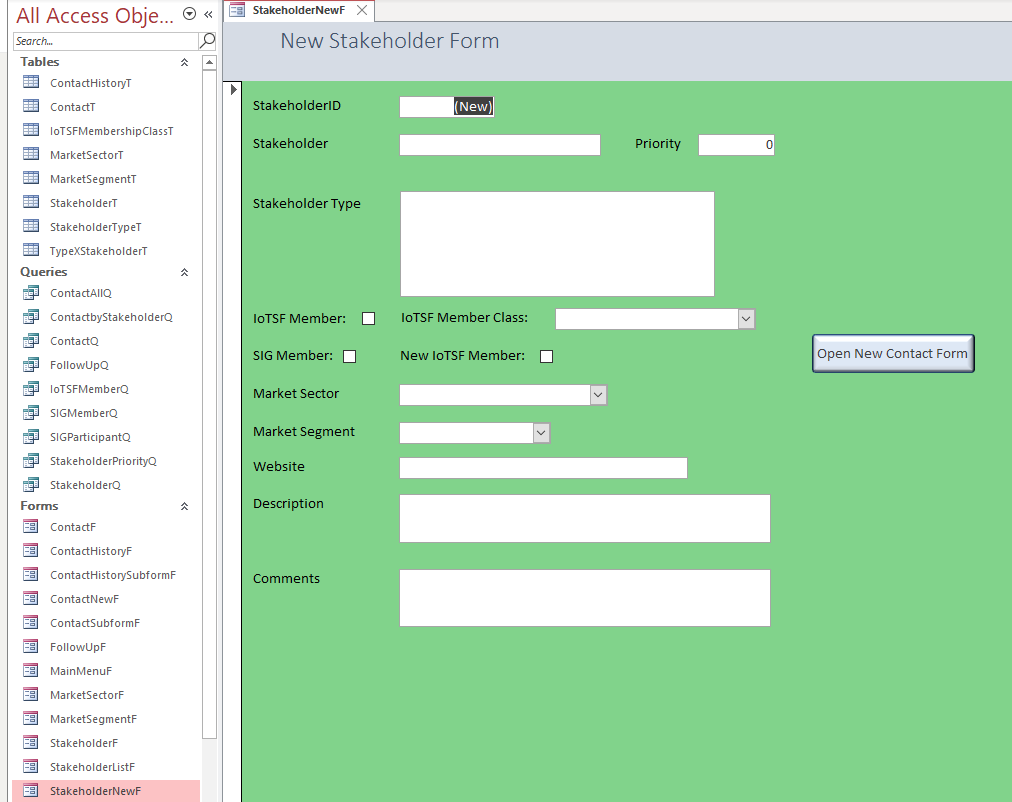
The first couple of images show the Design and Form views of my Stakeholder Form (for stakeholder read customer). Where everything is working fine with the subform, you will see that IKEA is associated with two types (Device OEM and Retailer).
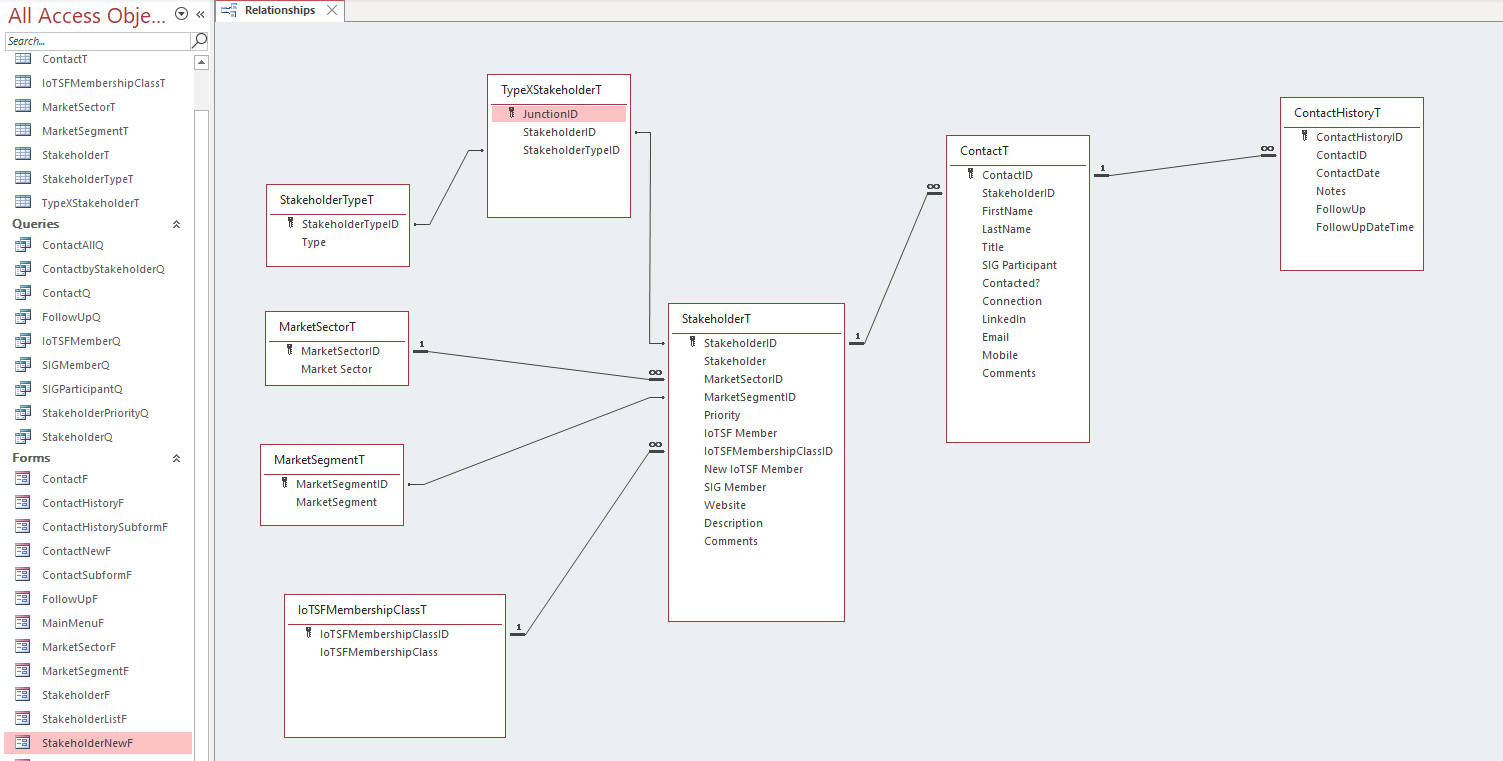
I have included the relationships view for reference.
The last slides above show the 'New Stakeholder' Form (Design and Form views) where the same subform is not working as hoped. Could the problem be associated with the fact that in this instance there are no existing records/no StakeholderID to reference in the Junction Table? The subform properties Data tab: the Source Object is set the subform "TypeXStakeholderSubF" and 'Link Master & Child Fields' are set as "StakeholderID"
Make sure you have sample data in all of your tables for the relationships to form correctly otherwise you may not see any data in your subforms. Also, your subform is COMPLETELY blank which to me indicates another problem. You should at least see a blank record in there showing (New) as long as your recordset is updateable. Otherwise, you may have an issue with Access. Run down the Troubleshooter. Another video that may help you is the Many-to-Many TechHelp. And of course the Relationship Seminar.
Duncan PurvesOP
@Reply 5 years ago
Many thanks Richard for these suggestions.
Sorry, only students may add comments.
Click here for more
information on how you can set up an account.
If you are a Visitor, go ahead and post your reply as a
new comment, and we'll move it here for you
once it's approved. Be sure to use the same name and email address.
This thread is now CLOSED. If you wish to comment, start a NEW discussion in
Access Expert 7.