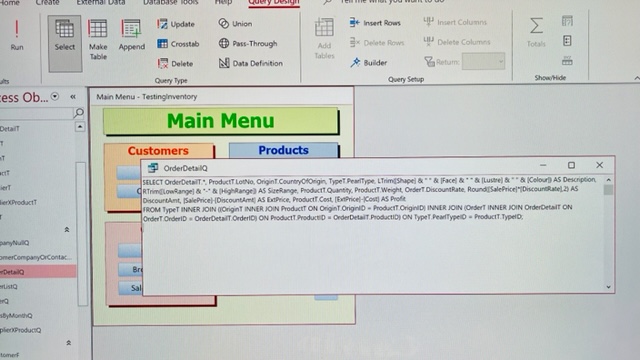
My OrderDetailF and OrderDetailR work well, however, after inserting OrderDetailR to OrderR, An error message pop up: This expression is typed incorrectly, or it is too complex to be evaluated. For example, a numeric expression may contain too many complicated elements. Try simplifying the expression by assigning parts of the expression to variables. I checked but can't find the problem.... Please help.
Scott Axton
@Reply 5 years ago
Check spelling first. That is the most common cause of a problem.
Usually Access will indicate right where it thinks the error is. It's pretty good at determining the issue. Many times you are missing a closing parentheses " ) " or a comma " , " - Something simple most of the time.
Take a screenshot of the expression and error and post it here using the Upload Images link in your original post.
Is this your database or are you following along and making the database from the course? If from the course you can download and compare your db to Richards.
Hau Ming ChanOP
@Reply 5 years ago
Hau Ming ChanOP
@Reply 5 years ago
I am following Richard expert course and make changes to fit my own database.
Hau Ming ChanOP
@Reply 5 years ago
At this moment, all orderT, orderdetailT, orderQ, orderdetailQ, orderF, orderdetailF, and even orderdetailR work with no problem. Only, orderR cannot show orderdetailR in it. I can read and write everything well in orderF. Please help!
Your screen shot is too blurry to read. Try taking an actual screen capture using Windows Snip & Sketch (Windows Key + Shift + S). But I can tell just from looking at it that it's pretty complex. Simplify it into multiple smaller queries if you can.
If you are a Visitor, go ahead and post your reply as a
new comment, and we'll move it here for you
once it's approved. Be sure to use the same name and email address.
This thread is now CLOSED. If you wish to comment, start a NEW discussion in
Access Expert 9.