Free Lessons
Courses
Seminars
TechHelp
Fast Tips
Templates
Topic Index
Forum
ABCD
 
Home   Courses   TechHelp   Forums   Help   Contact   Merch   Join   Order   Logon  
 
Back to Access Forum    Comments List
Upload Images   @Reply   Bookmark    Link   Email   Next Unseen 
DLookup Error in Query
Victor Ngai 
    
5 years ago
Hi Access expert! I was following Richard's "Customer-Specific Product Pricing for your Microsoft Access Order Entry Invoicing System" on YouTube because I want my invoice to automatically lookup the different price of a same product based on the Customer ID. However, I encountered an error when creating DLookup in the query that I could not resolved.

This is the expression:

PriceUSD: DLookUp("CustomPrice","CustomPricingT","CustomerID=" & [Forms]![CustomerF]![CustomerID] & " AND ProductID=" & [ProductID])

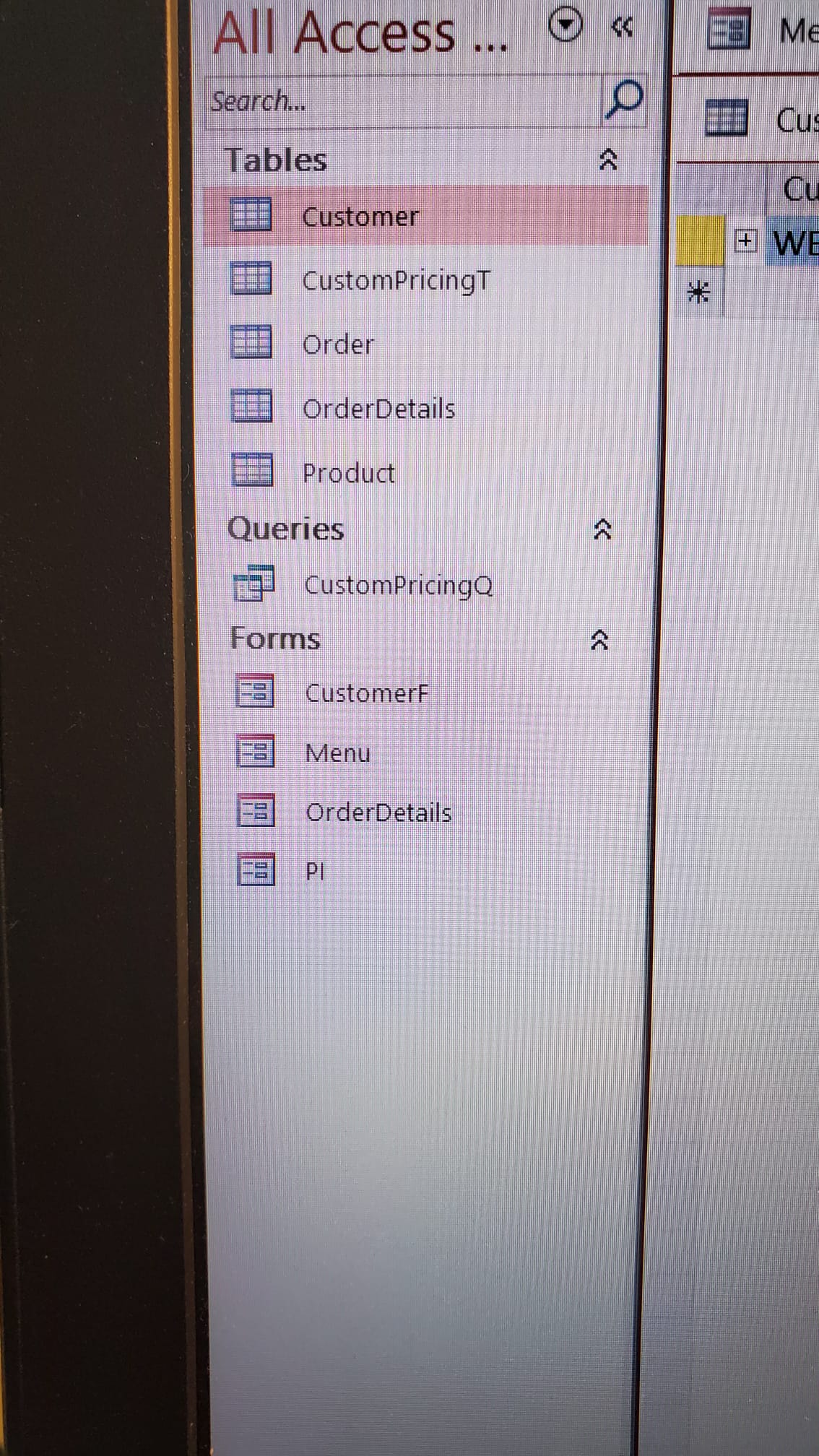
These are all the fields in CustomPricingT :

CustomPricingID
CustomerID
ProductID
CustomPrice

The major different I found between Richard's data and mine is that my CustomerID (in both CustomerT and CustomPricingT) is in short text e.g. WBC, whereas Richard's example is in Autonumber.

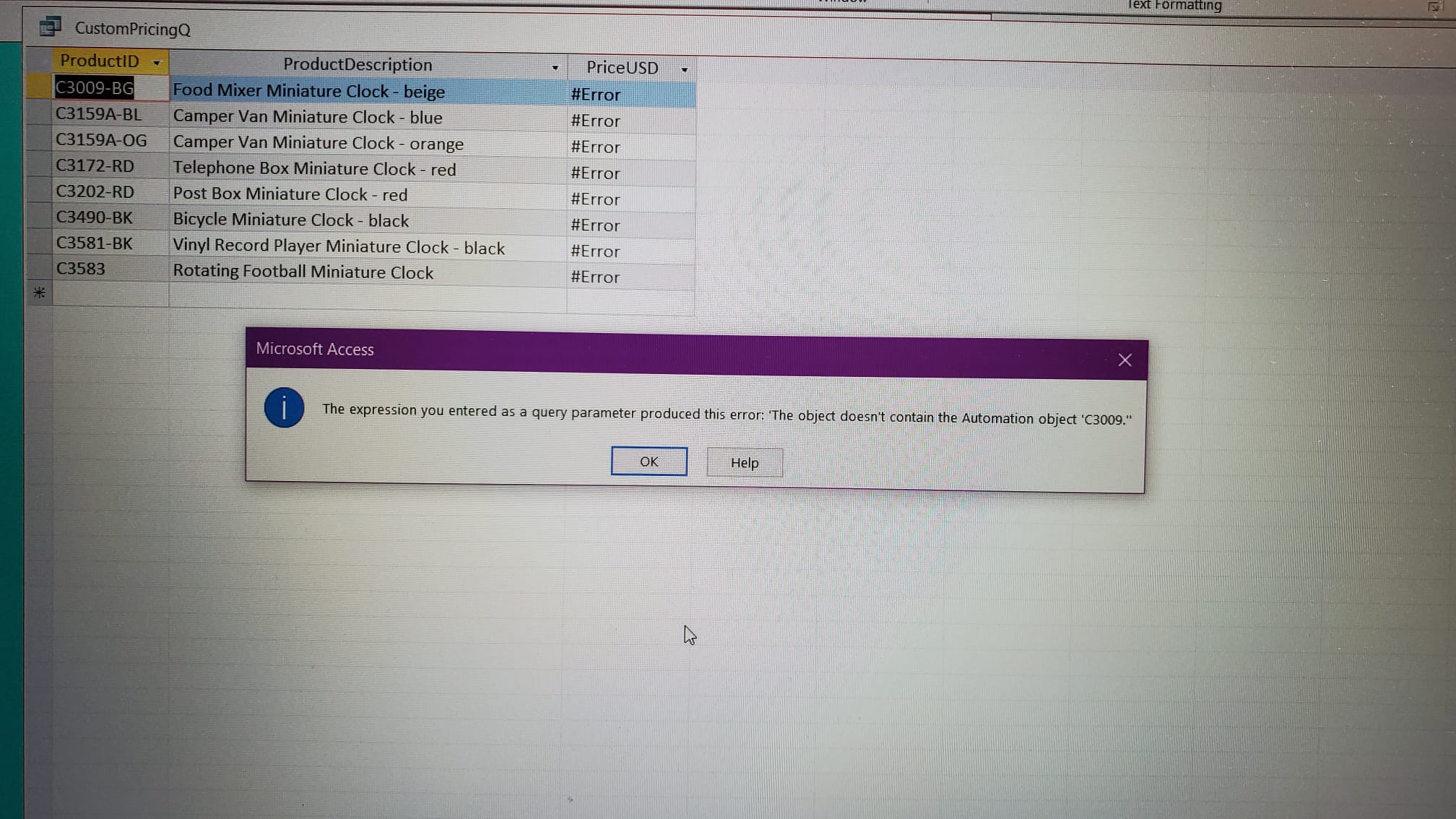
When I clicked RUN, an Enter Parameter Variable box would always popped up, within it it said Forms!CustomerF!CustomerID and I have to input something. I then tried input one of my clients' ID e.g. WBC, it returned me this error: The expression you entered as a query parameter produced this error: 'The object doesn't contain the Automation object 'WBC'

Already I'd been trying to resolve this error myself for a few hours but in vain.

Help is much much appreciated, thank you!
Victor Ngai OP  @Reply  
    
5 years ago

Victor Ngai OP  @Reply  
    
5 years ago

Victor Ngai OP  @Reply  
    
5 years ago

Victor Ngai OP  @Reply  
    
5 years ago

Victor Ngai OP  @Reply  
    
5 years ago

Victor Ngai OP  @Reply  
    
5 years ago

Victor Ngai OP  @Reply  
    
5 years ago

Scott Axton  @Reply  
        
5 years ago
Victor
You indicated that the difference between your db and Richards is you made your CustomerID short text.
The DLookup is looking for a number.  You are providing text. You will need extra "" in there to get things to work.

Go watch the Double Double Quotes if you haven't already.  Also, the DLookup video
William Dowler  @Reply  
      
5 years ago
If CUSTOMERID is a text field it needs to be enclosed in quotes (see Richards Double/Double Quotes video).
Victor Ngai OP  @Reply  
    
5 years ago
Hi Scott,

Thank you so much for your prompt reply!
Because I am in a hurry to finish this database project to submit to my boss for review, could you please tell me where should I put the extra "" within the expression? I'll take a wild guess, like this:

PriceUSD: DLookUp("CustomPrice","CustomPricingT","CustomerID=" & [Forms]![CustomerF]!["CustomerID"] & " AND ProductID=" & [ProductID])

Please tell me the answer for now, I will go watch the videos you suggested later when I am done dealing with my boss, thanks!
Adam Schwanz  @Reply  
           
5 years ago
You'd get the answer from the video in about 30 seconds. If it's a short text value not a number you need to double double quote.
"ShortTextWord=""" & Field & """"

Adam Schwanz  @Reply  
           
5 years ago
If CustomerID and ProductID are both short text

PriceUSD: DLookUp("CustomPrice","CustomPricingT","CustomerID=""" & [Forms]![CustomerF]!["CustomerID"] & """ AND ProductID=""" & [ProductID] & """")
Victor Ngai OP  @Reply  
    
5 years ago
Guys, thank you sooooo much!
Victor Ngai OP  @Reply  
    
5 years ago
Hmm I have an additional puzzle, though it now works the Enter Parameter Value box still pops up and I have to manually enter the customer ID... May I know why? Thanks.
Adam Schwanz  @Reply  
           
5 years ago
Your customerF form has to be open on the screen when you run the query because you're calling for a value from it
Scott Axton  @Reply  
        
5 years ago
If you start out by hard coding it, the string would look like this:
      CustomerID = "WBC" AND ProductID = "C3009-BG"

The single double quote " around WBC gets converted to ""WBC"" same for ProductID  -  ""C3009-BG""

Then, because you have to put it in quotes for the DLookup it has to be converted like this:
     "CustomerID=""" &  [Forms]![CustomerF]![CustomerID] & """ AND ProductID=""" &  [ProductID]) & """"

Finally:
PriceUSD: DLookUp("CustomPrice","CustomPricingT","CustomerID=""" &  [Forms]![CustomerF]![CustomerID] & """ AND ProductID=""" &  [ProductID]) & """")

Unless I missed a quote or parenthesis, that should work.  It's complicated I know and takes doing it (over and over sometimes).
In addition to the videos I pointed to watch this one as well:  Concatenation

Hope that works for you!  I'm off to bed.
Victor Ngai OP  @Reply  
    
5 years ago
I see! What if I call it directly from CustomerT instead of the CustomerF form? Do I still need to open the CustomerT table when running the query? Sorry I just started using Microsoft Access 4 days ago, kindly bare with my noobness :)
Scott Axton  @Reply  
        
5 years ago
Adam snuck in on me while I was typing.  If you are still getting the Parameter Value - 99.9% of the time it's spelling.
Double check.
Adam Schwanz  @Reply  
           
5 years ago
You dont need the table open to run the query if you put it just customerid
Victor Ngai OP  @Reply  
    
5 years ago
Scott and Adam, thank you so much for both of your inputs! Now I get a much clearer picture, gotta digest it though.

This thread is now CLOSED. If you wish to comment, start a NEW discussion in Access Forum.
 

Next Unseen

 
New Feature: Comment Live View


The following is a paid advertisement
Computer Learning Zone is not responsible for any content shown or offers made by these ads.
 

Learn
 
Access - index
Excel - index
Word - index
Windows - index
PowerPoint - index
Photoshop - index
Visual Basic - index
ASP - index
Seminars
More...
Customers
 
Login
My Account
My Courses
Lost Password
Memberships
Student Databases
Change Email
Info
 
Latest News
New Releases
User Forums
Topic Glossary
Tips & Tricks
Search The Site
Code Vault
Collapse Menus
Help
 
Customer Support
Web Site Tour
FAQs
TechHelp
Consulting Services
About
 
Background
Testimonials
Jobs
Affiliate Program
Richard Rost
Free Lessons
Mailing List
PCResale.NET
Order
 
Video Tutorials
Handbooks
Memberships
Learning Connection
Idiot's Guide to Excel
Volume Discounts
Payment Info
Shipping
Terms of Sale
Contact
 
Contact Info
Support Policy
Mailing Address
Phone Number
Fax Number
Course Survey
Email Richard
[email protected]
Blog RSS Feed    YouTube Channel

LinkedIn
Copyright 2026 by Computer Learning Zone, Amicron, and Richard Rost. All Rights Reserved. Current Time: 4/30/2026 11:59:09 AM. PLT: 1s