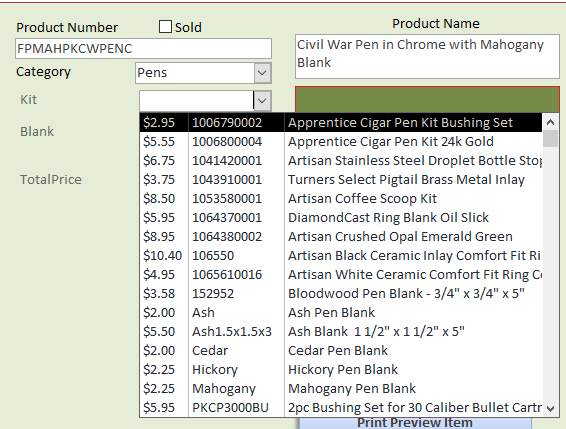
I am trying to build a database for my small company, I have been taking your classes and I am at expert 7. I am trying to figure out how to combine numbers in two fields in one form, For example, two parts make a complete component. Each has an ID Number, Description, and Price. When I use a combo box to bring these items to my form It displays fine. But adding them only adds Their ID numbers. Is there somewhere to go to see this in more detail? Is it in a future lesson? Thanks
Kevin Robertson
@Reply 4 years ago
What are you trying to add up? Can you give an example?
Kevin Yip
@Reply 4 years ago
Maybe Richard wants to concatenate the data. Look up Richard's videos on concatenation.
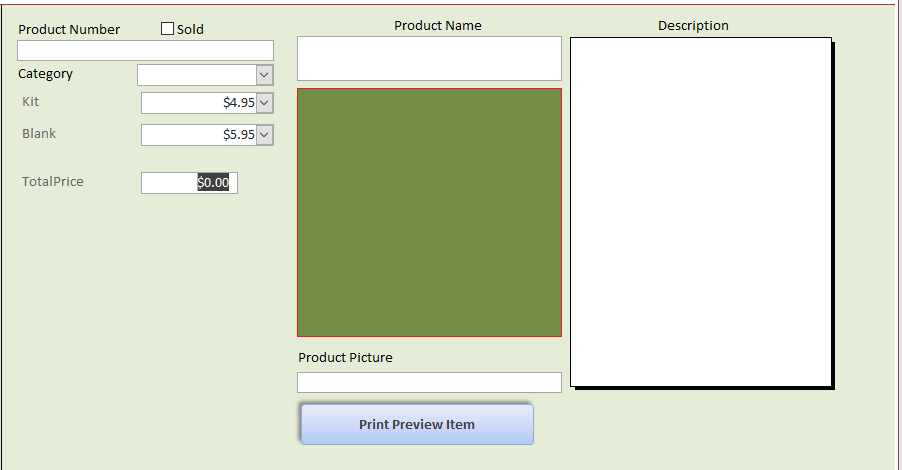
Here is a picture of my form. I want to add blank and kit fields.
Richard Van WagonerOP
@Reply 4 years ago
Kevin Robertson
@Reply 4 years ago
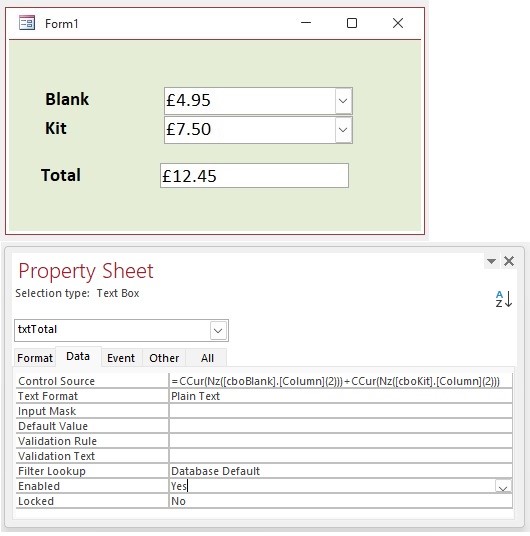
Assuming each Combo Box has 3 columns, and the price is in the third column you can put something similar to the following in the Control Source of the TotalPrice Textbox.
Does this work if my currency field is in the second column? My auto field is in the number1 column.
Kevin Robertson
@Reply 4 years ago
Yes. Just change the 2 to a 1 (columns are zero-based).
Richard Van WagonerOP
@Reply 4 years ago
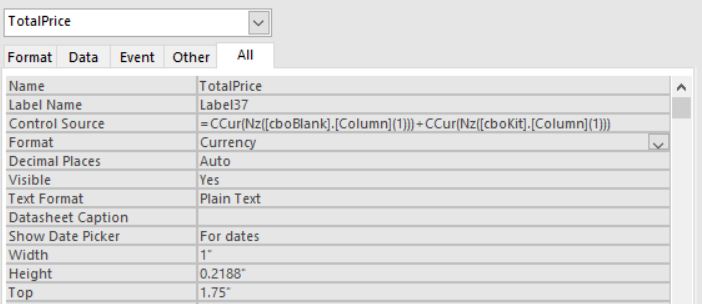
I did that and I am getting this #Name?. Did I miss something?
Richard Van WagonerOP
@Reply 4 years ago
Kevin Robertson
@Reply 4 years ago
cboBlank and cboKit is what I called the Combo Boxes in my example. Change them to whatever you have named yours.
Richard Van WagonerOP
@Reply 4 years ago
I have solved the #Name? problem. Thanks! Just for my information if there are more than 2 fields to add what is needed to change in the Control Source to add them?
Adam Schwanz
@Reply 4 years ago
You can add as many fields together as you want, when you use + you are doing a mathematical calculation, when you use & you are using concatenation
If Field1 Field2 and Field3 were 10
=Field1+Field2+Field3 would be 30
=Field1 & Field2 & Field3 would be 101010
Richard Van WagonerOP
@Reply 4 years ago
I noticed that it isn't storing this in my product table, Is there something else needed to make this happen?
Adam Schwanz
@Reply 4 years ago
Your control source needs to be set to a field if you want the text box to connect. Right now its just an unbound field with your calculation. Youll need to make a button or some kind of event like After Update To set the value of that field to your calculation instead
Fieldname=a+b kind of thing
Richard Van WagonerOP
@Reply 4 years ago
Thanks Adam. But I think I am getting way over my head here. I think I will wait for a few more lessons before I attempt this.
Sorry, only students may add comments.
Click here for more
information on how you can set up an account.
If you are a Visitor, go ahead and post your reply as a
new comment, and we'll move it here for you
once it's approved. Be sure to use the same name and email address.
This thread is now CLOSED. If you wish to comment, start a NEW discussion in
Access TechHelp.