ACX09, Lesson 1 Customer Discount Rate - time 07:45. I initially see the Default Discount rate as well from the CustomerF (=40%), but as soon as I enter the description (creating a new order), the discount changes to 5% on the OrderF and OrderDetailF. The Default Value on OrderF is based on =Forms!CustomerF!DiscountRate.
The original default of 5% in CustomerT wasn't changed by Richard either after copying it to OrderT and OrderDetailT (see a few minutes earlier, resp. @03:29 and @04:50). As a test, when I change the default setting in OrderT from 5% into 0% (kept validation rule), creating a new order now works and the discount is showing 40% in CustomerF as well.
I tested it for a second time, by changing the default discount to 10% in OrderT, then create a new order and again it happens. Initially I see the discount from CustomerF, but as soon as I create a new order, the discount on OrderF changes to the default mentioned in OrderT instead of CustomerF. So, although the Default Value in my OrderF is set to look at '=Forms!CustomerF!DiscountRate', the value is eventually overruled by the Table default value...
Could this be due to newer version of Access that I'm using (MS365; Office 2019)?
Scott Axton
@Reply 4 years ago
No there isn't anything here going on that a newer version of Office would affect.
I just ran through, as best as I could, using your description, in the included db for the course and didn't see the issue that you are describing.
So... That tells me that you probably missed a step somewhere along the line.
Richard - For future reference
I just noticed that it is possible to create a new customer record then create a new order by clicking the Show Orders button all while the Customer Record is in a Dirty state.
I didn't test extensively, but it could cause issues with orders couldn't it?
Yeah, it could. Explaining all that would have been a lot at this stage, but I'm sure I cover it in a future lesson. For now, just make sure you have a customer first. You can avoid that by making CustomerID required in the OrderT.
Scott Axton
@Reply 4 years ago
Richard agreed. It's just that I've learned a thing or three from you since I took this lesson. ;)
Daniel de KoningOP
@Reply 4 years ago
Hi Scott, thanks for the reply.
At this point I would say every Table and Form matches with the instructions given in the training series.
But... based on comments from other students, some found out they missed a (simple) step as well, so I'll try to review my steps and compare it with the downloadable database within a week.
I have performed the 'Compact & Repair' action after every class, but I still see the same issue as I described above.
Daniel de KoningOP
@Reply 4 years ago
Daniel de KoningOP
@Reply 4 years ago
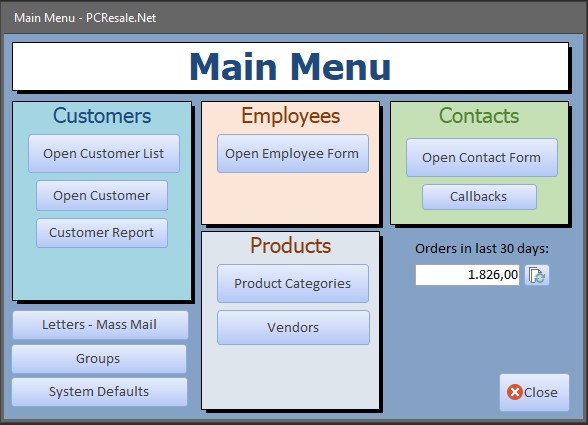
FYI: The screenshot above is taken based on current version, which is after completing course Expert 11.
I'll look into this in more detail when I have a few free minutes.
Daniel de KoningOP
@Reply 4 years ago
Hi Richard, that would be highly appreciated. I've created backups after completing each course, which is probably more helpful than sending screenshots. Let me know if you want the version of 10/Nov and how to send it (via mail or via comment upload).
Note: I didn't use your Final Access 2010 Beginner 9 database download, because I noticed some differences in the way Access handled certain settings based on your 2010 downloadable version and my current version (not referring to European format stuff of course; unfortunately, I can't think of any examples at this moment though).
I therefore re-created all the tables and forms in earlier (Beginner) courses which are being used in follow-up (Expert) courses, which is why you'll see I haven't created all the Reports (Name Badges, Missing Address, etc.).
Sorry, only students may add comments.
Click here for more
information on how you can set up an account.
If you are a Visitor, go ahead and post your reply as a
new comment, and we'll move it here for you
once it's approved. Be sure to use the same name and email address.
This thread is now CLOSED. If you wish to comment, start a NEW discussion in
Access Expert 9.