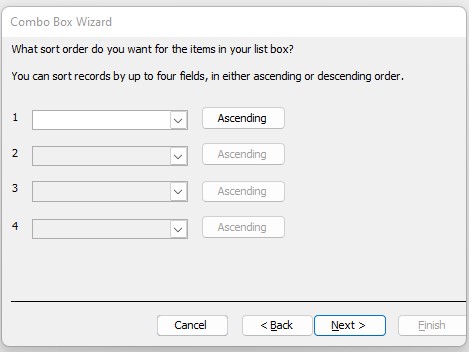
If I want a select combo box in my employee form to select a particular employee, is there a way to get the list to come up in alphabetical order?
Kevin Robertson
@Reply 4 years ago
There is an option in the wizard to sort the Combo Box.
Kevin Robertson
@Reply 4 years ago
Becky SmithOP
@Reply 4 years ago
I must be missing something. I am a novice....
When the wizard opens, I select "Find a record on my form based on the value I selected in my combo box."
Then I carry over the ID, First & Last name fields.
Then it comes up where I can adjust the column width.
Then it allows me to name it and click finish
Becky SmithOP
@Reply 4 years ago
I was following the Access Beginner 8 lesson 06. Search Combo Box lesson.
Kevin Robertson
@Reply 4 years ago
OK. There is no sort for that option.
You will need to modify the Row Source property of the Combo Box and add an ORDER BY clause.
Example: SELECT CustomerID, LastName FROM CustomerT ORDER BY LastName;
Becky SmithOP
@Reply 4 years ago
Thank you. I appreciate the help.
Kevin Robertson
@Reply 4 years ago
You're welcome.
Sorry, only students may add comments.
Click here for more
information on how you can set up an account.
If you are a Visitor, go ahead and post your reply as a
new comment, and we'll move it here for you
once it's approved. Be sure to use the same name and email address.
This thread is now CLOSED. If you wish to comment, start a NEW discussion in
Access Beginner 8.