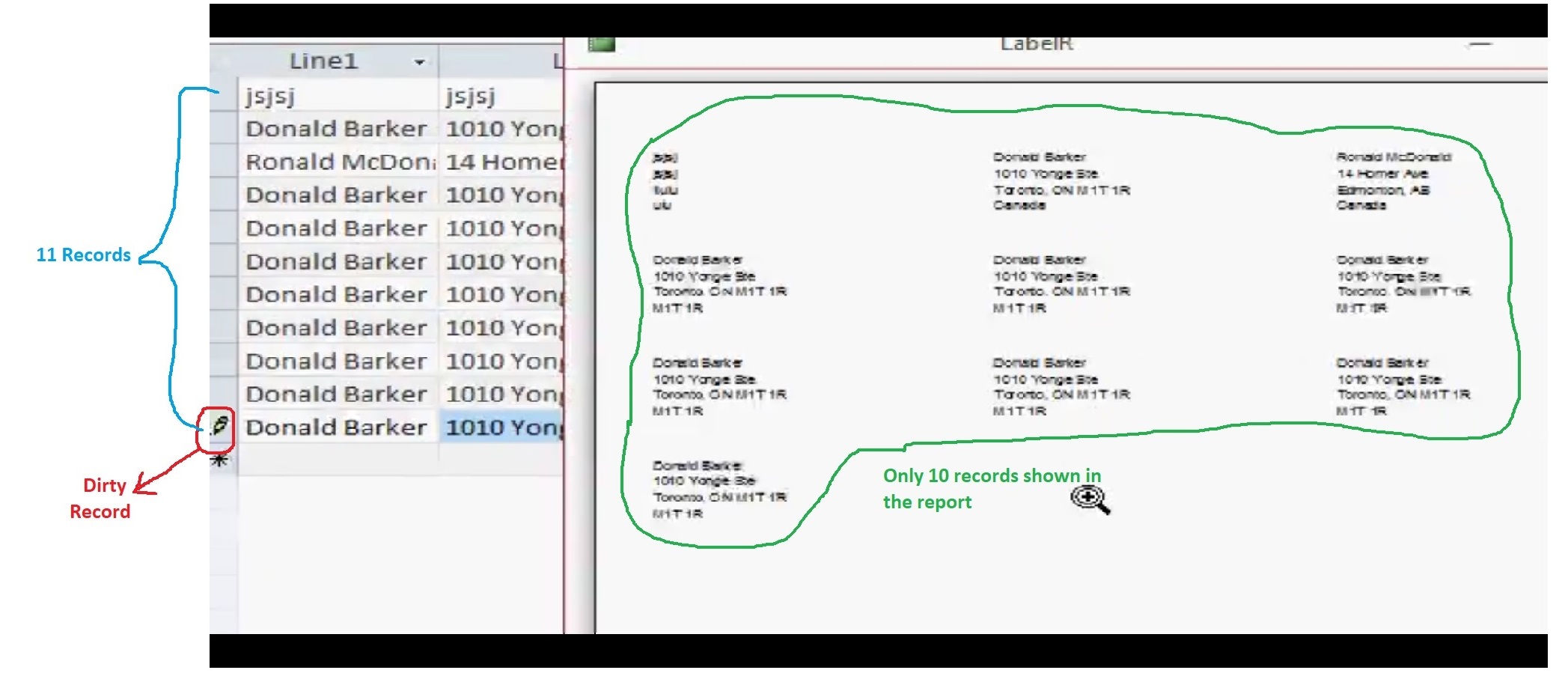
There is a minor bug when creating a report for FULL SHEET Mailing Label as shown in Lesson 3: 18m52s.
Notice that there are 11 records but only 10 is shown in the report. That is because the last record is a dirty record which means it has not been saved to the drive. The report would only show records that have been saved to the drive.
To fix this, the macro that set up the report need to be modified. The macro in question is named CreateLabelM. Add the following line at the end of the macro: GoToRecord Object Type: Form Object Name: LabelF Record: New Offset: leave this blank
The command we just added would force the dirty record to be saved to the drive. This should fix the problem.
Hendra GunawanOP
@Reply 3 years ago
Sorry, only students may add comments.
Click here for more
information on how you can set up an account.
If you are a Visitor, go ahead and post your reply as a
new comment, and we'll move it here for you
once it's approved. Be sure to use the same name and email address.
This thread is now CLOSED. If you wish to comment, start a NEW discussion in
Access Advanced 4.