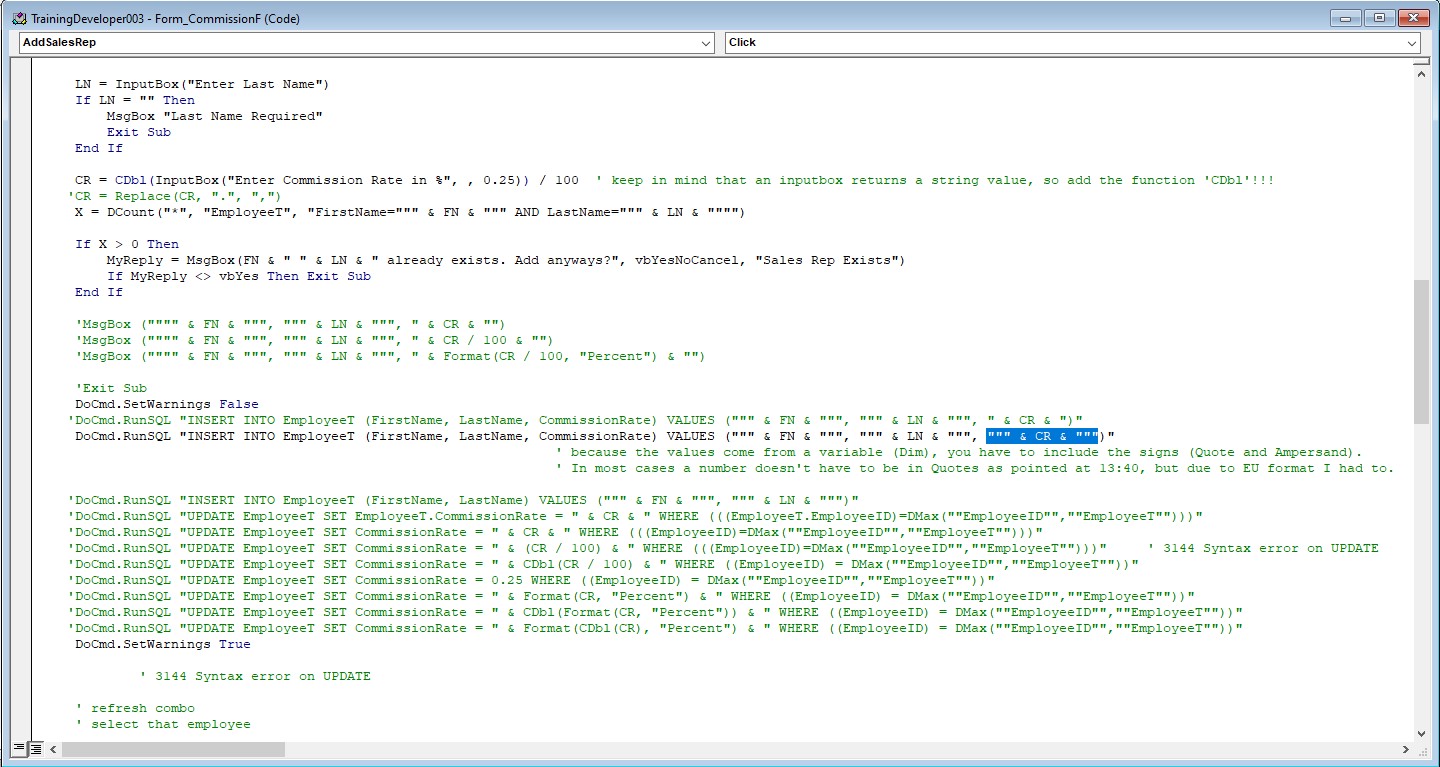
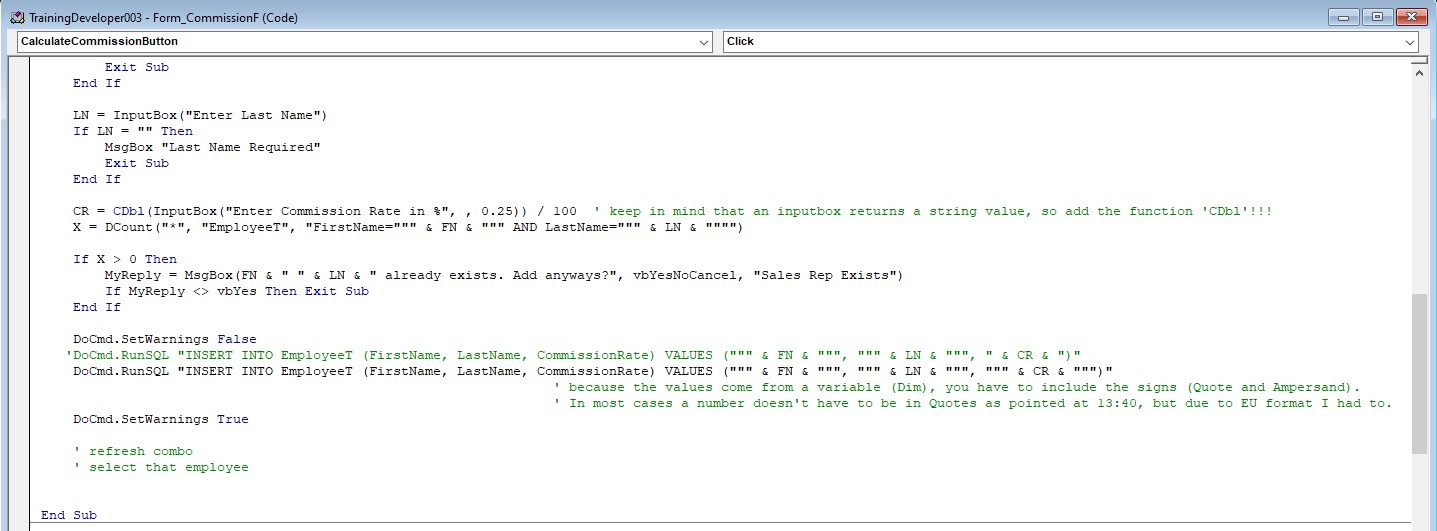
After several trial and error attempts, I think I figured out that the variable in the RunSQL INSERT INTO statement of the VALUES section has to be inside double quotes when working with a standard EU number format (non-US).
My current Windows setting is set to Dutch (so decimals with "," and I made the change to ISO Date format, but not relevant for now; not yet anyhow ;-) ). (note: When changing windows to US setting, everything worked, but not ideal for me at this moment.)
The trouble I encountered was that the Query values didn't match with the Destination fields (3346 error). I used several MsgBox's to look at the data and it appears that instead of the 3 fields to INSERT, it probably saw 4, due to the comma in the CommissionRate value. I tried to take that 3rd field from the INSERT and use an UPDATE Query to update the CommissionRate, but than I get various errors (mainly the 3144 syntax error).
It now appears that the VBA code (w/dots) converts nicely into a comma value for my tables, So the REPLACE function wasn't required after all. I now tried to add quotes around the CR variable in the VALUES statement and everything works as it should.
In the screenshots below, you can see the trial and error efforts and the final cleaned-up version. Please provide feedback in my error handling efforts, what could be better.
Daniel de KoningOP
@Reply 3 years ago
Daniel de KoningOP
@Reply 3 years ago
Sorry, only students may add comments.
Click here for more
information on how you can set up an account.
If you are a Visitor, go ahead and post your reply as a
new comment, and we'll move it here for you
once it's approved. Be sure to use the same name and email address.
This thread is now CLOSED. If you wish to comment, start a NEW discussion in
Access Developer 3.