Free Lessons
Courses
Seminars
TechHelp
Fast Tips
Templates
Topic Index
Forum
ABCD
 
Home   Courses   TechHelp   Forums   Help   Contact   Merch   Join   Order   Logon  
 
Back to Access Developer Forum    Comments List
Upload Images   @Reply   Bookmark    Link   Email   Next Unseen 
Filter using option button
Dg Ewing 
     
3 years ago
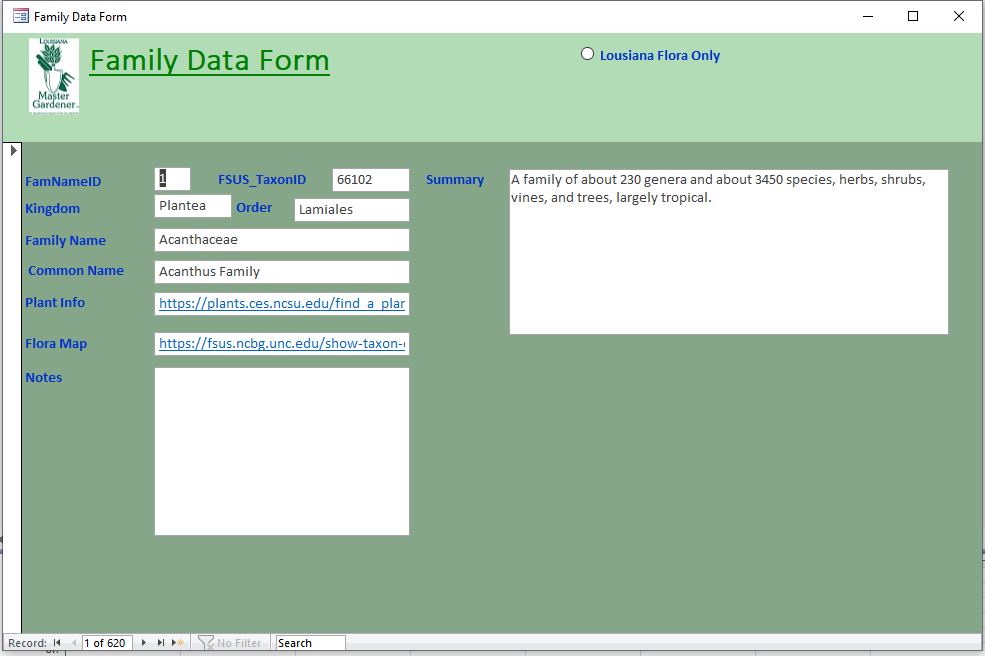
I have a form that the data source is a Q that includes all the plant families that are relevant ,  in the query there is a number field   [fsus_TaxonID] and if it is not null then the plant is a member of the Louisiana Flora (blanks indicate that the plant wont be found in Louisiana)  I want to have the option to only list LA plants, which is about half of the 600 plant families in my db.  How can I use the option button, see pic) to modify the Q
Dg Ewing OP  @Reply  
     
3 years ago

Kevin Robertson  @Reply  
          
3 years ago
You have said you want to modify your query but you haven't shown us what you currently have.
Normally I would do this in VBA but try following along with these steps and you may be able to accomplish this without any programming.

To modify the query based on the option selected in the option button, you can follow these steps:

1. Add an option group to your form, which allows the user to choose whether to list only Louisiana plants, LA plants or all plants.

2. Assign a value to each option in the option group.

3. In the query that serves as the data source for your form, you need to modify the query criteria to filter the plant families based on the option selected.

   - Open the query in design view.
   - Locate the criteria for the [fsus_TaxonID] field.
   - Replace the existing criteria with an expression that incorporates the option selected in the option group.


4. Save the modified query and run your form. The query will now filter the plant families based on the option selected in the option group.

By implementing these steps, you will be able to modify the query based on the option selected in the option group to list either only Louisiana plants, LA plants or all plants in your form.

Dg Ewing OP  @Reply  
     
3 years ago
Thanks Kevin,  I also would like to use VBA to achieve my goal,   but I like the look and feel of the option button, ideally when I click the LA Flora Only radial button that would execute VBA that would sel from the Q where taxonid is gt 0. And my VBA works but when I unclick (remove the dot) it does not revert to all the records.  How do write "unclick" code?
  Private Sub laflora_Click()
    Dim selectionstr As String
    selectionstr = "SELECT * from MstrFamilyExtQ where FSUS_TaxonID > 0  "
    Me.RecordSource = selectionstr
End Sub
Dg Ewing OP  @Reply  
     
3 years ago
the radial option button is called laflora
Dg Ewing OP  @Reply  
     
3 years ago
Kevin, I think that I may have solved my problem, the unlick value of the option button is 0 and the clicked value is -1 of an if then else in the VBA should solve it....Thanks for the directional guidance.
Dg Ewing OP  @Reply  
     
3 years ago
Help Kevin,

I have now created an option group with values 1-6, the option group is called selectorBox and
Private Sub selectorBox_AfterUpdate()
    MsgBox selectorBox
End Sub
returns the correct value for the option clicked.

How do I do efficiently write a if statement or multiple if statements ..with each value the where clause is changed.

Kevin Robertson  @Reply  
          
3 years ago
You can use an If Then

If selectorBox = 1 then
    Do Something
ElseIf selectorBox = 2 then
    Dosomething else
End If


Or you can use a Select Case (no video as yet Richard )

Select Case selectorBox
    Case 1
        Do Something
    Case 2
        Do something else
End Select

Richard Rost  @Reply  
          
3 years ago
Funny you bring that up... it's on the list already. :)
Dg Ewing OP  @Reply  
     
3 years ago

Dg Ewing OP  @Reply  
     
3 years ago
Kevin,
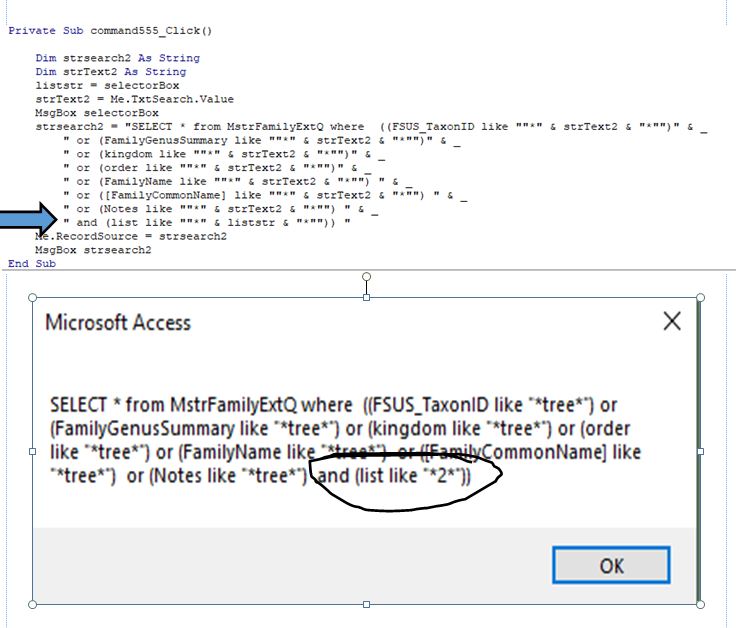
Thanks, I have now added a search in conjunction  with the group option box [selectorbox].  my vba looks for the search txt and then requires an "and [list] must be like liststr which is set equal to the selectorbox value.  I msgbox the select statement and everything looks ok, but it is returning all records with the search txt.  it is not down selecting the subset that has a list like "2"- the selectorbox value....
Dg Ewing OP  @Reply  
     
3 years ago

Dg Ewing OP  @Reply  
     
3 years ago
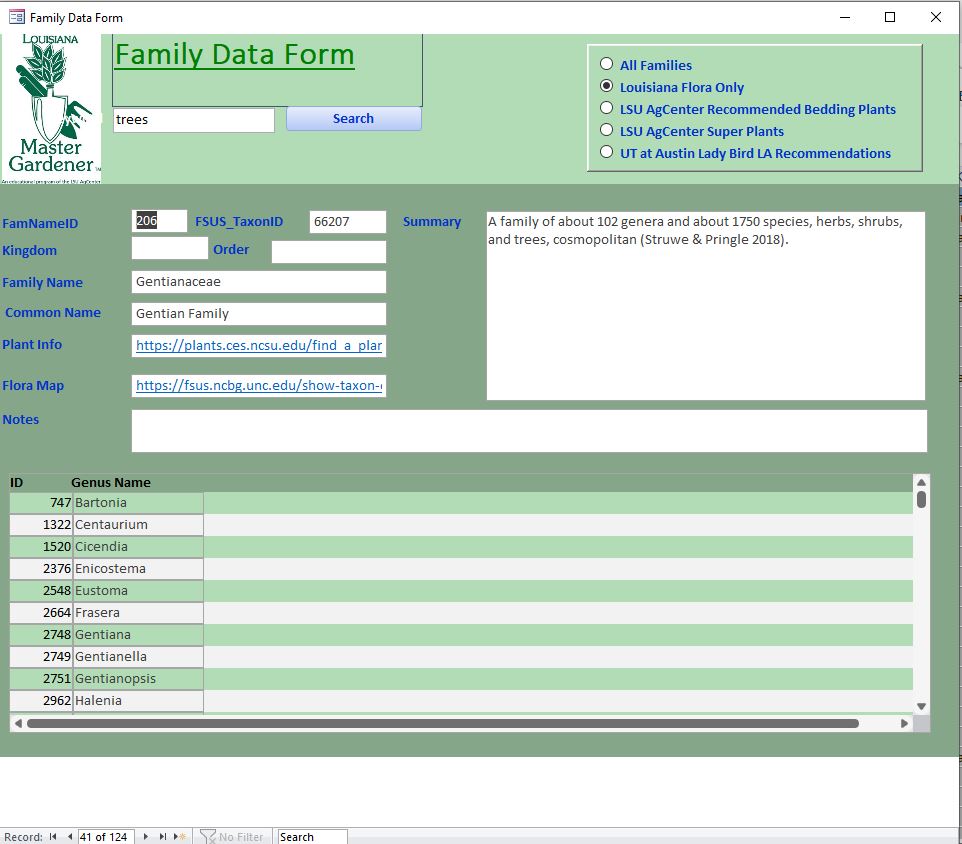
dang, now it seems to be working,,,,,,I did not change anything  
Thoughts   ???
Gregory Clancey  @Reply  
    
3 years ago
This may have little bearing on your particular issue, but I shy away from "null" having meaning. A "null" the precursor to entering a specific (in your case) classifier. So. . ."not entering" becomes entering. It can work, of course. But, I fear, it will eventually taint the dataset. Why not assign a default to the field which, if you DO wish to skip the entry, can be deleted and convey the useful message that this field has not yet been given a value and requires attention. You've worked hard on this useful db, why leave potential weakness in the seams?

This thread is now CLOSED. If you wish to comment, start a NEW discussion in Access Developer Forum.
 

Next Unseen

 
New Feature: Comment Live View


The following is a paid advertisement
Computer Learning Zone is not responsible for any content shown or offers made by these ads.
 

Learn
 
Access - index
Excel - index
Word - index
Windows - index
PowerPoint - index
Photoshop - index
Visual Basic - index
ASP - index
Seminars
More...
Customers
 
Login
My Account
My Courses
Lost Password
Memberships
Student Databases
Change Email
Info
 
Latest News
New Releases
User Forums
Topic Glossary
Tips & Tricks
Search The Site
Code Vault
Collapse Menus
Help
 
Customer Support
Web Site Tour
FAQs
TechHelp
Consulting Services
About
 
Background
Testimonials
Jobs
Affiliate Program
Richard Rost
Free Lessons
Mailing List
PCResale.NET
Order
 
Video Tutorials
Handbooks
Memberships
Learning Connection
Idiot's Guide to Excel
Volume Discounts
Payment Info
Shipping
Terms of Sale
Contact
 
Contact Info
Support Policy
Mailing Address
Phone Number
Fax Number
Course Survey
Email Richard
[email protected]
Blog RSS Feed    YouTube Channel

LinkedIn
Copyright 2026 by Computer Learning Zone, Amicron, and Richard Rost. All Rights Reserved. Current Time: 5/6/2026 11:39:58 PM. PLT: 1s