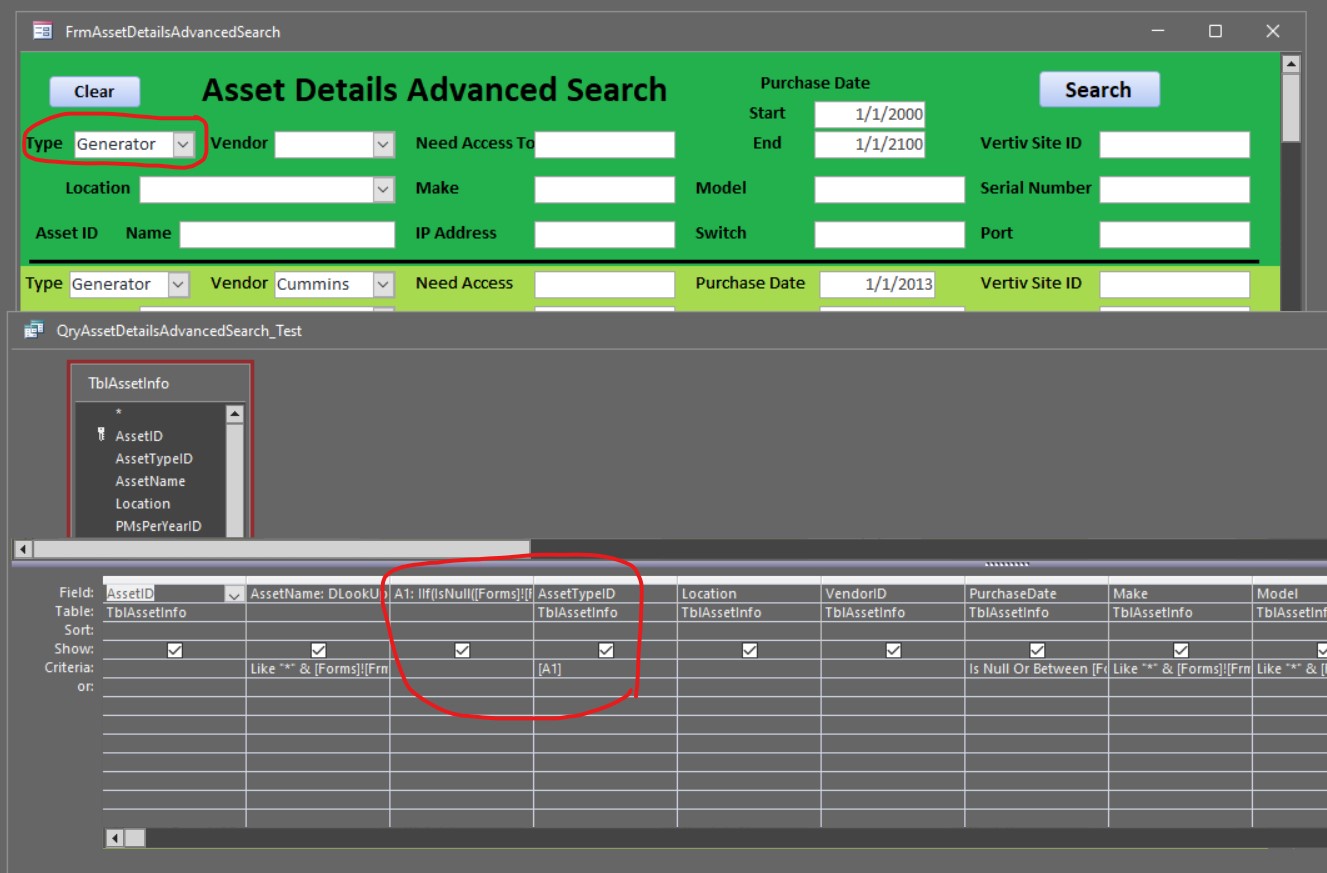
Then in a different field TypeID from table AssetDetails I place [A1] in its criteria - but it does not work. [A1] should get the value from alias A1 correct?
Part 2 of question: if I uncheck show field that field is removed from the query by access even after I save it, close and reopen query in design mode.
I changed to double double quotes but I still have an issue.
A1: IIf(IsNull([Forms]![FrmAssetDetailsAdvancedSearch]![AssetTypeIDS]),"Like ""*""",[Forms]![FrmAssetDetailsAdvancedSearch]![AssetTypeIDS])
I have included a pic. The green is the form and the grey is the query.
The [A1] is asking for a parameter. It should be alias A1.
I am sure I am not using the correct syntax.
Sometimes you can't refer to an alias in the same query that the Alias is created in but what you can do is put the stuff in there for the criteria that you have after a one instead of creating that alias so your criteria will literally be what you're trying to make a one equal to. Replace that and it should work.
Tom DeJongeOP
@Reply 3 years ago
That worked, thank you.
I purchased your expert classes and in 5 months went from knowing very little about Access to building an Asset Tracking DB for our company with over 600 assets, 14 tables, 5 change log tables, 23 forms, 28 queries and 9 reports.
Thank You for all the great videos.
If you are a Visitor, go ahead and post your reply as a
new comment, and we'll move it here for you
once it's approved. Be sure to use the same name and email address.
This thread is now CLOSED. If you wish to comment, start a NEW discussion in
Access Expert 25.