Free Lessons
Courses
Seminars
TechHelp
Fast Tips
Templates
Topic Index
Forum
ABCD
 
Home   Courses   TechHelp   Help   Contact   Merch   Join   Order   Logon   Forums   
 
Back to Access Developers    Comments List
Upload Images   @Reply   Bookmark    Link   Email   Next Unseen 
VB code help please
Deborah Longtin 
    
3 years ago
Hello,
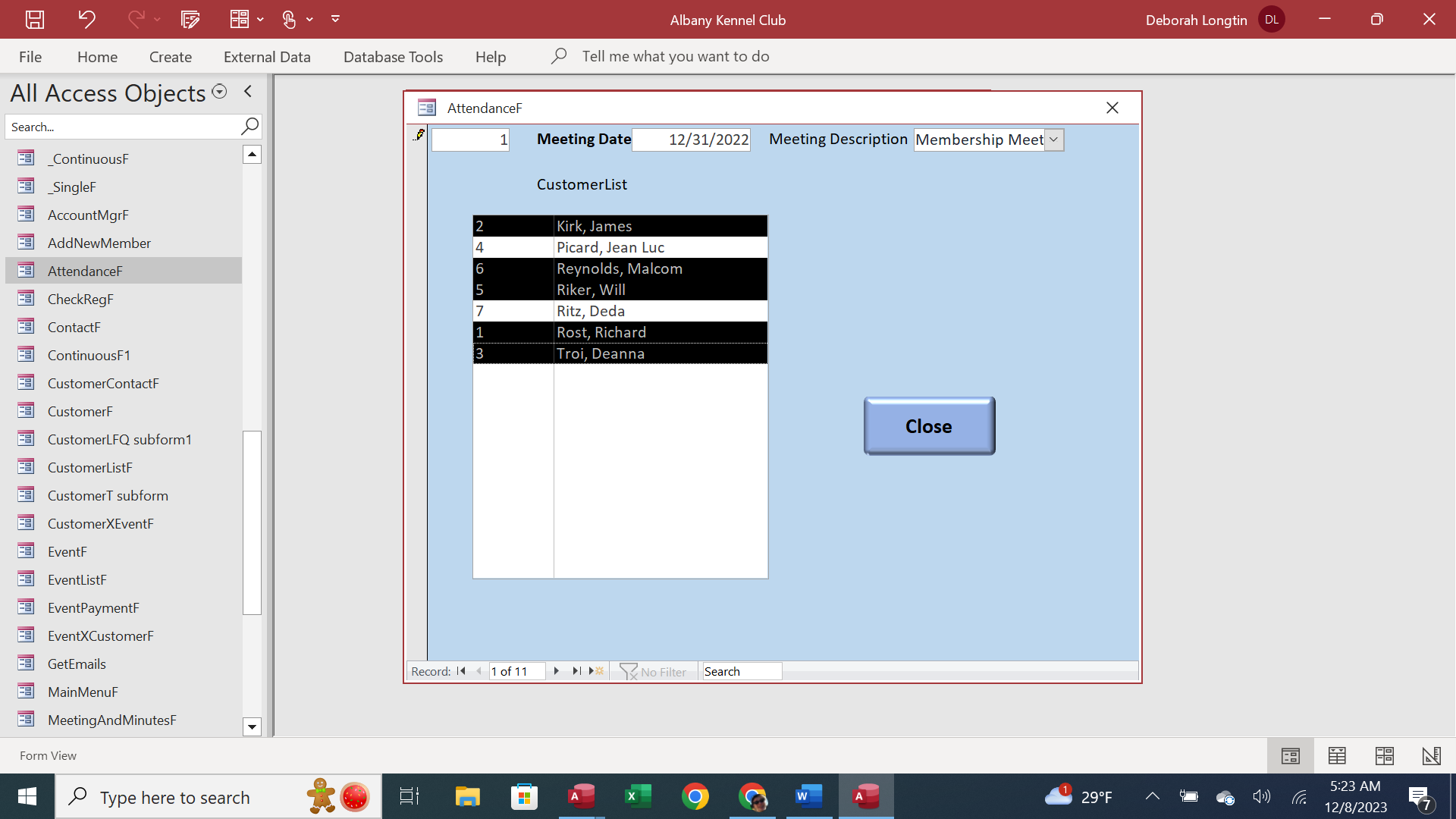
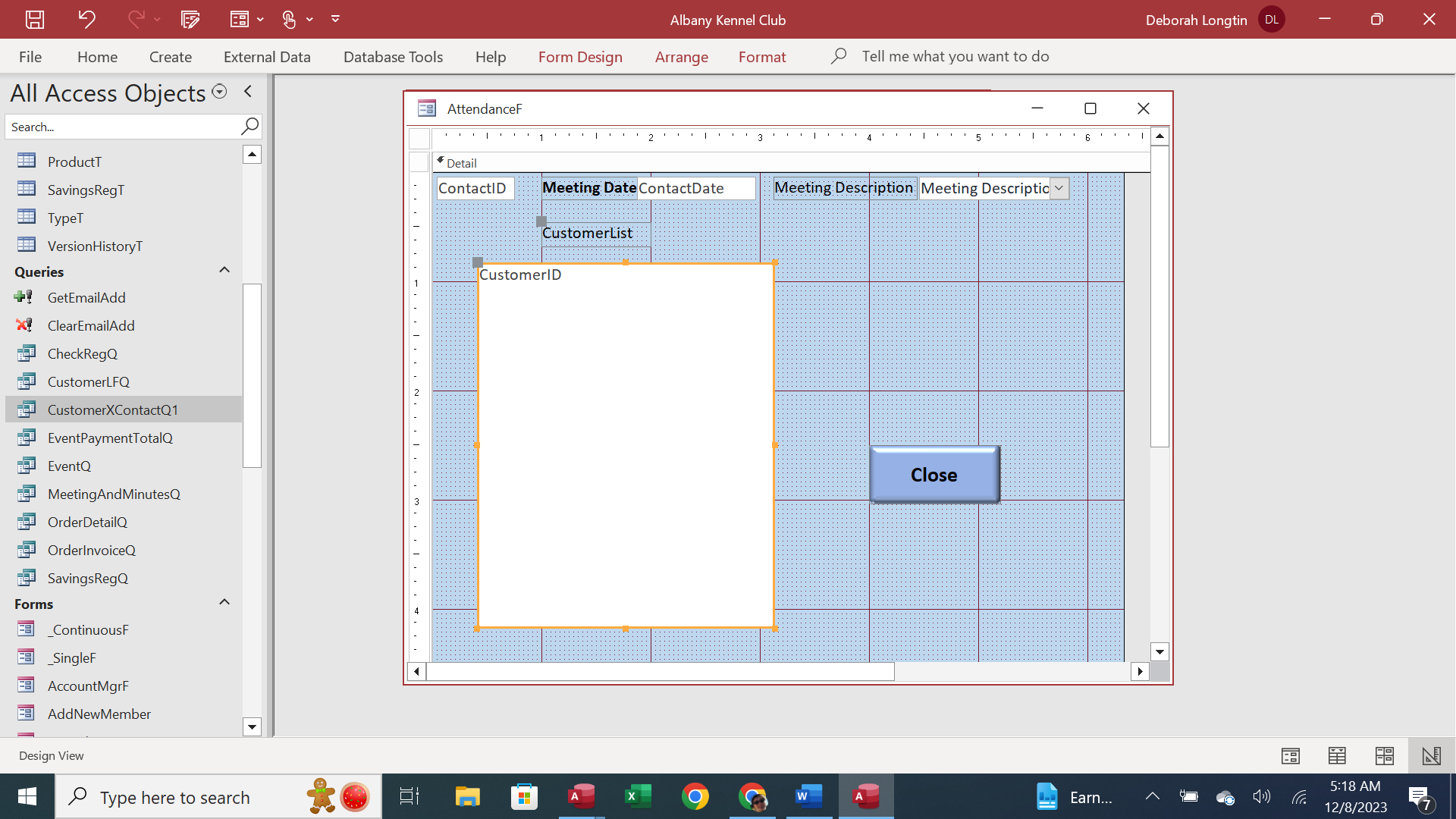
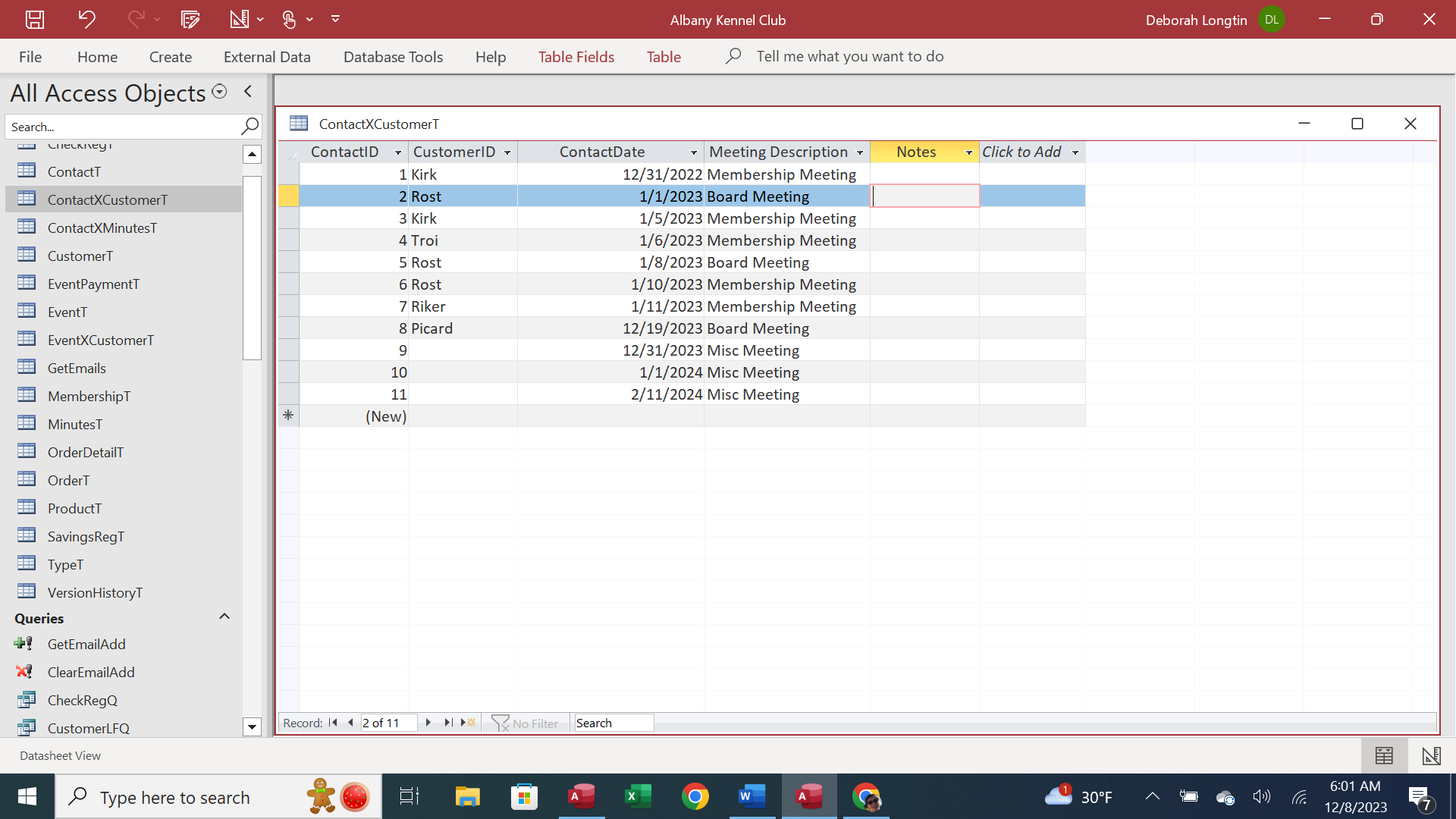
I have been trying to get multiselected records in a listbox to be added to a ContactXCustomerT. The record source for the form is the ContactXCustomerT.
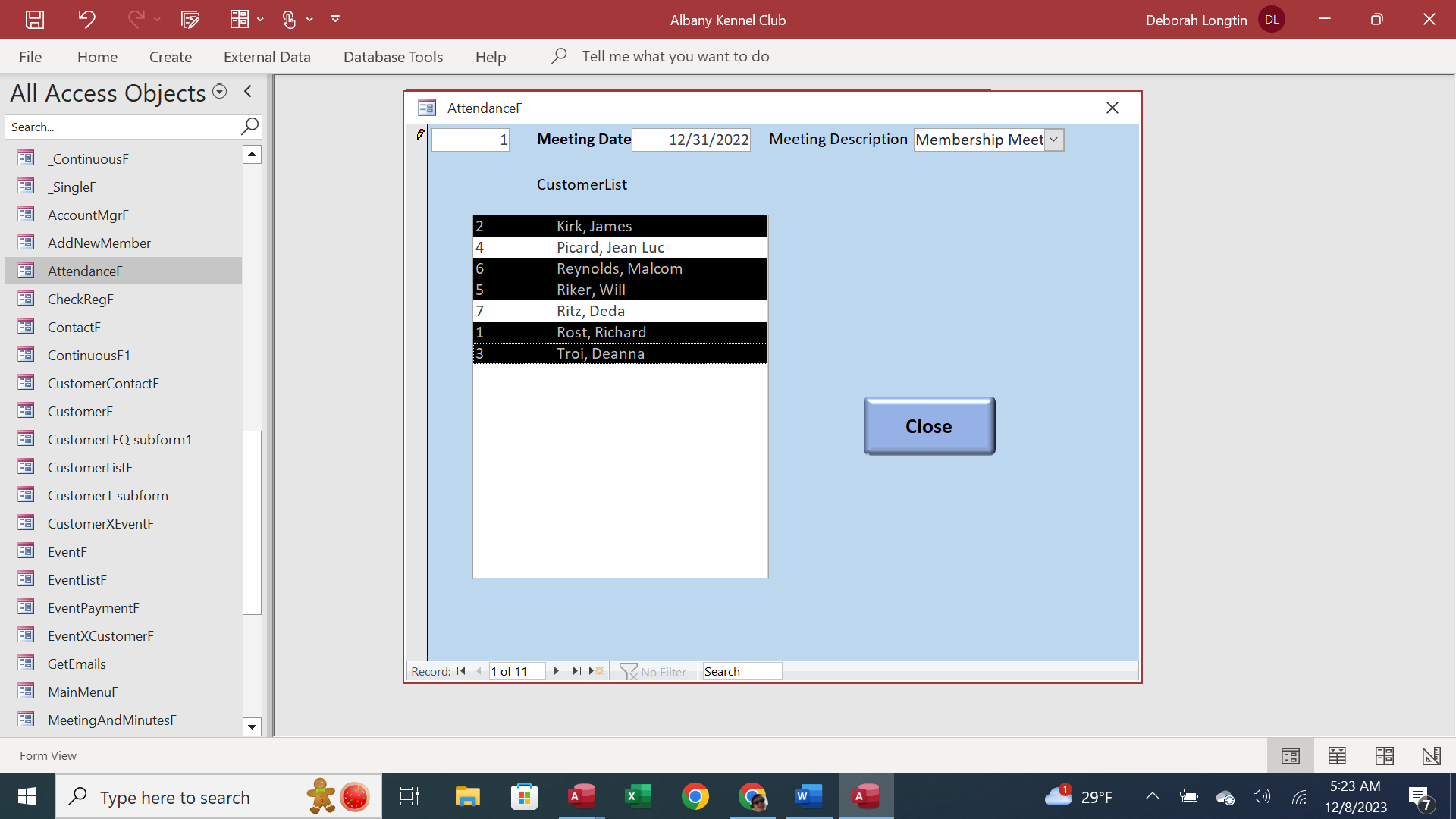
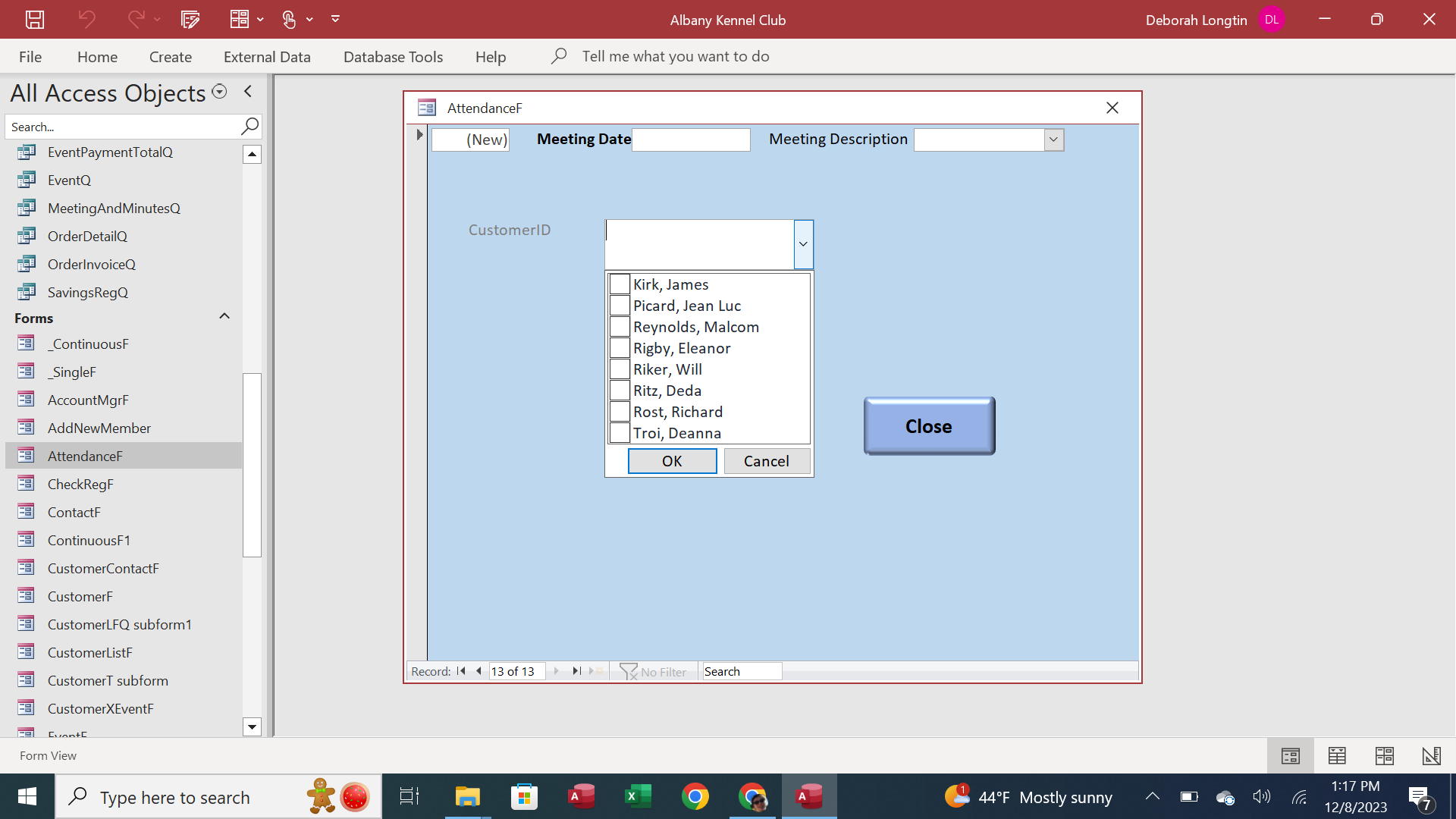
I am using CustomerLFQ. to populate the list box. I want to select customers to add to New ContactXCustomerT records. The top of the form has New Contact ID(auto number) Contact Date and Contact Description. Contact Description is a pulldown menu with 3 options. Those Options are, Board Meeting, Membership Meeting, Misc Meeting. I need to get the selected list box customers (CustomerID) to complete the new records for the contact date.
ContactID
CustomerID
ContactDate
Meeting Description
HELP


Deborah Longtin OP  @Reply  
    
3 years ago

Deborah Longtin OP  @Reply  
    
3 years ago

Deborah Longtin OP  @Reply  
    
3 years ago

Deborah Longtin OP  @Reply  
    
3 years ago

Deborah Longtin OP  @Reply  
    
3 years ago

Sami Shamma  @Reply  
             
3 years ago
Hi Deborah

can you use VBA?
Are familiar with Recordsets?
Deborah Longtin OP  @Reply  
    
3 years ago
I am familiar with VBA but and not very good at it. I have followed some of these videos with limited success.  
I was thinking maybe if i put a button to click after entering the top of the form to load that info into the table then macros to append the selected customers to the table for that record.....  somehow????
Deborah Longtin OP  @Reply  
    
3 years ago
OK...  See staying up all night playing with access is not always a good idea.  I may have just thought of a pretty simple solution.  will see if it works and let you all know.
Deborah Longtin OP  @Reply  
    
3 years ago
It is not ideal but it works and is pretty simple.  I went back to the ContactXCustomerT and made the CustomerID a lookup field to the CustomerLFQ and allowed multiple selections.  Then Went to the Attendance form which is based on the ContactXCustomerT and just added the CustomerID field to the form.  It is working .....  fingers crossed as I have no idea what adverse consequence this may lead to.
Deborah Longtin OP  @Reply  
    
3 years ago

Sami Shamma  @Reply  
             
3 years ago
Good luck
Deborah Longtin OP  @Reply  
    
3 years ago
Well that screwed everything else up.....
Deborah Longtin OP  @Reply  
    
3 years ago
Run-time error '3831':
The Multi-valued field 'CustomerID' cannot be used in a WHERE or HAVING clause.
I have to go undo a bunch of stuff
Kevin Yip  @Reply  
     
3 years ago
You need to use the .Value property to reference individual values.  E.g.:

     SELECT Field1, Field2, CustomerID.Value = 1234

The above finds records in which the multivalued field CustomerID contains 1234 as one of its values.

Multivalued fields are hard to handle, cumbersome to design and code for, and is unique only to Access and cannot be carried over to other database systems like SQL Server, should you ever need to migrate from Access to SQL Server like many Access users have done.  If you are a beginner as your badge indicates, I don't advise you using them at all until you become really proficient in Access.  Richard strongly advises against them too.
Kevin Yip  @Reply  
     
3 years ago
I forgot the WHERE keyword:

     SELECT Field1, Field2 WHERE CustomerID.Value = 1234
Deborah Longtin OP  @Reply  
    
3 years ago
Thank you for the help.  The multivalued field select was a big failure.  I will use a continuous subform from an X table within the single related form.  It is not what I envisioned but works well enough. Thanks again for the help provided.

This thread is now CLOSED. If you wish to comment, start a NEW discussion in Access Developers.
 

Next Unseen

 
New Feature: Comment Live View


The following is a paid advertisement
Computer Learning Zone is not responsible for any content shown or offers made by these ads.
 

Learn
 
Access - index
Excel - index
Word - index
Windows - index
PowerPoint - index
Photoshop - index
Visual Basic - index
ASP - index
Seminars
More...
Customers
 
Login
My Account
My Courses
Lost Password
Memberships
Student Databases
Change Email
Info
 
Latest News
New Releases
User Forums
Topic Glossary
Tips & Tricks
Search The Site
Code Vault
Collapse Menus
Help
 
Customer Support
Web Site Tour
FAQs
TechHelp
Consulting Services
About
 
Background
Testimonials
Jobs
Affiliate Program
Richard Rost
Free Lessons
Mailing List
PCResale.NET
Order
 
Video Tutorials
Handbooks
Memberships
Learning Connection
Idiot's Guide to Excel
Volume Discounts
Payment Info
Shipping
Terms of Sale
Contact
 
Contact Info
Support Policy
Mailing Address
Phone Number
Fax Number
Course Survey
Email Richard
[email protected]
Blog RSS Feed    YouTube Channel

LinkedIn
Copyright 2026 by Computer Learning Zone, Amicron, and Richard Rost. All Rights Reserved. Current Time: 8/7/2026 11:24:22 PM. PLT: 0s