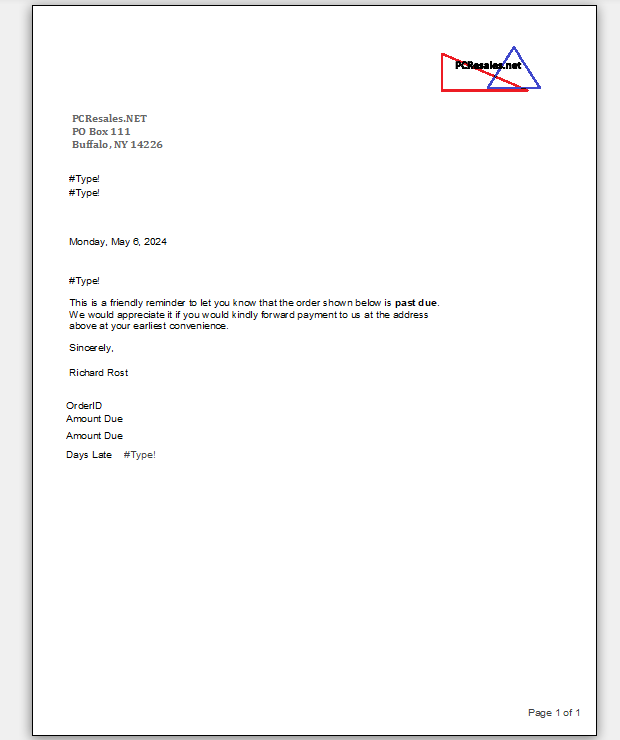
I just tried to fix the Collection Letter in Lesson 3 and after I did all that I started noticing I had nothing showing up in the process. Also when it was supposed to be finished and fixed, there were several things messed up and missing. I was sure we went over the items missing but I cannot remember what lessons and Levels they were in. Could you advise me of what they are so I can go back and review them to repair the issues? When we did it earlier I forgot to save things. Thanks, Ken
Kenneth WykoffOP
@Reply 2 years ago
Kenneth WykoffOP
@Reply 2 years ago
Also included a screenshot of the Design View
Kenneth WykoffOP
@Reply 2 years ago
Kevin Robertson
@Reply 2 years ago
Did you rename the concatenated fields?
Kenneth WykoffOP
@Reply 2 years ago
Kevin the last lesson I remember was to list them as FullNme and use the formula I have used. In the repair lesson, I don't remember being told to change anything on the letter other than to add a city where it was missing.
Kenneth WykoffOP
@Reply 2 years ago
Just wanted to let everyone know, I finally figured it out on my own. The begin date and due date on the original order were different than the one in the collection form area. Once I changed the dates to match the set dates in the LetterF it worked. Now my question is, how do you change the LetterF Begin Date on the Collection Letter Report area to fit into whatever timeline you need? It currently seems to be stuck in one area with the current formulas installed in each property area.
Sorry, only students may add comments.
Click here for more
information on how you can set up an account.
If you are a Visitor, go ahead and post your reply as a
new comment, and we'll move it here for you
once it's approved. Be sure to use the same name and email address.
This thread is now CLOSED. If you wish to comment, start a NEW discussion in
Access Expert 12.