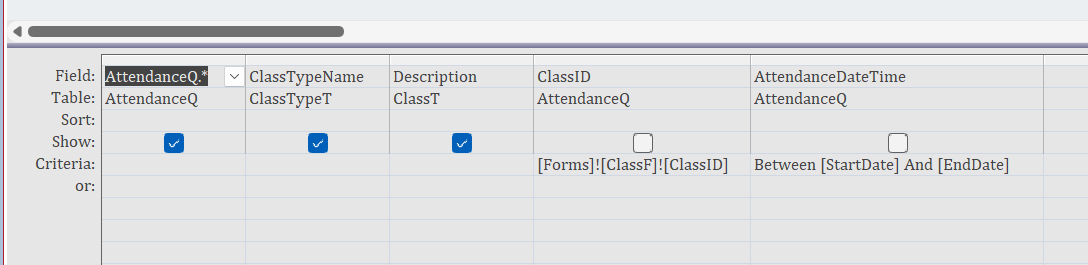
Hi Richard, I went looking all through the video over and over to find where ClassT and ClassTypeT were added to the ReportQ for this lesson and I could not find a mention of it. I opened the file database online and found that it was added to this query to get the 2 fields required. Around 17:44 on the video, I started to notice it. Is that video skipping over that part to add that as part of the query to make the report? I thought I would mention that because others may be doing the same thing as I did going over and over looking for what was missed. Thanks, Ken
Kenneth WykoffOP
@Reply 2 years ago
Kenneth WykoffOP
@Reply 2 years ago
Kenneth WykoffOP
@Reply 2 years ago
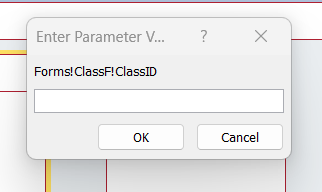
Also, I am getting this parameter error and I even copied it from the online database'another weird one.
And of course the obvious... do you have ClassF open?
Kenneth WykoffOP
@Reply 2 years ago
No, that expression was placed into the ClassID field but the fields ClassTypeName and Descriptipn were not shown in the video to open those tables in the making of that AttendanceReportQ. I will check on the ClassF being open. I do forget that a lot.
Kenneth WykoffOP
@Reply 2 years ago
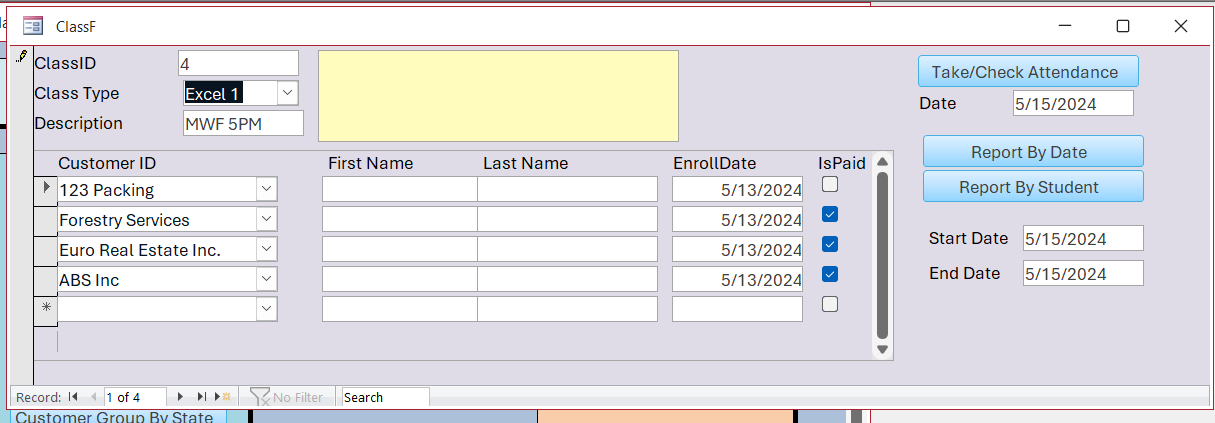
Richard I did forget to have the ClassF open and it worked fine. I'm working on another issue I just now discovered. After making the report and running it I have noticed that the ClassID stays on #1 but the names do change. Trying to back track now and see if I can figure that one out.
Kenneth WykoffOP
@Reply 2 years ago
Kenneth WykoffOP
@Reply 2 years ago
I've tried everything I can think of and the ClassID will not change to the correct number for the ClassType. I've even deleted it twice and reinstalled it and still the same thing. Ideas?
Okay, I'm completely lost. Your class ID on this form is an autonumber. It shouldn't change at all. When you add a new class, you'll get a new ID. I just rewatched the video, and everything in the video seems fine and dandy, so I'm not exactly following what the problem is.
Class Type is a totally different field and it will not change the Class ID. ClassID and ClassTypeID are two totally separate things.
Kenneth WykoffOP
@Reply 2 years ago
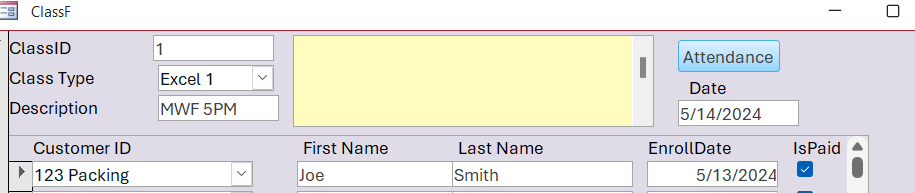
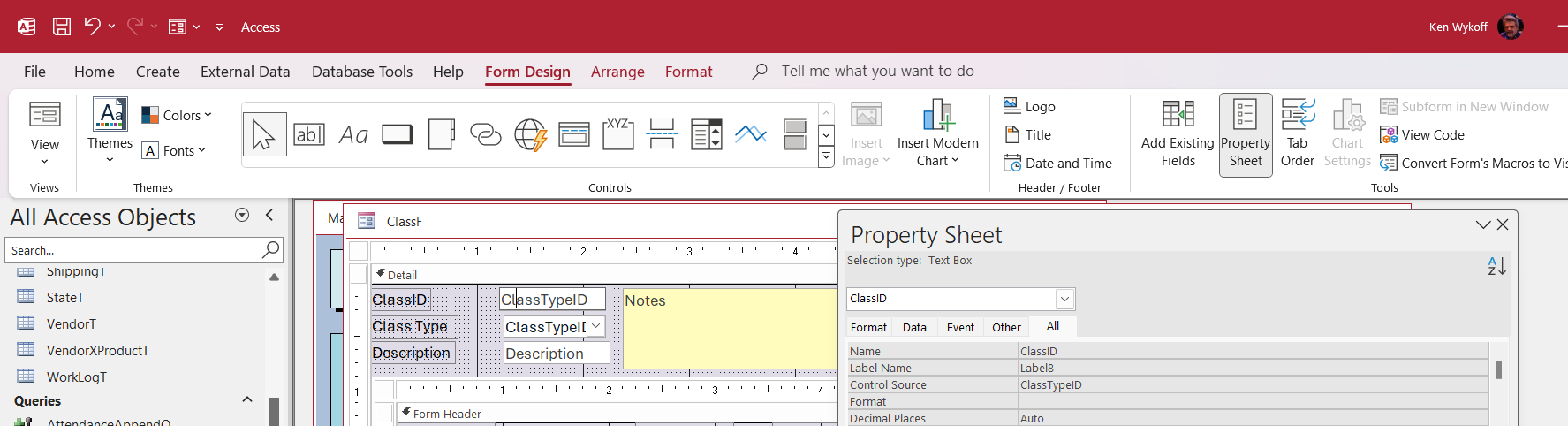
I understand but somehow that is what worked for me to get the ClassID number to match the ClassType in the form. It used the ClassTypeID to match the ClassTypeName. I have attached a screenshot to show you.
Kenneth WykoffOP
@Reply 2 years ago
Kenneth WykoffOP
@Reply 2 years ago
Kenneth WykoffOP
@Reply 2 years ago
I don't understand it and how it worked but it seems to be fine now.
Kenneth WykoffOP
@Reply 2 years ago
Kenneth WykoffOP
@Reply 2 years ago
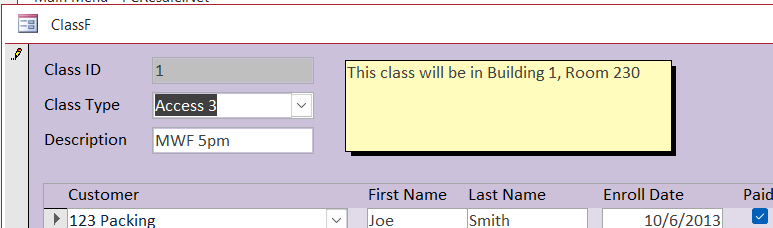
Also on the database online it does the same thing. ClassID for Access 3 should be 8, according to the ClassTypeT Table.
ClassID is the autonumber - the unique identifier for this specific CLASS.
ClassTypeID is a foreign key telling you what TYPE of class it is.
It's the same analogy between Customers and Orders. If you look at the TechHelp template, go to the OrderF form. On there you have an OrderID. That's the ID for each unique order. On there is also a combo box that's bound to the CustomerID. This tells you what customer placed that order.
Same concept.
ClassID and the Class Type Combo are NOT the same thing.
The control source for the Class Type combo box is ClassTypeID.
Kenneth WykoffOP
@Reply 2 years ago
I guess I am super confused. Guess the ClassID always being 1 on the ClassF no matter what Class Type is how it is supposed to be? I'll change it back. I still don't understand but I guess ClassID doesn't matter because if the record is deleted and put back in the ClassID will not be able to be used again like in some of the past classes and tables. It makes me wonder why even bother putting it on a Form. If I remember in the video you said we didn't need to then we did anyway. So I guess that is where I got hung up. At any rate, the form works now. Sorry for not understanding but Ill move on from this now. Thanks for your time.
You really don't need the ID on any form. It's more for the database to track unique records and relationships. I teach putting it on there so you (the developer) get used to seeing them and get a feel and understanding of how they work. But you're correct - a finished database doesn't need to show ANY IDs.
Think of it this way: the ClassID represents a unique class held at a particular date and time with a specific group of people. It's my Thursday night yoga class with Tom, Dick, and Harry. I might have a Wednesday night class with Sarah, Jane, and Molly Sue, and that would have a different ClassID. They're both yoga classes, so the ClassTypeID is going to be the same.
Kenneth WykoffOP
@Reply 2 years ago
Richard, I understand that but, what I cannot figure out, there are different students in different classes and when I change the ComboBox to another class, the same students are there in every one of the classes. I know from looking at one of them at least there are only four. I cannot find where we created all of that because apparently, we did not keep those particular tables created at the time. I know you are just as frustrated with me as I am with trying to understand this. Truly this is the worst lesson I have had since starting and trying to grasp it all. I must have missed something for sure and guess I just need to figure out where it all started to go over the entire thing once again.
I posted an addendum video for you, Kenneth. Watch that and see if it helps. It's on the lessons page: A1.
Kenneth WykoffOP
@Reply 2 years ago
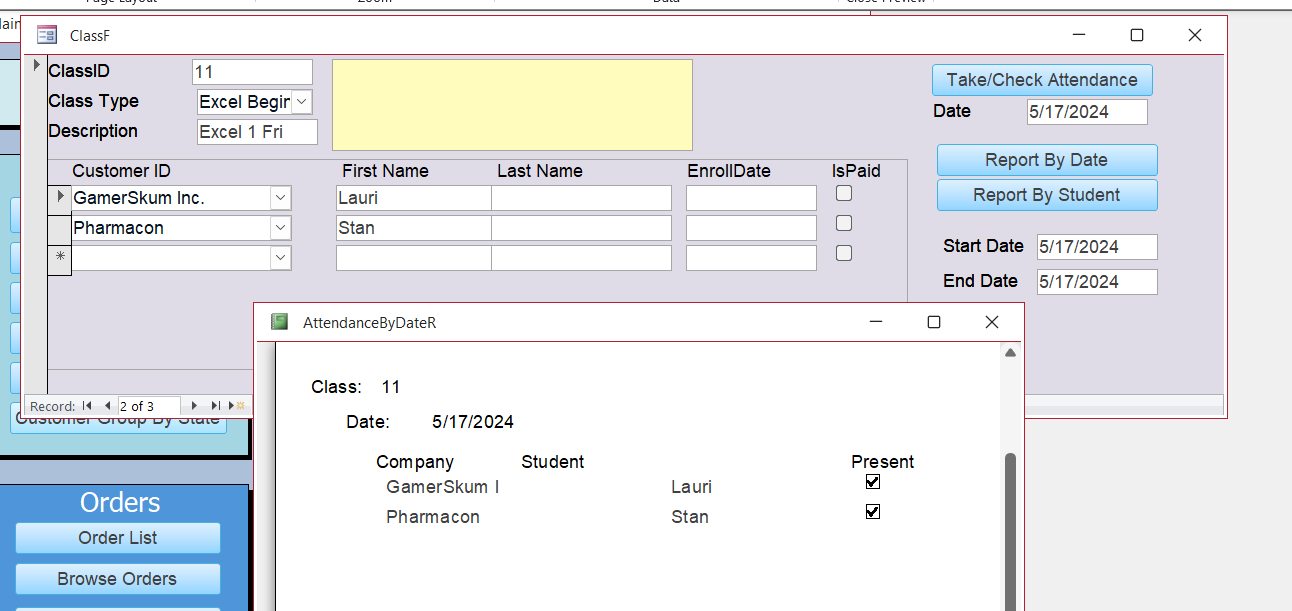
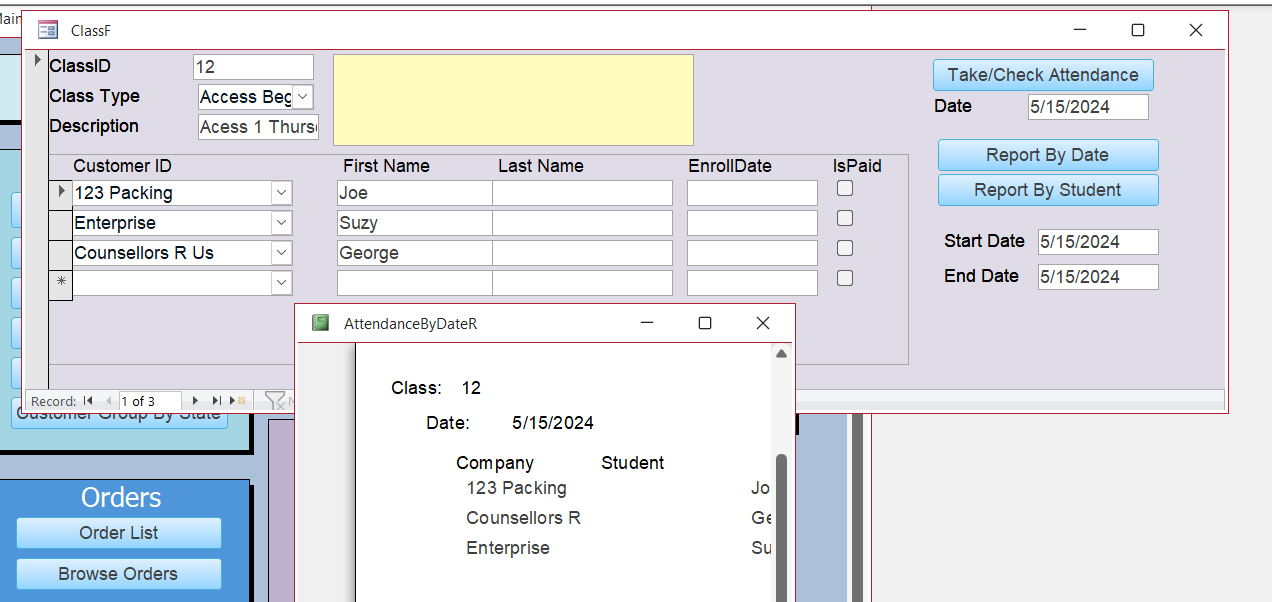
Thank you so much Richard for your constant help! Two things I learned from your new video was the relationship between the ClassID and the Class Type and now I understand that much better through how you explained it. I also noticed that the horizontal scroll bar was used to go between each class to do reports'something I did not notice in the video originally. I should have spotted that too because of others just like that but my frustration got in the way. Again thank you for taking the time and for sharing the additional video too. I have attached 2 screenshots of the new images that show it all works.
Awesome. Glad you finally got it. M2M are tricky. Once that lightbulb goes on though, it's a good feeling. This is just something you have to practice. After you do it a few times, it'll make more sense.
Sorry, only students may add comments.
Click here for more
information on how you can set up an account.
If you are a Visitor, go ahead and post your reply as a
new comment, and we'll move it here for you
once it's approved. Be sure to use the same name and email address.
This thread is now CLOSED. If you wish to comment, start a NEW discussion in
Access Expert 15.