Free Lessons
Courses
Seminars
TechHelp
Fast Tips
Templates
Topic Index
Forum
ABCD
 
Home   Courses   TechHelp   Forums   Help   Contact   Merch   Join   Order   Logon  
 
Back to Access Developer Forum    Comments List
Upload Images   @Reply   Bookmark    Link   Email   Next Unseen 
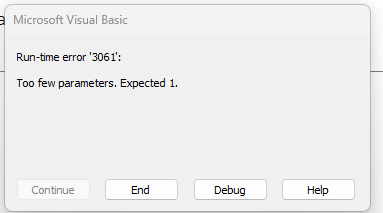
SQL Error 3061
Sami Shamma 
             
2 years ago
Hi all

I am getting this error message from this code:


DetailsPrivate Sub Form_Load()
    Dim FC As FormatCondition
    Dim rs As Recordset         'Color
    Dim rsC As Recordset        'Category
    Dim X As Long
    Dim db As Database
    Dim SQL As String
    Dim ID As Long              'Color Id from Category
    
    Description.FormatConditions.Delete
    
    Set db = CurrentDb
    
    SQL = "SELECT CalendarID, CategoryID FROM CalendarQ  WHERE DateTime>=Forms!MainMenuF!StartDate+10 AND DateTime    MsgBox SQL
    Set rsC = db.OpenRecordset(SQL)


I tried the exact code in a query, and it works.

Can some one tell me what I am doing wrong?

Sami Shamma OP  @Reply  
             
2 years ago

Kevin Robertson  @Reply  
          
2 years ago
Has the SQL statement been cut off?

DateTime isn't listed in the fields in your SELECT statement.
Also DateTime is a reserved word in SQL. You may need brackets.
Remember dates should be enclosed in #
I would refer to the field on the Form outside of the quotea.

SQL = "SELECT CalendarID, CategoryID FROM CalendarQ WHERE [DateTime]>=#" & Forms!MainMenuF!StartDate+10 & "# AND [DateTime]...
Kevin Yip  @Reply  
     
2 years ago
This is a feature, not a bug.  The function OpenRecordset() needs the complete set of data available to it before it can function.  All functions are like that.  For instance, if you put a parameter query inside DLookup(), it won't work either:

     DLookup("Field1", "ParemeterQ", "Field2=1")

That is because the value of the parameter is unknown to the function.  For the function to know it, one way is string concatenation:

     Set rsC = db.OpenRecordset("SELECT CalendarID, CategoryID FROM CalendarQ WHERE DateTime>=#" & Forms!MainMenuF!StartDate) & "#")
Kevin Yip  @Reply  
     
2 years ago
Anything enclosed in square brackets that is not a known field name within the query -- [Forms]![MainMenuF]![StartDate] -- is considered a parameter.  A query can "find" a parameter's value, but a VBA function can't.
Sami Shamma OP  @Reply  
             
2 years ago
DateTime is the field name Richard used in the Calendar seminar. So I will blame him. Lol.

I will try what you gentlemen have suggested after the Portugal and Turkey game.
Sami Shamma OP  @Reply  
             
2 years ago

Sami Shamma OP  @Reply  
             
2 years ago
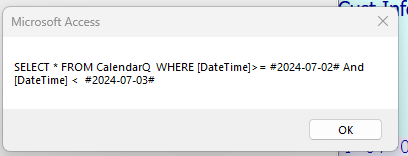
The above is the MsgBox for my SQL in the following code.
Again it works in a query but not in this code.

I get no records as the MsgBox inside the recordset does not fire.

This is kicking mt butt.

DetailsPrivate Sub Form_Load()
    Dim FC As FormatCondition
    Dim rs As Recordset         'Color
    Dim rsC As Recordset        'Category
    Dim X As Long
    Dim db As Database
    Dim SQL As String
    Dim ID As Long              'Color Id from Category
    Dim Date1 As Date
    Dim Date2 As Date
    
    Date1 = Forms!MainMenuF!StartDate + 10
    Date2 = Forms!MainMenuF!StartDate + 11
    'Description.FormatConditions.Delete
    
    Set db = CurrentDb
  
    SQL = "SELECT * FROM CalendarQ  WHERE [DateTime]>= #" & Date1 & "# And [DateTime] <  #" & Date2 & "#"
    MsgBox SQL
    
    Set rsC = db.OpenRecordset(SQL)
    
        While Not rsC.EOF
                MsgBox rsC!CategoryID & " " & rsC!ColorID
             rsC.MoveNext
         Wend
    'rs.Close
    rsC.Close
    db.Close
    
    'Set rs = Nothing
    Set rsC = Nothing
    Set db = Nothing

End Sub
Sami Shamma OP  @Reply  
             
2 years ago
This is a simplified version of the of the code
Kevin Robertson  @Reply  
          
2 years ago
Are there records in the Table that falls between the 2 date ranges?
Do you get the expected results if you hard code the dates in your SELECT statement?
Sami Shamma OP  @Reply  
             
2 years ago
Hi Kevin

Yes to both questions

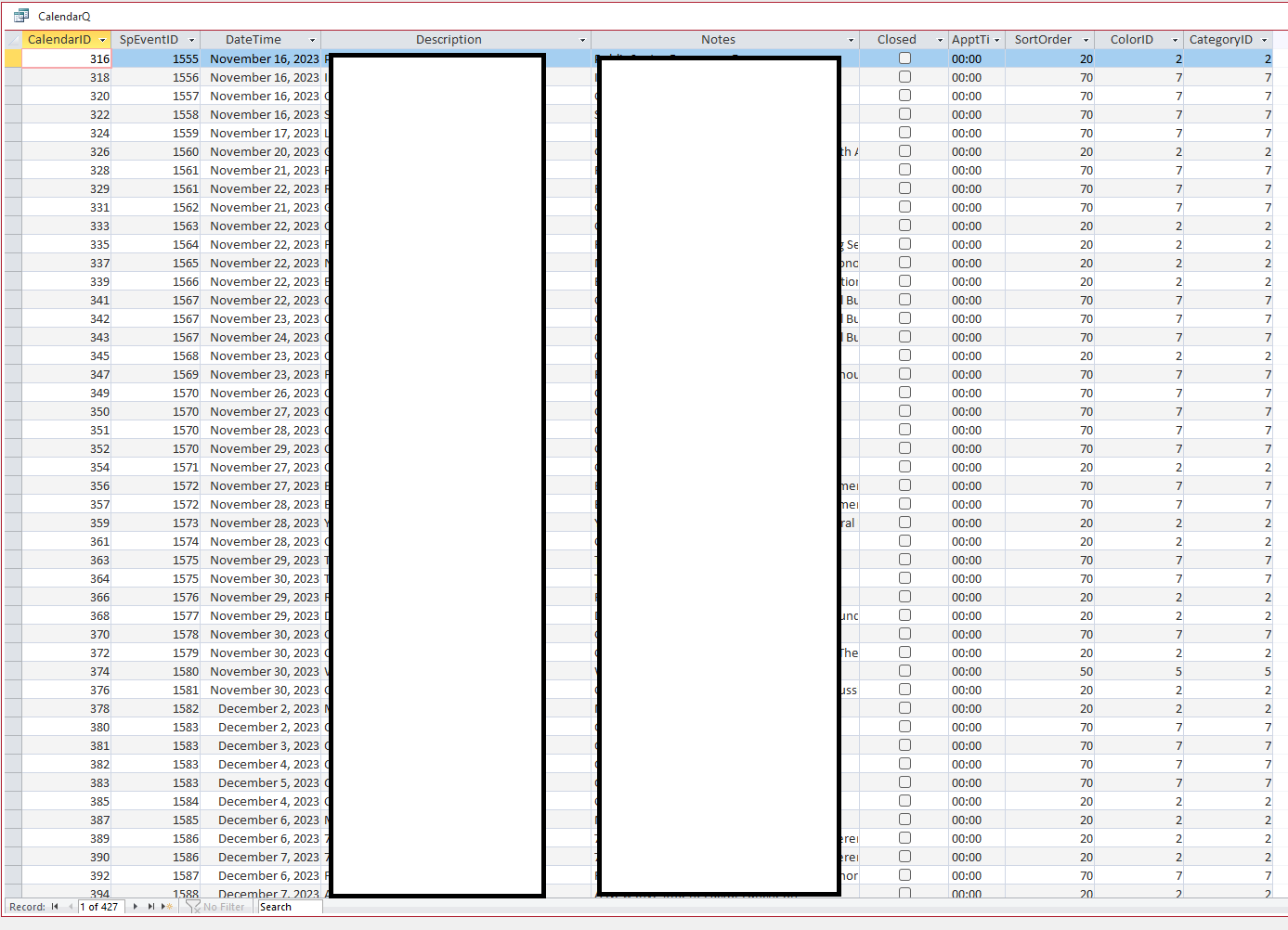
If I put the SQL in a Query, I get the 4 records that matches the criteria
Sami Shamma OP  @Reply  
             
2 years ago
Hi Kavin

Actually, if I hard code the date in the VBA like this:

    SQL = "SELECT * FROM CalendarQ  WHERE [DateTime]>= #2024-07-05# And [DateTime] <  #2024-07-06#"


It works!?
Sami Shamma OP  @Reply  
             
2 years ago

Sami Shamma OP  @Reply  
             
2 years ago

Sami Shamma OP  @Reply  
             
2 years ago

Sami Shamma OP  @Reply  
             
2 years ago
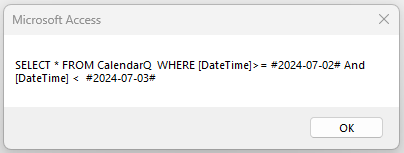
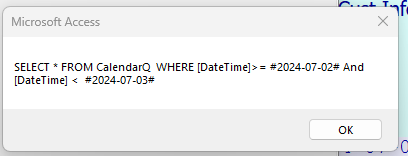
top Msgbox is when the dates are hardcoded
the bottom msgbox is from the concatenated dates.

I do not see any difference.

Richard Rost  @Reply  
          
2 years ago
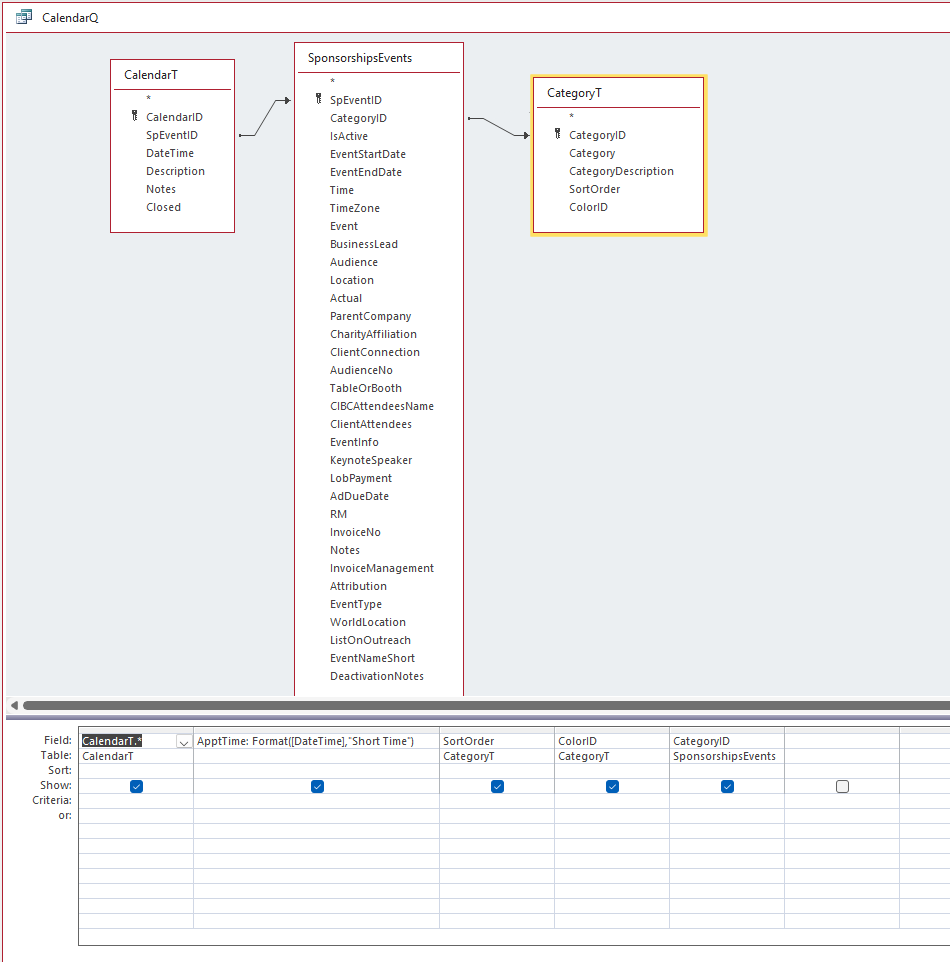
Let's see what the SQL for CalendarQ looks like.
Sami Shamma OP  @Reply  
             
2 years ago

Sami Shamma OP  @Reply  
             
2 years ago

Sami Shamma OP  @Reply  
             
2 years ago

Sami Shamma OP  @Reply  
             
2 years ago
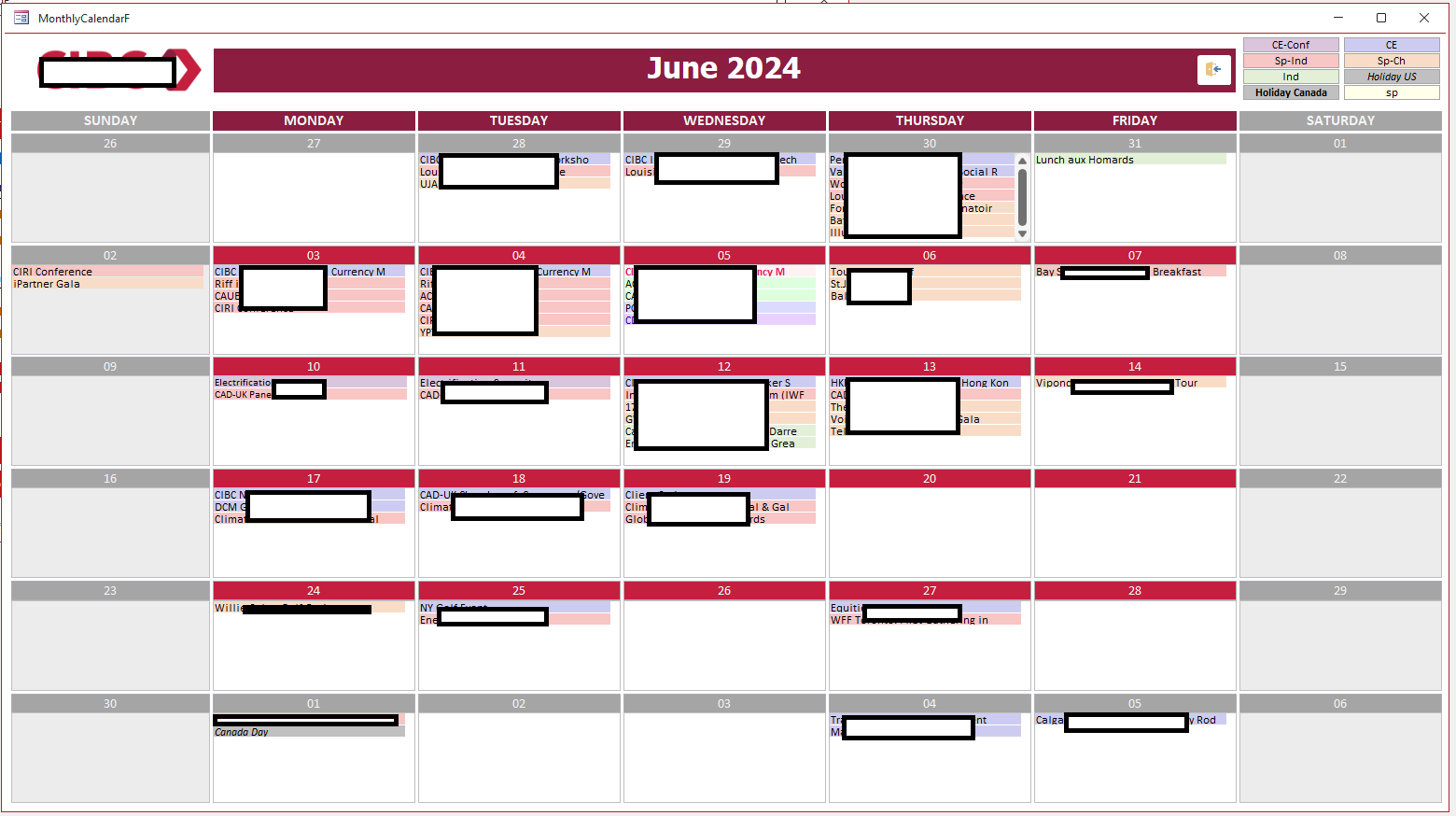
This is for the customer from Canada that I had them purchase the Calendar Seminar and I integrated it for them.
I replaced the ListBoxes with Sub-Forms to perform color coding.

It works great. a bit slow because of the number of recordsets that it opens (43) in one form
Richard Rost  @Reply  
          
2 years ago
Humor me... drop that output into its own table with a MakeTable query and see if your VBA code runs then. Sometimes the joins in a query like that can trip up VBA.
Sami Shamma OP  @Reply  
             
2 years ago

Sami Shamma OP  @Reply  
             
2 years ago
I used temp tables before. I need to remember my code. I will test that shortly.
Richard Rost  @Reply  
          
2 years ago
LMK - I've had to resort to a MakeTable query followed by a regular query LOTS of times... and your final calendar form may load quicker if you make the table once and then the listboxes are loading smaller sets of data.
Sami Shamma OP  @Reply  
             
2 years ago
ok, I put the data fro the query into a temp table CalendarT_Temp

Ran both SQL statement below and as before both show the same SQL in the msgbox. but only the hardcoded one returns values.


    SQL = "SELECT * FROM CalendarT_Temp  WHERE [DateTime]>= #" & [Date1] & "# And [DateTime] <  #" & [Date2] & "#"
    'SQL = "SELECT * FROM CalendarT_Temp  WHERE [DateTime]>= #2024-07-05# And [DateTime] <  #2024-07-06#"
    MsgBox SQL

Richard Rost  @Reply  
          
2 years ago
That's so weird. Change the field name. "DateTime" may be causing reserved word issues.
Richard Rost  @Reply  
          
2 years ago
Also, remove the format from the CalendarQ. Just use the raw data. Don't format it as Short Time until AFTER this step.
Sami Shamma OP  @Reply  
             
2 years ago
I changed the name to MyDate
I Removed the formatting

Still same results.

I am working on a work around

Richard Rost  @Reply  
          
2 years ago
I'm stuck. Without playing with the database, can't tell from here. Sorry man.
Richard Rost  @Reply  
          
2 years ago
Instead of form fields, does it work with just regular variables?

Date1 = #1/1/2000#
Date2 = #2/1/2000#
Do SQL Stuff here


???

Could be an issue pulling from the form.
Sami Shamma OP  @Reply  
             
2 years ago
It Is ok. I abandoned the code and simplified the data by synchronizing my IDs in the tables. problem solved for now.
Thank you all for your help.

Sami Shamma OP  @Reply  
             
2 years ago
I did the date thing here is the full code:

DetailsPrivate Sub Form_Load()
    Dim FC As FormatCondition
    Dim rs As Recordset         'Color
    Dim rsC As Recordset        'Category
    Dim X As Long
    Dim db As Database
    Dim SQL As String
    Dim ID As Long              'Color Id from Category
    Dim Date1 As Date
    Dim Date2 As Date
    
    Date1 = Forms!MainMenuF!StartDate + 10
    Date2 = Forms!MainMenuF!StartDate + 11
    'Description.FormatConditions.Delete
    
    Set db = CurrentDb
  
    SQL = "SELECT * FROM CalendarT_Temp  WHERE MyDate >= #" & [Date1] & "# And MyDate <  #" & [Date2] & "#"
    'SQL = "SELECT * FROM CalendarT_Temp  WHERE mydate>= #2024-07-05# And mydate <  #2024-07-06#"
    MsgBox SQL
    
    Set rsC = db.OpenRecordset(SQL)
    
        While Not rsC.EOF
                MsgBox rsC!CategoryID & " " & rsC!ColorID
             rsC.MoveNext
         Wend
    'rs.Close
    rsC.Close
    db.Close
    
    'Set rs = Nothing
    Set rsC = Nothing
    Set db = Nothing

End Sub

Kevin Robertson  @Reply  
          
2 years ago
You don't need the brackets around Date1 and Date2. They're variables, not fields.
Richard Rost  @Reply  
          
2 years ago
Right, but you're still loading form values into the date1 and date2 fields. Hard code a date there to test.

This is one of those IT SHOULDN'T MATTER but it MIGHT things.
Richard Rost  @Reply  
          
2 years ago
What Kevin said is very true. In fact, that could cause the code to NOT work.
Sami Shamma OP  @Reply  
             
2 years ago
The "[" are left over from the DateTime field name. I removed them.

Richard, hardcoding the dates does work.
Richard Rost  @Reply  
          
2 years ago
OK. So now we've discovered the problem... getting the values from the form fields.

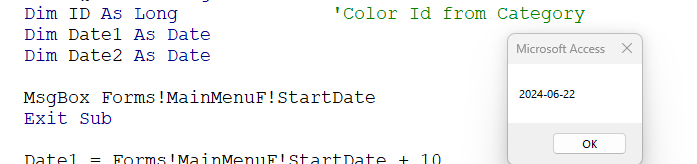
Let's see if those values are valid at the moment the code runs. Do this...

Private Sub Form_Load()
    ' declarations
    MsgBox Forms!MainMenuF!StartDate


Richard Rost  @Reply  
          
2 years ago
If you get a value, we'll need to think of something else. If not, then that's the problem. Instead of a Load event, use a Timer or something after 500 ms.
Sami Shamma OP  @Reply  
             
2 years ago

Sami Shamma OP  @Reply  
             
2 years ago
it works
Richard Rost  @Reply  
          
2 years ago
Damn. Hmmmm.......
Richard Rost  @Reply  
          
2 years ago
Color me stumped.
Sami Shamma OP  @Reply  
             
2 years ago
I will table this for some time and come back to it after few Access updates.
Richard Rost  @Reply  
          
2 years ago
See if you can recreate the issue in another database, like the TH template. I'd like to see it for myself.
Sami Shamma OP  @Reply  
             
2 years ago
I can try it on the original Calendar DB, I will let you know

This thread is now CLOSED. If you wish to comment, start a NEW discussion in Access Developer Forum.
 

Next Unseen

 
New Feature: Comment Live View


The following is a paid advertisement
Computer Learning Zone is not responsible for any content shown or offers made by these ads.
 

Learn
 
Access - index
Excel - index
Word - index
Windows - index
PowerPoint - index
Photoshop - index
Visual Basic - index
ASP - index
Seminars
More...
Customers
 
Login
My Account
My Courses
Lost Password
Memberships
Student Databases
Change Email
Info
 
Latest News
New Releases
User Forums
Topic Glossary
Tips & Tricks
Search The Site
Code Vault
Collapse Menus
Help
 
Customer Support
Web Site Tour
FAQs
TechHelp
Consulting Services
About
 
Background
Testimonials
Jobs
Affiliate Program
Richard Rost
Free Lessons
Mailing List
PCResale.NET
Order
 
Video Tutorials
Handbooks
Memberships
Learning Connection
Idiot's Guide to Excel
Volume Discounts
Payment Info
Shipping
Terms of Sale
Contact
 
Contact Info
Support Policy
Mailing Address
Phone Number
Fax Number
Course Survey
Email Richard
[email protected]
Blog RSS Feed    YouTube Channel

LinkedIn
Copyright 2026 by Computer Learning Zone, Amicron, and Richard Rost. All Rights Reserved. Current Time: 4/30/2026 9:49:50 AM. PLT: 1s