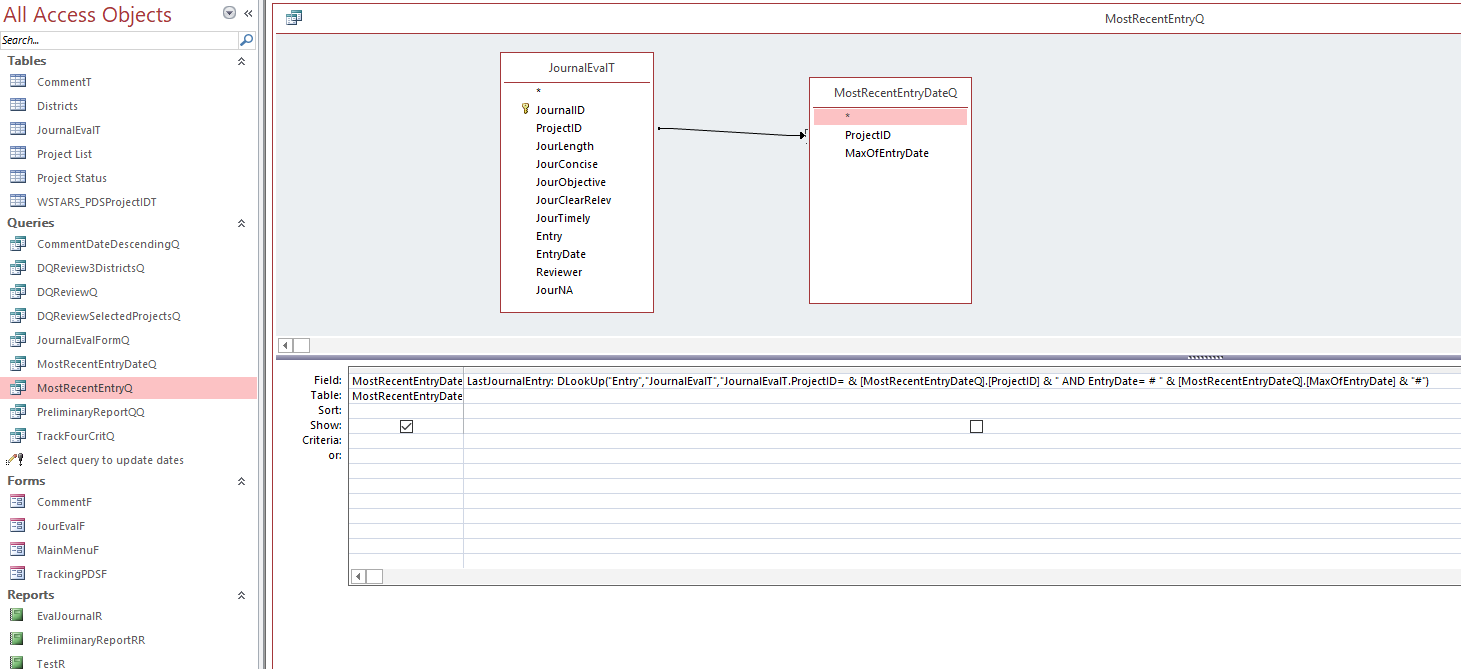
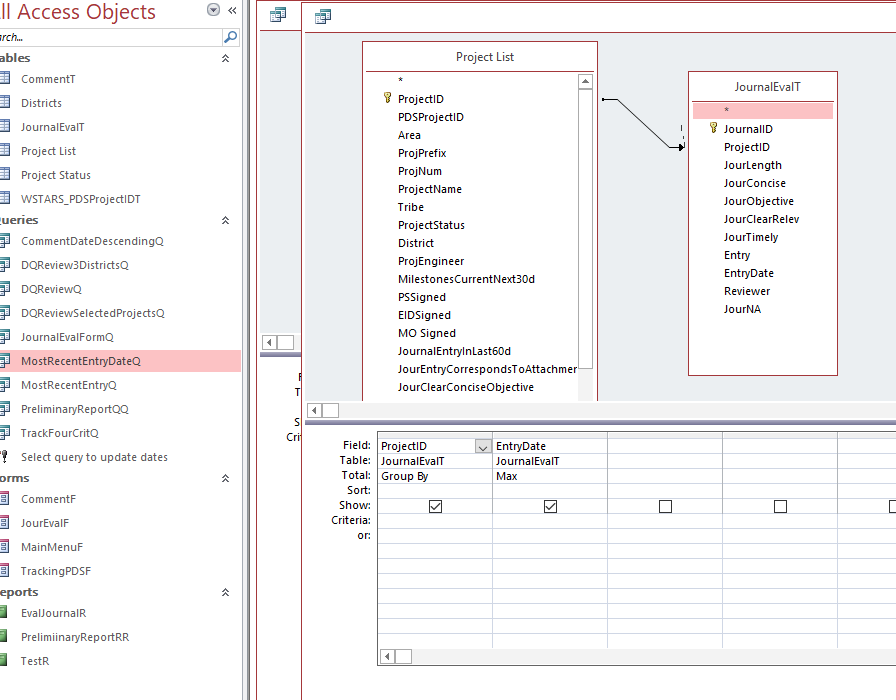
In Expert 11, Lesson 05, Last Customer Contact, I built the DLOOKUP function in the second query and it works fine. When I use it using that template with my own data, I get a runtime error "The expression you entered has an invalid date value." The in-class function which works is: ContactNotes: DLookUp("Notes","ContactT","CustomerID =" & [CustomerID] & " AND DateTime=#" & [MaxOfDateTime] & "#")
I get the error with:
LastJournalEntry: DLookUp("Entry","JournalEvalT","JournalEvalT.ProjectID= & [MostRecentEntryDateQ].[ProjectID] & " AND EntryDate= # " & [MostRecentEntryDateQ].[MaxOfEntryDate] & "#") I haven't found the solution here, in the Access Bible or with Mr. Google.
Please let me know how to post a screen clip.
John CunninghamOP
@Reply 2 years ago
John CunninghamOP
@Reply 2 years ago
Kevin Robertson
@Reply 2 years ago
You are missing a double quote after JournalEvalT.ProjectID=
John CunninghamOP
@Reply 2 years ago
Thanks for looking at this. Access Bible says some people give up on the syntax. I'm glad you didn't.
Sami Shamma
@Reply 2 years ago
Hi John,
Our Kevin is one of the best.
Sorry, only students may add comments.
Click here for more
information on how you can set up an account.
If you are a Visitor, go ahead and post your reply as a
new comment, and we'll move it here for you
once it's approved. Be sure to use the same name and email address.
This thread is now CLOSED. If you wish to comment, start a NEW discussion in
Access Expert 11.