Free Lessons
Courses
Seminars
TechHelp
Fast Tips
Templates
Topic Index
Forum
ABCD
 
Home   Courses   TechHelp   Help   Contact   Merch   Join   Order   Logon   Forums   
 
Back to Access Developers    Comments List
Upload Images | @Reply | Bookmark | Link | Email | Next Unseen |

Issues with VBA Coding
Jeffrey Nabarek 
      
2 years ago
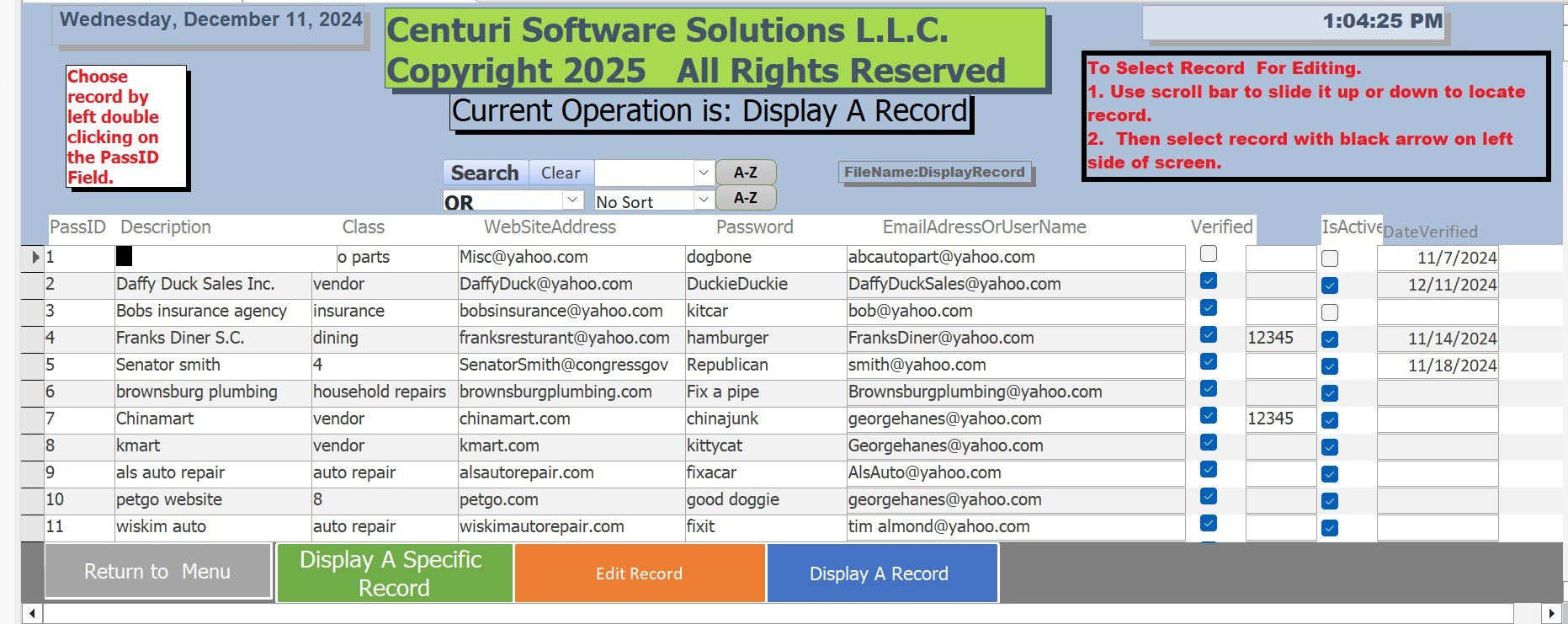
I have a software package I am writing.  I have a continous form where I want the user to be able to chose a record for displaying, Editing or adding a record.  See attached uploads
Jeffrey Nabarek OP  @Reply  
      
2 years ago

Jeffrey Nabarek OP  @Reply  
      
2 years ago
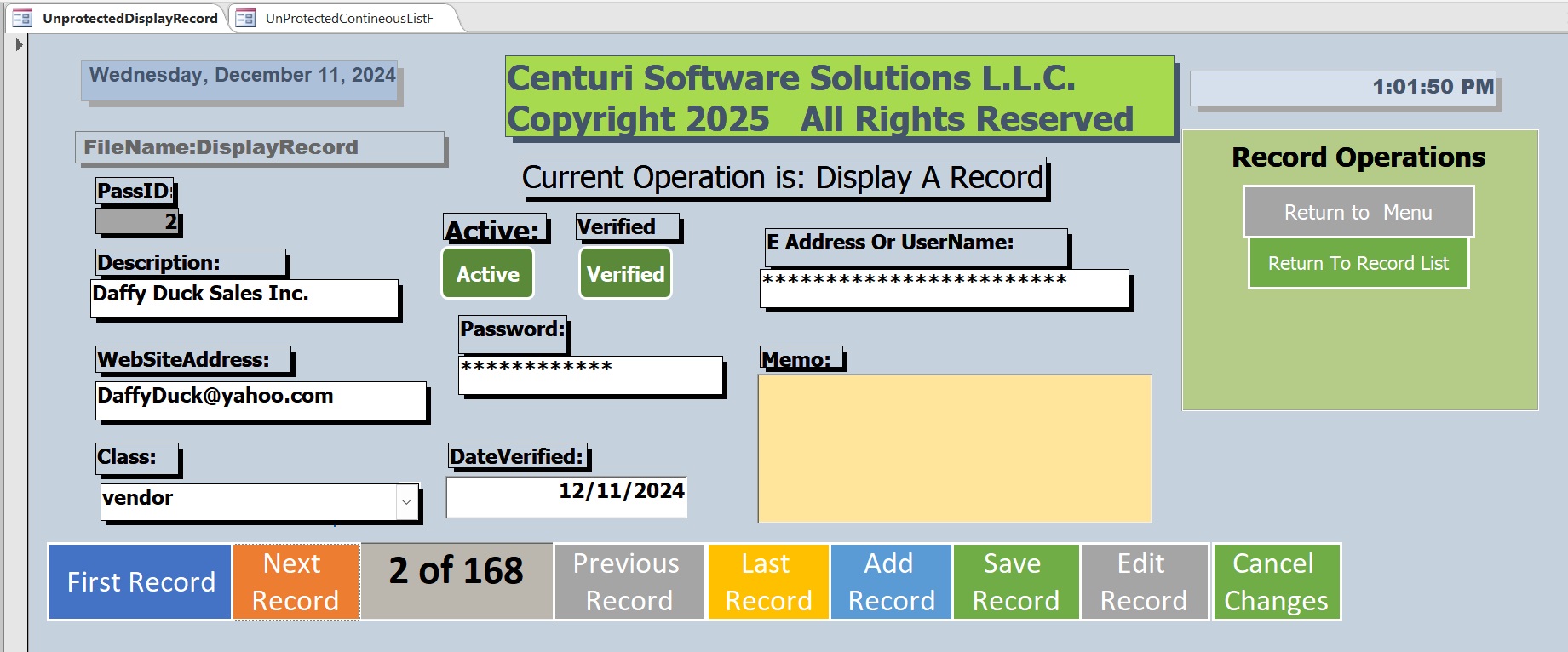
I need to get the four buttons listed in the upload working VBA.  Currently only the return to menu is the only one working.  Attached is the form that with the exception to return to menu works fine.  

Note hackers outside Computer leaning zone.  The records listed are bogus.  They are dead end records.

Back to the continous form the green,orange and blue buttons now go to the attached form
Jeffrey Nabarek OP  @Reply  
      
2 years ago

Jeffrey Nabarek OP  @Reply  
      
2 years ago
I do not have any workable code to provide here.  The above buttons for the most part work.  

My question is can someone give me some direction concerning the code to get the 3 buttons working on the previous screenshot.  or any tech help videos or seminars or any sources to solve my VBA code Deficiency.
Adam Schwanz  @Reply  
           
2 years ago
Is this what you're looking for? Just basic vba form opening?

Display/Edit Record You could control if Display only or Edit only with the second line
DoCmd.OpenForm "FormNameF", , , "PassID=" & PassID
Forms!FormNameF.Form.AllowEdits=False

New Record
DoCmd.OpenForm "FormNameF", , , , acFormAdd
John Davy  @Reply  
         
2 years ago
Hi Jeffrey
I don't see any attached upload, so I am not clear as to which buttons and what you want each to do. If you can upload a screen shot with the buttons identified and tell us what you want each button to do, we can probably help.

John
Jeffrey Nabarek OP  @Reply  
      
2 years ago
Thank you Adam.  I will try this standby.  I believe it will work.
Richard Rost  @Reply  
           
2 years ago
I actually have one of my "series" of TechHelp videos coming up that covers something similar to this. Hang in there.
Thomas Gonder  @Reply  
       
2 years ago
@Jeffrey N. Oh my friend, you have a lot of VBA work ahead of you to get all those buttons working properly and in a coordinated manner. Especially if you want to use helper VBA or class modules so all the forms work alike and use one code source. Access will do it's best to thwart your desires to do it your way.
Jeffrey Nabarek OP  @Reply  
      
2 years ago
To answer John Davy question.  There should be two screen shots.  The display button allows for choosing a record then displays switches to a single record screen displaying the record chosen.  I thank you for responding John Davy.  I have some code from Adam.  I will write it in to my continuous form.  Standby.
Jeffrey Nabarek OP  @Reply  
      
2 years ago

Jeffrey Nabarek OP  @Reply  
      
2 years ago
I put the code in and does nothing.  UnProtect should be UnProtectedSingleRecordF
Kevin Robertson  @Reply  
          
2 years ago
Value From a Form

You have an extra period (.).
You don't need .Form after the Form name unless the Form is a Subform.
Adam Schwanz  @Reply  
           
2 years ago
You have Forms!. (Period) shouldn't be after the !
Forms!UnProtectSingleRecordF.Form.AllowEdits=False
Sami Shamma  @Reply  
             
2 years ago
You have an extra period after the !

Forms!Unxxxxxx.
Adam Schwanz  @Reply  
           
2 years ago
Lol 3 answers at once.

Interesting Kevin, I've always included it by habbit, but it appears to work fine without the .form :).
Kevin Robertson  @Reply  
          
2 years ago
Yeah @Adam 3 great minds... well 2, and me... LOL
Sami Shamma  @Reply  
             
2 years ago
Who are you kidding
I will be the best programmer with half your brain
Jeffrey Nabarek OP  @Reply  
      
2 years ago
I believe in the school of hard knocks.  I despise having to ask for help .  Because my brain is not up to par.  There is no reason the code should not work.  It was written by an expert Adam Schwartz with the help of others.  So I have to improvise, adapt and overcome.  That's what the corps taught me.  They pounded that in my head among other things about being a grunt.  Sempi fi do or die.  I miss those days. So in a couple of hours I will be back at it.  Standby.
Jeffrey Nabarek OP  @Reply  
      
2 years ago
Let me try the above corrections. Standby.
Thomas Gonder  @Reply  
       
2 years ago
@Jeffrey Don't hesitate to ask, the systax in VBA can get quite strange sometimes.
Want to know the label text for a text entry control (sample from my code)?
pSp(1) = Me.Controls(FldNm).Controls(0).Caption
Now how could you not guess that?
Jeffrey Nabarek OP  @Reply  
      
2 years ago
Thomas,  I appreciate your words of wisdom.  I don't see the application to my software.  I will make at note concerning your above syntax.  Perhaps my notes will tell me cumulatively the bit and pieces of understanding VBA code.  I will pickup now where I left off yesterday with getting the buttons on my continuous form working I get those buttons working and the software is ready for marketing.  A few cosmetics issues still need to be fixed..  Personally its never finished.  Because there is always some update that is needed.
Jeffrey Nabarek OP  @Reply  
      
2 years ago

Jeffrey Nabarek OP  @Reply  
      
2 years ago
It helps to uncomment the "End Sub" statement.  This was not the issue.
Thomas Gonder  @Reply  
       
2 years ago
@ Jeffrey N. My example was just a simple showing of how the "object" (not) syntax of Access can be a bit strange.
If you care to see some examples of how the buttons on your form might work (although you can't see the code without being a registerd developer) you might want to check out the Fred Flintstone demo, if you haven't already.

https://youtu.be/315j4OxO_2M
Adam Schwanz  @Reply  
           
2 years ago
Now your missing a period before allow edits

Forms!WorksUnprotectedSingleRecordF.AllowEdits=False
Jeffrey Nabarek OP  @Reply  
      
2 years ago

Jeffrey Nabarek OP  @Reply  
      
2 years ago

Jeffrey Nabarek OP  @Reply  
      
2 years ago
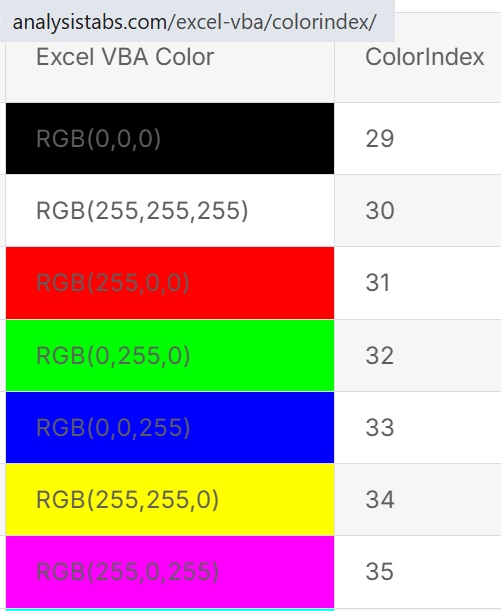
Most likely the information is copyrighted by referenced website.  So this issue and part of this thread is closed.  I answered my own question.

This thread is now CLOSED. If you wish to comment, start a NEW discussion in Access Developers.
 

Next Unseen


What's This?


The following is a paid advertisement
Computer Learning Zone is not responsible for any content shown or offers made by these ads.
 

Learn
 
Access - index
Excel - index
Word - index
Windows - index
PowerPoint - index
Photoshop - index
Visual Basic - index
ASP - index
Seminars
More...
Customers
 
Login
My Account
My Courses
Lost Password
Memberships
Student Databases
Change Email
Info
 
Latest News
New Releases
User Forums
Topic Glossary
Tips & Tricks
Search The Site
Code Vault
Collapse Menus
Help
 
Customer Support
Web Site Tour
FAQs
TechHelp
Consulting Services
About
 
Background
Testimonials
Jobs
Affiliate Program
Richard Rost
Free Lessons
Mailing List
PCResale.NET
Order
 
Video Tutorials
Handbooks
Memberships
Learning Connection
Idiot's Guide to Excel
Volume Discounts
Payment Info
Shipping
Terms of Sale
Contact
 
Contact Info
Support Policy
Mailing Address
Phone Number
Fax Number
Course Survey
Email Richard
[email protected]
Blog RSS Feed    YouTube Channel

LinkedIn
Copyright 2026 by Computer Learning Zone, Amicron, and Richard Rost. All Rights Reserved. Current Time: 11/14/2026 4:11:17 PM. PLT: 1s