Free Lessons
Courses
Seminars
TechHelp
Fast Tips
Templates
Topic Index
Forum
ABCD
 
Home   Courses   TechHelp   Forums   Help   Contact   Merch   Join   Order   Logon  
 
Back to Access Developer Forum    Comments List
Upload Images   @Reply   Bookmark    Link   Email   Next Unseen 
How to Program Backup Template
Jeffrey Nabarek 
      
2 years ago
My Software Package named PassBase Will have an Automated Backup program.

It will Backup to a flash drive.  The reason being is its portable plus that will mean its less likely to be infected with a virus.  Since it will write to a Trusted folder.

As it stands it writes files that are not in my flash drive folder.  They are Richards.

My question is how to I change the DataBase folder that it reading from and the Destination folder that it writing to in the backup subroutine.  

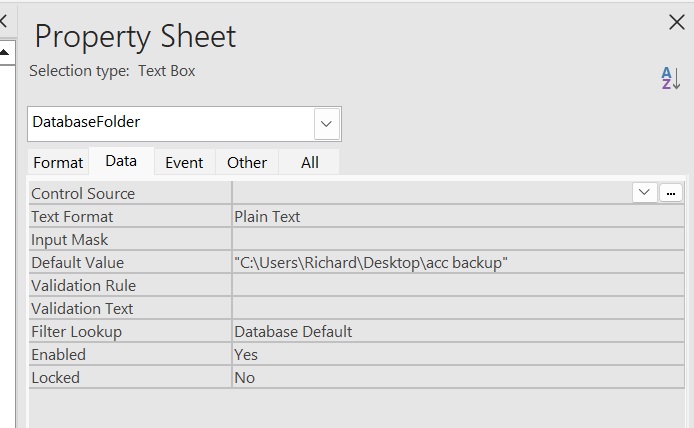
I looked thru the code.  Have not been able to find where it getting that line of code.  See attached)  In other words I need to Read from the file and write the backup files.
Jeffrey Nabarek OP  @Reply  
      
2 years ago

Kevin Robertson  @Reply  
           
2 years ago
Look in the doBackup Sub Routine. This is where Richard hardcoded the path applicable to his system.
Richard Rost  @Reply  
          
2 years ago
Well, you can have the user type in what drive/folder they want to write to, since the drive letter of a flash drive may be different each time you insert it.

OR, you could programmatically search for the first removable drive. I don't know what the code for that is off the top of my head, but I have seen it out there. You can probably find it with a Google / GPT query.
Jeffrey Nabarek OP  @Reply  
      
2 years ago

Jeffrey Nabarek OP  @Reply  
      
2 years ago
It dawned on me if its not in the code.  Then its in the properties as shown above for the Database Folder. Most likely If I looked in the properties for Destination.  I would find Default has the code.  I checked its in the default for the destination Properties window.  

I will try it and report back here.  See Attached It did not write the files.  I believe its better to have my Accde file on C: drive.   Then write to the flash drive trusted folder.  I would go with cloud service.  I don't Trust cloud services from be hacked.  Plus my guess is they could hold your files for ransom.  If you decide to cancel  their service.  

I will  try another way to backup files another way. and report back.

I thank those that Read/or Responded to this post.  Kevin I looked.  Its not in there.  Richard, I will try Google and Chap/GPT.
Jeffrey Nabarek OP  @Reply  
      
2 years ago

Jeffrey Nabarek OP  @Reply  
      
2 years ago
I stand corrected Kevin Roberson said to check the Do Backup subroutine.  I watched the Backup template again.  As Keven stated the code was in the Do Backup subroutine.  The Property window under default.  Is secondary to the code.  Once again Kevin got it right and my eyes deceived me.  I am still trying to get the backup template to work.  So standby for anyone interested.
Jeffrey Nabarek OP  @Reply  
      
2 years ago

Jeffrey Nabarek OP  @Reply  
      
2 years ago
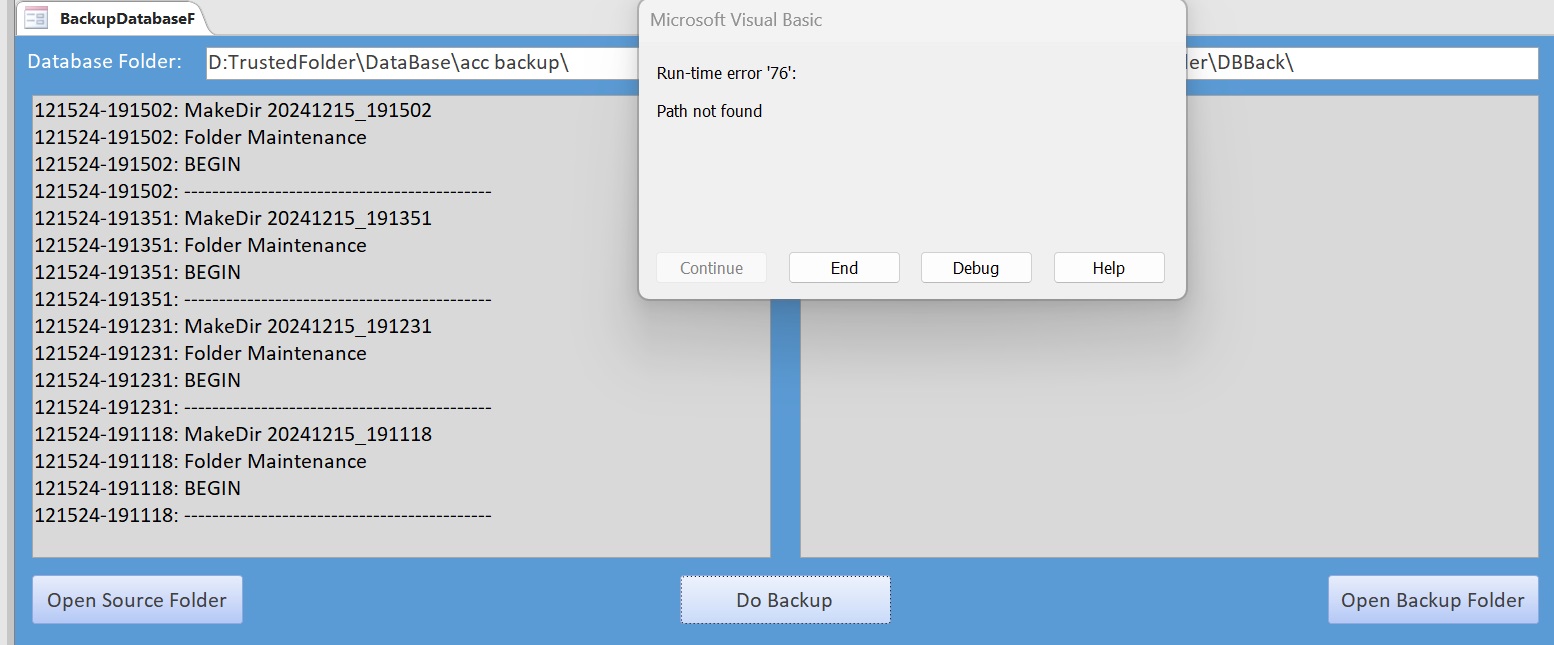
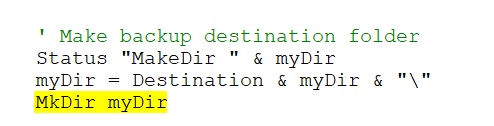
Is also giving me this error.  I am not getting errors on the right side of the template.  Its giving me an error (see attached)
Jeffrey Nabarek OP  @Reply  
      
2 years ago

Richard Rost  @Reply  
          
2 years ago
Make sure the folder exists above the backup folder.
Jeffrey Nabarek OP  @Reply  
      
2 years ago
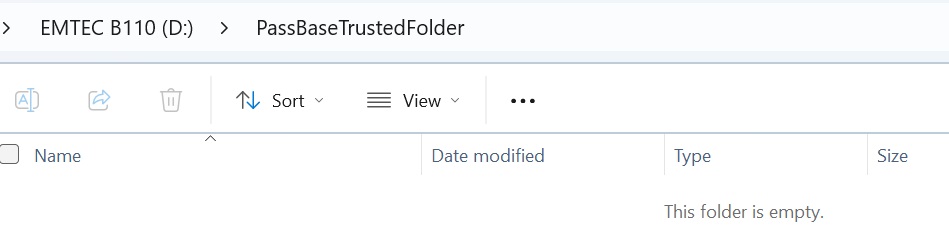
I am at a loss.  I deleted the TrustedFolder folder from Drive D:.  So it should make that folder.  In yet its giving an error (see attached).  There are no errors on the template right side.  I checked to see if it created making a folder named (Trustedfolder.)  It does exist.
Jeffrey Nabarek OP  @Reply  
      
2 years ago
Richard Where should I look for "Make sure the folder exists above the backup folder?'"
Alex Hedley  @Reply  
           
2 years ago
Destination

This thread is now CLOSED. If you wish to comment, start a NEW discussion in Access Developer Forum.
 

Next Unseen

 
New Feature: Comment Live View


The following is a paid advertisement
Computer Learning Zone is not responsible for any content shown or offers made by these ads.
 

Learn
 
Access - index
Excel - index
Word - index
Windows - index
PowerPoint - index
Photoshop - index
Visual Basic - index
ASP - index
Seminars
More...
Customers
 
Login
My Account
My Courses
Lost Password
Memberships
Student Databases
Change Email
Info
 
Latest News
New Releases
User Forums
Topic Glossary
Tips & Tricks
Search The Site
Code Vault
Collapse Menus
Help
 
Customer Support
Web Site Tour
FAQs
TechHelp
Consulting Services
About
 
Background
Testimonials
Jobs
Affiliate Program
Richard Rost
Free Lessons
Mailing List
PCResale.NET
Order
 
Video Tutorials
Handbooks
Memberships
Learning Connection
Idiot's Guide to Excel
Volume Discounts
Payment Info
Shipping
Terms of Sale
Contact
 
Contact Info
Support Policy
Mailing Address
Phone Number
Fax Number
Course Survey
Email Richard
[email protected]
Blog RSS Feed    YouTube Channel

LinkedIn
Copyright 2026 by Computer Learning Zone, Amicron, and Richard Rost. All Rights Reserved. Current Time: 4/30/2026 2:05:47 PM. PLT: 0s