|
||||||

|
|
||||||
|
BirthdaysBy Richard Rost
 5 years ago
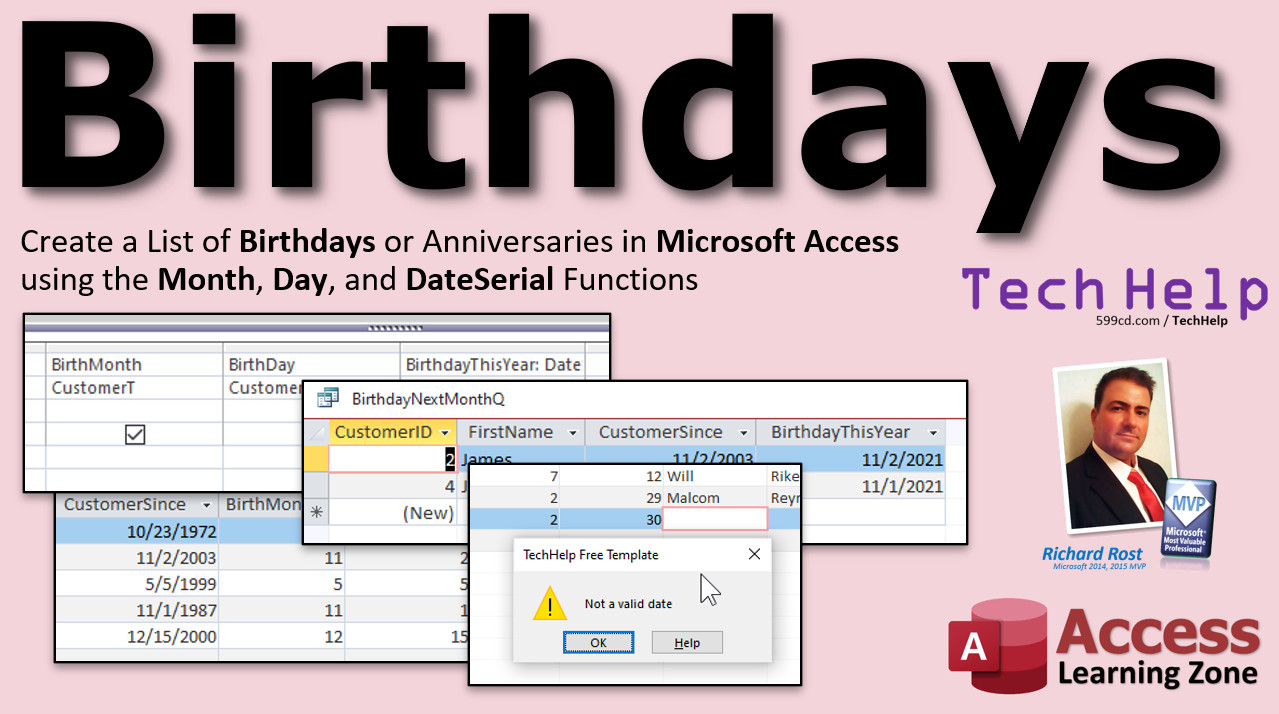
Create a List of Birthdays using DateSerial In this video, I'll show you how to use the DateSerial function to build a valid date value based on the year, month, and day parts in Microsoft Access. You can use this to determine who has a birthday coming up in the next 30 days. Gillian from Reno, Nevada (a Platinum Member) asks: I'm in the restaurant business. We ask our customers for their date of birth so we can give them a free dinner on their birthday, but most people only give month and day, not the year, and that's OK. Problem is, how do I store that in my table? Also, how can I tell who has a birthday coming up in the next 30 days so I can send them a gift card? AddendumI didn't take January birthdays into consideration in the original video. This addendum addresses that issue: MembersMembers will learn how to calculate an exact list of customers who have birthdays in the following calendar month. So if it's currently October, you can see everyone who has a birthday in the month of November.
Silver Members and up get access to view Extended Cut videos, when available. Gold Members can download the files from class plus get access to the Code Vault. If you're not a member, Join Today!
Links
Keywordsmicrosoft access, ms access, ms access tutorial, #msaccess, #microsoftaccess, #help, #howto, #tutorial, #learn, #lesson, #training, #database, list of birthdays, list of anniversaries, birthdays today, birthdays this week, birthdays this month, birthdays in current month, birthdays next month, birthdays within the next 30 days, birthday calendar, month function, day function, dateserial function, birthday this year, data type mismatch, problem list for microsoft, store only month and day
More InformationTranscriptWelcome to another TechHelp video brought to you by AccessLearningZone.com. I am your instructor, Richard Rost. In this video, I'm going to show you how to create a list of birthdays or anniversaries in Microsoft Access using the Month, Day, and DateSerial functions. We'll generate a list of birthdays within the next 30 days or coming up this month. Today's question comes from Jillian in Reno, Nevada, one of my Platinum members. Jillian says, I'm in the restaurant business. We ask our customers for their date of birth so we can give them a free dinner on their birthday. But most people only give month and day, not the year. And that's okay. Problem is, how do I store that in my table? Also, how can I tell who has a birthday coming up in the next 30 days so I can send them a gift card? This is a good question. Jillian, and I get asked this a lot. How do I make a list of upcoming birthdays, so I can sign up promotions or whatever? And since my birthday is coming up in a couple of weeks here, let me go ahead and answer your question today. A couple of prerequisites first. If you don't know how to use query criteria or parameters in queries, go watch these videos first. We're going to use this stuff in today's class. I have two videos on my website. I am a YouTube channel. They're free. Go watch these first and come back. Here I am inside my TechHelp free template. This is a free download from my website. Go grab a copy if you want. I put a link down below in the link section under the video. Go click on it. Now in my customer form and my customer table, I've got a customer since date field. Now we can pretend this is the customer's birthday if you want to and that happens to be mine. I put it in there. But it doesn't matter. Any valid date field will work. Let me start by showing you how to do this if you have a full valid date, and then I'll show you this. I'll answer the first part of your question last: how do you store just the month and day in the table? We'll get to that in a few minutes. But first, let me show you how to determine who's got a birthday coming up if you have the full birthday. So let's go and make a query real quick - create, query design. I'm going to base this on my customer table and I'll bring in the customer ID, first name, and their customer since field which we can pretend is their date of birth. And if you want to even change this to DOB, you can, like DOB: that's called an alias. Now when you run the query, they'll show up as their date of birth, but that doesn't really make a difference, so we'll get rid of that. If I run this, there's my first name and their customer since. I don't want to have any calculations on customers who are missing a birthday because that will generate errors. So we're going to say customer since has to be Is Not Null. That means I don't want to see anybody who's missing a birthday. Let's say you just want to generate a list of people who have birthdays this month. I want to isolate the month part of this date field. For that, I can use the Month function. So I'm going to come over here. I'm going to type in birth month. I'm going to zoom in so you can see this better. Shift F2, zoom in. The birth month is going to be the Month of customer since. Use the Month function and send to it the customer since date value and that'll pop out the birth month. Now when I run this, there are all the months for these people. I'm October. Similarly, there are other functions to get the birthday. Birth day is the Day function of customer since. There's the day part. Here I'll zoom in so you can get a look at that too. See? Birth day is the Day of customer since. And Access puts little square brackets around. Don't worry about that. That's month and day if you want to separate that. Now, if you want to get a list of all the people who just have birthdays this month, just come down here in the criteria and say this has to be equal to the month of whatever today's date is. So the Date function puts today's date there and it's sent to the Month function. Now, if I run this, I see just me because I'm October, and it's currently October. You can do the same thing with day. You can put a 23 in here and see just the people who have birthdays on a specific date. Now this is why I said if you know how to use a parameter query, you can put a parameter here that says Enter the month, like that. That's just [Enter month] inside square brackets. That's called a parameter query, which you know because you watched my parameter query video. Enter month will be prompted when you run this. So run it, enter month, I'll put 11 in there, and there I get everybody with a birthday in November. This right there will show you how to get a list of birthdays next month, if you're okay with typing in the month. So if it's currently April, you type in a 5 and there's all your May birthdays. Yes, there's also a Year function you can use to get the year, but for this example, we don't care about the year because this is for the birthday every year, not just a specific year. I'm going to get rid of this. Let's save this query real quick. Save this as birthday1Q. We're going to call that. We're going to do something else now. We'll come back to this in just a few minutes. Now, let's say in your customer table, you have just the month and day of their birth, which is the first part of your problem. So you've got birth month, which I'm going to store as a number. Down here, long integer is fine. Get rid of the default value. We're going to set a validation rule where this has to be between 1 and 12. Then you can put down here, "must be between 1 and 12." This is called a validation rule. I've got separate videos on how to use validation rules. I'll put a link down below if you want to go watch those too. Then, of course, there's the birth day, which is also a number. Get rid of the default value, because I don't want a zero showing up. If they don't enter anything, they don't enter anything. We don't know what it is. That's okay. It's never going to be zero. For this validation rule, between 1 and 31. Now, does this mean they could type in a combination like February 30th? Yes, they could. Can you prevent that? Sure. It does involve some programming. I will cover that in the extended cut for the members. But this is good enough for most instances. For the validation text: "must be between 1 and 31." Let's save this and then save changes. Yes. Existing data violates the new set for the validation rule. That's okay. When you come back over here, it's basically saying that the data that's already in here doesn't meet those validation rules. That's okay. Let's put some stuff in here: birth month, day, and so on. I'll put November in there. Now we've got some people's birth months and birthdays. That's how I'd store them in the table because you can't type in--if you're going to use a valid date field, you can't type in just month and day and leave the year blank. The only way around it easily is to store it as two separate fields. Now knowing this, how can I calculate this person's birthday this year? Let's go over to another query, create query design. And again, we'll bring in the customer table. I'm going to bring in customer ID and first name. This time, let's bring in their birth month and birth day, our two new fields. So it looks like this now. Again, put your Is Not Nulls in here, so if you have anybody who you're missing data for, it doesn't mess up your calculations. I'll just leave it like this for now. How can I put together a date based on this stuff? I have the month and the day, and I know the year. It's the year of the current year. To put together a valid date value based on the components, we use the DateSerial function. So I'm going to call this BirthdayThisYear. I'm going to zoom in, Shift F2. It's going to be based on DateSerial, which is the name of the function. It takes three bits of data: the year, the month, and the day in that order. The year's the top part, we need to use the Year function of the current date. So take the current date, give me just the year, and stick that there. So it'll be, right now, 2021. Comma. What's the birth month? Well, that's a field, birth month. And so is the day, birth day. There we go. This will get replaced with 2021 when the function runs, and then this will get replaced with a 10 and that will get replaced with a 23. Let me put that back. There you go. So I hit OK now, and now when I run that, there you go, there's this person's birthday this year. Now it's easy to calculate who's got a birthday coming up this year within the next 30 days. How do we do that? But first, a little tiny advertisement. If you want to learn more about time and date functions, my Access Expert Level 27 and 28 classes cover all the date time functions in detail: Date(), Time(), Now(), records from today and the past or future, not on a date, between two dates, outside of a date range. We'll set up an aged accounts receivable using different date ranges: less than 30 days, 30 to 60, more than 60. Dates with times, without times, birthdays from now to the end of the week, all kinds of stuff. Expert 28 covers all the advanced date/time operations, DateAdd, DateValue, DatePart, DateSerial, displaying ordinals, how do you display first, second, third, all that stuff, calculating someone's age, birthdays for next month in a lot more detail than I'm going into right now. So that's Access Expert 27 and 28. Commercial over. So how do I get to see just people that have birthdays coming up in the next 30 days? Design view. Right down here in the criteria, we know when their birthday is this year. Now we just put in here: between Date() and Date()+30. I'll zoom in so you can see that. See? Between Date() and Date()+30. Or if you want to go between tomorrow and 31 days in the future, that's fine too, because figure today's probably already gone if you're going to send them an email. If you're going to send them a gift card, maybe bump this up by like seven, since slow mail takes time. Now when I run it, I'll see everybody who's got a birthday coming up within the next 30 days. So that's me. Let's see, the 8th, my birthday's on the 23rd, so I'll be accepting all of your birthday cards and wishes. Thank you very much. No, I'm just kidding. Now, going back to the other example. We've solved this for Jillian because she stores birth month and birth day. But let's go back to birthday1Q. Save changes to this. Yeah, we'll call this birthday2Q. Just because I save the databases for my Gold members, they can download them. Let's go back to birthday1Q for a minute. Let me open this back up again. So we've got customer since, we know their birth month and their birth day. Now, again, we can calculate the same thing based on this, because we have their pieces taken apart. In fact, we can go back in here, probably just copy this guy. Let's copy this. And let's go to design view and paste that here. There we go. It works because I made birth month and birth day the names of calculated query fields here. We're determining that based on the customer since, and we're using the same values in this calculation. Right, birth month and birth day. So instead of being fields from the table, these are calculated query fields, and it works the same way. Let's do a quick test - just to come in here and change someone's birthday. I'm going to change this. We've got birthday here. Let's make this one 11-2, because 11-14 wouldn't fall within today's--currently October 8th--and it wouldn't fall within that 30-day range. Now it should. Be careful, though, because I've got birth month and day over here. The other query, query1Q, is based on this. Mine, I have both the same. So we have to remember to change this to 11-2. Let's make it 2003 or whatever. So they're both the same. Let's check our queries now. Birthday1Q, looks good. Birthday2Q, also looks good. There they are. That works. Now the next question that people always say to me is, I don't necessarily want the next 30 days. I want the next calendar month. If it's currently October, then I want to send out my cards for November, from November 1st to November 30th. How do I generate that list? That requires a little bit more work, still with the DateSerial function, but there's a lot more explanation I have to give you. I will cover that in the extended cut for the members. Want to learn more? In the extended cut for the members, I will show you how to make that list of birthdays for everybody who has birthdays in the following calendar month. So if it's currently October, you'll get all the birthdays from November 1st to November 30th, regardless of the year, of course. So early in October, you'd send out your cards for people who have November birthdays coming up, not just 30 days in the future, the whole calendar month. Then we'll do table-level validation, where I'll show you how to deal with that issue that I talked about where you can prevent someone from typing in February 30th or April 31st, those kinds of things. We'll do table-level validation. Then we're going to go over a nasty bug that I discovered that I'm going to send to my list of things that Microsoft needs to look at. But I'll show you how to get around the bug that I discovered. That's all coming up in the extended cut for the members, 25 minutes long. Silver members and up get access to all my extended cut videos. Gold members get access to download all of the databases, the templates that I make in these TechHelp videos, plus access to my code vault. How do you become a member? Click the Join button below the video. After you click the Join button, you'll see a list of all the different types of membership levels that are available. Silver members and up will get access to all of the extended cut TechHelp videos, live video and chat sessions, and more. Gold members get access to a download folder containing all the sample databases that I build in my TechHelp videos, plus my code vault where I keep tons of different functions that I use. Platinum members get all the previous perks plus access to my full beginner courses and some of my expert courses. These are the full-length courses found on my website and not just for Access. I also teach Word, Excel, Visual Basic, ASP, and lots more. But don't worry, these free TechHelp videos are going to keep coming. As long as you keep watching them, I'll keep making more. If you liked this video, please give me a thumbs up and feel free to post any comments that you have. I do read them all. Make sure you subscribe to my channel, which is completely free, and click the bell icon and select all to receive notifications when new videos are posted. Click on the Show More link below the video to find additional resources and links. You'll see a list of other videos, additional information related to the current topic, free lessons, and lots more. YouTube no longer sends out email notifications when new videos are posted, so if you'd like to get an email every time I post a new video, click on the link to join my mailing list. If you have not yet tried my free Access Level 1 course, check it out now. It covers all the basics of building databases with Access. It's over three hours long. You can find it on my website or on my YouTube channel. If you like Level 1, Level 2 is just one dollar, and it's also free for all members of my YouTube channel at any level. Want to have your question answered in a video just like this one? Visit my TechHelp page and you can send me your question there. Click here to watch my free Access Beginner Level 1 course, more of my TechHelp videos, or to subscribe to my channel. Thanks for watching this video from AccessLearningZone.com. IntroIn this video, I will show you how to create a list of upcoming birthdays or anniversaries in Microsoft Access using the Month, Day, and DateSerial functions. You will learn how to generate a list of people who have a birthday within the next 30 days or this month, work with both full date fields and scenarios where only the month and day are stored, use query criteria and parameter queries, and set up basic validation rules for data entry. This is a practical solution for businesses looking to manage birthday promotions or customer outreach. QuizQ1. What is the primary purpose of the video? A. Showing how to create a contact form in Microsoft Access B. Explaining how to set up inventory management C. Creating a list of birthdays or anniversaries using functions in Access D. Demonstrating how to create reports in Access Q2. When customers only provide month and day for their birthdays, how does Richard suggest storing this information? A. In a single date field with year set to 1900 B. As plain text in a memo field C. In two separate fields: birth month and birth day D. Storing just the month as text in a field Q3. Which Access function is used to extract just the month from a date field? A. Year() B. Month() C. Day() D. DateSerial() Q4. If you want to show only those customers who have a birthday in the current month, which criteria would you use in your query? A. Month([field]) = Year(Date()) B. Day([field]) = Date() C. Month([field]) = Month(Date()) D. Year([field]) = Month(Date()) Q5. What is a parameter query in Access? A. A query that updates data automatically B. A query that lets you type in values when running it C. A query that shows only deleted records D. A query with only one table Q6. What validation rule should you set on a birth month field? A. Greater than 1 B. Between 1 and 12 C. Less than 31 D. Between 1 and 365 Q7. Why does Richard recommend using two fields for month and day, instead of a date field, when year is unknown? A. Date fields cannot accept entries without a year B. It is easier to run queries C. It helps with sorting D. It saves memory in the database Q8. What function does Richard use to construct a complete date from year, month, and day values? A. DateValue() B. Concatenate() C. DateSerial() D. MonthDay() Q9. To get all birthdays happening in the next 30 days, what does Richard enter in the query criteria? A. Between Now() and Now()+30 B. Between Date() and Date()+30 C. Between Today() and Today()+30 D. Date() > 30 Q10. What is a potential issue with only using validation rules "between 1 and 31" for day and "between 1 and 12" for month fields? A. Users might enter non-numeric values B. Users might enter impossible dates like February 30th C. It could cause Access to crash D. The fields may become read-only Q11. What benefit do Silver members get compared to free TechHelp viewers? A. Only basic course access B. Access to downloadable templates C. Access to all extended cut TechHelp videos D. Unlimited free database repairs Q12. What does subscribing to Richard's channel NOT do anymore according to the video? A. Give access to comment sections B. Send out email notifications for new videos C. Allow you to watch videos for free D. Provide live chat access Answers: 1-C; 2-C; 3-B; 4-C; 5-B; 6-B; 7-A; 8-C; 9-B; 10-B; 11-C; 12-B DISCLAIMER: Quiz questions are AI generated. If you find any that are wrong, don't make sense, or aren't related to the video topic at hand, then please post a comment and let me know. Thanks. SummaryToday's video from Access Learning Zone focuses on creating a list of upcoming birthdays or anniversaries in Microsoft Access. I will walk you through how to use the Month, Day, and DateSerial functions to generate a list of birthdays coming up either in the next 30 days or during the current month. This topic was inspired by a question from a Platinum member who works in the restaurant industry. They collect the month and day of customers' birthdays so they can offer free dinners or send out gift cards, but often the year is not provided. The question centers on how to store this type of information in an Access database and how to efficiently identify customers with birthdays approaching soon. Let me start by noting that for the best understanding, you should already be familiar with query criteria and parameter queries in Access. If you need a refresher, I have dedicated lessons on these foundational topics available for free on my website and YouTube channel. Inside the TechHelp free template, which you can also download from my website, there is an example customer table that contains a "customer since" date field. For demonstration, we can treat this as the customer's date of birth, although any valid date field would work for our purposes. First, if you have the complete date of birth, including the year, you can quickly create a query that lists birthdays. In a query, bring in the customer ID, first name, and date of birth. To display only records with birthdates, make sure to exclude any that are null to avoid errors. If you want to show people with birthdays in the current month, use the Month function in a calculated field set to the month portion of the date of birth. For example, you can isolate the month and day using the Month and Day functions respectively. To further refine this, you can add criteria to limit results to those matching the current month by comparing the calculated month field to the current month using the Date function. This displays only the relevant records. You can also prompt users to enter a specific month, creating a flexible parameter query. Similarly, applying the Day function will let you filter for a specific birthday. Now, addressing the main issue of storing just the month and day, since Access does not allow entering a date without specifying a year, the best approach is to use two separate fields in your table: one for the birth month and another for the birth day. Each should use number data types. Applying validation rules ensures the month value stays between 1 and 12, and the day between 1 and 31. While this allows users to enter dates like February 30th, preventing impossible combinations involves some additional programming, which I cover in the extended cut for members. However, these basic rules will suffice for most cases. Once you have separate month and day fields, calculating this year's birthday is straightforward. In a query, you can use the DateSerial function, combining the current year with the birth month and birth day values to produce a valid date representing the customer's birthday in the current year. This setup lets you find all customers with birthdays in the next 30 days by adding criteria to compare this constructed date with the range from today's date to 30 days into the future. If you store full date values and want to extract just the month and day, you can create calculated query fields using the Month and Day functions again. This supplies the same results, so it works for both storage methods. You may want to target the next calendar month, such as all November birthdays if it's currently October. This requires a slightly more advanced set of calculations using DateSerial, which gets more detailed explanation in the extended cut section for members. The extended cut also covers how to apply table-level validation to prevent entries like February 30th and addresses a bug I have discovered. You will also learn how to work around this bug. Members at the Silver level and above can access all of my extended cut videos, which offer additional examples and explanations on advanced topics. Gold members also receive downloads of all sample databases and templates created for these tutorials, along with code samples. Platinum members get everything listed plus access to complete beginner and select expert courses across several Microsoft applications, not just Access. All of this said, I will continue to produce free TechHelp videos for everyone. If you find these resources helpful, I appreciate a thumbs up or comment. Make sure you subscribe and enable notifications on YouTube so you don't miss any new tutorials. You can join my mailing list to receive email notifications when I publish new content, as YouTube no longer sends out these emails automatically. If you're new to Access, I recommend my free Access Level 1 course, which provides a complete introduction to the basics of building Access databases. This course is available on both my website and YouTube. The follow-up Level 2 course is just one dollar or free with any membership. If you have a question you'd like answered in a future TechHelp video, head to my TechHelp page and submit your inquiry. You can find a complete video tutorial with step-by-step instructions on everything discussed here on my website at the link below. Live long and prosper, my friends. Topic ListCreating a query to list upcoming birthdays in Access Using the Month and Day functions to extract date parts Filtering records by current month birthdays Setting up parameter queries for selecting birthday month Storing only month and day in separate table fields Applying validation rules to month and day fields Constructing a valid date using DateSerial function Creating a calculated field for this year's birthday Filtering for birthdays occurring within the next 30 days Copying calculated query fields to reuse in other queries Primary TopicsMicrosoft Access, query design, date functions, birthday lists, parameter queries, storing dates without year, DateSerial, data validation Secondary Topicstable design, query criteria, function usage, basic error avoidance |
||||||||||||||||||||
|
| |||
| Keywords: TechHelp Access list of birthdays, list of anniversaries, birthdays today, birthdays this week, birthdays this month, birthdays in current month, birthdays next month, birthdays within the next 30 days, month day only, missing year no year without year PermaLink Birthdays in Microsoft Access |