|
||||||
Access Advanced 1Macros, Events, Conditional Logic, Form AutomationWelcome to Access Advanced 1. In this course you will learn how to work with macros and events in Microsoft Access, including understanding their benefits and limitations, the differences between macros and VBA, and how to create and use both standalone and embedded macros. We will discuss techniques such as making macros smarter with if-then-else logic, handling specific form and report events like Open, Load, and Activate, and the role of macros in automating databases such as the PC resale customer database. Lessons
Resources
Lesson SummaryWelcome! Macros, Events & Automation Tips - Welcome to Microsoft Access Advanced Level 1. In this course we will review the prerequisites for the advanced series, discuss the transition from beginner and expert levels, and outline what will be covered in each lesson. We will talk about working with macros and events, discuss the benefits and limitations of macros, and look at their role in the PC resale customer database. Future lessons will include creating both standalone and embedded macros, making macros more dynamic using if-then-else logic, and exploring different event types that occur when working with forms in Microsoft Access.
Lesson 1: Macros: Basics, Benefits, Limits - In Lesson 1, we will discuss the basics of macros, including what macros are, their benefits and limitations, and how they differ from VBA, especially in Microsoft Access compared to Word and Excel. We will review several macros we have already created in the PC resale customer database, look at how Access macros work, and cover why Microsoft redesigned them to improve safety and portability. Throughout the lesson, we will walk through specific examples of macros used in previous database tasks and set the stage for more advanced macro and event concepts in future lessons.
Lesson 2: Macros: Standalone & Embedded w Buttons - In Lesson 2, we are going to focus on building macros in Microsoft Access. We will walk through creating both standalone macros and macros embedded in form buttons, demonstrating how to set up simple actions like beeping or displaying a message box. I will show you how to use the Macro Builder, explore the Action Catalog, and discuss key properties such as arguments, event handling, and the difference between filters and where conditions. We will also look at how and why to embed macros in buttons, and we'll talk about other available commands and macro events.
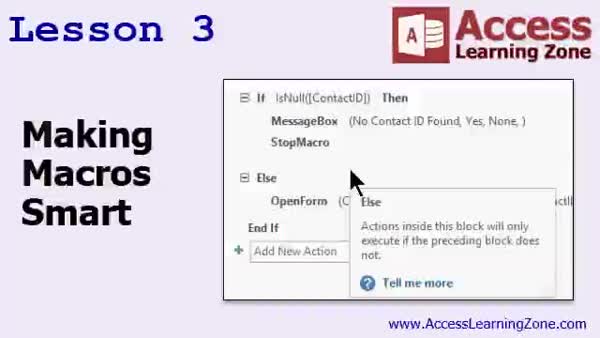
Lesson 3: Smart If-Then-Else Macros - In Lesson 3, we will learn how to make macros smart by opening specific records using macros and introducing the if, then, else statement. We will walk through how to set up a double-click event to open a form to a specific record, explain the necessary syntax, and discuss when to use equal signs and brackets. You will see how to apply visual cues and control tips, and how to handle scenarios like missing IDs using conditional logic in macros. We will also discuss applying these concepts to related forms such as contact and order lists.
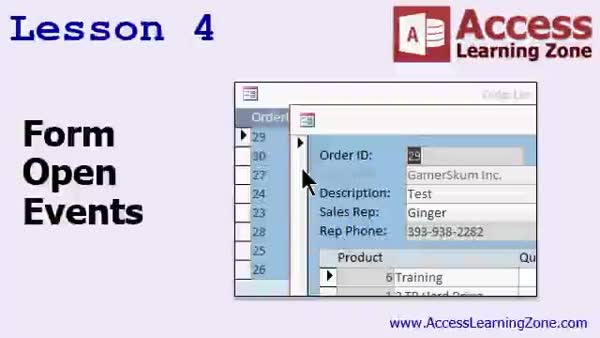
Lesson 4: Form Open, Close & Load Events - In Lesson 4, we explore various form open events in Microsoft Access, discussing how different events like OnActivate, OnOpen, OnLoad, Deactivate, and Unload function when opening, closing, and switching between forms. We will walk through adding conditional logic in macros and using the Activate event to automatically refresh form data. I will explain the differences between Open, Load, Unload, and Close events, and demonstrate the OnNoData event for reports to prevent printing empty pages. We will also briefly mention other events such as Resize and provide examples of useful event applications.
Lesson 5: Macros, Events & Form Automation - In this course we learned about Access macros, including their benefits and limitations, how to build simple macros with various commands like beep and message box, and how to use events such as on activate, on deactivate, and on load. We covered making macros smarter using if-then logic, handling form and report events, and how to cancel actions when appropriate. We also discussed resources for continued learning, tech support options, and guidelines for using and sharing course materials.
NavigationKeywordsmacros, macro builder, action catalog, embedded macro, standalone macro, macro events, form buttons, if then else, open specific record, double click event, message box, filter vs where condition, form open events, activate event, OnNoData
More InformationTranscriptWelcome to Microsoft Access Advanced Level 1, brought to you by AccessLearningZone.com. I am your instructor, Richard Rost. Welcome to the Advanced Series of Lessons. This is the first lesson in the Advanced Series. If you have never taken any of my classes before, there are nine beginner lessons. There are 32, I believe, expert lessons. This is the first advanced lesson, where we are going to talk about macros and events and things like that. The series after this is the developer series, where we are going to talk about Visual Basic programming. The Advanced Series will focus on things that are a little more difficult than just building a database, but do not quite involve programming yet. We are going to get into macros, events, and a whole lot of other stuff. As far as prerequisites go, I do strongly recommend that you take my beginner series and my expert classes, levels 1 through 32. Before taking this course, I assume you know certain things at the Advanced Class of the day. I assume you know most of the stuff that we covered in the expert series. So if you do not know basic form design, relationships, or anything like that, then definitely watch the expert classes first. This class was recorded using Microsoft Access 2016, Office 365. Everything covered should work from 2007 until 2013. If you are using anything before 2007, then this class will not work for you because Microsoft dramatically changed the way that macros work in Access 2007. Today's class is all about macros. Let's take a look at what is covered in each lesson. In lesson 1, we are going to learn what macros are, the benefits of macros, the limitations of macros, and we will review some of the macros we have already created in our PC resale customer database. In lesson 2, we are going to build some macros. We are going to build a standalone macro and a macro that is embedded in a form button. In lesson 3, we are going to learn how to make our macros smart. We will learn how to open specific records from our macros, and we will learn about the if, then, else statement. In lesson 4, we want to learn about a bunch of different events that occur when you open and close forms and switch between them. Thanks for watching. IntroIn this lesson, you will learn advanced techniques for using macros in Microsoft Access. We will discuss what macros are, their advantages and limitations, and review sample macros from a real-world database. You will see how to build both standalone and embedded macros, make your macros more intelligent using the if-then-else statement, and explore different form events like opening, closing, and switching forms. This is Advanced Level 1. QuizQ1. What is the main focus of the Microsoft Access Advanced Level 1 course? A. Database security settings B. Building basic tables and queries C. Working with macros and events D. Advanced Visual Basic programming Q2. Which series follows the Advanced Series in Richard Rost's Access courses? A. Expert Series B. Beginner Series C. Developer Series D. Intermediate Series Q3. Which Microsoft Access versions does the recorded class specifically support? A. All versions including before 2007 B. Only Access 2019 and newer C. Versions from 2007 to 2013, including 2016 and Office 365 D. Only Access 2007 Q4. What is a recommended prerequisite before taking this Advanced Level 1 course? A. Completion of the beginner and expert series (levels 1-32) B. Programming experience in Visual Basic C. Prior knowledge of macros only D. No prior knowledge is necessary Q5. Why is Access 2007 or newer required for this course? A. Because the course only covers web databases B. Because macros work fundamentally differently in 2007 and later C. Access 2007 and later have a new report designer D. The user interface was rebranded after 2007 Q6. What topics are covered in the first lesson of this Advanced Level 1 course? A. Introduction to VBA code B. What macros are, their benefits, their limitations, and reviewing sample macros C. Creating custom ribbons in Access D. Database security with passwords Q7. What will be taught in lesson 2 of the course? A. Advanced table indexing B. Building standalone and embedded macros in form buttons C. How to export data to Excel D. Customizing navigation panes Q8. Which concept is introduced in lesson 3? A. User-level security B. Queries with parameter prompts C. Making macros smart with if, then, else statements and opening specific records D. Relationships between tables Q9. What events are the focus of lesson 4? A. Events for importing external data B. Events that occur when opening, closing, or switching between forms C. Events related to table creation D. Events for setting up relationships Answers: 1-C; 2-C; 3-C; 4-A; 5-B; 6-B; 7-B; 8-C; 9-B DISCLAIMER: Quiz questions are AI generated. If you find any that are wrong, don't make sense, or aren't related to the video topic at hand, then please post a comment and let me know. Thanks. SummaryToday's video from Access Learning Zone is the first lesson in my Microsoft Access Advanced Level 1 series. I am Richard Rost, your instructor. This advanced series is designed for those who have already completed the beginner and expert level lessons. There are nine beginner classes and thirty-two expert lessons that cover all the foundational material you'll need. This course picks up where those leave off, introducing more advanced topics such as macros and event handling. We will not get into Visual Basic programming just yet; that is reserved for the developer series, which follows this one. The focus of this class is on macros and events, providing you with skills that go beyond basic database construction but stop short of full programming. I strongly recommend that you complete the beginner and expert level courses before starting this series. I am going to assume you are already comfortable with things like basic form design and establishing table relationships. If those topics are still unclear, you should revisit the expert lessons. This course was recorded using Microsoft Access 2016, Office 365 edition. However, everything we discuss here should also be applicable to Access versions 2007 through 2013. If you are using Access 2003 or earlier, you'll need to be aware that macros and many other features changed significantly starting with Access 2007, so this study track will not be compatible with those older versions. Today, we are diving into macros. Here is what you can expect from each lesson in this course: - In the first lesson, I will explain what macros are, the advantages they provide, and their limitations. We will also revisit some of the macros that we created earlier in the PC resale customer database. - In lesson two, we will build new macros, including both standalone macros and those embedded within form buttons. - Lesson three focuses on making our macros smarter. You will learn how to design macros that open specific records, and we will cover using if, then, and else statements. - In lesson four, we will explore the various events that occur when opening, closing, and switching between forms. You can find a complete video tutorial with step-by-step instructions on everything discussed here on my website at the link below. Live long and prosper, my friends. Topic ListIntroduction to macros in Microsoft Access Benefits and limitations of macros Reviewing sample macros in a database Building standalone macros Creating embedded macros in form buttons Using macros to open specific records Implementing if then else logic in macros Understanding form events when opening and closing Working with events for switching between forms Primary TopicsAccess macros, macro benefits, macro limitations, standalone macros, embedded macros, event handling, if then else statement, Access form events Secondary Topicscourse prerequisites, Access version compatibility |
||||||||||||||||||||||||||||||||||
|
| |||
| Keywords: macros, macro builder, action catalog, embedded macro, standalone macro, macro events, form buttons, if then else, open specific record, double click event, message box, filter vs where condition, form open events, activate event, OnNoData PermaLink Microsoft Access Advanced 1 |