Numbers As Text
By Richard Rost

 4 years ago
When to Store Numbers in a Text Field in Access
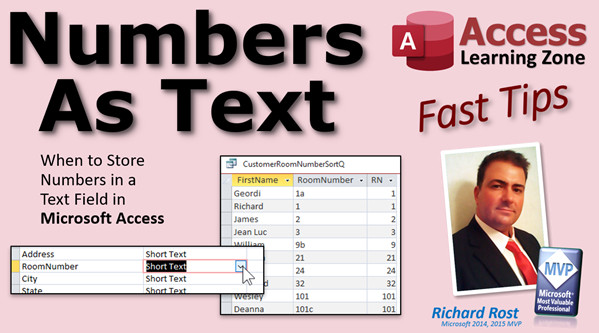
In this Microsoft Access tutorial, I'm going to explain when you should and should not store numeric data in a text field. Then I'm going to show you how to take numbers stored in text fields and properly sort them with the Val function.
Links
Recommended Courses
 Keywords Keywords
access 2016, access 2019, access 2021, access 365, microsoft access, ms access, ms access tutorial, #msaccess, #microsoftaccess, #help, #howto, #tutorial, #learn, #lesson, #training, #database, #fasttips, why store numbers in a text field, When to Store Numbers as Text, val function, text to number
More InformationTranscript Welcome to another Fast Tips video brought to you by AccessLearningZone.com. I am your instructor, Richard Rost. In today's video, I'm going to explain when you should and when you should not store numeric data in a text field. That's right. A lot of the time, even though something says "number," like room number or apartment number or order number, those numbers should really be stored as text fields.
We'll go over some examples, and then I'll show you how to properly sort those numbers even though they're stored in a text field using the Val function.
First of all, there are certain types of data that you're always going to use a numeric data type for. Money should always be stored in a currency field. Dates and times go in a date field. Although there are some exceptions to that, for example, I've got a whole separate video on using crazy dates like 65 million years ago. That's a different story. We're talking about regular dates and times for everyday living, appointments, calendar schedules, that kind of stuff. IDs, of course, I recommend should always be an AutoNumber.
Now, when should you store something in a text field? Obviously, if it needs a letter, even if it's something called "number," like order number. A lot of companies that I used to build databases for have order numbers like 2B4HB. It's not a number. They're calling it a number, but it's not really a number. Or something blatantly obvious like a Canadian or UK post code. Those obviously have letters in them. If they have letters, put it in a text field.
The point is, just because someone calls it a number doesn't mean it's a number.
This next part is a little trickier: leading zeros. If you've got to store a leading zero, use a text data type. Zip codes, for example, or social security numbers. For example, if it starts with 065, you have to have a text data type to store that zero.
Another example is when something is usually a number, but once in a while, it might need a letter, like a room number, 21B, or an apartment number, 34.5. I put that little half on the bottom there because you can store that little half symbol as a character for that. I personally don't recommend it. I'll store a half as a 1/2, but again, that's kind of up to you. Whatever works for you, whatever floats your boat, whatever you want it to look like when it's printed, I guess.
So what's the rule of thumb here? My rule of thumb, and I've been teaching this for 20 years, way back to my Access Beginner classes, is: Are you ever going to be doing math on the number? Are you ever going to add or subtract two phone numbers? Are you ever going to multiply a couple of zip codes together? No, probably not. Are you ever going to be finding the average of a bunch of social security numbers? No, not really. They're pretty much just bits of data to look up.
Mike Wolf over at No Longer Set calls this a "Numeral Literal Test." Yes, he made that word up. It's funny because whenever I do one of my videos, I always do a Google search first to see what everyone else has to say on the subject, and I'm always pleasantly surprised when I come across one of Mike's articles. He writes some great stuff. He's got "When to Store Numbers as Text" from about a year ago. He's got some great information. He has a list of stuff and he asks you what you think you should store those as: zip codes, phone numbers, ISBN numbers.
Things like check numbers, bank account numbers, that's just data. You're really never going to add up a couple of bank account numbers.
Now student grades or grade point averages? Those you might actually have to do math on. You might have to calculate if you have a bunch of grades for a specific student. You might have to average those all together to get his final average, for example.
This is the numeral literal test. I love that word. Like he says, if it makes sense to add, subtract, multiply, or divide the contents of that field, then it's a number.
And funny thing is, as I was reading this, I came down here and realized I replied to it about a year ago. So, anyways, I love Mike's stuff. I'll put a link to this down below in my link section. You can go click on this and read it yourself if you want to. I strongly recommend subscribing to his newsletter as well.
Now, the bigger picture is, what does it matter? Why should you use text instead of a number? Well, the bottom line and the most important reason I can think of is that text is easier to manipulate in the database than number fields are. Believe it or not, if you want to get data out of that data, if you want to manipulate it in any way, it's easier to work with text.
For example, zip codes can tell you roughly where in the country someone is. The two places I've lived, Western New York, all the zip codes start with 14. South Florida, where I am now, 33, Southwest Florida technically.
So if you want to pull information out of that zip code, all you have to do is use the Left function. Left(zip code, 2) will give you that. Then you can look that up and figure out where they are. Could you do it with math? Yeah, I suppose you could. You could integer-divide by a thousand and then multiply on it. But it's easier just to use the Left function.
Phone numbers, for example. If you want to get data out of the data, you want to pull some information out of the phone number. The area code is easy, that's just the left three characters. That's easy, we just look at that.
What about the exchange, the local exchange? I grew up in a little town called Hamburg, New York, which is just south of Buffalo. If you saw someone with a 649 or a 648 number, you knew that was in Hamburg. I think they've added some more since then, but this was back in the 80s. I'm old.
You could pull that out of there very easily too. If you only service people within Hamburg, you only want to service those two exchanges. Use the Mid function. Mid(phone number, 5, 3). That says go in one, two, three, four, find the fifth character and give me three of them. And bam, you got the exchange.
I had a customer years ago that I built a database for, and they wanted to keep their old order numbers because they were going to have someone input all the old Excel data and all that into the database. Their order number looked like that, and yes, it's just a number, but we're going to store that as text because they want to get information out of it. The first digit was: is it delivery or pickup, zero or one. Digits two through four were the customer number. Digits five through six were the sales rep. So they encoded information in their order number they had been using for decades before, but that's not really a number. It's a text value.
So that's the number one reason why you want to use text instead of numbers. It's just easier to work with on a database level.
Now, one problem that you have with text fields is you may often want to sort things based on a numeric value. When you sort text fields, you get an alphanumeric sort. They're sorted like this: 1, 10, 101, then 2, because it sorts all of the first character, A through Z, 1 through 9, then all of the second column, then all the third column, and so on. Whereas what you want is a numeric sort like this where you've got the value of that number. We can get the value from the Val function, which I'm going to show you in a second in the database.
So that's an alphanumeric sort. That's a numeric sort. Let's see how this works.
Here I am in my TechHelp free template. This is a free database. You can grab a copy on my website if you want to. Let's go into the customer table and add Room Number in here, Room Number. We're going to make that a text field because room numbers might have 2B or 3C, but they call it a room number.
So I'm going to save that. Let's go and put some room numbers in here. Let me go out here to the Room Number column and I'm just going to slide that left. There. Let's pretend we're doing college students and you're delivering packages or transcripts or whatever, and you want to sort these college students based on their room number so you could print all these reports out and have them in order when you walk down the hall and hand them out. Room 1, room 2, room 3, and so on.
Let's say we got a 1, 2, 7, 3, 9, 21, 1, 1, 1, and so on. A bunch of random numbers in here. Good enough for now.
Save that. Let's make a query. Create Query Design. Let's bring in that customer table and close that, and let's bring in the First Name and the Room Number. If you never made a query before, go watch my Access Beginner Level 1 class. Four hours long. It's absolutely free. I'll put a link down below.
Now, if I run the query at this point, you'll see there's everybody. Let's get rid of anyone who doesn't have a room number. So we're going to come in here and I'm going to say for the criteria, Is Not Null. That means they have to have something in that room number field. There it is. There's all our people with room numbers.
Now, if I sort this column, since it's text, I get that alphanumeric sort. All the ones first, then all the twos, then all the threes, and so on. So what we're going to do is create a calculated field right over here. We're going to use the Val function. If you've never done a calculated field before, go watch this video. I'll put a link down below in the link section.
So let's click right here. I'm going to zoom in so you can see this better. Shift-F2, that zooms in. We're going to create a calculated field called rn for Room Number. It's going to be the value of Room Number, just like that. Take Room Number, put it in a Val function, call that rn. I'll widen this out so you can see it better.
Ready? Let's run it. Look at that. It's exactly the same as the numbers in this column, but there's a dead giveaway. There's a way you could tell that's text and that's a number. If you're familiar with Excel, you probably know what it is. Numbers always line up on the right. Anything that's numeric data, dates, currency, by default, they line up on the right. Whereas text values always line up on the left.
But we're still sorted by that text field. So what we're going to do is get rid of the ascending here and now we're just going to put it over here. Look at that. Now when I run it, I've got a normal numeric sort for that room number, which is itself a text field. That's what we use queries for - calculated fields.
Now here's the beautiful part about the Val function. I love the Val function. Watch this. If this guy is in, let's say, room 7a, watch this. You still get a 7. See that? If the Val function sees numeric data at the beginning of the text field, it will use that as the value. It's really cool. You can use it for full addresses, too, like 101 Main Street, and there you go. You get the 101 because of the Val function. It finds all the numbers at the beginning. It doesn't have any numbers at the end, though, so if you have a part 2 at the end, it'll ignore that. As soon as it sees text, it stops.
9b. You can still sort those numbers in with the Val function. The Val function is pretty cool.
So there you go. There's your fast tip for today. I hope now you understand when you should use text versus when you should use number. I'll put links to everything down below that I talked about in today's class.
If you want to learn more about this stuff, Access Beginner 1 and Access Beginner 3 are where I spend a lot more time covering field properties and things like when to use text and numbers.
That's it. I hope you learned something today. I'll see you next time. Intro In this video, we will talk about when you should store numbers as text fields in Microsoft Access, such as room numbers, order numbers, or zip codes, and when you should use true numeric data types. You'll see examples of scenarios like storing values with leading zeros or characters, and learn how to sort these text-based "numbers" properly using the Val function in a query for accurate numeric ordering. Quiz Q1. According to the video, when should you use a text field instead of a numeric field to store data?
A. When the data includes only digits and you need to do calculations on it
B. When the data may include letters or leading zeros
C. When it represents large numerical amounts like currency
D. Only when working with dates and times
Q2. Which of the following is a situation where you should use text instead of number, according to the video?
A. Phone numbers
B. Bank account numbers
C. Social security numbers
D. All of the above
Q3. What is the "numeral literal test" described in the video?
A. Whether you ever need to do math operations on the data in the field
B. Whether the word "number" appears in the field name
C. Whether the data is less than ten characters
D. Whether the values can contain spaces
Q4. What does the Val function do when applied to a text field?
A. Removes all non-numeric characters from the field
B. Converts entire text to uppercase
C. Returns the numeric value from the beginning of the text
D. Sorts the text in descending order
Q5. Why should zip codes usually be stored as text fields?
A. Because they can contain letters
B. To allow calculations to be performed
C. To preserve leading zeros
D. Because they are always longer than five digits
Q6. Which of the following is NOT recommended to be stored as a number field?
A. Order numbers that might contain letters
B. Amounts of money
C. Grade point averages
D. Ages
Q7. When sorting text fields that contain numbers, what kind of sort is performed by default?
A. Numeric sort
B. Alphabetical sort only
C. Alphanumeric sort
D. Chronological sort
Q8. What happens if you store "order numbers" as number fields and they occasionally contain letters?
A. The letters will be stored successfully
B. The letters will cause a data type error
C. The letters will automatically be converted to numbers
D. The database will sort them alphabetically
Q9. What database function does the video recommend for sorting text fields containing numeric values numerically?
A. LEN
B. LEFT
C. MID
D. VAL
Q10. Which field type should be used for currency values?
A. Text
B. Number
C. Currency
D. Date/time
Q11. According to the video, why is text easier to manipulate in a database?
A. Text fields never take up much space
B. Data extraction functions like Left and Mid work easily with text
C. All numeric calculations are faster with text
D. Text fields can only contain letters
Q12. What does the Val function return if a text field starts with numbers and then has letters (e.g. 7A)?
A. The entire field as a string
B. The number at the start of the field (e.g. 7)
C. Only the letters after the initial numbers
D. Zero
Answers: 1-B; 2-D; 3-A; 4-C; 5-C; 6-A; 7-C; 8-B; 9-D; 10-C; 11-B; 12-B
DISCLAIMER: Quiz questions are AI generated. If you find any that are wrong, don't make sense, or aren't related to the video topic at hand, then please post a comment and let me know. Thanks. Summary Today's video from Access Learning Zone focuses on an important topic: when you should and should not store numeric data in a text field within Microsoft Access. This is a common area of confusion, since many fields that contain numbers, such as room number, apartment number, or order number, are often better stored as text rather than as numeric data types.
To start, there are certain types of data you should always store in their corresponding data type. For example, financial values should be stored using the currency data type, and dates or times should go in a date/time field. Of course, there are rare exceptions to this, like if you need to record something like events from millions of years ago, but for regular use, stick with the standard types. As for IDs, I recommend always using an AutoNumber.
A good guideline to follow is to use a text field wherever letters might appear. Even though something might be called a "number," like an order number, in reality it could look more like 2B4HB, which definitely is not just a numeric value. This is also true for postal codes in Canada or the UK, which always include letters. The takeaway here is that the title of a field does not determine its data type; its contents do.
Another important situation is when leading zeros are involved. Fields like zip codes or social security numbers in the United States often start with a zero, and if you use a numeric type, that information is lost. Storing those values as text ensures the zeros are preserved.
There can also be cases where the field is usually numeric but occasionally has a letter or symbol thrown in, such as apartment 21B or 34.5. Whether you choose to store a special fraction symbol or just type "1/2" as text is up to you, but again, text storage is the way to go if anything besides straightforward numbers might appear.
So how do you know for sure? My rule of thumb, which I have taught for decades, is this: Will you ever do math on these values? Are you going to add social security numbers together, or multiply zip codes? Probably not. These are just reference values and do not require any calculations.
Mike Wolf from No Longer Set coined the phrase "Numeral Literal Test." If it makes sense to add, subtract, multiply, or divide the values, use a numeric data type. If not, store it as text. His article provides a helpful list to test your understanding, including zip codes, phone numbers, and ISBNs, all of which are better off as text fields because mathematical operations will never be performed on them. On the other hand, values like student grades or GPAs should use a number format because you may calculate averages or totals from those.
Why, then, is it better overall to use a text field in these cases? Text is easier to manipulate for many database operations. For example, the first two characters of a US zip code provide a general geographic location. If you store the zip code as text, extracting those characters is very simple using the Left function. With a number data type, you'd have to perform more complex math to get the same result.
Similarly, with phone numbers, extracting the area code or local exchange is straightforward if the data is in a text field. You can use the Left or Mid functions to pull out whatever portion of the number you need without extra effort. Real-world examples include things like order numbers where information is embedded in various positions within the value—again, much easier to work with as text.
However, there is a common issue: sorting. Text fields sort alphanumerically, which is not always what you want. For example, sorting room numbers as text means 1, 10, 101, 2, and so on, which puts characters in order as if sorting by each individual digit or letter instead of treating the whole value as a number. Often, you want a more natural, numeric sort order.
You can handle this using the Val function in a query. By creating a calculated field that uses the Val function, you can convert text values that start with numbers into actual numeric values just long enough to sort or filter them as you need. For instance, you might add a text room number field to your table, populate it with common and edge-case data (like 1, 2, 7, 3, 9, 21, 1, 1, etc.), and then create a query that uses Val to generate a field for sorting. This allows you to preserve all the advantages of text fields while still sorting your data numerically.
An additional benefit is how the Val function treats values like "7a" or street addresses—if a text field starts with a number, Val extracts that numeric part for you, so you can still sort room numbers or addresses that mix numbers and letters in a very natural way.
In summary, when deciding between text and number for your fields, ask yourself whether you'll ever need to do calculations with that data. If not, text is likely the best choice, especially when you need to preserve formatting or handle inconsistent value formats. The Val function then helps you sort and manage those values as needed.
If you'd like to see step-by-step instructions and more detailed demonstrations of everything discussed here, a complete video tutorial is available on my website at the link below. Live long and prosper, my friends. Topic List When to use text fields for numeric-looking data
Reasons for not storing some numbers as number fields
Examples of non-numeric "number" fields (zip codes, order numbers)
Handling leading zeros in numeric-looking fields
Storing data with occasional letters (apartment numbers, room numbers)
Applying the numeral literal test for data types
Manipulating text fields to extract information (Left and Mid functions)
Easier data manipulation in Access using text fields
Sorting issues with numeric data in text fields
Using the Val function for numeric sorting of text fields
Creating calculated fields in Access queries
Differentiating between numeric and text alignment in Access
Sorting room numbers stored as text using Val function
Limitations of the Val function with text fields Primary Topics Access data types, number vs text fields, storing numbers as text, leading zeros, numeral literal test, data extraction from text, sorting numeric values, Val function
Secondary Topics calculated fields, query design, field manipulation, data structure best practices
|





