Access DevCon 2026
By Richard Rost

 6 months ago
Access Team, New Features, AI Tools, SQL, Updates Access DevCon 2026, a virtual conference for Microsoft Access developers happening April 16 & 17. We will talk about featured sessions including presentations from the Microsoft Access team, updates on form zooming and modern authentication, using AI in Access development, a drag-and-drop ribbon builder, Twin Basic integration, SQL Server optimization, modern charting and UI styling, as well as several tool demonstrations. Links
Keywords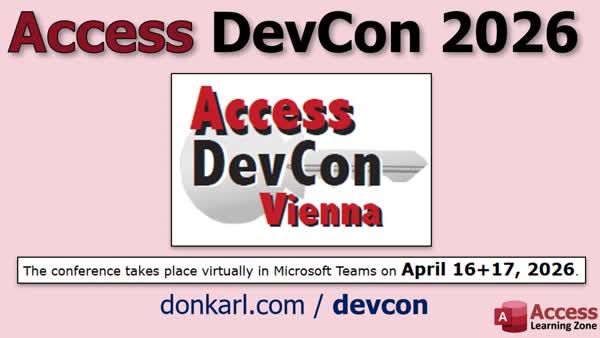 TechHelp Access, Access DevCon Vienna, form zooming, large monitor support, Access Community Update, AI Development Assistant, Ribbonizer, drag-and-drop ribbon builder, Twin Basic, Graph Authenticator, Modern Authentication, SQL Server integration, modern charting, data visualization, Excel integration, Power BI, dark mode support, styled forms, Permissions Management, TreeView controls, VBA Editor tools
More InformationTranscript If you are serious about Microsoft Access development and want to stay up to date with what is going on, this is definitely something you should check out.
Hey folks, this is Richard Rost from Access Learning Zone.
Access DevCon Vienna is coming up April 16th and 17th, so just about a little over a week from now. It is a fully virtual conference. They call it DevCon Vienna, but it is virtual. You can attend it from anywhere.
It is two days packed with sessions from Access experts from around the world, including the Microsoft team - the guys who actually work on Access at Microsoft, MVPs, and some really sharp developers. Let's take a look at what they have coming up this year.
First up, you have the Microsoft Access team presenting. If you saw my Access Day review, a lot of this will sound familiar. They will be talking about things like form zooming, large monitor support, and what is coming next. The big difference here is you get to hear it directly from them, and there is usually a live Q&A where you can ask questions afterwards.
So all of you in the comments who have been asking me about this stuff, ask them. They are the ones to ask.
Next up, we have Karl, who runs the event. He is doing his Access Community Update. Karl always does a great job pulling together what is going on across the entire Access ecosystem - new features, trends, usage stats, and what is happening in Access in general.
Juan Soto is back with his AI session showing how to use AI as an Access Development Assistant. I saw him at Access Day and his approach is really solid. He focuses on keeping AI under control, validating what it is doing, and actually using it in real world development, not just as a gimmick.
Elisandro is showing Ribbonizer, which looks like a full drag-and-drop ribbon builder for Access. If you have ever struggled with Ribbon XML, and I know I have, this could be a game changer. I cover customizing the ribbon in my developer classes. It is not easy to do, so I am looking forward to checking this out.
Mike Wolf is doing a session on Twin Basic, which is something I have been keeping my eye on. I miss VB6, and from what I hear, Twin Basic is very much like VB6. He is going to be showing a practical way that Access developers can use it today, including building tools and utilities that work alongside your Access databases.
Andrew and Peter are presenting their Graph Authenticator again. This is their solution for working with Microsoft Graph and Modern Authentication, especially now that new Outlook is breaking a lot of old VBA approaches for classic Outlook. If you are working with the Microsoft ecosystem, this is a big one. Check this one out. They presented this at Access Day also, and it was quite fascinating.
Kevin Bella has a session called Stop Blaming Access, Turn SQL Server into Your Weapon, which I am really looking forward to. This is all about using SQL Server properly with Access to improve performance and maintainability. I have been focusing on this myself a lot lately, so I am looking forward to this presentation.
Luke is always fun to listen to. He is covering modern charting and data visualization, including Access charts, Excel integration, and Power BI. Luke always has great content, especially when it comes to making your apps look more professional.
Colin is doing a session on styling forms in UI, including things like dark mode support, themed forms, and better message boxes. If you want your apps to look more modern, that is definitely worth checking out.
There are also a few quick tool sessions covering things like Permissions Management, TreeView controls without ActiveX, and updates to VBA Editor tools.
They have the schedule online for Thursday and Friday. I do not usually attend these things live. I know a lot of you are working during the day and cannot really take off two whole days to watch this stuff. What I have done in the past few years is register and then go back and watch the recordings afterwards. These guys record everything, which is awesome, because you can go back through it at your own pace. That alone makes it worth it for me personally.
But if you prefer attending live, asking questions, and interacting with the presenters, especially the Microsoft team, you can do that too. Looks like that one is about 2 p.m. on Thursday, Eastern time.
So overall, this looks like a really solid lineup whether you are into UI, SQL Server, AI, or just keeping up with what is happening in Access. There is something for everyone here.
Here is the link right there to register. I will put a link down in the description below that you can click on. When you sign up, be sure to tell them I sent you. You are not going to get a discount or anything, but at least they will know that you are one of the cool kids.
Alright, that is all. Live long and prosper my friends. I will see you next time. Intro Access DevCon 2026, a virtual conference for Microsoft Access developers happening April 16 & 17. We will talk about featured sessions including presentations from the Microsoft Access team, updates on form zooming and modern authentication, using AI in Access development, a drag-and-drop ribbon builder, Twin Basic integration, SQL Server optimization, modern charting and UI styling, as well as several tool demonstrations. Quiz No quiz available. Summary Today's video from Access Learning Zone highlights the upcoming Access DevCon Vienna, which will be taking place on April 16th and 17th. This is an entirely virtual event, so you can participate from anywhere in the world, despite the name suggesting a specific location.
Over the course of two days, there will be a variety of sessions lead by Access experts from all corners of the globe. The lineup includes members of the Microsoft Access product team, MVPs, and several highly experienced developers. I want to walk you through some of the key sessions you can look forward to at this year's event.
The team from Microsoft Access will be presenting topics such as form zooming, enhanced support for large monitors, and upcoming new features. If you watched my review of Access Day, some of these themes will sound familiar. However, what sets this apart is that you will be hearing directly from those who actually develop Access. You will also have the opportunity to participate in a live Q&A, which is a chance to get your questions answered straight from the source.
For those who have been asking me about these new features, this is your opportunity to bring your questions directly to the developers themselves.
Karl, the organizer of DevCon, will deliver his annual Access Community Update. He is known for his ability to keep everyone informed on the latest features, community trends, usage statistics, and the overall state of Access development.
Juan Soto returns this year with a session on using AI within Access Development. His approach emphasizes controlling and verifying AI's output, ensuring it's genuinely useful in real-world scenarios, not just for novelty's sake.
Elisandro will be demonstrating Ribbonizer, a tool designed for drag-and-drop ribbon creation in Access. Ribbons can be notoriously difficult to customize because of the Ribbon XML requirements. I have covered ribbon customization in my own developer classes, and I know how challenging it can be, so this session should provide some very helpful techniques.
Mike Wolf's session on Twin Basic will be of interest to those who remember VB6 fondly. Twin Basic is aimed at providing a modern experience similar to VB6. Mike will show how Access developers can leverage Twin Basic today to create utilities and other tools that work alongside Access databases.
Andrew and Peter will reprise their Graph Authenticator presentation, which offers a solution for authenticating with Microsoft Graph and using modern authentication techniques. This is especially important since the new Outlook has disrupted many older VBA integration methods. Their session promises useful insights for anyone working within the modern Microsoft ecosystem.
Kevin Bella offers a session entitled "Stop Blaming Access, Turn SQL Server into Your Weapon." This focuses on leveraging SQL Server to enhance Access performance and maintainability, which is an area I have also been exploring more deeply lately.
Luke will be discussing modern data visualization, including charting in Access, ways to integrate with Excel, and Power BI considerations. He always provides excellent advice on how to make Access applications look more polished and professional.
Colin's session targets modern user interface design for forms, covering features like dark mode, themed forms, and more attractive message boxes. This should be of particular interest if you are looking to update the appearance of your Access applications.
The event will also include several quick tool-focused sessions, such as permissions management, TreeView controls that do not rely on ActiveX, and updates to VBA editor utilities.
The full session schedule is available online for both days. If you are unable to attend live due to work or other commitments, there is the option to register and watch the recorded sessions at your own pace, which is something I've done in past years. All sessions are recorded, making it easy to catch up whenever it fits your schedule.
If you prefer the experience of attending live, you can interact with the presenters, especially the Access team at Microsoft, which can be especially useful for getting your questions answered in real time. The Microsoft team's session is scheduled around 2 p.m. Eastern time on Thursday.
Overall, this conference offers a solid agenda covering everything from user interface design, SQL Server integration, and artificial intelligence, to the latest changes in Access. There is truly something of interest for everyone, regardless of whether you are new to Access or an experienced developer.
You will find the registration link below. If you decide to sign up, let them know you heard about it from me. While it will not get you a discount, they will know you are part of our community.
You can find a complete video tutorial with step-by-step instructions on everything discussed here on my website at the link below. Live long and prosper, my friends. Topic List This is an informational video announcing and describing the upcoming Access DevCon Vienna conference, highlighting its schedule, topics, and presenters relevant to Microsoft Access developers. Article If you are serious about developing with Microsoft Access and want to stay up to date with the latest trends and tools, consider attending Access DevCon Vienna. Despite the name, this conference is fully virtual, so you can join from anywhere in the world. The next event takes place April 16th and 17th and features two full days of in-depth sessions from expert Access developers, MVPs, and members of the actual Microsoft Access team.
The conference includes a session where the Microsoft Access team shares updates directly from the source. Topics this year include new features like form zooming, support for large monitors, and a look at what is coming next for Access. There is also a live Q&A, which is a rare opportunity to ask your specific questions directly to the people who build Access.
Karl, who organizes the event, presents a comprehensive community update. He pulls together recent developments, new features, trends, and usage statistics from across the Access ecosystem. This is a great way to get a high-level overview of what is happening in the Access world.
Juan Soto returns with a session on using AI as a development assistant in Access. He emphasizes practical applications of AI, focusing on keeping it under control, validating its output, and demonstrating how you can use it in real-world scenarios. If you have been curious about integrating AI into your workflow, his session is worth checking out.
Elisandro will showcase Ribbonizer, a drag-and-drop ribbon builder for Access. Designing custom ribbons using XML has always been tricky, but Ribbonizer aims to simplify this with an intuitive interface. If you have ever found customizing the ribbon challenging, this tool could be a real time saver.
Another interesting session comes from Mike Wolf, who will be talking about Twin Basic. Twin Basic is a modern take on VB6, and Mike plans to demonstrate practical ways Access developers can use it today to create tools and utilities that complement your Access solutions.
Andrew and Peter are presenting their Graph Authenticator solution. This is especially timely, as modern authentication requirements and updates to Outlook are breaking many traditional VBA approaches. Their tool helps Access developers work with Microsoft Graph and handle modern authentication methods.
Kevin Bella offers a session called Stop Blaming Access, Turn SQL Server into Your Weapon. He discusses best practices for integrating SQL Server with Access to boost both performance and maintainability. For anyone looking to get more out of SQL Server with Access, this session should be insightful.
Luke will cover modern charting and data visualization, including how to take advantage of Access charts, and integrations with Excel and Power BI. He shares ways to polish the look and feel of your applications so they are more visually appealing and professional.
Colin will focus on styling forms to modernize your user interface. His topics include adding dark mode support, applying themed forms, and improving message boxes. These techniques can seriously upgrade the appearance and user experience of your Access apps.
There are also shorter sessions on helpful tools, such as better permissions management, implementing TreeView controls without relying on legacy ActiveX components, and updates on new features in VBA Editor tools.
The full schedule for both days is available online. If you are unable to attend live due to work or other commitments, you can register and watch the session recordings at your own pace after the event. Everything is recorded, allowing you to revisit key presentations whenever you need.
Attending Access DevCon Vienna is a great way to stay informed, expand your skills, and connect with experts and peers in the Access community. Whether you are interested in the user interface, server integration, artificial intelligence, or simply want to hear from the developers who work on Access, there is a session for you. You can register online and access a wide range of valuable content for Access developers of all levels. When you sign up, let them know you heard about it here. Primary Topics
Access DevCon Vienna overview, Microsoft Access team updates, Access community trends, AI in Access development, Ribbon customization, Twin Basic integration, Microsoft Graph authentication, SQL Server with Access, Data visualization and modern charts, M Secondary Topics
Permissions management, TreeView alternatives, VBA editor tools, session Q&A, session recordings
|





