|
||||||
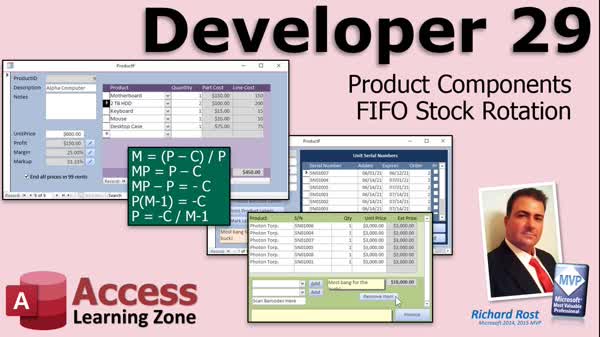
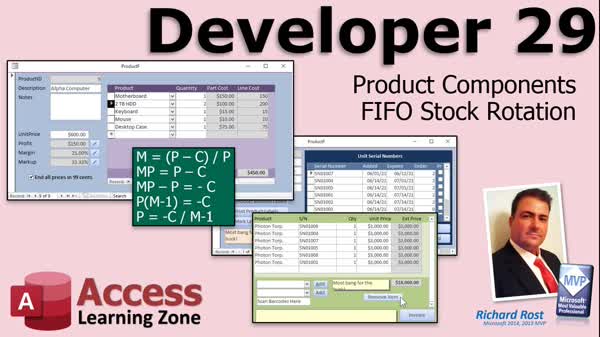
Access Developer 29Product Components, FIFO Stock, Margins, MarkupWelcome to Access Developer 29. In this course you will learn how to build and manage product components in Microsoft Access, including tracking the items that make up manufactured products and setting up cost calculations. We will discuss FIFO stock rotation principles for inventory management and see how to handle adding and removing items. You will also learn to calculate profit margins and markup, use basic algebra to adjust unit prices, and explore practical techniques for managing inventory using forms, subforms, and VBA code within your Access database. Lessons
Database FilesLinks
Resources
Lesson SummaryWelcome! Build Components, FIFO, Margins - Welcome to Microsoft Access Developer Level 29. In this course we will continue building on prior Access inventory projects by covering product components, which allows you to track the individual items that make up manufactured products. We will also talk about FIFO (first in, first out) stock rotation, why it is important for managing inventory, and see how to handle items being removed and added back to inventory. Additionally, we will discuss calculating profit margin and markup, and I will show you how to adjust and solve for unit price using basic algebra. Prerequisite courses are strongly recommended.
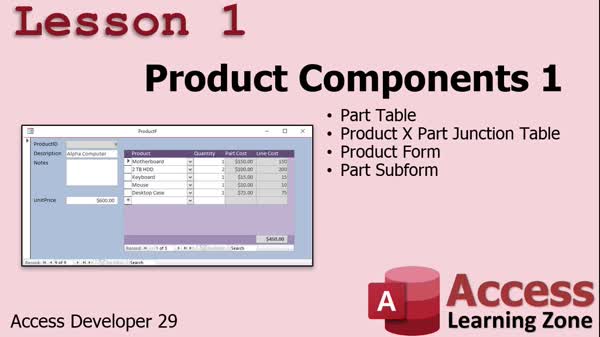
Lesson 1: Build Components, Calculate Cost, Margin - In Lesson 1, we will walk through how to build a product from individual product components in Microsoft Access. We will set up tables for parts and products, relate them using a junction table, and create forms and subforms to manage the components that make up each product. I will show you how to calculate the total cost of a product based on its components and set up basic profit calculations. We will also discuss the difference between profit margin and markup, which will be covered more in the next lesson.
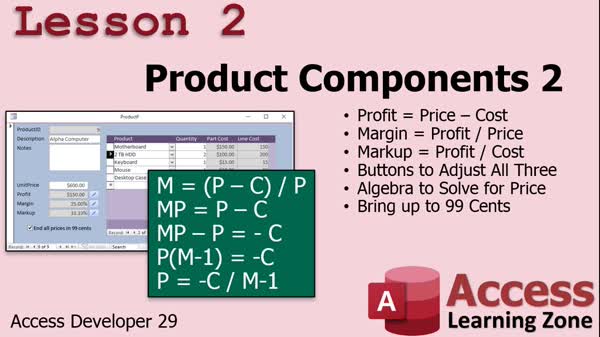
Lesson 2: Profit Margin, Markup, Pricing - In Lesson 2, we will work with product components by calculating profit, profit margin, and markup, and I will show you how to create buttons that let you set each of these values and update the unit price accordingly using algebraic formulas. We will walk through coding these calculations in VBA, including rounding to 99 cents for marketing purposes. Along the way, we will discuss the differences between profit margin and markup, use algebra to solve for unit price, and demonstrate practical coding checks and adjustments needed in your Access database forms.
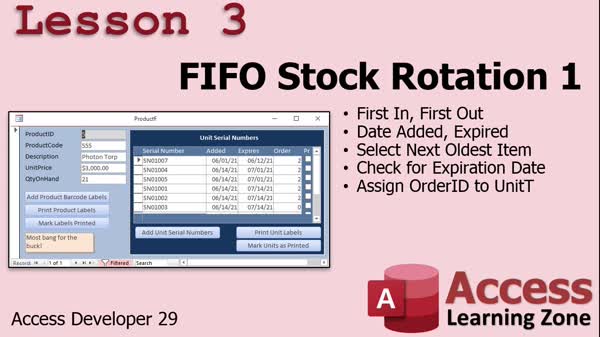
Lesson 3: FIFO Stock Rotation: Serials & Expiry - In Lesson 3, we will begin exploring FIFO (first in, first out) stock rotation and why it is important for managing inventory, especially with perishable goods or items with warranties. We will discuss differences between FIFO and FEFO (first expired, first out), modify our inventory database to include fields for date added, expiration date, and order ID, and update forms to reflect these changes. I will show you how to adjust code for adding units, handling expiration dates, selecting the oldest unexpired item for orders, and marking items as used or in stock, with practical examples.
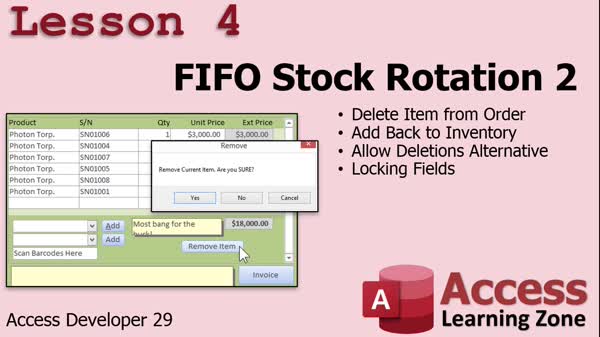
Lesson 4: FIFO Stock Rotation & Updates - In Lesson 4, we continue with FIFO stock rotation, focusing on how to handle situations where an item is removed from an order and needs to be returned to inventory. We discuss the limitations of Access delete events and why using a custom delete button offers better control. I will show you how to properly update inventory when deleting an item, handle serial number checks, enforce quantity restrictions, and implement additional safeguards for managing items with unique serial numbers. We will also talk about creating expiration reports and briefly touch on audit trails and user permissions.
Lesson 5: Review, Survey & Index Tips - In this course we learned about the material covered in Developer 29 and discussed what is coming next in Developer 30. We reviewed the ongoing list of topics, including notes and previous Access 320 content that have yet to be addressed. Suggestions for future lessons and completing the class survey were encouraged, and using the updated index and search box for finding specific topics was discussed.
NavigationKeywordsproduct components, FIFO stock rotation, profit margin, markup, algebra unit price, parts table, junction table, subform components, serial numbers, expiration dates, inventory forms, remove item from inventory, audit trails, user permissions
More InformationTranscriptWelcome to Microsoft Access Developer Level 29, brought to you by AccessLearningZone.com. I am your instructor, Richard Rost. In today's class, we are continuing on with inventory-type topics. We are going to learn about product components. That's where you have a product that you manufacture, such as a computer system, that is made up of components you purchase from one or more vendors. You buy the motherboard, the keyboard, the mouse, the hard drive, the case, and whatever else, and you assemble those to create your own product. We will see how to handle that. Then we are going to look at FIFO Stock Rotation, which stands for first in, first out. Usually, that is used for perishable items. Even in my old business, where I used to do computer sales, I did not want products sitting on the shelf too long. Even though it is the same hard drive, the manufacturer's warranty might run out after a year. So, I wanted to keep track of my oldest stock and sell those first. Most businesses should do proper stock rotation - first in, first out. We will talk about that too. This class builds heavily on some previous classes. Of course, my Beginner, Expert, and Advanced series are all a must. Developers 16 on recordsets is very important. Developers 23, where I start inventory, and especially Developer 27, are very important. I am going to consider those hard prerequisites for this class, because I am going to go back to the database that we built starting in 23 and ending in 27 for today's database. If you do not know how the inventory database was built from Developer 27, you might be lost today. Make sure you take Developer 23 and 27 before this course. There it is. There is the big one, Developer 27. We are going to be using that database. As always, I recommend you get a Microsoft 365 subscription, currently roughly equivalent to Access 2019. The techniques in today's class should work all the way back to 2007 or so. There is nothing version specific in this one. Questions, as always, can be posted in the comment section down below the bottom of this window that you are watching this video on. I strongly recommend you post your questions in the forum. Do not email me. I get tons and tons of emails every day. In my previous videos, I said go ahead and email me, but it is getting to the point where there are way too many emails. So, post them in the forums. I have lots of other fantastic students - my Access veterans - and they love helping out. If you have questions, post them there. Chances are, one of them will answer your question before I do, because I get so many emails every day that I do not have time to answer them all. Of course, there is always the general Access forum. You can post your questions there that are not related to today's class. Let's take a closer look at what is covered in today's material. In lesson one, we are going to learn how to make components that will make up our products. For example, a computer, which is our product, can be made up of multiple components. This is very similar to the product groupings we did earlier. However, these are individual components that we buy as raw materials, for example, from our suppliers, and then we build them together to make a single product that we sell. In lesson two, we are going back to high school. We are going to calculate the profit margin and markup. Those are simple to do. We are going to make buttons to adjust all three. So, if you want to say, "I want to make this much profit," or "this much of a margin," or "this much of a markup," you will be able to type in the number. For example, "I want a 33 markup," and, boom. But the only value that we can change is unit price, so we will have to use some algebra to solve for price for each of those two equations. Then I will show you how to bring it up to 99 cents if you want to. In lesson three, we are going to begin looking at first in, first out stock rotation, which is very important if you have perishable goods. In lesson four, we will continue with FIFO stock rotation, first in, first out. We will see what to do if someone removes an item from an order, and how to put that item back into inventory. IntroIn lesson 29 of the Microsoft Access Developer series, you will learn how to manage product components for manufacturing assembled items, work with FIFO (first in, first out) stock rotation to track and sell your oldest inventory first, and calculate profit margin and markup directly within your database. We will also see how to update inventory when orders are modified. This lesson continues building on the inventory system created in previous lessons, so familiarity with earlier Developer levels, especially 23 and 27, is recommended. QuizQ1. What is the main focus of Developer Level 29 in the Microsoft Access course? A. Managing payroll information B. Working with product components and FIFO stock rotation C. Creating advanced reports D. Designing user interfaces Q2. What is meant by product components in this course? A. Complete finished products bought from vendors B. Individual raw materials purchased and assembled into a product C. Marketing materials used for products D. Software elements used for automation Q3. What does FIFO stand for in inventory management? A. First interest, first out B. First item, first order C. First in, first out D. Frequent inventory, frequent out Q4. Why is FIFO important for inventory management? A. It tracks employee activity B. It allows you to sell newest stock first C. It helps ensure older inventory is used or sold before newer inventory D. It organizes inventory alphabetically Q5. According to the video, why is it important to sell older stock first, even for non-perishable goods like computer parts? A. They become obsolete B. Manufacturer warranties may expire C. They increase in value D. They lose color Q6. Which previous Access Developer classes are considered hard prerequisites for this course? A. Developer 1 and 2 B. Developer 16, 23, and especially 27 C. Advanced 10 and Expert 5 D. Beginner 1 and 3 Q7. What database will be used for the lessons in this class? A. The sample Northwind database B. The one created in Developer 27 C. A brand-new database made in class D. The Access 2019 template Q8. What versions of Access are the techniques in this video compatible with? A. Only Access 2019 and above B. Access 2000 and earlier C. Access 2007 and up, including Microsoft 365 D. Only Access 2013 Q9. Where does the instructor recommend students ask questions? A. By emailing directly B. In the forum or comment section C. By calling customer service D. By texting him Q10. What is the main reason the instructor discourages emailing questions directly? A. Emails are ignored automatically B. The instructor receives too many emails to answer them all C. Email is too slow D. Emails are a security risk Q11. What is covered in lesson one of this class? A. How to create printable reports B. How to make components that make up products C. How to track customer loyalty D. How to set user permissions Q12. What financial calculations are covered in lesson two? A. Payroll and taxes B. Calculating loan interest C. Profit margin and markup D. Currency exchange rates Q13. In lesson two, what is the only variable allowed to be changed when calculating pricing? A. Component cost B. Vendor name C. Unit price D. Product name Q14. What is introduced in lesson three? A. Data security B. First in, first out stock rotation C. Database migration D. User interface design Q15. What specific scenario is addressed in lesson four regarding FIFO? A. Setting reorder points B. Removing an item from an order and returning it to inventory C. Handling currency conversion D. Exporting data to Excel Answers: 1-B; 2-B; 3-C; 4-C; 5-B; 6-B; 7-B; 8-C; 9-B; 10-B; 11-B; 12-C; 13-C; 14-B; 15-B DISCLAIMER: Quiz questions are AI generated. If you find any that are wrong, don't make sense, or aren't related to the video topic at hand, then please post a comment and let me know. Thanks. SummaryToday's video from Access Learning Zone focuses on Microsoft Access Developer Level 29. In this lesson, we continue with key inventory management topics, specifically working with product components and implementing FIFO stock rotation. First, we explore the idea of product components. This is especially relevant for those who manufacture finished goods from various parts sourced from different vendors. For example, if you assemble computers, you might purchase items like motherboards, keyboards, mice, hard drives, and cases. These components are then combined into your own finished product. I will show you how to structure your database to handle this scenario, making it easy to track and manage the parts that go into each product you build. Next, we delve into FIFO, which stands for first in, first out. This principle is crucial for managing inventory, particularly with perishable items, but it applies even to non-perishables like computer parts. For instance, you want to make sure you sell older stock first to avoid issues like expired warranties or outdated items remaining on your shelves for too long. Correct stock rotation helps businesses minimize waste and maintain accurate inventory records. We'll address how to set up and manage FIFO processes in Access. This class builds on several earlier lessons. It is essential that you've completed my Beginner, Expert, and Advanced course series. Knowledge from Developer Level 16, which covered recordsets, is also important. The inventory concepts from Developer Level 23 and especially Level 27 are critical prerequisites. If you have not worked through Developer 23 and 27, you may struggle with today's material since we pick up with the database created in those courses. I recommend using a Microsoft 365 subscription (which currently matches the functionality of Access 2019), but the techniques I teach today should work in versions back to 2007. There are no version-specific requirements for this class. If you have questions about today's material, please post them in the forum instead of emailing me. There are a lot of helpful students in our Access community who are happy to assist. While you can still use the general Access forum for unrelated questions, I encourage you to leverage the class forum for anything directly related to this lesson. Let's outline what you will learn in each lesson: Lesson one is all about defining the components that make up your products. For instance, with the computer example, you will learn how to treat each part as a raw material that you purchase from suppliers, which are then compiled into a single finished product to sell. While similar to grouping products, this approach focuses specifically on tracking individually sourced items. Lesson two covers calculating profit margin and markup, skills you may remember from high school math. We will create tools to let you adjust all three: profit, margin, or markup. Whether you want to set a specific markup or target a certain profit margin, you will learn how to perform the calculations by entering your desired value and having Access do the rest. Since the only adjustable field is unit price, some algebra is necessary to rework the price based on your input. I will also demonstrate how to round prices up, such as bringing them to $0.99. Lesson three introduces the basics of FIFO stock rotation. You'll see why FIFO is vital, especially when managing inventory that can expire or become obsolete. Lesson four continues the FIFO discussion, examining how to handle situations where someone removes an item from an order. We'll talk about the proper steps to return that item to inventory efficiently and accurately. You can find a complete video tutorial with step-by-step instructions on everything discussed here on my website at the link below. Live long and prosper, my friends. Topic ListCreating product components in Access Setting up component relationships for inventory Calculating profit margin and markup Adding buttons to adjust price, margin, and markup Using algebra to solve for unit price based on margin or markup Rounding prices to end in 99 cents Implementing FIFO stock rotation logic Handling inventory when removing items from an order Returning items to inventory with FIFO rotation Primary Topicsproduct components, inventory management, FIFO stock rotation, profit margin calculation, markup calculation, Access database design Secondary Topicsdatabase prerequisites, forum question policy, rounding prices, inventory adjustments |
||||||||||||||||||||||||||||||||||
|
| |||
| Keywords: product components, FIFO stock rotation, profit margin, markup, algebra unit price, parts table, junction table, subform components, serial numbers, expiration dates, inventory forms, remove item from inventory, audit trails, user permissions PermaLink How To Manage Product Components and FIFO Stock Rotation for Inventory Databases in Microsoft Access |