|
||||||

|
|
||||||
|
Quick Queries #1By Richard Rost
 5 years ago
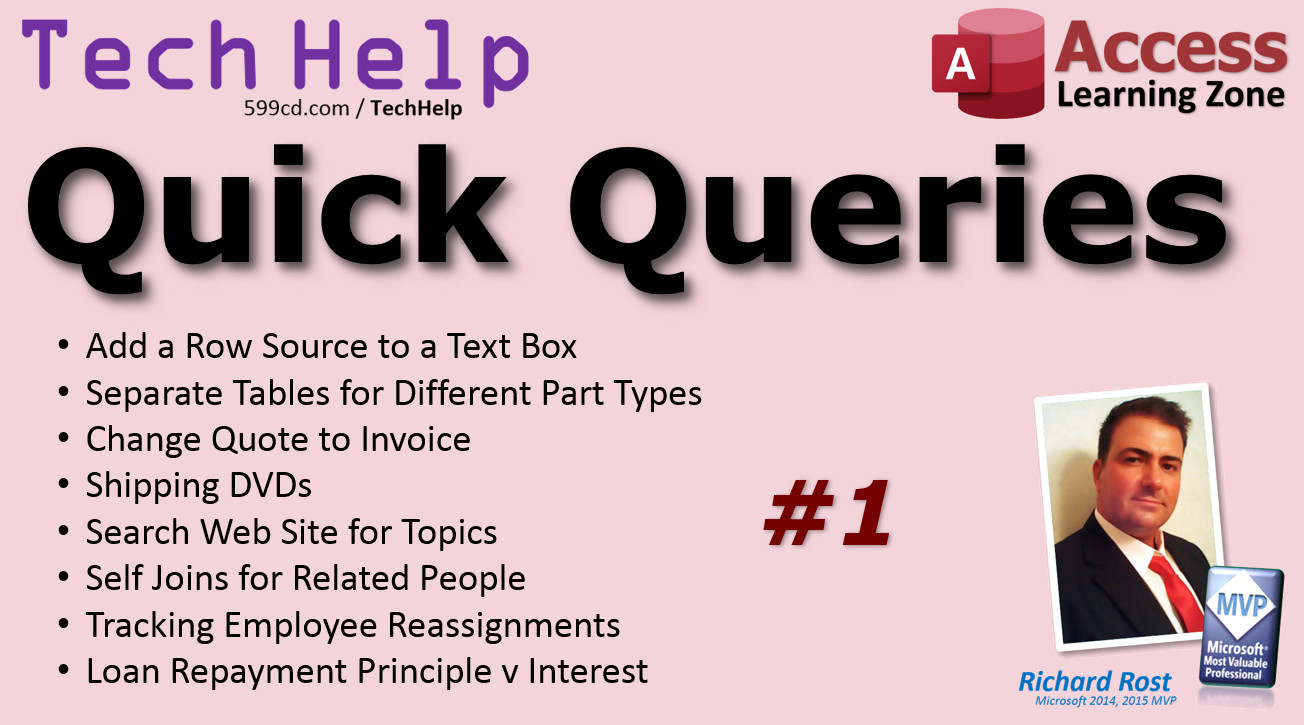
Quick Queries #1 - Text Box Row Source, More Welcome to the first ever Microsoft Access TechHelp Quick Queries video. I get hundreds of emails, comments, and forum posts every week. Obviously I don’t have enough time to turn them all into full TechHelp videos, but I want to do my best to help as many people as possible. So, I’ll be putting together Quick Queries videos from time to time to give short answers to quick questions. Most of these are variations on topics that I’ve already covered in other lessons, whether from my paid courses or other TechHelp videos. So think of this as doing my best to point you in the right direction. QueriesQQ: Is it possible to add a "row source" to a "textbox" in design view of a form? – Vivek from India QQ: The database that I am "trying" to build is for a small electronics repair business. When making tables, would it in your opinion be best to make a table for each type of component? Transistor, resistor, capacitor, diode, IC, etc. – Cliff from USA QQ: Is it possible to convert an "Estimate" form into an "Invoice" form, from the Estimate form? I think she's going to blow Captain! – Cliff from USA also Carl from UK QQ: DVD's to purchase. I don't know if you have this service or are planning to offer it. Just a suggestion to think about. – Dave from Thailand QQ: I have downloaded your Customer Database Template that has family member size, how would I be able to add the other family member's names, ages & gender to the form?– Jennifer from USA QQ: What I am looking for is a link on your website where I could type in for example "Combo Box" and it would list all the courses in which that subject was covered. As I am now starting to program, I could desperately use this as a reference tool.– Wesley from Texas QQ: I want to make a database to track personnel in my organization. I need to track the assignment of employees, their previous office, current office, and when they were reassigned. – Dennis from Philippines QQ: I am using access to replace a commercial home finance program. One function I am having a tough time with is split transaction. Say I pay $500 on my car loan. I would like the register to show $500 but allocate some to the principle and some to the interest. Thank you for your time. – Kenneth from USA
Links
Keywordsmicrosoft access, ms access, #msaccess, #microsoftaccess, #help, #howto, #tutorial, #instruction, #learn, #lesson, #training, #database, quick queries, row source, text box, quotation, invoice, estimate, dvd, cd, shipping, relatives, family members, search form, combo box, office assignments, employee tracking, split transactions, amortization, interest, principle
More InformationTranscriptWelcome to the first ever TechHelp Quick Queries video brought to you by AccessLearningZone.com. I am your instructor, Richard Rost. I get hundreds, sometimes thousands, of emails, comments, and forum posts every week, and obviously I do not have enough time to turn them all into full TechHelp videos. But I wanted to do my best to help as many people as possible, so I will be putting together these Quick Queries videos from time to time to give short answers to quick questions. Most of these are variations on topics that I have already covered in other lessons, whether from full paid courses or other TechHelp videos. So think of this as me doing my best to point you in the right direction. Here we go. The first question is from Vivek from India. I hope I pronounced that right. Vivek asks, is it possible to add a row source to a text box in Design View of a form? Row sources are for combo boxes and list boxes. The row source indicates where that list box or combo box is getting its data from. A text box just holds a single bit of data, like a first name or a last name. The row source in, for example, a customer combo box will give you a list of customers from the customer table. Or you can do a static list of something if you want to, like a static list of states or genders or whatever you want to put in there. Row sources are for list boxes and combo boxes. I cover row sources in my Access Beginner 8 class. Cliff from the US asks, the database that I am trying to build is for a small electronics repair business. When making tables, would it, in your opinion, be best to make a table for each type of component, transistor, resistor, capacitor, diode, etc.? No, Cliff, unless the items have completely different types of data that you need to describe each of them, keep them all together and use a second table to categorize them. I cover this in the Access Expert classes. For example, if they all have the same data associated with them as parts, if they have a part number, a description, maybe a picture, a price, a serial number, if all of those things are the same for each of the different categories of part, then just put them all in the same table and add a category or some kind of classification field. Then you will link that to a second table. I cover this in my Access Expert Level 1 class. For example, you have different automobile makers and their models. You have Ford Taurus, you have Chevy Camaro. They are all cars. They all have the same fields that will describe the car, but you are just changing what the make and model are by selecting from a list of models. That is all. Same thing here. They are all parts. You will just pick from a category: resistor, transistor, etc. Those would be categories. Next question. Cliff from the USA also asked this one, as well as Carl from the UK. Is it possible to convert an estimate into an invoice? And then Cliff said, I think she is going to blow, captain. That is a reference to Star Trek. Your questions will always get answered if you have a Star Trek reference in them. Well, pretty much always. Sure, you can copy the entire estimate to an order. I use quotations and orders, same things, or quotations and invoices. It is all the same stuff. A quotation and an invoice generally have all the exact same stuff on them. The only difference is one is a quotation where you are not expecting to be paid for it. The customer does not owe you anything for it. The other one is an invoice. In other words, they want the product. You have shipped, you have delivered whatever, and they owe you money for it. That is the only real difference between the two. So you can store them internally in the same table if you want to. I call it an order table. You do not have to have a separate table for invoices versus estimates unless you have a whole bunch of different data that you have to have on one or the other. Copying a record and all of its child records is kind of complicated. I cover that in my Access Developer Level 24 class. There is some VBA associated. I use a record set to copy the order because there are two tables involved. You have the order table and the order detail table that has the little line items in it. We do it with one button. We click on it. We copy the order and it copies all the child records over. That way you can make modifications to it. However, if you are not into programming, in my Access Expert 10 class, I show you how to just take a quotation and change it to an invoice. Basically, it is just one field. Yes or no? Is it a quotation? If you check that, yes, then it does not show up in your accounts receivable. It does not show up with what the customer owes you. If you say no to it, then it is an invoice. And you are expecting to be paid for it. Dave from Thailand asks about DVDs to purchase. I do not know if you have this service or are planning to offer it, just a suggestion to think about it. Yes, Dave, I used to ship CDs and DVDs and I stopped doing that in 2019. When I started this business back in 2002, that is all I did was ship CDs because hardly anybody had high-speed internet at that point. So I did not put the courses online. I just shipped out hundreds of CDs a week, in fact. We mailed them all out. I had a little machine to print them, burn the CDs, print the labels on them, and I packed and sent them with old school CD envelopes. Sometime around, I think, 2013 or 2014, when I moved to Florida, I started using a production company where I would upload one copy of the CD image to them. Every time I got an order, I would just send them the info and they would burn the CD and print and ship it out for me. Of course, it cost me some money but people still wanted CDs. Great. As of now, 2021, I have no desire to ship CDs or DVDs anymore. Almost everyone has high-speed internet except for a few people. I would say that 99 percent of my customers are people that found me on YouTube in the first place, so obviously they can watch video online. My videos play just like YouTube videos, so I have no plans on producing or shipping CDs or DVDs anymore. However, I have thought about putting together a retail package to sell on Amazon. Maybe something like all my entire beginner series on one CD or something, or my entire expert or developer series. If you are interested in something like this, if you would purchase a retail package like this, then drop me a comment. Let me know. If enough people are interested, I will start listing it. Otherwise, I am just happy putting my stuff online. Jennifer from the US says, I have downloaded your customer database template that has family members size. How would I be able to add the other family members' names, ages, and genders to the form? Of course, the customer template is free. Anybody can go grab a copy of it. I will put a link down below, as well as links to all these lessons that I mention. I would suggest creating separate records for the family members and then relating them together using what I call a self-join. That is where you relate a table to itself. I have got a separate lesson on self-joins. I will put a link to that down below as well. It is a free video here on my TechHelp page or on YouTube. I also cover it in more detail in my genealogy seminar where I show you how to link to parents and children and all that stuff. Basically, everybody is a person. They are all the same details. You have first name, last name, address, phone, all that stuff. There is no sense in creating separate tables. I have seen people do different fields in the same record, in the same table, where you have your person's first and last name, mother's first and last name, father's first and last name. No, they are all people. Keep each person separate in their own record, and then just link to their other person, and then whatever that relationship is, mother, father, cousin, roommate, all that stuff. Check out my self-join video. Wesley from Texas says, what I am looking for is a link on your website where I could type in, for example, ComboBox, and it would list all the courses in which the subject was covered. As I am now starting a program, I would desperately use this as a reference tool. There is a search box on the toolbar of every page of my website. It is in the header on the right. There is also an Access Index, which is at that page. I will put links to this stuff down below. The point of the Access Index is it is one page with every keyword in it on every course that I have, and on most of my other videos too, seminars, templates, and stuff. If you go to my website, just use the search button right here, like ComboBox. It might be one word or two words. Here are all the places you can find it. The search index is stuff that I have put in there manually, but there are also TechHelp videos where I have covered it, full course outlines, regular news articles, stuff on the Code Vault, forums, comments, and so on. In addition, you can drop this box down here, go to the Access Index, which is also at that link that I gave you. Here you can use Control-F to find any words in all of my courses. The new ones are up top, Access Developer 14 and beyond, but if you keep scrolling way down here, you will get to all the older classes too, Expert 4x and 5. Go Control-F and type in ComboBox in your browser. You can see over here on the right all the different pages that it is included in. I have covered ComboBoxes on a lot of stuff. That is how you can search my site. As far as the keyword search goes, it is not Google. Do not type in a long phrase. Keep your search term as short as possible, but if you type in relationship, it should find any articles or whatever that have the word relationship in them. If you want to Google search just my site, come all the way to the bottom. I have got a link there all set up for you. We can Google search just my site. Dennis from the Philippines says, I want to make a database to track personnel in my organization. I need to track the assignment of employees, their previous office, current office, and when they were reassigned. You would need two tables. One for the employee, for all the employee information, first name, last name, all that stuff, phone number. Another one for their assignments. On the assignment table, I would keep their location, what office they are in, start date, and the end date of that assignment. You can have multiple records. It is a one-to-many relationship. Watch my relationships video; there are two more links down below. Relationships, then you could store that information in a subform. Their most current assignment would be the one with the highest start date and no end date. You can use DMax to look that up. I have a video on DMax as well. In the assignment table, you would have a president CEO, start date 1/1/2000, end date, leave it blank for the current one. You could just use DMax to look up the highest start date, assuming that they do not have overlapping assignments. That is how you do that. There are three videos that will help you with that task. Of course, if anyone wants to see any of these things in more detail, let me know. The more comments I get on something, the more likely I will be to make a specific video just for that. And finally, we have Kenneth from the United States. Kenneth says, I am using Access to replace a commercial home finance program. One function I am having a tough time with is a split transaction. Say I pay 500 dollars on my car loan, I would like the register to show 500 dollars, but allocate some to the principal and some to the interest. Thank you for your time. The easiest thing to do is to make three fields in your check register: the amount, the principal, and the interest. You could track them separately. If you want to type them in yourself, that is easy. In fact, if you want to get whatever statement your bank gives you, if you pay 500 dollars, depending on the point you are in your loan, more goes towards principal toward the end. At first you might say, okay, 450 dollars is interest and then 50 dollars is principal. Type those values in. If you want to automatically calculate the amortization based on the interest rate, I do cover that in my loan amortization seminar. It is not exactly hard. There is a PMT function you can use. Adding the extra transactions on it is actually more difficult. But if you just want to type them in manually, it is not that hard to do. Just put three separate fields, the total amount of the payment, the principal, and the interest, and there you go. You can add them all up accordingly based on whatever the totals are. You can use form footer totals for that. I will put a link to form footer totals down below. That was it. That was my first ever Quick Queries. I get lots of little questions here and there. I try to answer people the best I can with a quick email or I point them to a different lesson. I do have questions very similar to these, and so I am going to try and do my best, maybe once a week or so, to throw together all the Quick Queries that I get and say, here you go, here is where you learn more information. I hope you enjoyed and we will see you next time. Do not forget, members get access to all of my TechHelp Extended Cut videos. There probably will not be many extended cuts for the Quick Queries, as these are just quick videos and I usually point you to other places. But there are many benefits to membership and I will tell you what they are in just a video. How do you become a member? Click the Join button below the video. After you click the Join button, you will see a list of all the different types of membership levels that are available. Silver members and up will get access to all of the Extended Cut TechHelp videos, live video and chat sessions and more. Gold members get access to a download folder containing all the sample databases that I build in my TechHelp videos, plus my Code Vault where I keep tons of different functions that I use. All of the previous perks plus access to my full beginner courses and some of my expert courses. These are the full length courses found on my website and not just for Access. I also teach Word, Excel, Visual Basic, ASP, and lots more. But do not worry, these free TechHelp videos are going to keep coming. As long as you keep watching them, I will keep making more. If you liked this video, please give me a thumbs up and feel free to post any comments that you have. I do read them all. Make sure you subscribe to my channel, which is completely free. Click the bell icon and select All to receive notifications when new videos are posted. Click on the Show More link below the video to find additional resources and links. You will see a list of other videos, additional information related to the current topic, free lessons, and lots more. YouTube no longer sends out email notifications when new videos are posted, so if you would like to get an email every time I post a new video, click on the link to join my mailing list. If you have not yet tried my free Access Level 1 course, check it out now. It covers all the basics of building databases with Access. It is over three hours long. You can find it on my website or on my YouTube channel. If you like Level 1, Level 2 is just one dollar. It is also free for all members of my YouTube channel at any level. Want to have your question answered in a video just like this one? Visit my TechHelp page and you can send me your question there. Click here to watch my free Access Beginner Level 1 course, more of my TechHelp videos, or to subscribe to my channel. Thanks for watching this video from AccessLearningZone.com. IntroIn this video, we answer a variety of Microsoft Access questions submitted by viewers in our first TechHelp Quick Queries session. Topics include using row sources with text boxes, organizing tables for electronic components, converting estimates to invoices, handling family member records in a customer database, searching for topics on the AccessLearningZone.com website, tracking employee assignments, and setting up split transactions for home finance. This video is designed to provide short, to-the-point answers and point you to related videos and lessons for more detailed information. QuizQ1. What type of control can you assign a Row Source to in Microsoft Access? A. Combo box or list box B. Text box C. Label D. Command button Q2. When should you create separate tables for different types of components like resistors, capacitors, and diodes? A. Only if each component type requires completely different data fields B. Always, regardless of the data they contain C. If you want to categorize them later D. If you have less than ten components Q3. What is the recommended way to handle multiple component types with similar data in Access? A. Use one table with a category field to classify component types B. Create individual tables for each component type C. Store all in a spreadsheet D. Use separate databases for each type Q4. How should you handle converting an estimate into an invoice in an Access database? A. Store quotations and invoices in the same table and use a status field to differentiate them B. Use separate tables for estimates and invoices C. Print out the estimate and rewrite it as an invoice D. Manually enter the invoice data every time Q5. What should you do if you want to copy an estimate and all its line items to become an invoice programmatically? A. Use VBA and recordsets to copy both the order and its child records B. Re-enter all the data by hand C. Export the data to Excel and import it back as an invoice D. Modify the Access table directly in Datasheet View Q6. If you want to store information about family members related to a customer, what table structure is best? A. Use a single table for all people and create relationships via a self-join B. Add separate fields for each family member in the customer table C. Create a new table for each family member D. Put all family members as a single text string in one field Q7. What is a self-join in Microsoft Access? A. A table related to itself to connect related records, such as family members B. Joining two separate databases together C. Summing two numbers in a record D. Combining two unrelated tables in SQL Q8. How can you search for all resources or courses about a topic like ComboBox on AccessLearningZone.com? A. Use the search box or Access Index on the website to find relevant keywords B. Email the instructor for a list of topics C. Search only on Google D. Look through each course manually Q9. What is the general advice for typing search terms on AccessLearningZone.com? A. Keep keywords short for best results B. Always type full sentences C. Use only uppercase letters D. Include punctuation for accuracy Q10. To track the assignment history of employees, which table structure is recommended? A. One table for employees and another table for their assignments B. Store all assignment data in the employee table C. Use a spreadsheet for assignments D. Only track current assignments with no historical data Q11. What should the assignment table for tracking employees' office history include? A. Office name, start date, end date (blank if current) B. Only the current office name C. Home address of the employee D. The manager's name Q12. How can you identify the most current assignment for an employee in Access? A. Look for the record with the highest start date and a blank end date B. Select the one with the lowest start date C. Choose the first record alphabetically D. Pick any record Q13. For recording split transactions such as a loan payment split between principal and interest, what is the simplest method? A. Include separate fields for the total amount, principal, and interest in the check register B. Always use only the total amount paid C. Ignore the split and record only the largest portion D. Create a different table for each part Q14. What are some of the benefits of AccessLearningZone.com membership? A. Access to extended videos, sample databases, code vault, and full courses B. Printed copies of all courses C. Free hardware shipped to you D. A personal tutor for every student Q15. How can you make sure you get an email when new videos are posted, since YouTube no longer sends out emails automatically? A. Join the mailing list via the link provided below the video B. Subscribe to every playlist on YouTube C. Enable pop-up notifications in your browser D. Request emails from YouTube support Answers: 1-A; 2-A; 3-A; 4-A; 5-A; 6-A; 7-A; 8-A; 9-A; 10-A; 11-A; 12-A; 13-A; 14-A; 15-A DISCLAIMER: Quiz questions are AI generated. If you find any that are wrong, don't make sense, or aren't related to the video topic at hand, then please post a comment and let me know. Thanks. SummaryIn today's Quick Queries video from Access Learning Zone, I want to introduce you to a new format where I answer several of your most commonly asked questions in a rapid-fire style. With the sheer volume of emails, comments, and forum posts I receive each week, it simply isn't possible to turn every submission into a full TechHelp video. So these Quick Queries sessions are my way to provide concise answers to frequent questions and point you toward the more detailed lessons and resources already available. Let's dive right in. The first question is about adding a row source to a text box in the Design View of a form. Row sources are specifically for combo boxes and list boxes, not text boxes. A combo box or a list box pulls data from another table or from a list, which is determined by the row source. For example, a combo box for customers might list all the customers from your customer table, or you could create a static list for options like states or genders. A text box, on the other hand, is designed to hold just a single piece of data, like a first name or a last name, so it does not have a row source property. I explore this in greater detail in my Access Beginner 8 class. Next, I often get questions from people setting up databases for small businesses, like electronics repair shops. One common query is whether you should create a separate table for each type of component, such as transistors, resistors, capacitors, diodes, and so on. Unless the different parts have completely different sets of data that need to be stored, it is best to keep them all in a single table and use a category or classification field to separate them. This way you don't duplicate structure and can easily relate each part to its category using a second table. Think of it like an automobile database – you would store all cars in the same table but distinguish between models and makes with categories. I run through exactly how to set this up in my Access Expert Level 1 class. Another frequent question is about converting an estimate into an invoice. The process for this is actually straightforward. Typically, quotes and invoices contain almost the exact same information – the difference is basically whether the customer owes money for it or not. Internally, you can store both in the same orders table and use a separate field to distinguish between a quote and an invoice. There is no need for two tables unless the data required is very different. If all you want to do is change a quote into an invoice, it's as easy as toggling a value in the appropriate field. If you want to clone an entire estimate and its line items as a new invoice, that gets a bit more complex and involves working with related tables and some VBA. I explore the process and the code behind it in detail in my Access Developer Level 24 class, but if you just want a simple flag system, I cover that in my Access Expert 10 course. I also get questions about physical media for my courses. In the past, I shipped CDs and DVDs, but as of 2021, I have stopped producing these altogether. With almost everyone having high-speed internet access, all my lessons are now available online. However, I have considered creating retail packages for Amazon containing comprehensive collections, and if that interests you, let me know. One user asked about the best way to handle family members' names, ages, and genders in the customer database template. My suggestion is to create separate records for each family member and relate them back to one another using a self-join. That means you store each person as a separate entry in your main table, then link family members together based on their relationship. This keeps the data tidy and makes it easier to expand later. I cover self-joins in detail in both a dedicated video and my genealogy seminar. A common request is for ways to find every place a specific topic or term is covered across all my courses – for example, every lesson where combo boxes are discussed. On every page of my website, you'll find a search box in the header, and there is also an Access Index that lists keywords from every course and most TechHelp videos, with links to relevant content. Keep your search terms short for best results, and if you want to use Google to search just my site, you will find a handy link at the bottom of the page. Another question I often receive is about tracking employee assignments within an organization. The best approach is to use two tables: one for employee details, and another for assignment records, which track the location, start and end dates of each assignment. This gives you a one-to-many relationship so you can see each employee's assignment history. The most current assignment is the record with the most recent start date and a blank end date. You can use the DMax function to help identify this. All of these techniques are discussed in my relationships and DMax videos. Split transactions are another topic that comes up, particularly from those using Access to replace home finance software. If you want to enter a payment towards a loan and split it between principal and interest, the simplest system is to create three fields for each transaction: the total amount, the principal, and the interest. This allows you to manually enter the correct split for each payment, matching your bank statements. If you would rather calculate the principal and interest automatically, you'll need to set up an amortization calculation, which I cover fully in my loan amortization seminar. For most users, though, simply entering the values directly is the most straightforward approach. Quick Queries like this allow me to answer numerous questions in a short video, helping point you to more detailed lessons if you want to learn more. I try to make these short and to the point and will continue doing them as long as you find them helpful. For those interested in membership, there are several levels available, each with increasingly more access to extended videos, bonus databases, source code, and courses across multiple Microsoft Office and programming platforms. Free TechHelp videos will always be posted for everyone, and I appreciate the feedback and comments you share. If you are new to Access or want to get started, try my free Access Level 1 course, which covers all the basics and is over three hours long. You can move on to Level 2 for just a dollar, or get it free as a member. Exploring my TechHelp page is the easiest way to submit your own questions for future videos like this one. You can find a complete video tutorial with step-by-step instructions on everything discussed here on my website at the link below. Live long and prosper, my friends. Topic ListDifference between text box and combo box row sources Setting up row sources for combo boxes and list boxes Choosing table structures for electronic components Using categories to classify similar data in a single table Converting estimates or quotations into invoices Copying records and child records between tables Switching quotation records to invoice status with a field Tracking family members in a customer database Implementing self-joins to relate people in a table Using search and index features on AccessLearningZone.com Creating employee assignment history with multiple tables Designing one-to-many relationships for tracking work locations Using DMax to find current assignment records Setting up a split transaction register for loans Tracking principal and interest in payment transactions Using form footers for calculating totals in Access Primary TopicsAccess table structure, row sources, form controls, table categorization, record linking, estimate vs invoice, user search/indexing, personnel assignment tracking, split transactions Secondary Topicsself-joins, relationships, form footer totals, course availability, none |
||||
|
| |||
| Keywords: TechHelp Access quick queries, qq, row source, text box, quotation, invoice, estimate, dvd, cd, shipping, relatives, family members, search form, combo box, office assignments, employee tracking, split transactions, amortization, interest, principle PermaLink Quick Queries #1 in Microsoft Access |