|
||||||
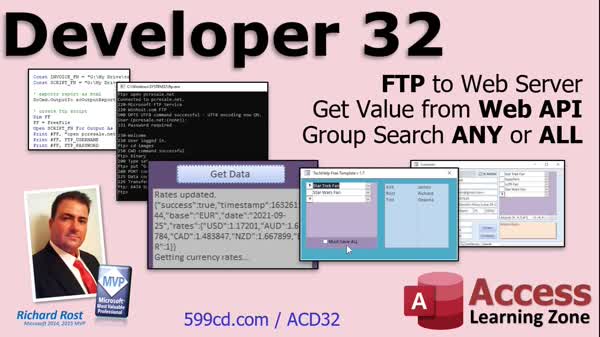
Access Developer 32FTP Upload, Web API, Currency, Group SearchWelcome to Access Developer 32. In this course you will learn how to use Microsoft Access to upload files to a web server using FTP, retrieve live currency rates from a web API with VBA, and set up a group search to find customers by their group membership. We'll also discuss using the OnDelete event properly, creating friendly error messages for duplicate values, and see additional lessons on exporting reports as HTML, sharing files via Google Drive, managing multiple currency conversions, and filtering customers by group with parameter queries and forms. Lessons
Update
Database FilesLinks
Resources
Lesson SummaryWelcome! FTP, API Data, & Group Search - Welcome to Access Developer Level 32. In this course we will work with FTP in Access to upload files to a web server with one click, retrieve values from a web API using VB for live currency conversion, and set up a group search to find customers by group membership. We will also discuss the proper use of the OnDelete event and creating friendly error messages for duplicate values. Additional lessons include exporting reports as HTML, using Google Drive for sharing files, managing currency conversion rates, and filtering customers by group using parameter queries and forms.
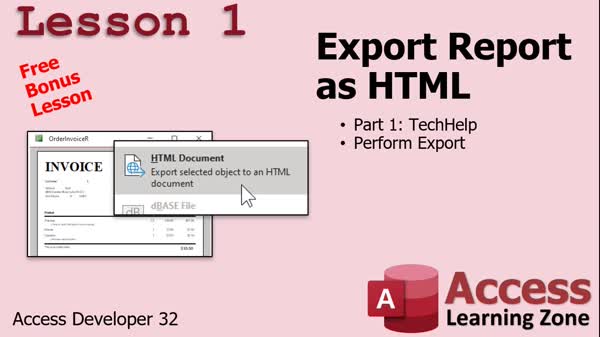
Lesson 1: Export Report as HTML - In Lesson 1, we will discuss different ways to share Microsoft Access data with a wider audience and walk through how to export a report as an HTML document, which allows anyone to view your report in a web browser. We will cover the basic export steps, compare other sharing options like using SQL Server or SharePoint, and explain how easily you can make your data available for viewing by placing the exported HTML file in a shared location like Google Drive, Dropbox, or on a website.
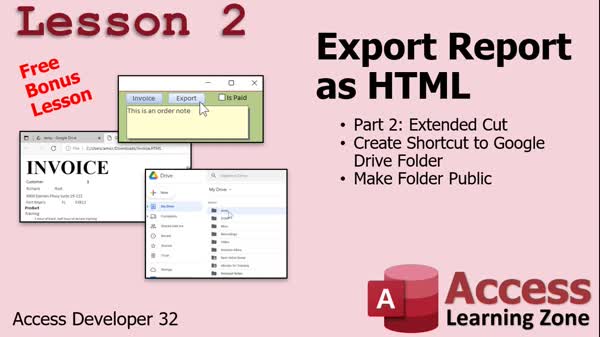
Lesson 2: Export HTML Reports via Drive - In Lesson 2, we continue working with exporting reports as HTML using Microsoft Access. I will show you how to create a shortcut to a Google Drive folder, export your report as an HTML file with the DoCmd.OutputTo command, and save it directly to your Google Drive. We will also discuss how to make the folder public for sharing, and I will walk through the necessary steps to configure your export button and set sharing permissions so others can access the file. Additionally, I'll briefly discuss upcoming topics like using FTP to upload files from Access to your website.
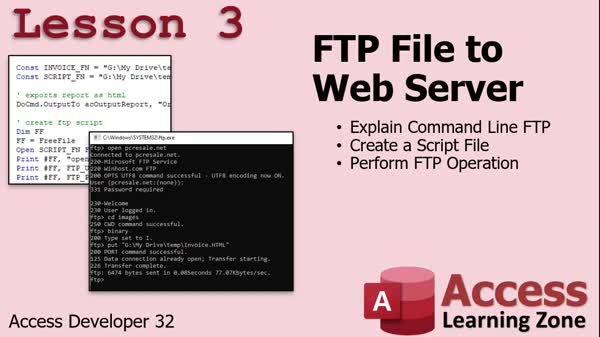
Lesson 3: Auto Upload Files to Server via FTP - In Lesson 3, I will show you how to automatically FTP a file to your web server with one click using a command line FTP script and Visual Basic. We will walk through exporting a report as an HTML document, creating an FTP script in VB, performing the FTP file upload to your server, and launching the uploaded page in a browser to confirm it worked. We will also discuss handling credentials and mention alternative approaches like more advanced error handling or direct FTP code in VBA, if needed.
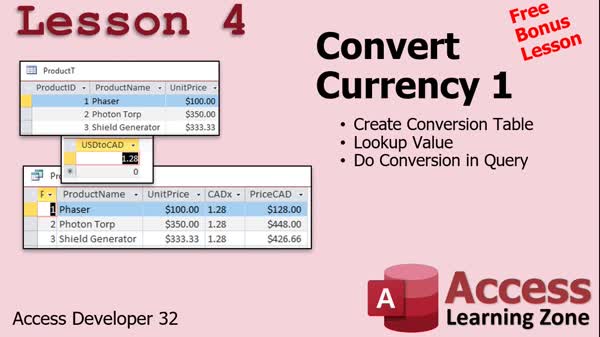
Lesson 4: Currency Conversion with Lookups - In this lesson, I will show you how to convert currency values in a Microsoft Access database using a simple lookup table and a calculated query field. We will walk through setting up a product table with prices in US dollars, then create a query to calculate and display those prices in another currency, such as Canadian dollars, by multiplying the values by a conversion rate. We will discuss how to store the conversion rate in a settings table and use the DLookup function to retrieve it, allowing you to easily update currency conversion across your database.
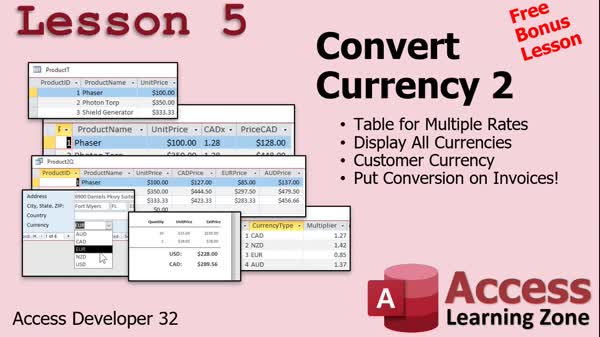
Lesson 5: Store & Show Multi-Currency Rates - In this lesson, we will walk through how to convert currency using a table that stores multiple conversion rates for different currency types. I will show you how to create a currency conversion table, set up a function in VBA to convert between US dollars and other currencies, and demonstrate how to display both US dollars and a customer's selected currency on invoices. We will also discuss how to store each customer's currency preference and update forms and reports to use this information. Additionally, we will talk about automating currency rate updates using a web API.
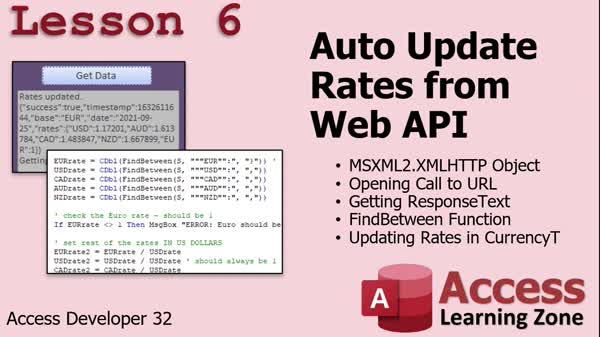
Lesson 6: Update Currency Rates via Web API - In Lesson 6, we will learn how to auto update currency conversion rates from a web API by using the XML HTTP object in Access VBA to connect to an external service. I will show you how to retrieve response data from the web, parse the currency rates using the FindBetween function, and update your currency table with the new rates. We will walk through obtaining a free API key from fixer.io, building the correct API URL, handling the response, and ensuring the conversion rates are properly calculated and stored in your Access database.
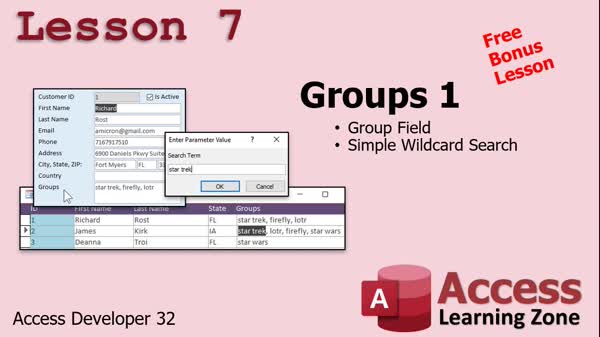
Lesson 7: Group Customers With Tags & Wildcards - In Lesson 7, we will work with customer groups in Microsoft Access by adding a tags field to the customer table, allowing you to classify customers based on interests such as Star Trek or Star Wars. I will show you how to set up this long text field, add tags to customers, and then create a parameter query that uses wildcard searches to find customers by group tags. We will also discuss the difference between AND and OR conditions in Access queries, and how to filter and search for customers with specific tags directly from your customer list.
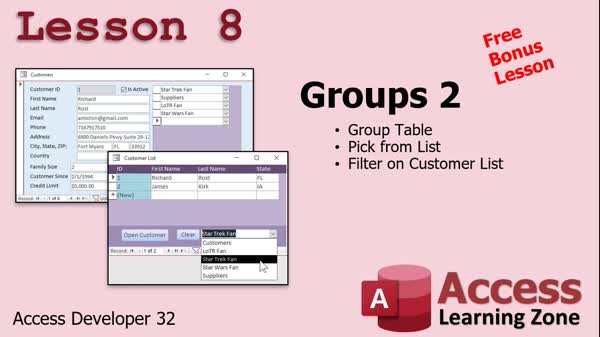
Lesson 8: Group & Junction Tables, Filter Customers - In Lesson 8, we will walk through how to create a group table and set up a many-to-many relationship between customers and groups using a junction table. I will show you how to add customers to multiple groups, use combo boxes to select groups instead of typing them, and create a filter on the customer list form to show only customers from a selected group, along with a button to clear the filter. We will also discuss using composite keys to prevent duplicates and how to display all the groups a customer belongs to on the form.
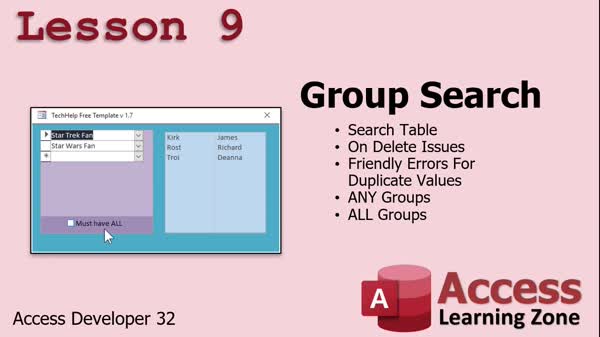
Lesson 9: Group Search Form: Errors & Queries - In Lesson 9, we will walk through setting up a group search feature, including how to create a local search table, deal with on-delete issues, and display friendly error messages for duplicate entries. I will show you how to configure a combo box and list box to select groups and view customers who match any or all selected groups using query techniques. We will discuss the challenges with Access's delete event and how to work around them, as well as properly handling duplicate group selections to provide users with meaningful feedback.
Lesson 10: Upcoming Series & Key Lessons - In this lesson, we will talk about what is next in the Developer series, including plans to return to the file I owe topics in the upcoming lesson. I will also mention how to use the search box and index to find content, encourage filling out the course survey, and discuss the TechHelp series where many related lessons are available. Finally, I will provide an update on when to expect the next lesson in the series.
NavigationKeywordsFTP file upload, web API data, currency conversion VBA, export report HTML, group search, OnDelete event, duplicate error messages, Google Drive sharing, parameter query filter, junction table, composite key
More InformationTranscriptWelcome to Access Developer Level 32 brought to you by AccessLearningZone.com. I am your instructor, Richard Rost. In today's class, we will learn how to FTP files up to a web server with one click. This is great if you have information that you want to share on your website, such as a calendar or a product list. I'll teach you how to click one button and then have Access export the report, or whatever other data that you want, and then automatically FTP it up to your website. Then we'll see how to get values from a web API using just VB and without using the web browser control. We'll build a little currency conversion utility where we can convert from, let's say, US dollars to Euros or to Canadian dollars. We will have up-to-the-minute currency conversion rates. We'll click one button, get data, and it will go out to the web, grab the conversion rates, and bring them into our database. Then, finally, we'll do a group search. We put customers into groups in previous classes back in the Expert series. Now I'm going to show you how to build a search form where you can say, here's a list of groups, I want to see all the customers that are in any of those groups, or I might want to see all of the customers who are in all of those groups. That's a tricky situation to pull off and we'll cover that in today's class. We'll learn a whole lot more stuff, including how to properly use the OnDelete event, which is something that I've kind of avoided because I don't like it, but I'll show you how to do it in this class. We will also see how to pop up friendly error messages instead of the default system error message when the user does something like try to add a duplicate value to a field that is indexed (no duplicates). All that's coming up in this class. Of course, this is the 32nd level of the Access Developer Series. First comes Beginner, Expert, Advanced, and then, of course, Developer 1 through 31. I recommend you take all those classes before taking this one. I strongly recommend you don't skip levels. There's lots of stuff that's covered in those extra levels, even if you think you don't need them. I have a whole page on not skipping levels. Go read this. I will be using Access 365. It's currently October of 2021, so it's roughly equivalent to Microsoft Access 2019. Of course, I strongly recommend the Access 365 subscription because you've always got the most up-to-date version of Access available. If you have any questions about the material covered in today's class, just scroll down to the bottom of the page and post your question there. If you have general Access questions, you can post them in the Access forum. Don't forget to check out my kind of almost sort of daily podcast about Microsoft Access. It's absolutely free. Visit the TechHelp page. Let's take a look at exactly what is covered in today's class. Lesson 1 today is a free bonus lesson. We're going to be taking it from my TechHelp videos. We're going to learn how to export a report as an HTML document. Lesson 2 is another free bonus lesson today. We will cover part 2, the extended cut of my TechHelp 2 export reports as HTML. In this lesson, we'll make a shortcut to a Google Drive folder where you can make it public and share it with anybody. In lesson 3, I'm going to show you how to automatically FTP any file up to a web server with one click. We'll create a command line FTP script and we'll perform the FTP operation inside Visual Basic. With one click, you'll be able to export a report as an HTML document, FTP it up to your web server, and we'll launch the page after that to make sure it works. Lesson 4 is another free bonus lesson taken from one of my TechHelp videos. I will show you how to convert currency from one type to another, whether it's US dollars, Canadian dollars, Euros, or whatever. We'll create a lookup table and we will do the conversion in a query. Lesson 5 is from the convert currency TechHelp extended cut. We will learn how to create a table for multiple conversion rates. We can then display all the currencies or just one currency at a time. We'll put a currency selector on the customer form so we can pick that customer's preferred currency and then display both US dollars and their currency on their invoice. That's all covered in lesson 5. In lesson 6, we're going to learn how to update our currency conversion rates from the web. We're going to use the XMLHTTP object to connect to a web API over the internet. We're going to get the response text from that service, which will have all the currency rates in it. We'll use the FindBetween function, which is a function I wrote, to pull out that information from the string that gets returned. Then we'll update the rates in our currency table. All that is covered in lesson 6. In lesson 7, we're going to be dealing with customer groups. We're going to put customers in groups based on certain tags. Then we will build a parameter query to do a simple wildcard search on them. In lesson 8, we're going to create an actual group table. We'll pick a group from a list of groups so we can have customers in multiple groups. Then, on the customer list form, we'll make a combo box where we can filter based on the group selected and clear that filter. In lesson 9, we're going to set up a search form for our groups. We'll set up a search table. Then we will deal with some OnDelete issues that we've never talked about before. I'll show you how to make some friendly error messages if you put duplicate values in. In the top part, we'll see how to show customers that are in any group listed and show any customer that's in all of the groups that are listed. We'll get to that in this lesson. Thanks for watching. IntroIn this lesson, you will learn how to use Microsoft Access to automate uploading files to a web server using FTP, fetch and update currency exchange rates from a web API using Visual Basic, and create advanced customer group search forms. We will also cover exporting reports as HTML, working with multiple currency conversion rates, and displaying user-friendly error messages with custom OnDelete event handling. This is Level 32 in the Microsoft Access Developer Series. QuizQ1. What is one of the main features taught in Access Developer Level 32? A. Using Access to FTP files to a web server with a single click B. Creating PDF invoices from Access C. Setting up email notifications from Access D. Importing Excel files automatically into Access Q2. How does the course demonstrate retrieving values from a web API for currency conversions? A. By importing static CSV files B. Using Visual Basic to retrieve data from the web without the web browser control C. Using Access macros to open a URL in the browser D. Using Excel web queries Q3. What utility is built to demonstrate currency conversion? A. A report generator B. An invoice template C. A currency conversion utility with up-to-the-minute rates D. A shopping cart Q4. What tricky searching scenario does the group search form handle? A. Customers with only one tag B. Customers who are in any or all of the selected groups C. Employees with overdue tasks D. Products with low stock Q5. What event will be explained and demonstrated, despite the instructor's previous reluctance? A. OnOpen event B. OnDelete event C. AfterUpdate event D. OnCurrent event Q6. What is a benefit of using the OnDelete event as shown in the class? A. It slows down performance B. It can display friendly error messages for duplicate indexed values C. It prevents all deletion D. It makes fields read-only Q7. According to the instructor, what is recommended regarding the sequence of the Developer Series levels? A. Take only the levels you feel comfortable with B. Skip directly to the advanced levels C. Take all previous levels before starting this one D. Only take levels 1, 2, and 32 Q8. What method is used for updating currency conversion rates from the web? A. Manual data entry B. Access macros C. The XMLHTTP object to connect to a web API and retrieve response text D. Scheduled email imports Q9. In the lessons on exporting reports, which file format is particularly covered? A. Excel B. PDF C. HTML D. TXT Q10. How does the course suggest launching an exported HTML page after FTP upload? A. Email the link to yourself B. Launch the page automatically from Access to check if it works C. Download the page from the server D. Manually enter the URL in your browser Q11. When setting up customer groups, what feature allows a customer to belong to more than one group? A. A single-group assignment field B. A group table with multiple selection capability C. A text box for tags D. Only allowing one tag per customer Q12. What function is used to extract information from the string returned by the currency web API? A. Replace function B. FindBetween function C. Left function D. Split function Q13. For what purpose might you use a public Google Drive folder in the context of these lessons? A. To backup your Access database B. To make HTML reports public and shareable C. To synchronize with SQL Server D. To store Access templates Q14. Where can students post questions about the class material? A. On the Microsoft support site B. At the bottom of the class page C. Via email only D. Only during live webinars Answers: 1-A; 2-B; 3-C; 4-B; 5-B; 6-B; 7-C; 8-C; 9-C; 10-B; 11-B; 12-B; 13-B; 14-B DISCLAIMER: Quiz questions are AI generated. If you find any that are wrong, don't make sense, or aren't related to the video topic at hand, then please post a comment and let me know. Thanks. SummaryToday's video from Access Learning Zone focuses on several advanced topics for Microsoft Access developers. This is the thirty-second level in my Access Developer Series, where we will cover how to upload files to a web server using FTP, retrieve information from web APIs, work with currency conversions, properly use specific events in Access, and build comprehensive group search forms. We start by looking at how to upload files, like reports or product lists, to a web server in a single step. I will show you how to export data from Access and then automatically transfer it to your website using FTP, all with the press of one button. This approach is very useful if you regularly share updated information on your site. Next, we will learn how to fetch data from a web API using Visual Basic, without needing to rely on the web browser control. As a practical example, we will build a currency conversion utility. You will be able to bring the latest exchange rates directly into your Access database and instantly convert amounts between US dollars, Euros, Canadian dollars, and other currencies. This allows you to get current information at the click of a button. After that, we will revisit customer groups, a topic we explored earlier in the Expert series. I will demonstrate how to build a flexible search form, letting you filter for customers belonging to any of a list of groups, or only those belonging to all of them. This is a challenging feature to implement, but I will guide you through the necessary queries and form design tips to make it work smoothly. We also have some practical tips sprinkled throughout the class, including how to properly handle the OnDelete event. While I generally avoid this event due to its quirks, I will explain its appropriate use and show you how to manage related error messages. For instance, if someone tries to add a duplicate value into a field that allows only unique entries, you can show a friendly error message instead of the generic system dialog. The course outline for today includes several lessons, starting with two free bonus lessons based on my TechHelp videos. The first bonus lesson shows how to export Access reports as HTML documents. The second bonus lesson builds on that by showing you how to make a shortcut to a Google Drive folder, which you can make public to share reports with anyone. In lesson three, we focus on automating the upload of files to your web server using FTP commands within Access. You will learn to write an FTP script, integrate it with Visual Basic, and even verify that your upload was successful by launching the page afterward. Lesson four is another bonus taken from my TechHelp series. This time, you will learn to convert values between different currencies using a lookup table and queries. The fifth lesson is an extended look at currency conversion. Here, you will build a table that can store multiple conversion rates, choose a customer's preferred currency on their form, and display amounts in both US dollars and that preferred currency on invoices. Lesson six covers updating currency rates dynamically by connecting to a web API with the XMLHTTP object. I will show you how to parse the returned string using my FindBetween function and update your currency rates table with the fresh data. In lesson seven, you will group customers using tags and use parameter queries for simple wildcard searches. Lesson eight will introduce a dedicated group table, the ability to assign customers to more than one group, and a filtering combo box for the customer list form. Finally, lesson nine ties everything together with a group search form. You will construct the supporting search table, handle OnDelete event issues, provide user-friendly error feedback for duplicates, and allow users to filter customers who belong to any or all grouped categories. Before starting this class, make sure you have completed the Beginner, Expert, and Advanced course levels, plus Developer levels 1 through 31. Each course builds on the last, and skipping levels means missing important foundational material. Throughout this course I use Access 365, which is kept fully updated. This matches closely to Access 2019, but the subscription model ensures you always have the latest tools. If you have questions about anything covered in this session, there is space at the bottom of the page on my website to post class-specific questions. For broader Access support, be sure to use our Access forums. Remember to check out my free podcast as well, which I update regularly with new tips and discussions about Microsoft Access. You can find a complete video tutorial with step-by-step instructions on everything discussed here on my website at the link below. Live long and prosper, my friends. Topic ListExporting a report as an HTML document Creating a shortcut to a public Google Drive folder Automatically FTPing files to a web server with one click Creating and using a command line FTP script in VBA Performing FTP operations from Visual Basic Launching a web page after FTP upload to verify success Creating a currency conversion lookup table Performing currency conversion in a query Displaying multiple currency conversion rates Adding a preferred currency selector to the customer form Displaying prices in both US dollars and a selected currency on invoices Updating currency conversion rates from a web API using XMLHTTP Parsing API response text with a custom FindBetween function Updating currency rates in a currency table from web data Tagging customers with groups Building parameter queries for wildcard group searches Creating a group table for customers with multiple group assignments Filtering customer lists by selected group with a combo box Building a group search form with a search table Handling OnDelete event issues in Access Displaying friendly error messages for duplicate indexed field entries Showing customers in any selected group via search Showing customers in all selected groups via search Primary TopicsFTP automation, exporting reports as HTML, web API data retrieval, currency conversion, customer group management, parameter queries, Visual Basic scripting, error handling Secondary Topicscombo box filtering, friendly error messages, Access table relationships, XMLHTTP object |
||||||||||||||||||||||||||
|
| |||
| Keywords: FTP file upload, web API data, currency conversion VBA, export report HTML, group search, OnDelete event, duplicate error messages, Google Drive sharing, parameter query filter, junction table, composite key PermaLink How To Export Reports as HTML, FTP Files, Convert Currency, and Search Groups in Microsoft Access |