Parent Record
By Richard Rost

 3 years ago
Adding a Parent Record if None Exists in Access
In this Microsoft Access tutorial I will show you how to automatically add a parent record if the user tries to add a child record in a subform first thus preventing an orphan. We will automatically add an order record if the user starts adding an order detail record and the order doesn't exist yet. We will then set up Referential Integrity to prevent future orphan records if the user deletes the order.
Pre-Requisites
Links
Recommended Courses
Updated Template
Source Code
' In the OrderDetailF subform:

Private Sub Form_BeforeInsert(Cancel As Integer)

    If IsNull(Parent!OrderID) Then

        Parent!OrderDate = Date

        Parent.Refresh

    End If

End Sub
Keywords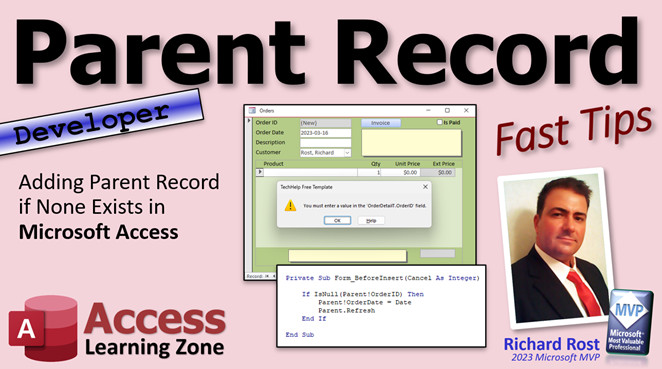
access 2016, access 2019, access 2021, access 365, microsoft access, ms access, ms access tutorial, #msaccess, #microsoftaccess, #help, #howto, #tutorial, #learn, #lesson, #training, #database, automatically add parent record, Check if Record Exists if not add it, Adding parent records, Preventing orphan records, Automatically adding parent records, Referential Integrity, prevent deletion
 Subscribe to Parent Record
Get notifications when this page is updated
More InformationTranscript Welcome to another Fast Tips video brought to you by AccessLearningZone.com. I am your instructor, Richard Rost.
In today's video, I'm going to show you how to add a parent record in a one-to-many relationship if none exists in your Access database. This is a problem that has come up a lot in the past and people always ask me about it.
If you go to the order entry form that we built and the user tries entering a line item, I'll show you how to get around that with a little bit of code. There's the code right there.
This is a developer video, which means it's a little bit of VBA, but don't be scared. I have a video to teach you everything you need to know to get started with VBA. Watch this first if you've never done any programming. It's literally like you see right here - it's four lines of code. It's not hard. I'll explain what all this means in a minute.
Also, if you have not yet watched my invoicing video, go watch this first. This explains how I built the database that we'll be using today. Also, go watch my widows and orphans video. I explain this concept in more detail.
A widow is basically a parent record without children and an orphan is a child record without a parent. This video explains all that. These are all free videos. They're on my YouTube channel and they're on my website.
Here I am in the TechHelp free template. This is a free database. You can download a copy off my website if you want to. I recently decided to update it a little bit and change the template. It's evolved a little bit over the years. We're on version 1.9 now.
What I decided to do was add some additional orders to the system. I don't have a lot of order information in here. I started going through and I started doing some witty, funny stuff like James Kirk orders. He ordered a phaser bag and a photon torpedo. It's good to have data in here for showing for classes. But for the past couple of years, I've only had two or three orders in here. I wanted to add a bunch of stuff.
I started going through, made a couple for James Kirk, did these off the top of my head, and added some stuff for Deanna Troy. I think I skipped her. Jean-Luc got some stuff - antique book, bottle of wine. I was just going off the top of my head, stuff that I know he likes.
Then I started getting burned out by the time I got down to Sisko, and when I finally got down to the Rush guys - Neil Peart, Geddy Lee, and stuff - I decided to ask ChatGPT to give me some cool stuff. It came up with some amazing ideas - Tom Sawyer paint set, the Trees Bonsai kit. ChatGPT really is impressing me more and more each day.
So I started going through and doing this stuff. Then I realized that a lot of people have complained over the years that, if you try to do this - if you go to a new record and try to put something in a detail item, but forget to put something up top first - I hit the button. Look, it says you must enter a value in the order detail table's order ID field.
That's because, in the widows and orphans video, I showed you that if you make the order ID required in the subform, then you have to put a record in. You can come in here and type it, but if you try to leave that, you get that error. You have to escape a few times, and that's in the order detail table.
If you come in here, the order ID, which is what makes the relationship, is required, and that will prevent orphaned records from data entry. You could still get orphaned records from deleting records, and we'll talk about that toward the end of the video.
But the point of this video today is this is not a very user-friendly error message. You could use a form-level event and intercept the error and tell the user to put a record up top first, but most of the time, you don't want to have to bother to do that.
You've already got the customer default because the customer form is open, the order date is defaulted, and the description is optional. So why don't we just go ahead and, if the user tries adding a record down here, automatically add that order record up top?
The way that we can do that is by saying down here in the subform, if you try to add a record here and there is no order ID (because it's null right now - see new, that means it's null), just add that parent record, refresh it, and let the user continue on without any interruption.
How do we do that? We're going to use something called the Before Insert event. Before Insert runs before you try inserting a new record into a form. We're going to do that in the subform.
Go to design view, go to the form's properties, click once to get the outline (that's the subform object, the control in the parent form). We don't want that. We want to double-click right there, and that will open up the form's property sheet for the subform.
Go to Events, find Before Insert, and then click on the builder event. That will open up our good friend, the VBA editor, and we're in the Form Before Insert event for the Order Detail subform.
Right in here, we're going to say if there is no order ID on the parent form, then add one. So we're going to say if isnull(Parent!OrderID). That's saying the parent form's order ID. If that's null, then do some stuff.
What's the stuff we're going to do? We have to add a record, and how do you add a record? You can add a record very simply by just changing any field value up there. I'm going to do the date. I'm going to set the parent order date equal to today's date. That's a default value, so it doesn't create a record. If you manually set that date value in code, it will create the record.
Let's save this and see what we have so far. Save it, close it, open it. Now, if I go to a blank new record and I come down here and start typing, look what happened. It set the date, but my record's dirty. I don't like that. I don't like having that dirty record up top here when I move to this one. I want to have that so this one's saved automatically.
I'm going to hit escape a couple of times. Let's go back to our code editor, and all we have to do after we set that date is just refresh that parent record - so Parent.Refresh.
What's the difference between the exclamation point and the dot? The exclamation point indicates I want a field on the parent form. The dot is looking for a property or a method - that's called a method (doing something). Refresh or requery, that kind of stuff. I want to tell that parent form to refresh itself.
That's it. That's the extent of the code. That's all you need. Save it. Once in a while, give it a Debug - Compile just to make sure there are no errors anywhere in your database. We can close that now, close it, and open it back up.
Let's go to a new record. Let's say Neil wants to buy some drumsticks. That's it. It automatically added that record and allowed us to enter that drumsticks record.
Now, at this point, it's possible for the user to delete that parent record. There's nothing preventing that. Unfortunately right now, if you go to the order detail table and come all the way to the bottom, you'll see there's drumsticks right there. It still exists, and there's another earlier orphan in here too. I can delete these manually.
But how do you prevent those in the future? The easiest way is to simply set up a global system relationship. You could do it with code, but the easiest way is a relationship.
I generally tend to shy away from those as an advanced developer. I prefer the code solution, but it's more difficult. I'll cover that in a future video - I do cover it in my developer classes.
But an easy way to prevent that is to go up to Database Tools, go to Relationships. We're going to add tables, bring in the Order table and the Order Detail table. If you want to at this point, bring in the Customer table as well. Slide that over here.
These are all the system relationships. I don't have any because I usually don't set them up. The reason why is because when you start getting into more advanced databases and you split your database and you have multiple database files, these relationships don't work across different files. If you have linked tables in your database - for example, my order table is in its own file because it's huge. The customer table is in a different ACCDB file. So I can't make a relationship between them. I handle all that with code.
But if you've got small databases or a linked backend file and it's just one file, you're fine. You can set relationships up in that. We can set these relationships up by dragging CustomerID to CustomerID.
You want to enforce referential integrity. That means you can't delete a customer as long as that customer has orders. If you want to learn more about referential integrity, I have a whole separate video on that linked below.
There are some other options here. Cascade updates: you are never going to use it. I don't use it. Cascade update says if you change the primary key, like you change a customer ID, it will change it in the child records, which we're never going to do because we always use autonumbers for our primary keys, so that's not an issue. Cascade delete is dangerous. Be very careful with it. That says if I delete a customer, it deletes all of his orders and related records. I almost never use cascade deletes. It's dangerous. Stay away from it except for a few exceptions. Temporary data is okay to do a cascade delete.
In my email seminar, I build an email server where you can send your email batches out. A customer will have an email, and I might have some related categories in a separate table. If the emails are deleted when they're sent, because it's only temporary data, then it deletes those category records. I have cascade deletes on there, but that's not really important data that I care about saving.
We're going to create that relationship. Now, it says the database could not lock CustomerT because it's already in use. That could happen if CustomerT is open. Let's save this. It'll just save the layouts there.
If you see that, it means these tables are open. Close them. You shouldn't have any tables or forms open when you try to do this. Try this: Customer to Customer - Enforce Referential Integrity - Create. There we go. See the little one-to-many? You'll also start seeing this in your queries now because, until now, queries generally just guess if it sees the same field name and the right data types, but now it knows that this field is that field.
Do the same thing from Order to Order - Enforce Referential Integrity. This is one where you could do cascade deletes if you really wanted to, because if you do delete the order, then the line items on that order are meaningless anyway. I guess that's okay. There you go.
Of course, you shouldn't delete orders in the first place, even if they're just samples. I recommend just making a field in that order table that says this isn't a valid order, it's a quotation, or it's just a sample. Don't delete it, leave it in there. What's the harm? Unless you're processing hundreds of thousands of orders a month, it's not going to be an issue.
Save that - Control+S. Close it. Now we've got some global relationships in our database.
Go to a customer. If I try to go to an order, and add an order here, let's say a telescope. I got a brand new order with a telescope. If I try to delete that order now, it should have also deleted the telescope. Let's see - order detail. There's no telescope on the end.
Like I said, that is dangerous, so be careful with that. I think I am going to go in here, and for the purposes of this database, set it so that this relationship - double-click here to edit the relationship, by the way - turn off cascade deletes.
The reason why is also because if the user does something like that, say you go in here and add another record, another telescope, and if you delete the parent record, it makes it too easy to accidentally delete a record. At least now it says the record cannot be deleted or changed because the OrderDetailT includes related records. The user has to know now that they must delete these subform records (the children) before they can delete the parent order record. It's just another step to help make sure you don't break stuff.
I have another video where I talk about preventing deletions - you can pop up multiple prompts, require a manager password, and so on. You don't want your average user to be able to delete an order easily, since they could go back and really mess with your accounting.
If you want to learn more about this parent-child record stuff, my Access Expert Level 2 class covers a lot more including table normalization, global relationships, referential integrity, cascade updates and deletes. It's an hour and a half class. I cover lots of additional information that I don't always include in these Fast Tips and TechHelp videos. I'll put a link to this class down below as well. Check it out.
Remember, if you become a member, Gold members get a free Expert class (you have to finish the Beginner classes first). Members get a free Beginner class once each month, and Gold members get a free Expert class. So you finish the Beginner series, you get Expert one, Expert two, Expert three, and you can keep going. Platinum members can go up through the Developer series. Memberships include more than just my extended cut videos - they also include my free courses too.
There you go, folks. There is your Fast Tip for today. I hope you learned something. Live long and prosper my friends and I'll see you next time. Intro In this video, I will show you how to automatically add a parent record in a one-to-many relationship when entering data in Microsoft Access, using a bit of VBA in your forms. We'll talk about common issues like orphaned records and user-friendly data entry, specifically using the Before Insert event in subforms. I'll also discuss setting up relationships between your tables, enforcing referential integrity, and best practices for handling cascade deletes. If you have trouble with users trying to add a child record before the parent exists, this tutorial will help you solve that problem efficiently. Quiz Q1. In a one-to-many relationship in Access, what is a common problem when a user tries to add a child record without an existing parent record?
A. The child record is accepted with a random parent ID
B. An error occurs stating a value is required in the parent ID field
C. The database automatically adds a parent record
D. The child record overwrites an existing parent record
Q2. What is the main purpose of the Before Insert event in the Order Detail subform?
A. To validate data entry after the record is saved
B. To allow data entry only for existing records
C. To intercept new child record entry and add a parent record if needed
D. To prevent users from modifying any data in the subform
Q3. What happens if you manually set the parent form's date field in VBA code?
A. The form closes automatically
B. A new parent record is created
C. An error message is displayed
D. The date field is ignored by Access
Q4. In VBA, what is the main difference between using an exclamation point and a dot when referencing properties or fields?
A. The exclamation point is for methods, the dot is for fields
B. The exclamation point is used for comments, the dot is for fields
C. The exclamation point is for macros, the dot is for tables
D. The exclamation point is for fields, the dot is for properties or methods
Q5. What is a "widow" in database terminology, as described in the video?
A. A parent record with no parent
B. A child record with no child records
C. A parent record with no child records
D. A child record with multiple parent records
Q6. What is "referential integrity" in Access relationships?
A. A setting to speed up data entry
B. Preventing deletion of parent records if child records exist
C. Automatically exporting data to Excel
D. Allowing the deletion of all records without warnings
Q7. Why is cascading delete considered dangerous in Access databases?
A. It can lock tables permanently
B. It can automatically delete related child records and lead to loss of important data
C. It randomly deletes unrelated records
D. It stops users from entering new data
Q8. When should you consider using cascade delete, according to the video?
A. When working with critical financial data
B. Only when deleting temporary data that is not important to retain
C. Always, to keep your database clean
D. Never, under any circumstances
Q9. Why might global relationships NOT be suitable for an advanced multi-file Access database?
A. They slow down the database significantly
B. They cannot function across linked tables in separate ACCDB files
C. They require users to enter passwords for every action
D. They prevent all deletions, even when appropriate
Q10. What does enforcing referential integrity between tables prevent?
A. Typing errors in field names
B. Orphaned child records
C. Users from viewing any records
D. Automatic updates of all field values
Q11. What is the suggested alternative to deleting orders in a database with sample or test data?
A. Change the order date to a future date
B. Set a field indicating the record is a quote or sample
C. Use cascade update instead
D. Hide the record by renaming the customer
Q12. What is the purpose of compiling your VBA code (Debug - Compile)?
A. To encrypt the database
B. To check for code errors and ensure proper operation
C. To backup the database
D. To refresh all tables
Answers: 1-B; 2-C; 3-B; 4-D; 5-C; 6-B; 7-B; 8-B; 9-B; 10-B; 11-B; 12-B
DISCLAIMER: Quiz questions are AI generated. If you find any that are wrong, don't make sense, or aren't related to the video topic at hand, then please post a comment and let me know. Thanks. Summary Today's TechHelp tutorial from Access Learning Zone covers how to automatically add a parent record in a one-to-many relationship when working with Microsoft Access. This is a common issue that can cause confusion, so let me walk you through how to address it effectively.
In many Access databases, especially those involving order entry systems or similar setups, users often encounter an error when they attempt to add a child record in a subform (such as an order detail) without first establishing a parent record (such as the main order). Typically, if you try to enter a line item before filling out the order header, you'll get an error message about a missing or required Order ID. This isn't very user-friendly, and instead of forcing users to go back and manually enter the necessary parent record, there's a way to automate the process using a bit of VBA.
For those hesitant about using VBA, don't worry. The code involved here is minimal, just a few lines, and I have separate tutorials for those who need an introduction to VBA programming.
If you have not already watched my videos on building the invoicing database or on the widows and orphans concept, I highly recommend reviewing those. They explain how the database structure works and clarify the idea of "widows" (parent records without children) and "orphans" (child records without parents).
All of these examples use the free Access template available from my website, which I update periodically. Lately, I decided to spice up the sample data for fun and utility, and even leaned on ChatGPT for some creative item ideas when I was out of inspiration. It's always helpful to have diverse data when demonstrating these concepts in class.
Now, the core problem is that if a user tries entering details in the subform without an existing parent record, Access will return an error because the child record's foreign key (Order ID) is required. To improve this, the solution is to have your form automatically create a parent record the moment a user tries to add a new child record, if one does not already exist. This makes the data entry process smoother and reduces errors for your users.
The trick is to use the Before Insert event on the subform. This event triggers just before a new record is added, offering a perfect opportunity to check if a parent record exists. Within the event, you simply check whether the parent Order ID is null. If it is, you create the parent record by assigning a value (like today's date) to a field in the parent form. This forces Access to generate the parent record, and then you refresh the parent form so it's ready for the child record to be added seamlessly.
It's important to understand the difference between referencing a field (with an exclamation point, like Parent!OrderID) and calling a method or property (with a dot, like Parent.Refresh). This little bit of logic, along with periodic debugging and compiling to check for errors, allows you to make this improvement with just a few lines of code.
However, this approach does not prevent the deletion of parent records after child records exist, which can still result in orphaned records. To deal with this, you should configure referential integrity at the database level using the Relationships tool found under Database Tools. By creating and enforcing relationships between your tables (for example, between Customer and Order, and between Order and Order Detail), you can ensure that child records cannot exist without their corresponding parent, and optionally control what happens on deletion.
Be cautious with options like cascade delete, which automatically removes all related child records when a parent is deleted. While it can be useful in certain temporary data scenarios, generally, you should avoid it to prevent accidental data loss. Instead, enforce referential integrity without allowing cascades, so that users must intentionally remove child records before deleting a parent.
For larger or more advanced databases, relationships may not always be practical, especially if you split your data into multiple files. In those cases, handling integrity through code is often preferable, which I cover in my developer-level classes.
If you're interested in more details about table normalization, relationships, and other advanced topics like referential integrity and cascading effects, I suggest looking at my Access Expert Level 2 class. There's a wealth of knowledge there for those looking to go beyond the basics.
Membership in my learning program gives you access to free beginner and expert classes each month, depending on the membership level you choose. These come in addition to the extended cut and other resources found on my site.
For a complete video tutorial that guides you step by step through all the topics covered here, visit my website at the link below.
Live long and prosper, my friends. Topic List Adding a parent record automatically in a one-to-many relationship
Using the Before Insert event in a subform
VBA code to create a parent record from a subform
Checking for a null parent ID with IsNull in VBA
Setting a field value via code to trigger record creation
Refreshing the parent form after adding a record
Difference between exclamation point and dot in VBA references
Enforcing referential integrity in Access relationships
Setting up one-to-many relationships in the Relationships window
Enabling and disabling cascade updates and deletes
Deleting parent and child records with referential integrity set Primary Topics parent-child relationships, one-to-many relationships, Access VBA, Before Insert event, auto-creating parent records, referential integrity, cascade delete, subforms
Secondary Topics error prevention, best practices, table relationships, database normalization
|




