Refresh v Requery
By Richard Rost

 3 years ago
Refresh v Requery in Access: What's the Difference?
In this Microsoft Access tutorial we will talk about the difference between Refresh and Requery and when you would use each. We will also briefly discuss Repaint and Recalc.
Pre-Requisites
Links
Recommended Courses
Keywords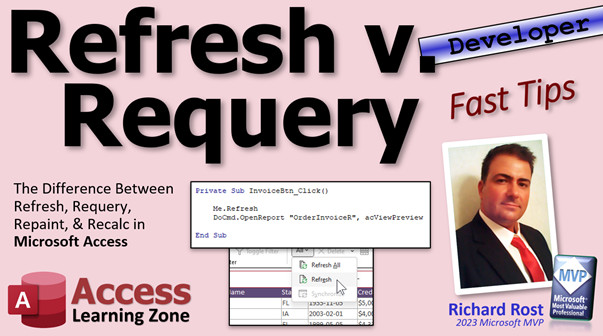
access 2016, access 2019, access 2021, access 365, microsoft access, ms access, ms access tutorial, #msaccess, #microsoftaccess, #help, #howto, #tutorial, #learn, #lesson, #training, #database, refresh, requery, repaint, recalc, me.refresh, me.requery, me.repaint, me.recalc, refresh all, refresh vs. requery, refresh access form, requery access form
More InformationTranscript Welcome to another Fast Tips video brought to you by AccessLearningZone.com. I am your instructor, Richard Rost.
In today's video, we're going to talk about Refresh versus Requery, how they're different, and when you use each. I'm also going to talk briefly about Repaint and Recalc as well.
This is one I get asked a lot by my students, especially students who are first learning how to program in VBA. What's the difference between Refresh and Requery and when do I use each?
Both Refresh and Requery will save any changes you've made to the current record. So if you're sitting on the customer form, and you change the last name, either Refresh or Requery will save those changes. The difference is Refresh just updates the record on the current form. So if you're on a single form, just that record updates, and you won't lose your place. If you've got 500 records, it won't reset you back to record one. Requery will do that.
Requery saves the record and then reloads the entire recordset into the form. So it will bump you back to record one, but it will also show you new or deleted records if you're in any multi-user setup. So if you've got 15 people who are hitting your database and they add some records or delete some stuff, you'll see those changes in the form. For example, in my TechHelp database, if you go to the order entry system, I use a Refresh in the invoice button before opening up the invoice report.
If the user makes some changes in this record, it is now dirty. Before I can open up that invoice, which is going to pull directly from the table, I have to save this record to the table first. Then I can generate the invoice, which will have the updated information in it. If I don't, then this is still dirty. That means the data hasn't been saved to the table and the invoice is going to be wrong.
For example, if I change the order date here to 3/20, hit invoice, and that gets saved to the table, now you can see it's updated to 3/20. Without that Me.Refresh in here, in the button's click event, without that Me.Refresh, it won't save the information. But likewise, I don't want to use Me.Requery in here because if I am on, let's say, order two, and I hit this and it says Me.Requery, this form is going to be reloaded. The query, the data underneath, is going to be reloaded and it will pop me back to record one.
That's something you can do, for example, on a continuous form. If you want to see changes that other users make, you might want to use Requery. Make a button down here that's got Me.Requery in it.
One thing a lot of people always ask me about is this right up here - there's Refresh All and Refresh. I hate the fact that they called it Refresh All. Note to Microsoft Access team: change that so it says Requery. It's confusing.
Refresh does what Me.Refresh does; it just updates the current record. Refresh All is the same as a Requery. You can see the difference. If I leave this form open, notice there's 29 records. If I go directly to the customer table, I'm simulating another user on the network. If this other user adds three records, and then I come out here, if I just do a Refresh, it only updates the records in the current form. Notice it still says 29. But if I do a Refresh All, that's the same as a Requery, and now I can see all 32 of them. There's the new one.
So that's Refresh and Requery. Usually, use Requery if you want to reload all the data in the form. Refresh is just to save that record or update the fields on the record that you're on.
In yesterday's TechHelp video, I showed you how to requery in place. So if you want to issue a requery, reload all those records, and not lose your place and not be bumped back to the first record, you can do that as well with a little bit of code.
There are two other similar functions in here - Repaint and Recalc. I rarely use either one of them. In fact, I've never used Recalc. But people ask about these too because they show up in the list, so I might as well tell you.
Repaint redraws the screen. It's handy if you've got a timer loop going on. If you've got a "For X equals 1 to 10,000" and something's happening in the background, and you don't want your user to sit there looking at a blank or a frozen screen, you can issue a Repaint command, which just tells Access to redraw the form, update all the data on it. I prefer to use DoEvents, and I've actually got a separate video on DoEvents.
I use DoEvents in a lot of my developer classes, so if you've taken any of those, you'll have seen me use DoEvents before. DoEvents basically does the same thing - it refreshes the screen, but it also yields to other processes. So if you've got other forms or stuff running in the background, too, it says, you guys can do your stuff, and then when you're finished, come back to me. I got stuff to finish up too.
You put DoEvents in a loop, like I do in my status function that updates information on the screen. But again, I've almost never used a Repaint. Recalc is one I've actually really never used. It updates calculations, but Access pretty much does that on its own. For example, if you've got a Sum function or something like that in a form footer or a control that's based on two other controls like "this plus this," it's pretty good about doing that automatically. I've never needed to use Recalc.
If you have, I want to hear about it. Post in the comments down below and tell me what you've needed Recalc for because I've never needed it in almost 30 years of using Access. I've never had to use it.
But that's the major difference between Refresh and Requery. It's all about whether you are working with just one record and you want to refresh just that, or the records that are on the current form if it's a continuous form, or if you want to completely reload the entire recordset - the table or query underneath the form - reload all of the records so you can see changes made by other users on the network. That's pretty much the major difference.
Got something to add? Got some comments for me? Some way that you use Refresh or Requery or Repaint or Recalc? Post in the comments down below.
That is your fast tip for today. Today's an actual fast, fast tip. Hope you learned something. Live long and prosper, my friends. I'll see you next time. Intro In this video, we'll talk about the difference between Refresh and Requery commands in Microsoft Access, when to use each one, and how they affect the current record or the entire recordset. We'll also briefly discuss what Repaint and Recalc do, and highlight situations where these commands are helpful when working with Access forms, especially in multi-user environments. Quiz Q1. What is the primary difference between Refresh and Requery in Microsoft Access VBA?
A. Refresh updates only the current record while Requery reloads the entire recordset
B. Refresh deletes records while Requery saves them
C. Refresh opens a new form while Requery closes the form
D. Refresh changes the design of the table while Requery saves the form layout
Q2. When should you use the Requery command on a form?
A. When you want to reload all records and see new or deleted records made by other users
B. When you want to update just the fields of the current record
C. When you want to save changes to a record without moving from it
D. When you want to change the table design
Q3. What happens to your position in the recordset when you use Requery on a form?
A. You are moved to record one
B. You stay on the same record
C. You are moved to the last record
D. You are prompted to select a record
Q4. Which command would you typically use before generating a report to ensure the latest data from the current record is saved?
A. Refresh
B. Requery
C. Repaint
D. Recalc
Q5. What does Refresh All in Access do?
A. It functions like Requery, reloading all the data and showing new or deleted records
B. It only updates the current record on the form
C. It deletes all records from the form
D. It updates calculations in calculated controls
Q6. Which command is useful if you want to refresh the display of the form during a long operation, like inside a loop?
A. Repaint
B. Requery
C. Refresh
D. Recalc
Q7. What is the function of DoEvents in VBA, as described in the video?
A. It yields control to other processes and refreshes the screen
B. It deletes all records in the background
C. It recalculates all controls on the form
D. It saves changes to the current record
Q8. Which command would update calculated controls, although Access usually does this automatically?
A. Recalc
B. Requery
C. Refresh
D. Repaint
Q9. Why might you choose not to use Me.Requery in a button click event if you want to stay on the same record?
A. Because it resets the form to record one, losing your place
B. Because it deletes the current record
C. Because it only updates calculated controls
D. Because it closes the form
Q10. In a multi-user setup, which command ensures you see new records added by other users?
A. Requery
B. Refresh
C. Repaint
D. Recalc
Q11. What is a scenario where Repaint would be used instead of DoEvents?
A. When you need to redraw the form but do not need to yield to other processes
B. When you want to reload all records in the form
C. When you want to save unsaved changes to current record
D. When you want to update calculated fields only
Answers: 1-A; 2-A; 3-A; 4-A; 5-A; 6-A; 7-A; 8-A; 9-A; 10-A; 11-A
DISCLAIMER: Quiz questions are AI generated. If you find any that are wrong, don't make sense, or aren't related to the video topic at hand, then please post a comment and let me know. Thanks. Summary Today's TechHelp tutorial from Access Learning Zone focuses on the important differences between Refresh and Requery in Microsoft Access, as well as a brief overview of Repaint and Recalc. This is a topic I am frequently asked about, especially by students who are just beginning to program in VBA, so let me clarify how each of these functions works and when you should use them.
Both Refresh and Requery will save any changes you have made to the current record. Imagine you are working in a customer form and you change someone's last name. Using either Refresh or Requery will ensure those changes are saved to the database. However, each one handles your current view a bit differently.
If you use Refresh, it updates only the record you are currently looking at on the form. Your position within the form does not change, so if you are on record 387 out of 500, a Refresh will save your data and leave you right there. On the other hand, Requery goes much further. Requery saves your changes and then completely reloads the underlying recordset for the form. This means you are sent back to the first record, and the form pulls in any new or deleted records that have been added or removed by other users. So, in a multi-user environment, Requery allows you to see updates from other people, while Refresh does not.
For example, in my TechHelp order entry system, I rely on Refresh in the invoice button before I open up the invoice report. Let me explain why. If you make changes to a record, the form becomes "dirty," meaning those changes are not yet permanently saved to the table. If you try to generate an invoice before saving the record, your invoice may not include those changes. Using Refresh at this point ensures the record is saved, so the invoice contains the latest information. However, I avoid using Requery here because I want to stay on the current order record. Using Requery would reload all of the records and drop me back to the first one, which is not desirable for this situation.
In cases where you are using a continuous form and want to see changes other users have made, you might want to use Requery. I recommend placing a button on your form programmed with Requery, so you can load all current records as needed.
There is often some confusion about the difference between "Refresh" and "Refresh All" on the Ribbon. "Refresh" acts just like the Me.Refresh command: it saves and updates only the active record. "Refresh All," however, is equivalent to Requery; it reloads all the data from the source. As an example, if you have a form open with 29 records and another user adds three new records to the table, clicking "Refresh" updates only the current record, so you will still see 29 records. Click "Refresh All," and now you will see all 32 records, including the new ones.
So, the bottom line is: use Requery when you want to reload all data in the form, and use Refresh when you just want to update the current record or its fields.
I also want to mention two lesser-known functions: Repaint and Recalc. I rarely use either function in practice, and in fact, I have never used Recalc. Let me describe when these might be useful. Repaint forces Access to redraw the form. This can be handy if you are running a timer loop or performing background tasks that might cause the form to stop updating. By issuing a Repaint command, you ensure the most up-to-date information is visible to the user. However, I actually prefer using DoEvents in these scenarios because, in addition to refreshing the display, it allows other processes to continue running in the background.
Recalc, on the other hand, updates calculations such as sums or values in calculated controls. In general, Access handles most recalculations automatically, so I have never actually needed to use Recalc in nearly three decades of working with Access. If you have found a use for it, I would be interested to hear about your experience.
To summarize, the main difference between Refresh and Requery is whether you need to update only the current record (use Refresh) or reload all records and changes from other users (use Requery). Repaint helps redraw the form when necessary, while Recalc updates calculated values, though Access typically manages that on its own.
If you have any thoughts, experiences, or questions about using Refresh, Requery, Repaint, or Recalc, please share them with me in the comments.
You can find a complete video tutorial with step-by-step instructions on everything discussed here on my website at the link below. Live long and prosper, my friends. Topic List Difference between Refresh and Requery in Access
How Refresh saves record changes on a form
How Requery reloads the entire recordset
Impact of Refresh and Requery on record position
When to use Refresh vs Requery
How multi-user changes are visible using Requery
Using Me.Refresh and Me.Requery in VBA buttons
Difference between Refresh, Refresh All, and Requery in the Ribbon
Example of saving dirty records before generating a report
How Refresh and Requery affect forms with added or deleted records
Using Requery on a continuous form to show other users' changes
Function of the Repaint command
Situations where Repaint can be useful with timer loops
Overview of the Recalc command
How Access automatically recalculates control values Primary Topics Refresh, Requery, Repaint, Recalc, Microsoft Access forms, VBA programming, multi-user database behavior Secondary Topics DoEvents, saving records, continuous forms, status updates, Access UI confusion |





