Denormalize
By Richard Rost

 3 years ago
One Way to Speed Up your Access Databases
In this Microsoft Access tutorial I'm going to teach you one way to speed up your database that actually goes against proper normalization techniques. We're going to the denormalize our database by adding redundant data in an effort to improve the efficiency of our queries and reports.
Pre-Requisites
Links
Recommended Courses
Members
There is no extended cut, but here's the database file:
Keywords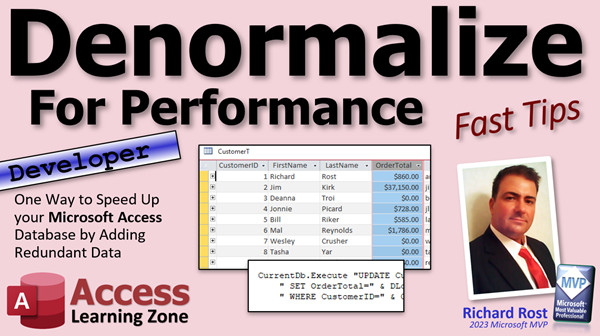
access 2016, access 2019, access 2021, access 365, microsoft access, ms access, ms access tutorial, #msaccess, #microsoftaccess, #help, #howto, #tutorial, #learn, #lesson, #training, #database, denormalize, performance, query, database, tutorial, speed up, redundancy, join, test
 Subscribe to Denormalize
Get notifications when this page is updated
More InformationTranscript Welcome to another Fast Tips video brought to you by accesslearningzone.com. I am your instructor, Richard Rost.
In today's video, we are going to denormalize for performance. What does that mean? I am going to teach you one way to speed up your database that actually goes against proper normalization techniques. We are going to denormalize the database by adding redundant data in an effort to improve the efficiency of our queries and reports, and how fast things like forms load up.
Basically, you are going to sacrifice building the database properly - the way it should be run in a perfect world - for speed and efficiency. You are going to do things that are not necessarily considered good database techniques to make the database run faster.
This is a developer level video. So, for those of you who are beginners learning Microsoft Access and just starting out, do not watch this video. I am going to teach advanced developers something that is not considered good database technique, but it is a trick we can use to make the database run faster. You should not worry about this yet. You should practice making your databases perfect using proper normalization techniques. Forget all about this video for maybe about a year. Go watch the one on proper normalizing of data. After you get into VBA and SQL and all that good stuff and your database starts running slow, then come back to this video.
This video is for the true nerds. The rest of you that are left should be my advanced students. You should know VBA, know how to make an update query, and know D-lookup. We are going to be using this. You should also know a decent amount of SQL, especially as it pertains to Access.
If you have not watched my Requery in Place video, go watch it. We do not necessarily need the techniques from that video, but I do something in that video that is a good candidate for making a database run slow. If you have not watched it yet, go watch it. It is a really good video to teach you something pretty cool. There is a link down below.
In the Requery in Place video, we build this query here. It is a customer order value. What this has is each customer ID, first name, last name, and their total order value. It is basically an aggregate query that adds up all of their orders and gives me an order total so I know the total worth of each customer. James Kirk has placed orders totaling $37,150.
Right now, this runs fast because I only have 29 customers and maybe 16 orders in the entire system. But as you can imagine, if I have 50,000 customers as I do in my Computer Learning Zone database, and I have hundreds of thousands of orders, which again I do, my database has been running for like 15 years, this query will slow down. Especially if you are running over a network, it could take 5, 10, 15, or 20 seconds to load.
If you base a form off of that query like I did in the Requery in Place video, this form is going to seem like it is frozen. It will take 20 or 30 seconds to load, especially over a network, especially over a slow network. Or for those of you who are running Access over Wi-Fi, which I do not recommend, if you are running Access in your office, you should have wired connections. It just runs so much better and at a minimum, you should have a gigabit router.
This form will take forever to load if you have thousands of customers, tens of thousands of orders, and you still want to see this number here.
What can we do to speed this up? Well, we can denormalize the database. Normalization basically dictates you do not want to have duplicate information in multiple tables. This order total, for example, can be calculated on the fly. In a perfect world, you should calculate that on the fly everywhere.
However, we do not live in a perfect world. Computers are slow. If every computer ran at Star Trek: The Next Generation speeds, which someone actually calculated in an episode where Data said how many teraflops he runs at (and we passed that years ago), then in the 1980s they thought that would be super fast, but we are already into the petaflops.
Anyway, I digress. In a perfect world, if every computer ran super fast, we would just keep calculating that, but that does not happen. We have people running databases on slow servers and slow network connections, and these forms can take forever to open.
So what we are going to do is store that order total in the customer table. "Say it isn't so," but yes, that is how you are going to do this. You are going to take this value and actually store it in the customer table. Getting that value once is no problem - we are going to run a simple update query and plop that value in there. But the trick is you then have to update that value in every possible place in your database where that order total can be changed.
For me, I have a pretty simple database. The only place you can change that order total - I am using the Requery in Place database - the only place you can change that is the order form. It is the only place in the entire database that orders can be changed: either items added, modified, orders deleted, and so on. We have to control when this guy makes changes and update that value.
The first step is to simply get that order total value in the customer table. Come down here in the customer table and add "order total" as a currency field. Save it.
Now, we are going to make a one-time update query to take this value and plop it into the customer table. I tried doing it with a traditional update query and watch what happens.
Query design: I am going to bring in my customer table and link it to the order value query. You would think this would work just fine. Set it to an update query. We want to update the order total value. What do we want to update it to? We want to update it to "customer order value query dot order total." You would think this should run just fine, but "operation must use an updateable query." I do not like this.
Because I am trying to update this guy from this guy. This is updateable - which is the table I am trying to change things in - but if any table or query in this join is not updateable, you might get this error message. So we need to use a different technique.
And what is that technique? It is going to be a DLookup and I know it is slow. This initial run might take a few minutes, especially if you have hundreds of thousands of orders. But this is the only other easy way I can think of to do it.
I am going to zoom in. What are we going to do here? We are going to update the order total. It is going to be DLookup("order total","customer order value query","customer ID =...") - but be careful here. If you just do this, which you think you would be able to get away with, watch what happens. Look at that. Watch the quotes. See, it put quotes around that.
This is one of those instances where you have to make sure you use the brackets so it gives you the field customer ID and not the value customer ID, which will result in a zero and everyone is going to get the same value.
Run it. I have warning messages turned off. Let's check our customer table. Slide to the right. There we go - we have our order totals in here. I am going to slide this over next to first name and last name.
So, we have the one-time update. As of right now, those numbers are correct. We can close this. Save changes. Sure. If you want to save this, you can save it as "update customer order total query" or whatever. That is in the database for you Gold members.
Now comes the important part: the ongoing maintenance of that value. Every place in the database where that value can be changed, you have to make sure updates that customer table field. Again, I said in my database, the only way you can do that is to go into the order form. So, I am going to control every time you get to this.
I do not want to have multiple events. I do not want to have to worry about updating this, changing this, deleting an order, all that stuff. I am going to control how my users get to this order form. The only way you can get to the order form is going to be through the customer form because I want complete control over it.
So, this button will be the only way I get into there. I am going to make this form modal. Design view. Go to properties. Other. Modal. I never use popup. I hate popup. Use modal.
If you do not know what modal is, you probably should not be in this class. Go watch my modal and popup video if you do not know what modal and popup are. Modal basically says, "I am going to stay on top of other windows and you cannot go behind me," and that is important because we are going to use the customer ID on this form to update the customer table order total value whenever this form is closed.
Now this button controls opening up the order form. So, if I do anything in there at all - change, delete, add, whatever - it will then reflect on that customer. By making it modal, I ensure that the user cannot do this: they cannot open this up and then come back to the customer form. See, I cannot click anywhere else and change what customer I am on until I close that form.
That means I can put an event in the On Close or On Unload events in this form to control that order total. How would I do that?
Design view. Go to events. I am going to use On Close. It does not matter. The only difference between On Close and On Unload is that unload can be instant and close cannot. But at this point, it does not matter.
Here is where knowing your SQL comes in handy. You could make an update query to do this and base it on the form value, but I am going to write it in actual SQL because we are advanced users and you should know some SQL.
CurrentDB.Execute (you can also use DoCmd.RunSQL - there are pros and cons of each; I have a video on that coming out soon too)
UPDATE customer table
SET order total = DLookup("order total","customer order value query","customer ID = " & Forms!CustomerF!CustomerID)
WHERE customer ID = Forms!CustomerF!CustomerID
What is all this? It is basically running an update query. UPDATE customer table, set the order total equal to this DLookup, which looks up the customer order value (the order total from this query) for that customer. Then set that for that customer. So we need that twice. You could put a little variable up here and set that, but this works fine.
If you want to get rid of DLookup from that query, you could do the DSum here and DSum that up yourself from the actual order detail query, I think. But this works fine.
This will happen anytime the form is closed. You could run this in a delete event and if the form is dirty, but the form will not be dirty if you deleted a record. So, if you open up the order table and close it, this should run relatively quickly because it is only going to process for one customer. Again, if this runs into performance problems, then we will tweak it some more, but I think this should be OK.
Save it. Give it a quick debug compile. Back out here. Close it.
Now, let us take a look at the customer table real quick. Richard Rost - OK, 4560.
By the way, like I mentioned in the other video, I did not look at is_paid at all. If you want to take into consideration is_paid, just modify this query and you can say is_paid is true. But for these numbers, I did not bother.
Orders - I am going to get rid of three items from this order here. That should be my order total down to what, 700 plus 360, so 1,060 actually now. When this closes, it updates the table. Now I check customer table and I am down to 1,060.
For James Kirk, 37,000. Let us go to his record. Orders. Let us get rid of a bunch of stuff here. Let us get rid of all that. Now he is down to 100 bucks. Close it. The update query runs in the background. Customer table, and he is now worth 100 bucks.
We can see it is working nicely. Of course it is working. I wrote it. Just kidding.
There you have it. That is basically, in a nutshell, how you denormalize. You take some data that your form or report or whatever is taking forever to process every time you run it or every time you open up the form, and it is annoying. So you take whatever that calculation is and store the value.
But you have to make sure that any dependencies, wherever that value can be changed, are properly controlled and updates that value for you. Otherwise, it is going to get out of sync. You might want to keep this update query around and maybe run it as a nightly event.
Just in case something happens somewhere else in the database, for example, maybe one of your users was updating an order and their system froze, so the order details got updated, but since their system locked up, the form close event did not run, and that order did not get updated. That is one thing you could do. Run that as a nightly event so it goes through and ensures everybody is corrected as of midnight.
You have to be careful when you are denormalizing. You are playing a trick for performance, but that trick could turn around and bite you. So you have to make sure you know what you are doing. Be careful. I warned you.
But I use this all the time. I have not had any major problems with it, unless you get a system lock-up. Then, yes, it works.
You want to learn more? In Access Expert 13, I cover update queries in more detail. I have my developer series. Start with Developer 1, work your way up. You are going to learn all this cool stuff in the order it is supposed to be learned.
If you really want to learn SQL, I have three awesome SQL seminars. You really only need parts one and two. Part one is all about select queries, criteria, your WHERE conditions, ORDER BY, all that good stuff - the basics. Part two is all about action queries, running those update queries with the INSERT INTO, append queries, delete query, all that cool stuff. Action queries, modifying your data, plus things like union queries. Part three is about manipulating the structure of your tables. You can actually change your table design in SQL. You do not use that as much, but part three is cool if you need it. Part two is where the real fun is. Go check that out if you want to learn more about SQL.
So, there you go. That is how you denormalize your database for performance. This is just one example - I can think of a dozen examples of when you might want to do this. That is your fast tip for today. I hope you learned something. Live long and prosper, my friends. I will see you next time. Intro In this video, we will talk about denormalizing your Microsoft Access database to improve performance. I will explain why sometimes it makes sense to store redundant data, even though it goes against traditional normalization rules, and I'll show you how to add calculated values directly to your tables to speed up forms and queries. We'll look at updating these values with DLookup and update queries, and discuss strategies for keeping your data accurate when changes occur. This video is intended for advanced Access developers who are comfortable with VBA, SQL, and update queries. Quiz Q1. What is the primary reason for denormalizing a database as described in the video?
A. To improve the efficiency and speed of queries, reports, and forms
B. To reduce the number of tables in the database
C. To simplify the process of database normalization
D. To enhance database security features
Q2. What is one major drawback of denormalization according to the video?
A. It violates good database design principles by storing redundant data
B. It makes forms harder to design
C. It makes queries impossible to run
D. It automatically increases database size significantly
Q3. In the example provided, what redundant data is stored in the customer table to increase performance?
A. The customer's date of birth
B. The customer's order total
C. The customer's address
D. The customer's loyalty points
Q4. When might denormalization become necessary as described by the instructor?
A. When databases have only a few records but noisy data
B. When databases get very large and queries or forms become slow
C. When learning basic Access functions
D. When trying to reduce data entry errors
Q5. What must developers do to ensure data consistency when denormalizing?
A. Update the redundant data everywhere it might change
B. Disable all update queries
C. Only allow forms to be used for updates
D. Avoid using VBA and SQL
Q6. What Access function is used in the example to look up the order total for a customer?
A. DLookup
B. DCount
C. DSum
D. DAvg
Q7. According to the video, what can happen if you do not properly update the redundant field after relevant data changes?
A. The stored data can get out of sync and become inaccurate
B. Access automatically fixes the discrepancy
C. The database will refuse to run queries
D. The table size will be halved
Q8. What solution was recommended for updating the 'order total' field after the initial one-time upload?
A. Running an update query or statement in the form's On Close event
B. Asking users to manually refresh the totals
C. Using a macro to recalculate on every keystroke
D. Never updating it again
Q9. Why did the instructor recommend making the order form modal?
A. To ensure users cannot interact with other parts of the application until updates are handled
B. To make the form transparent
C. To allow users to open multiple forms at once
D. To increase window size automatically
Q10. What is a potential risk of relying on form events (like On Close) to trigger updates in a denormalized setup?
A. Updates may not occur if a form is closed unexpectedly or due to errors
B. The form will permanently lock the table
C. No calculations will ever complete
D. Users will forget their passwords
Q11. What is one suggested strategy for preventing out-of-sync issues with the denormalized data?
A. Run the update query as a nightly event to refresh all totals
B. Remove all forms from the database
C. Re-enter all data every day
D. Never allow deletion of records
Q12. When should a beginner database developer consider learning about denormalization according to the video?
A. After mastering normalization, VBA, SQL, and building more advanced systems
B. In the very first Access lesson
C. Whenever their database size exceeds 100 records
D. Before learning about proper normalization
Q13. What is normalization in database design?
A. The process of structuring data to avoid redundancy and improve integrity
B. Running queries faster
C. Saving all data in a single table for convenience
D. Encrypting all fields
Q14. How did the instructor resolve the issue with the traditional update query not being updateable?
A. By using a DLookup function in the update query
B. By deleting the query
C. By creating a new table
D. By switching to Excel
Q15. In the presented approach, what would be the consequence of failing to control all entry points where order totals can change?
A. The denormalized value could become outdated or incorrect
B. Queries will automatically recalculate order totals
C. Users will not be able to log in
D. The database will convert all currency fields to text
Answers: 1-A; 2-A; 3-B; 4-B; 5-A; 6-A; 7-A; 8-A; 9-A; 10-A; 11-A; 12-A; 13-A; 14-A; 15-A
DISCLAIMER: Quiz questions are AI generated. If you find any that are wrong, don't make sense, or aren't related to the video topic at hand, then please post a comment and let me know. Thanks. Summary Today's TechHelp tutorial from Access Learning Zone focuses on denormalizing your database to enhance performance, specifically in Microsoft Access. I want to share a technique that goes against the usual best practices of database design. Normally, we aim to use normalization to keep databases efficient and free of redundant data, but sometimes strict adherence to normalization can make your database painfully slow, especially as it grows in size. Today, I will show you how and when to break those rules and denormalize your data for speed.
Let me begin with a word of caution. This lesson is for advanced users and developers. If you are just starting out with Access, I highly recommend focusing on learning proper normalization first, grasping the fundamentals, and practicing how to structure your databases correctly. You should be skilled in VBA, comfortable writing update queries, have a solid understanding of DLookup, and know your way around SQL in Access. If these aren't yet in your toolkit, set this topic aside for now and work on mastering the basics first.
For those ready to tackle this advanced approach, I want to use the example of a "customer order value" query from my Requery in Place video. This query aggregates each customer's total order value, taking data from thousands of records and calculating it dynamically. While this may run quickly in a small test environment, it begins to struggle and delay as your database grows, especially across slow networks or Wi-Fi (which I do not recommend for Access databases). In a real-world scenario with tens of thousands of customers and hundreds of thousands of orders, basing a form on such a heavy query can cause major slowdowns – forms may take 20 seconds or more to load.
To make things more responsive, we can store the calculated order total directly in the customer table itself. This is what is meant by denormalizing your database for performance: storing a value that could be calculated on the fly, but instead choosing to keep a "snapshot" of the total to read instantly. While this introduces redundancy, it allows forms and queries to load far more quickly.
The downside is that you now have to manage this value yourself. Every time something happens that could affect a customer's order total – like adding, changing, or deleting orders – you must update this field in the customer table. Otherwise, your data will get out of sync.
The first step is easy: add an "order total" field to your customer table. This holds the current total value of their orders. To get started, you need to run an update to populate this field based on current data. Sometimes, a basic update query won't work due to updateability issues, so in Access I recommend using DLookup in your update query. Just be cautious to use brackets for field names so that you are fetching the value for the correct customer each time. This initial update can be slow if your dataset is large, but you only have to do it once to initialize the totals.
Once all customers have an order total in their record, the next step is to make sure the value stays current. In my databases, orders can only be edited in one place – the order form. To maintain good control, I design my system so users can only reach the order form via the customer form. By setting the order form as modal, I prevent users from hopping around and changing data in a way that could throw off the updates. This way, I ensure that every change to the orders triggers an update to the customer's order total.
To automate the update, I use the On Close event of the order form. In this event, I run a SQL update statement using CurrentDB.Execute. This statement updates the customer record with the fresh order total by running a DLookup on the "customer order value" query. This makes sure that every time the user finishes working with an order, the customer's total is kept current.
Of course, you have to think about all the places in your application where the order total might change, and ensure each is handled. If some rare error or system lock-up occurs and your form's close event does not run, it is a good practice to keep your update query handy and perhaps run it as an overnight job to resynchronize everything. This helps to protect against data issues that may arise due to unforeseen interruptions.
Denormalizing for performance is a balancing act. It delivers real speed improvements but comes with increased maintenance and the risk of data getting out of sync. If you set it up thoughtfully and keep control of all entry points, you can get significant performance benefits without sacrificing data integrity.
For those of you who want to go deeper into these techniques, I cover update queries, developer skills, and SQL in greater detail in other courses and seminars. My Developer series and SQL seminars give you a structured way to expand your knowledge and apply these tools to your projects.
You can find a complete video tutorial with step-by-step instructions on everything discussed here on my website at the link below. Live long and prosper, my friends. Topic List Denormalizing a database to improve performance
Storing aggregate data in a table
Updating customer table with order totals
Creating a currency field for order total
Using update queries for bulk updates
Troubleshooting non-updateable queries
Using DLookup to update table values
Ensuring ongoing maintenance of redundant data
Controlling data changes through modal forms
Running update SQL via form close event
Synchronizing calculated fields after edits
Running nightly batch updates to correct data Primary Topics denormalization, performance optimization, update queries, DLookup, calculated fields, Microsoft Access, aggregate queries, form event handling
Secondary Topics modal forms, DSum alternative, nightly batch updates, SQL knowledge, database maintenance
|




