Clippy
By Richard Rost

 6 months ago
Clippy Returns: Powerful AI Assistant Comes to Access
Microsoft is bringing back Clippy. That's right. This time, it's powered by AI and fully integrated into all Office apps, including Microsoft Access. And it doesn't just help anymore. It critiques your database design in real time.
Microsoft was really pushing this hard at the MVP Summit. A lot of sessions were focused on AI and where everything's going next. They were talking about Clippy and how it's going to be fully integrated into Office - Word, Excel, PowerPoint, and even Access.
Honestly, that's the part that surprised me the most. The fact that Access is actually getting something new - I was like, wait a minute. Are we finally getting invited to sit at the cool kids' table? Access usually gets treated like the red-headed stepchild of Office. It's always like, hey, here's co-pilot for everything else, and Access, yeah, you guys are doing great, keep it up.
So when they said Clippy was coming to Access too, I almost fell out of my chair. I was like, okay, now I've got to see this.
Keywords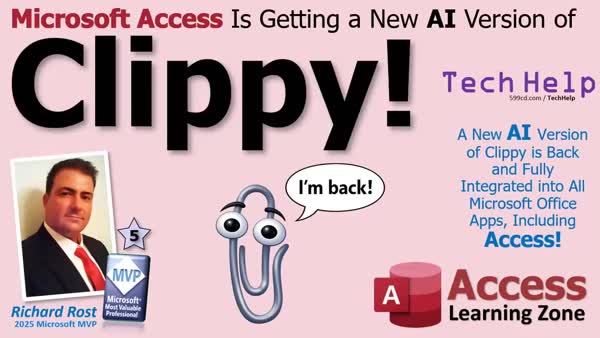
TechHelp Access, Clippy AI, FixMyDataBase, Microsoft MVP Summit, database design critique, Office AI integration, Access database relationships, field name cleanup, April Fools
 Subscribe to Clippy
Get notifications when this page is updated
More InformationTranscript Guess who's back, folks? It's a newer, smarter AI version of Clippy.
Welcome to another TechHelp video brought to you by AccessLearningZone.com. I'm your instructor, Richard Rost. I just got back from the Microsoft MVP Summit in Redmond, and I've got some big news.
Microsoft is bringing back Clippy. That's right. This time, it's powered by AI and fully integrated into all Office apps, including Microsoft Access. And it doesn't just help anymore. It critiques your database design in real time. Let me show you.
So here, I've got a form I've been working on, nice and simple. Then Clippy pops up and says, it looks like you're designing a nightmare. Would you like help? Normalize this before it ruins your life. And honestly, he's not wrong.
If you try to add an attachment field, Clippy just kind of freezes, gives you that Clippy look, and then slowly fades off the screen like I can't help you anymore.
There's also a new feature called FixMyDataBase. When you click it, Clippy goes through and cleans everything up. It removes bad design choices, fixes your relationships, gets rid of stuff you shouldn't have done in the first place, like putting spaces in your field names, and cleans up those gaudy color palettes you all design. Basically, it does all the things you knew you weren't supposed to do, but you did it anyway.
Microsoft was really pushing this hard at the MVP Summit. A lot of sessions were focused on AI and where everything's going next. They were talking about Clippy and how it's going to be fully integrated into Office - Word, Excel, PowerPoint, and even Access.
Honestly, that's the part that surprised me the most. The fact that Access is actually getting something new - I was like, wait a minute. Are we finally getting invited to sit at the cool kids' table? Access usually gets treated like the red-headed stepchild of Office. It's always like, hey, here's co-pilot for everything else, and Access, yeah, you guys are doing great, keep it up.
So when they said Clippy was coming to Access too, I almost fell out of my chair. I was like, okay, now I've got to see this.
Now, here's the bad news. I'm just kidding. Clippy's not coming back. April Fools.
But I did get this awesome t-shirt at the MVP Summit. That's real. They gave us a choice of a bunch of different swag items - t-shirts, bags. I had to go with my man, Clippy.
Honestly, if Clippy did come back and judge your database design, would that really be such a bad thing? I've seen some of the databases you guys are building. Come on. Just kidding. Just kidding. It's my job to help you fix them. I know.
Now, be honest. Did I get you? Maybe just a little bit? Maybe just for a second? Go ahead and post a comment down below. Let me know if you fell for it, or if you saw it coming a mile away.
Happy April Fools' Day. Be careful out there today. Live long and prosper, my friends. I'll see you next time. Intro Microsoft is bringing back Clippy. That's right. This time, it's powered by AI and fully integrated into all Office apps, including Microsoft Access. And it doesn't just help anymore. It critiques your database design in real time. Quiz No quiz available. Summary Today's video from Access Learning Zone is a lighthearted update coming after my recent trip to the Microsoft MVP Summit in Redmond. I wanted to share some exciting "news" with all of you.
Microsoft is supposedly bringing back Clippy, this time as an AI-powered assistant that will be built into all Office applications, including Microsoft Access. This new version of Clippy is said to do more than just help out - it would actually critique your database design in real time. Imagine designing a form, when Clippy suddenly appears and tells you your design needs serious work, even urging you to normalize your tables before it's too late. If you make a questionable move, like trying to add an attachment field, Clippy would just freeze and slowly disappear, implying that there's no hope left.
One of the imagined features is something called FixMyDataBase. By clicking this, Clippy would analyze your entire database and automatically correct common mistakes. It would fix relationships, remove improperly named fields, clean up design choices, and even adjust your color palettes. Essentially, it would take care of all the things you know shouldn't be there, but you left in anyway.
At the MVP Summit, there was a major emphasis on AI's future in the Microsoft ecosystem, with plenty of sessions about these new developments. The idea of integrating Clippy back into Office, especially into Access, came as a huge surprise. Access has often been neglected compared to other Office applications with all the latest features and assistants like Copilot, so hearing that Access would finally be included was unexpected.
Of course, here comes the reality check: Clippy is not actually coming back. This has been my little April Fools' Day joke. But the t-shirt I got at the MVP Summit, that part is real! I got to pick some swag at the event, and naturally, I had to grab the Clippy shirt.
Still, would it really be so bad if Clippy came back and judged your database design? As someone who has seen plenty of Access databases over the years, sometimes a little honest feedback might do some good. Just kidding, that's what I'm here for.
Let me know in the comments if I managed to fool you, even for a second. Did you fall for it, or did you spot the April Fools' joke right away?
Have a safe and happy April Fools' Day. Live long and prosper, my friends. You can find a complete video tutorial with step-by-step instructions on everything discussed here on my website at the link below. Topic List This is an April Fools' Day joke video about Microsoft Clippy's supposed AI-powered return to Office and Access. Article Today, I want to talk about a fun idea that plays on nostalgia and the evolving role of artificial intelligence in Microsoft Office: what if Clippy were to return, but smarter and fully integrated into modern Office apps, including Microsoft Access? Imagine opening your Access database, starting to work on a form, and suddenly Clippy appears on your screen. But this time, instead of simply offering basic help, Clippy has been upgraded with AI and advanced feedback abilities. If your design is heading off track, Clippy pops up with a direct but helpful message, warning you that you might be heading toward a normalization problem or calling attention to field names with spaces. The goal is not just to help anymore but to offer constructive criticism in real time as you build your database.
For example, if you add a problematic attachment field to a table, Clippy might give you a knowing look and disappear, suggesting you are making a design choice that is difficult for even modern AI helpers to assist with. A new suggested feature called FixMyDataBase could scan your whole project, clean up poor design decisions, correct relationships, remove unnecessary field name spaces, and even update those color choices that are hard on the eyes. The idea is that this AI tool would automatically handle all the mistakes you know you should not make, but sometimes do anyway, making your database both more professional and easier to manage.
At Microsoft's MVP Summit, the talk of the town was AI and its upcoming integration across all Office products. The surprising news, at least in this scenario, is that Access would be included alongside Word, Excel, and PowerPoint for these kinds of AI-driven enhancements. Historically, Access has not always received the same attention as other Office apps, so the possibility of getting these features would be very exciting to users and database designers who sometimes feel left out of the latest developments.
Unfortunately, this idea is simply a playful April Fools' scenario. Clippy is not actually coming back as an AI-powered design critic for Access or the rest of Office, so you do not need to worry about having your database judged by a talking paperclip anytime soon. Still, it is fun to imagine what such an assistant could do, and how it might encourage better database design practices.
On a lighter note, after attending the MVP Summit, I did get some great Clippy-themed swag, like a t-shirt, which is completely real. And while we can joke about past database designs and poke fun at the mistakes we all make, the reality is that improving your database design skills is always worthwhile. If you ever want real help - minus the digital sass - feel free to reach out and ask questions. And remember, technology is moving quickly, sometimes in surprising directions! Have fun, and watch out for practical jokes this April Fools' Day. Primary Topics
Microsoft AI features, Clippy, Microsoft Access, Office integration, database design critique, MVP Summit
Secondary Topics
FixMyDataBase feature, Office Copilot, Access community perception
|




