Nz Rejected
By Richard Rost

 16 hours ago
Safely Handle Nulls in Validation Rules Without Nz
In this lesson, we will explain why Nz gets rejected in Microsoft Access table-level validation rules even though it works in queries, forms, reports, and VBA. We will discuss the meaning of the "unknown function" error, use supported null-handling expressions such as Is Null and IIf, and consider when a form's Before Update event may be better for more complex validation.
Evan from Bristol, England (a Silver Member) asks: Why does NZ fail as an unknown function in a table-level validation rule, and what should I use instead?
Prerequisites
Links
Recommended Courses
Keywords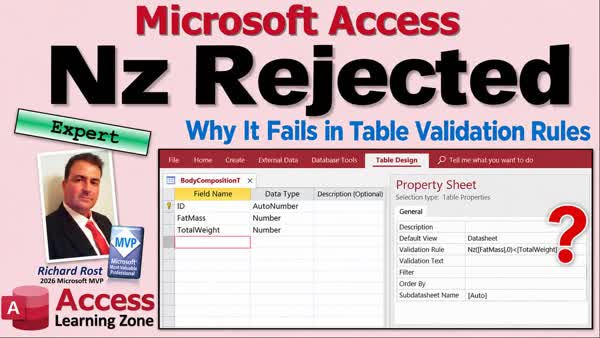
TechHelp Access, Nz function table validation rule, unknown function Nz, Access validation expression, table-level validation rules, null validation, Is Null, IIf function, null-to-zero function, Before Update event, data validation
 Subscribe to Nz Rejected
Get notifications when this page is updated
More InformationTranscript Never use a function successfully in a query, copy it into a table rule, and suddenly Access acts like it's never heard of it.
Well, that can happen with NZ.
Welcome to another TechHelp video brought to you by Access Learning Zone.
I'm your instructor, Richard Rost.
In this video, we'll look at why NZ gets rejected in a table-level validation rule, what that error actually means, and the kinds of expressions you can use there instead.
Today's question comes from Evan in Bristol, England, one of my silver members.
Evan says, "I use NZ to turn novel values into zero in my Access queries and form controls. But when I put NZ in a table-level validation rule, Access says it's an unknown function. The spelling looks right, and it works elsewhere in the same database. Why does it fail here? And what should I use instead?"
Well, Evan, yes, that message is confusing, especially when the same function works in a query, it works in VBA code, it works in a bunch of different places.
Where you put an expression matters in Access. I actually covered this exact scenario in one of my fitness videos. We'll talk about that in a minute. But let's look at why this particular property behaves differently.
First off, if you're not familiar with the NZ function, the null-to-zero function, go watch this video. And if you don't know how to set up table-level validation rules, go watch this video. There's a free video there on my website, there on my YouTube channel. Go watch those, and then come on back.
So, NZ is one of those Microsoft Access functions that I use all the time. If a value might be null, NZ lets you substitute something useful, like a zero or an empty string. It works exactly where you expect to use it: in queries, forms, reports, VBA code. But there's one place where it doesn't work: table-level validation rules.
So, in a nutshell, the problem isn't your NZ syntax. Access simply doesn't accept NZ in a table-level validation rule expression. If you need null-aware validation there, use the null tests and conditional expressions that the validation engine does support, such as Is Null or Immediate If, depending on what you're testing.
What makes this confusing is that Access doesn't say NZ is unsupported in this property. It tells you the function's unknown, even though the same function may be working elsewhere in the very same database. It makes you look like you misspelled something or broker reference when the real issue is the expression context.
Now, like I said, I did cover this in my fitness database series. And if you skip that series because you're not into fitness, well, there's a lot of useful Access material in there. This just happens to be the backdrop. The series is completely free. It's on my YouTube channel. It's on my website. So I'll put a link down below.
So here, I'm going to switch over and show you a segment from Fitness Level 67. And at this point, I was already working in a table-level validation rule.
Be careful in here, by the way, because let's say you do want to check for null values. If you do something like this, NZ, comma zero. Let's see. Which one of these is null?
Watch what happens. Save it. Say no to check it. And look, unknown function, NZ, in validation expression. What? What's that all about?
Well, this is one thing that I can't stand. NZ, it's one of the most popular functions. I use it all the time. It works in queries. It works in forms. It works in reports. It works in your VBA code. I think it even works in macros. But it doesn't work in validation rules.
NZ is null. You can use If, the Immediate function. So you can put those two together and get an NZ. But I just, I can't believe that NZ doesn't work. A basic function like that does not work.
So we don't need it for this one. But just keep that in mind for the future. If you ever want to use NZ in a validation rule, you're not crazy. I'll put that one square on the Access team.
And so there you go. If Access tells you that NZ is an unknown function, you can use it all the time.
And there you go. If Access tells you that NZ is an unknown function inside a table-level validation rule, well, the issue is the context in which you're using it. NZ still works elsewhere in Access. Use the null-handling expressions that the validation rule supports.
For example, the rule shown here allows a missing amount or a non-negative amount. If the logic gets too complicated, a form's Before Update event gives you more control over entries through the form. But just remember that the form code doesn't protect edits made directly to the table or through some other path.
Table-level validation rules are good, but they're generally pretty simple. And this is just one of those little Access quirks that gets much easier to deal with once you know it exists.
All right, if you want to learn more, check out my fitness database series. It's a really good series, folks. Lots of good tips and tricks in it. Part 67, I should say, is where this example came from.
And if you want to learn more about advanced data validation, then check out this video. And for more practice with table-level validation, I cover lots of it in Access Expert Level 28.
But there you go. Now you know why NZ gets rejected from table-level validation rules. Just like you were trying to go up and spike the ball and you get rejected. All right, that happens to me a lot.
But that's going to be a TechHelp video for today. I hope you learned something. Live long and prosper, my friends. I'll see you next time. Intro In this lesson, we will explain why Nz gets rejected in Microsoft Access table-level validation rules even though it works in queries, forms, reports, and VBA. We will discuss the meaning of the "unknown function" error, use supported null-handling expressions such as Is Null and IIf, and consider when a form's Before Update event may be better for more complex validation. Quiz Q1. Why does the Nz function produce an "unknown function" error in a table-level validation rule?
A. Nz is not supported by the table-level validation rule expression engine
B. Nz can only be used with text fields
C. Nz requires a VBA reference before it can be used
D. Nz only works in calculated table fields
Q2. In which of the following places can Nz normally be used in Access?
A. Only in table-level validation rules
B. Queries, forms, reports, and VBA code
C. Only in VBA modules
D. Only in report controls
Q3. What should you use in a table-level validation rule when you need to test whether a field contains Null?
A. Is Null
B. Nz
C. DLookup
D. Format
Q4. Which expression type can be combined with a Null test to provide conditional logic in a table-level validation rule?
A. IIf
B. MsgBox
C. DoCmd
D. OpenForm
Q5. What is the main reason the Nz error can be confusing?
A. Nz may work elsewhere in the same database, such as queries and forms
B. Nz always changes numbers into text
C. The error only occurs when a database is encrypted
D. Access automatically removes Nz from VBA code
Q6. Which table-level validation rule would allow an Amount field to be either Null or a non-negative number?
A. [Amount] Is Null Or [Amount] >= 0
B. Nz([Amount],0) > 0
C. [Amount] < 0
D. IsNull([Amount]) And [Amount] < 0
Q7. What is a limitation of using a form's Before Update event for validation?
A. It does not protect edits made directly in the table or through another path
B. It cannot check for Null values
C. It only works with text fields
D. It prevents all table-level validation rules from running
Q8. When is a table-level validation rule generally most appropriate?
A. When the validation logic is relatively simple and should apply regardless of how data is entered
B. When the rule must display custom message boxes
C. When the rule requires opening other forms
D. When the rule must run VBA code for every record
Answers: 1-A; 2-B; 3-A; 4-A; 5-A; 6-A; 7-A; 8-A
DISCLAIMER: Quiz questions are AI generated. If you find any that are wrong, don't make sense, or aren't related to the video topic at hand, then please post a comment and let me know. Thanks. Summary Today's video from Access Learning Zone explains why the Nz function can work perfectly in queries, forms, reports, macros, and VBA code, yet be rejected when you try to use it in a table-level validation rule.
The question is a common one. You may use Nz regularly to convert a Null value into something more useful, such as zero for a numeric field or an empty string for text. It is a very convenient Access function, especially when you are working with calculations or controls that might otherwise display Null values.
For example, when a field can be Null, Nz allows you to treat that missing value as zero so that calculations can continue without producing a Null result. This works well in queries, on forms, in reports, and in VBA procedures. However, table-level validation rules use a more limited expression engine.
If you place Nz inside a table validation rule, Access may display an error stating that Nz is an unknown function in the validation expression. That message is misleading because Nz is not actually unknown to Access. The function is available elsewhere in the same database. The problem is that Access does not support Nz in table-level validation rule expressions.
This is one of those Access limitations that can be frustrating because Nz is such a commonly used function. It is not a spelling issue, a missing reference, or a problem with your database installation. It is simply a restriction of the validation rule context.
When you need to account for Null values in a table-level validation rule, use expressions that the validation engine does support. You can test whether a value is Null with Is Null, and you can use the IIf function when you need conditional logic. By combining Null tests with conditional expressions, you can often accomplish the same kind of validation that you might otherwise try to perform with Nz.
For example, a validation rule can allow a field to remain empty or require that, if a value is entered, it must be zero or greater. This is a common situation with numeric fields such as amounts, balances, quantities, or measurements. The rule needs to recognize that Null is different from zero. A Null value means no value was entered, while zero is an actual numeric value.
Table-level validation rules are useful because they protect the data regardless of how someone enters it. They apply when users work directly in the table, enter data through a form, run an append query, or use another process that modifies records. This makes table-level validation an important part of maintaining data integrity.
However, table-level rules are best kept relatively simple. Once validation becomes complicated, especially if it depends on multiple fields, user roles, business conditions, or detailed error messages, a form's Before Update event may be a better place for the logic. VBA code in a form gives you much more flexibility and lets you provide clearer instructions to the user.
Keep in mind, however, that form-level validation only applies when data is entered through that particular form. It does not stop someone from editing the table directly or changing records through another form, query, import process, or external connection. For that reason, table-level validation rules are still valuable whenever you can use them.
The key point is simple: if Access reports that Nz is an unknown function in a table-level validation rule, do not assume that Nz is broken or misspelled. Nz is still available throughout most of Access. The issue is that the table validation rule engine does not support it.
This behavior also appears in my Fitness Database series, specifically in Fitness Level 67. Although that series uses a fitness database as its example, it contains many useful Access techniques that apply to all kinds of databases. I also cover advanced data validation in other lessons, including Access Expert Level 28.
You can find a complete video tutorial with step-by-step instructions on everything discussed here on my website at the link below. Live long and prosper, my friends. Topic List Why Nz fails in table validation rules
Access expression contexts and function support
Using Is Null in validation rules
Using IIf for null-aware validation
Validating missing or non-negative amounts
When to use form Before Update validation Article The Nz function is useful in many parts of Microsoft Access because it replaces a Null value with something else. For example, in a query or form control, you might use Nz to treat a missing numeric value as zero or a missing text value as an empty string.
However, expressions do not work identically everywhere in Access. A function that works in a query, form, report, macro, or VBA procedure may not be accepted in a table-level validation rule.
If you enter Nz in a table-level validation rule, Access may display an error stating that Nz is an unknown function. This does not mean that Nz is misspelled, missing, or broken in the database. It means that the table validation-rule engine does not support Nz.
Table-level validation rules use a more limited expression environment than queries and form controls. They are intended to enforce relatively simple data rules directly at the table level, such as requiring one field to be greater than another, preventing negative amounts, or requiring a date to fall within a valid range.
When a field can contain Null values, remember that Null is not the same as zero, an empty string, or False. Null means that no value is present. Comparisons involving Null often produce an unknown result rather than True or False, so a validation rule may need to explicitly account for missing values.
Instead of Nz, use expressions that the validation-rule engine supports, such as Is Null and IIf. For example, if an Amount field may be left blank but, when entered, must not be negative, the validation rule should allow either condition: the Amount is Null, or the Amount is greater than or equal to zero. In plain language, the rule is: allow a blank amount, otherwise require a non-negative amount.
This approach is usually clearer than trying to convert Null to zero. It directly states the business rule you want to enforce. A missing value is acceptable, but an entered value must meet a specific condition.
If your validation logic becomes complicated, you may want to validate data on a form before the record is saved. Form-level validation can provide a clearer message to the user and can handle more complex decisions. The code should examine the values the user entered, determine whether they meet the required conditions, explain what needs to be corrected if they do not, and prevent the record from being saved until the problem is fixed.
Keep in mind that form-level validation only applies when users edit data through that form. Someone could still edit the table directly, use a different form, run an append query, or import data through another process. A table-level validation rule is still valuable because it protects the data regardless of how the record is edited.
The key point is that Nz is not available in table-level validation rules, even though it works in many other places in Access. When writing a table validation rule, test explicitly for Null values and use the simpler expressions that the validation engine supports. Primary Topics Access table-level validation rules, Nz function limitations, expression context differences, null handling, Is Null, IIf Secondary Topics form Before Update event validation, direct table edits, validation rule scope |




