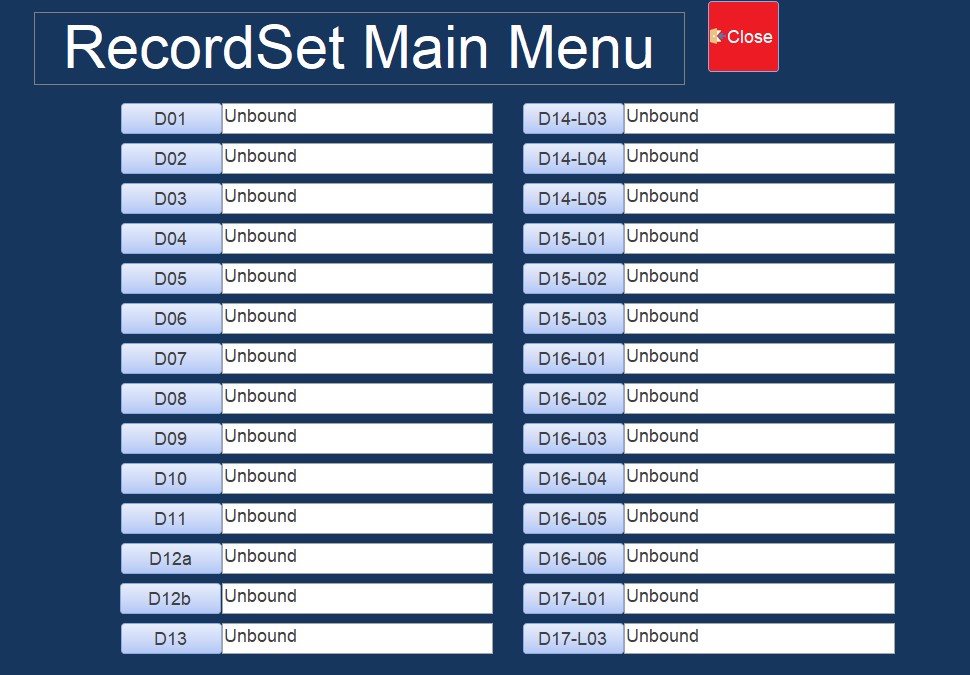
I have a form with several Text Boxes, all with the same control source "TTR02aLsnDesc." How do I change the contents of each box based on the record it represents? I know I've seen Richard do this but I can't remember where I saw it.
Sami Shamma
@Reply 18 months ago
me.refresh in afterUpdate on the boxes that change
Michael AlbertOP
@Reply 18 months ago
Thanks Sami, but not exactly what I'm looking for.
When the form first opens, There are like 70 fields on the form showing at the same time. I want each box to reflect it associated value at the start. I don't change anything.
Mike
Michael AlbertOP
@Reply 18 months ago
Michael AlbertOP
@Reply 18 months ago
This is the form. I know the text boxes now say unbound, but they are actually "TTR02aLsnDesc"
When this form opens up, I want the lesson descriptions to show for each record.
Sami Shamma
@Reply 18 months ago
I am confused.
So all 28 Text boxes are showing exactly the same value as they are all bound to the same field "TTR02aLsnDesc" from the same record?
What are you trying to achieve here?
Michael AlbertOP
@Reply 18 months ago
Sorry Sami, as I explained in my last post, that image was an earler version of what I was working on. The word Unbound was replaced with "TTR02aLsnDesc". Then I stumbled accross the answer I was lookiing for. I am using a DLookUp in the control source if each of the text boxes shown. It's working great.
Thanks, Mike
Sorry, only students may add comments.
Click here for more
information on how you can set up an account.
If you are a Visitor, go ahead and post your reply as a
new comment, and we'll move it here for you
once it's approved. Be sure to use the same name and email address.
This thread is now CLOSED. If you wish to comment, start a NEW discussion in
Access Developer 43.