Free Lessons
Courses
Seminars
TechHelp
Fast Tips
Templates
Topic Index
Forum
ABCD
 
Home   Courses   TechHelp   Forums   Help   Contact   Merch   Join   Order   Logon  
 
Back to Fitness 44    Comments List
Upload Images   @Reply   Bookmark    Link   Email   Next Unseen 
Add Items to Different Form
James Hopkins 
     
8 months ago
Hey Richard and the Guys, I am try to figure how to use the "AddFoodItemToLog" Function to be used in other Forms. I cannot find the best way to change the Function into a Global Function so it could used in the Other Form's Add Item Button Code. Should Declare Form as an Variable?
James Hopkins OP  @Reply  
     
8 months ago
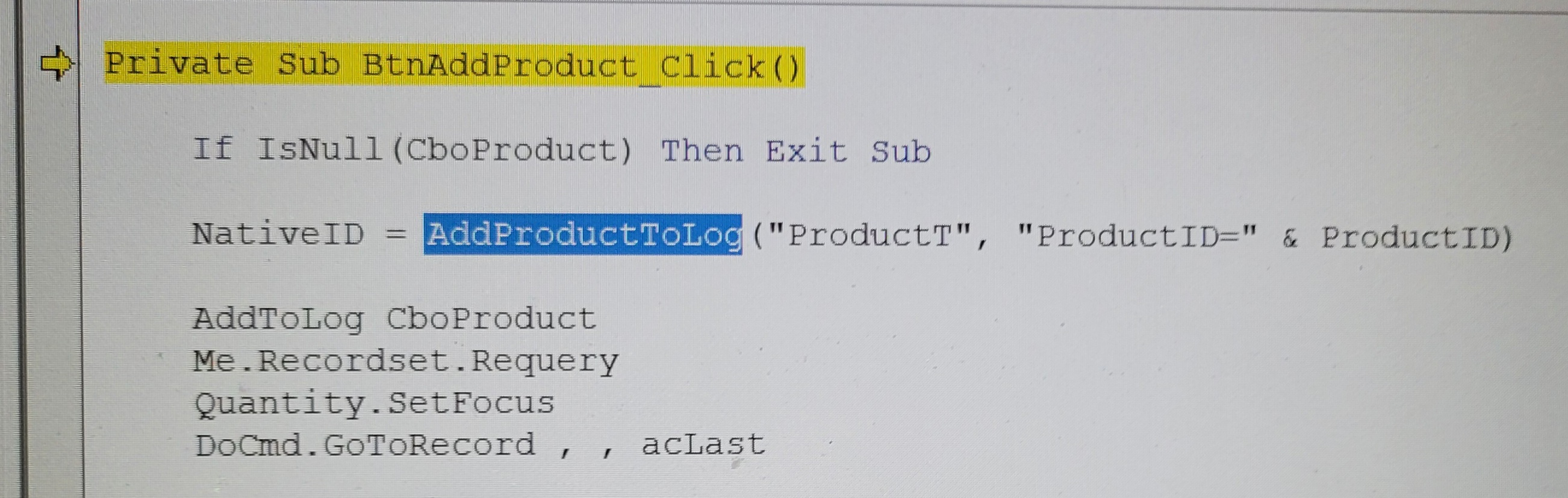
Hey Guys, created a Function to into our Product Bundles that we use for special services will offer. I have enclosed the Code:

Public Function AddProductToLog(TableName As String, WhereCondition As String, ProductID As Long, Optional Quantity As Long = 1, _
                        Optional ProductBundle As String = "") As Long

    Dim db As Database, rsProduct As Recordset, rsLog As Recordset
    
    Set db = CurrentDb
    Set rsProduct = db.OpenRecordset("SELECT * FROM “ & TableName & “ WHERE WhereCondition)
    Set rsLog = db.OpenRecordset("TableName")
James Hopkins OP  @Reply  
     
8 months ago
I wonder if this could be used correctly in this way with Declaring the TableName as a String and WhereCondition as a String?
Richard Rost  @Reply  
           
8 months ago
That should absolutely work just fine the way you've got it. One exception - be careful, I see you've got some curly quotes that snuck into your SQL statement. Access doesn't like those, so I don't know if it was a copy-paste error or if you actually put those in your code, but it might generate an error.
James Hopkins OP  @Reply  
     
8 months ago
Thanks Richard, I removed the quotes around the TableName. But now, I get a 'Compile Error: Argument Not Optional'.
James Hopkins OP  @Reply  
     
8 months ago

Richard Rost  @Reply  
           
8 months ago
Well, that's because you've got three required parameters: Your table name (which you have there), your WHERE condition (which you have there), but you didn't give it the separate product ID (you're sending just 2 bits of data). I think what you mean to do is have just the WHERE condition. So get rid of the product ID as a parameter because you're sending it in as the WHERE condition.
James Hopkins OP  @Reply  
     
8 months ago
Oh okay Richard, thanks I will try it. Thanks again.
James Hopkins OP  @Reply  
     
8 months ago
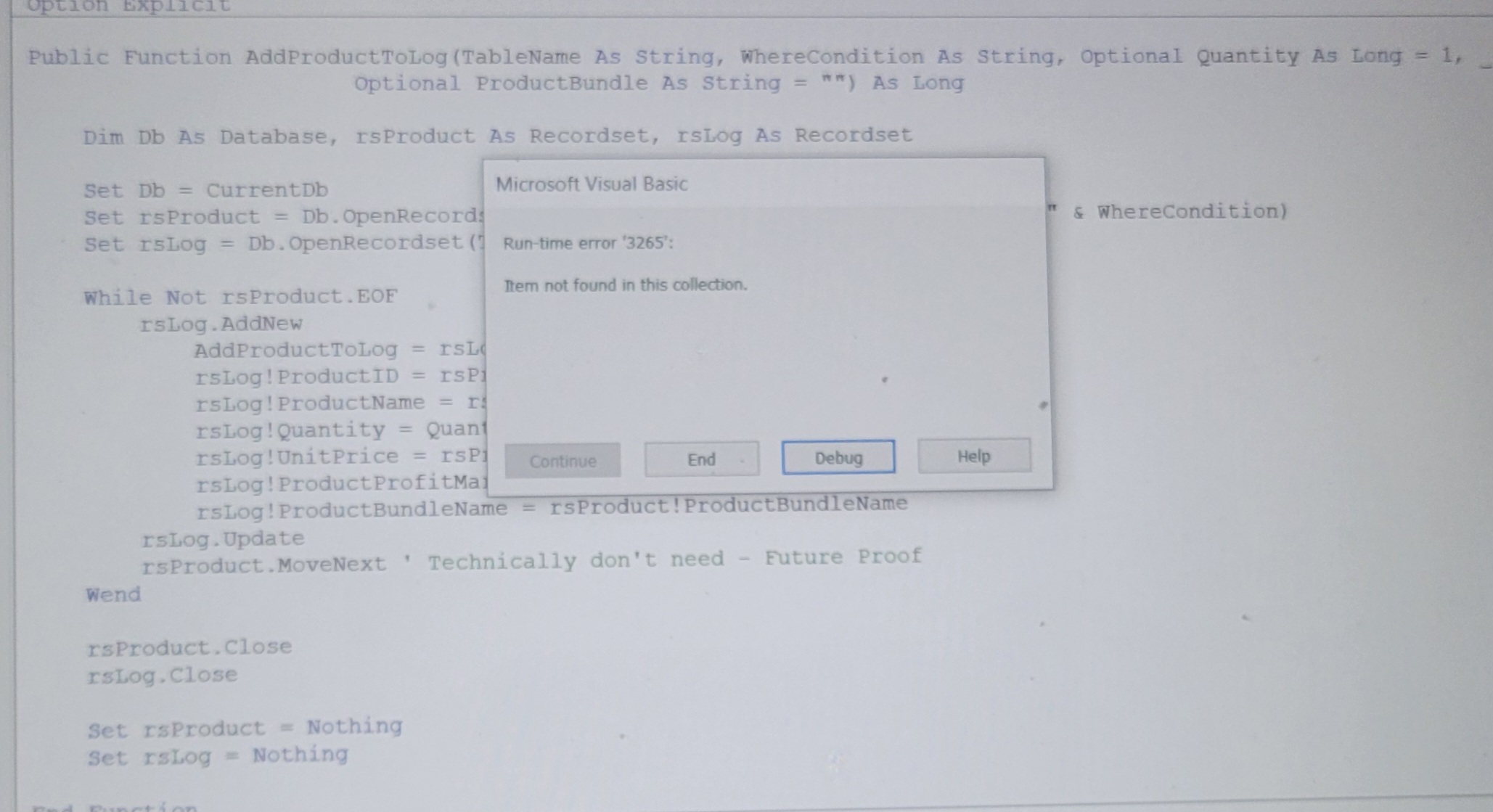
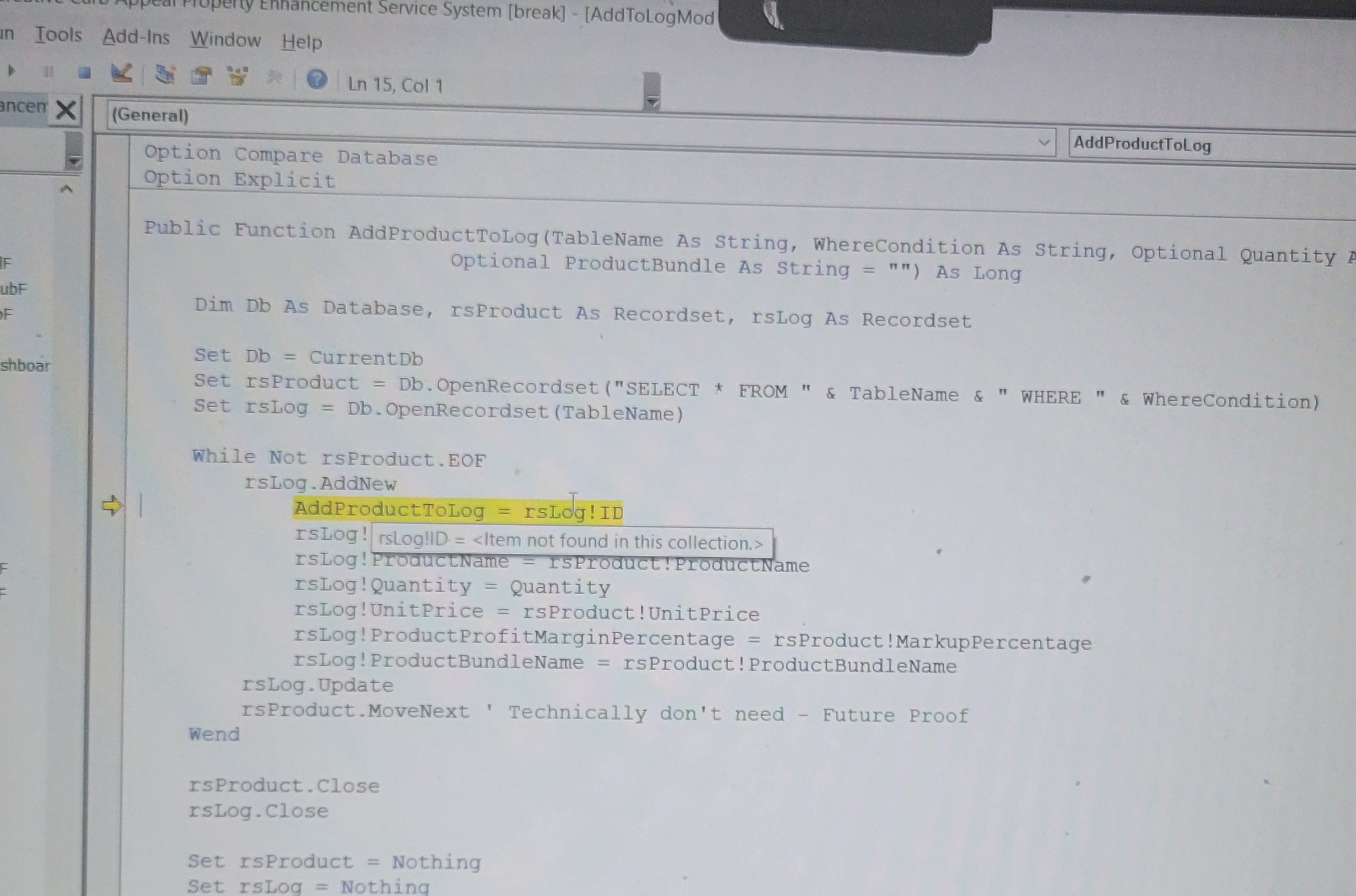
Richard it work Perfectly, but the rsLog = db.OpenRecordset(TableName)  causing an ERROR.
James Hopkins OP  @Reply  
     
8 months ago

James Hopkins OP  @Reply  
     
8 months ago

Richard Rost  @Reply  
           
8 months ago
Well, what do you think that that error means? "Item not found in this collection." Take a moment and think about it. I'll put my answer in the details section below, but see if you can figure it out yourself.

DetailsThat error tells me you don't have a field named "ID" in your table. Remember, it has to be EXACT.
Richard Rost  @Reply  
           
8 months ago
You know it's funny because I searched for both of the problems that you had in this thread, the argument not optional and the item not found in this collection errors, and I don't have videos for either of these things. And I bet you people search for these a lot. So thank you, you've given me ideas for two new videos.
Kevin Robertson  @Reply  
          
8 months ago
I have encountered both errors several times so are very familiar to me making the problem a very easy fix. As always, I look forward to these two new videos
Richard Rost  @Reply  
           
8 months ago
James here's something else to consider...

DetailsIf you don't have a field called "ID" in each of those tables, you can send in the primary key field name as another string parameter, but then you have to refer to it like this in your code:

AddProductToLog = rsLog(IDFieldName)

So if you send in "ProductID" as a parameter that will become

AddProductToLog = rsLog("ProductID")

Which is basically the same thing as:

AddProductToLog = rsLog!ProductID

The different way of writing it allows you to send it in as a text string.

This is all stuff that's covered in my Developer lessons. I see you're only in the Expert classes, so you'll get there soon enough. Keep learnin' :)
James Hopkins OP  @Reply  
     
7 months ago
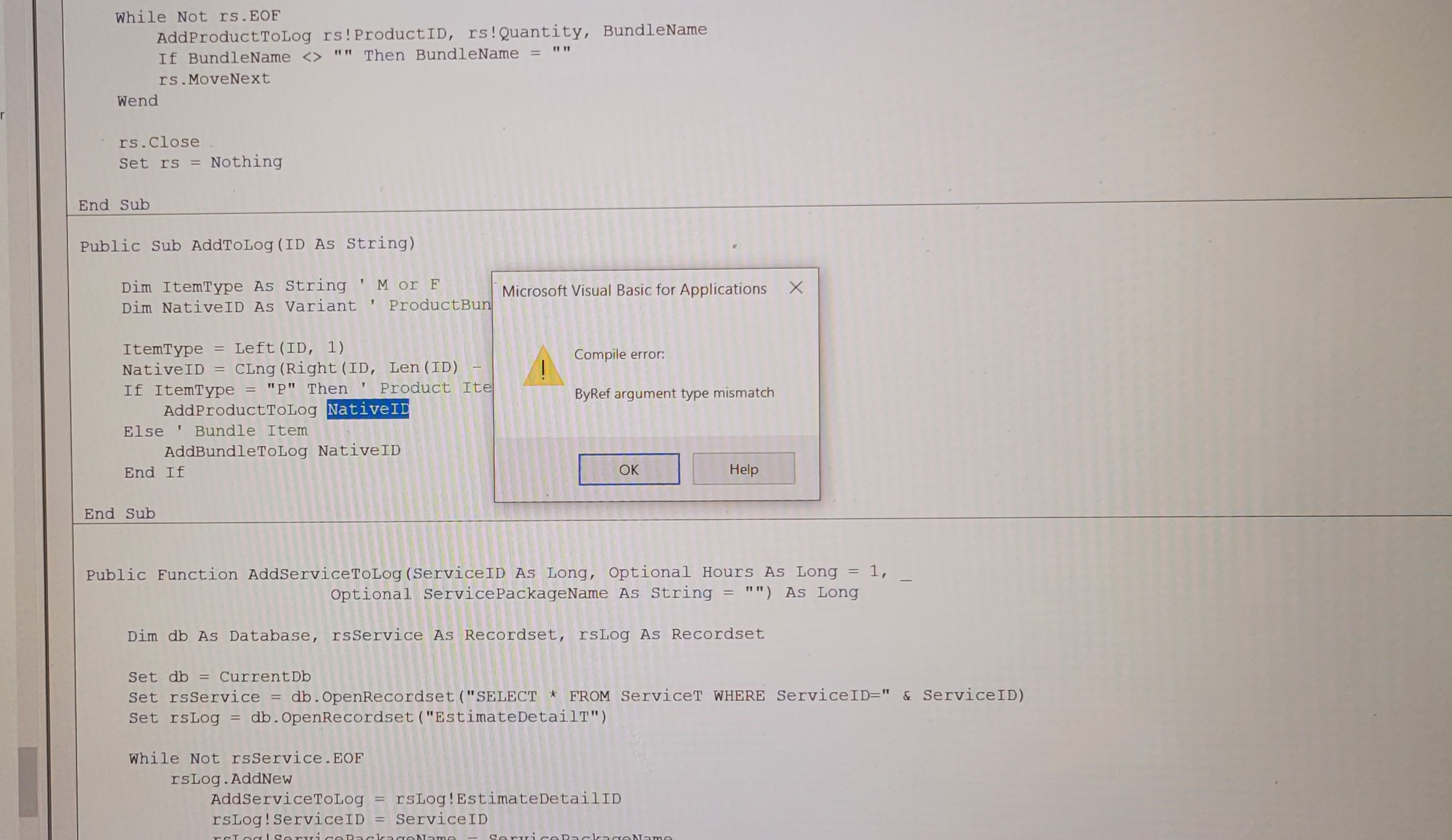
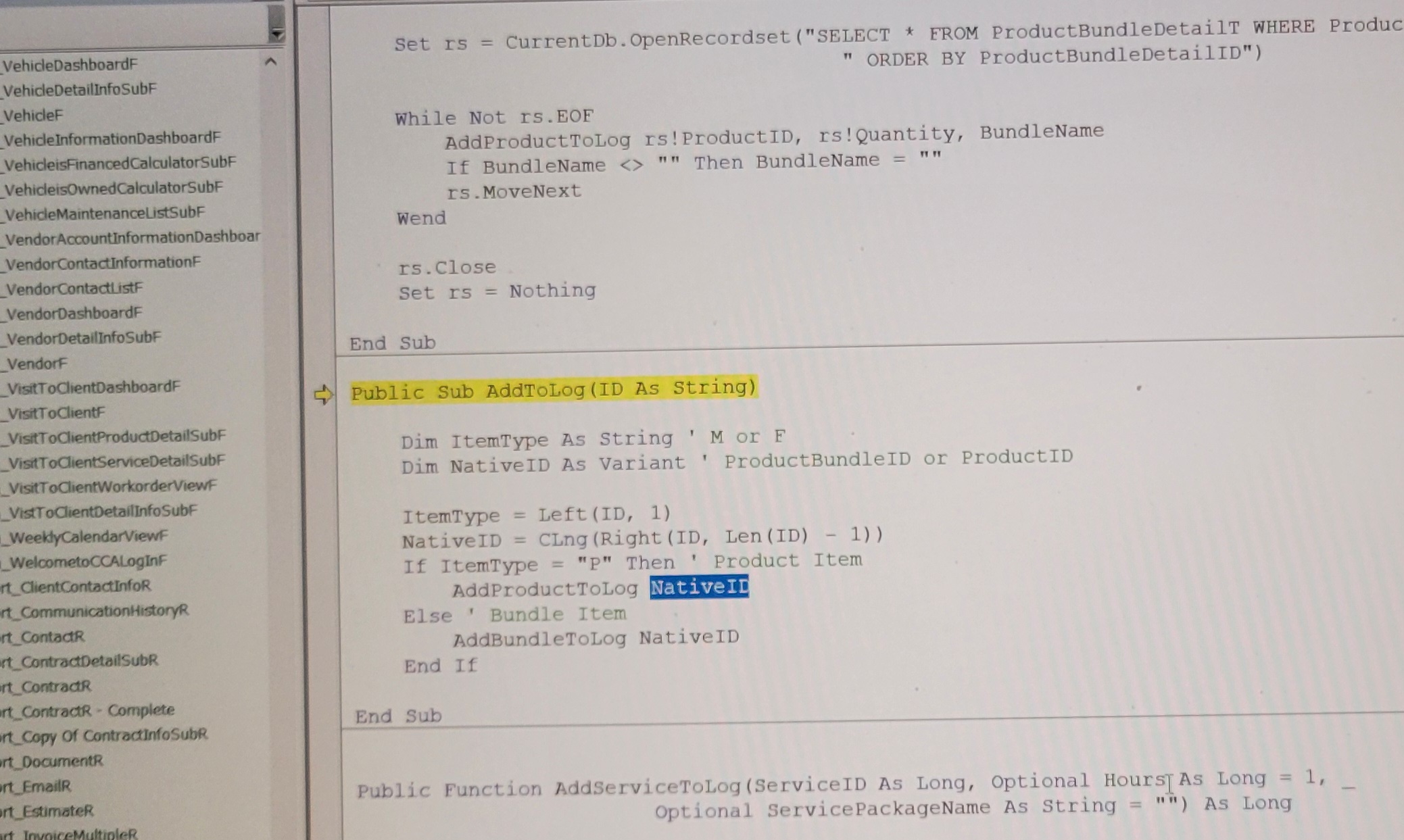
Richard, I think that fix the Runtime Error with the rsLog("ProductId"). But for some how I now get an Compile Error: ByRef Argument Type Mismatch with the NativeID.
James Hopkins OP  @Reply  
     
7 months ago

James Hopkins OP  @Reply  
     
7 months ago

Kevin Robertson  @Reply  
          
7 months ago
James Hopkins OP  @Reply  
     
7 months ago
Hey Guys, I still could not find the best way. I just put the Code in each Form Code needed for now.

This thread is now CLOSED. If you wish to comment, start a NEW discussion in Fitness 44.
 

Next Unseen

 
New Feature: Comment Live View


The following is a paid advertisement
Computer Learning Zone is not responsible for any content shown or offers made by these ads.
 

Learn
 
Access - index
Excel - index
Word - index
Windows - index
PowerPoint - index
Photoshop - index
Visual Basic - index
ASP - index
Seminars
More...
Customers
 
Login
My Account
My Courses
Lost Password
Memberships
Student Databases
Change Email
Info
 
Latest News
New Releases
User Forums
Topic Glossary
Tips & Tricks
Search The Site
Code Vault
Collapse Menus
Help
 
Customer Support
Web Site Tour
FAQs
TechHelp
Consulting Services
About
 
Background
Testimonials
Jobs
Affiliate Program
Richard Rost
Free Lessons
Mailing List
PCResale.NET
Order
 
Video Tutorials
Handbooks
Memberships
Learning Connection
Idiot's Guide to Excel
Volume Discounts
Payment Info
Shipping
Terms of Sale
Contact
 
Contact Info
Support Policy
Mailing Address
Phone Number
Fax Number
Course Survey
Email Richard
[email protected]
Blog RSS Feed    YouTube Channel

LinkedIn
Copyright 2026 by Computer Learning Zone, Amicron, and Richard Rost. All Rights Reserved. Current Time: 6/13/2026 8:32:33 PM. PLT: 0s