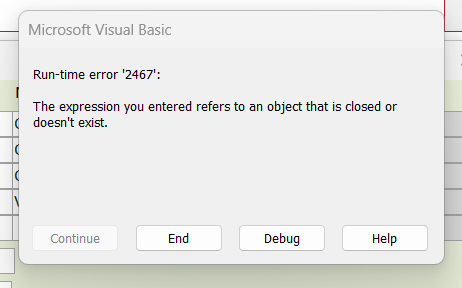
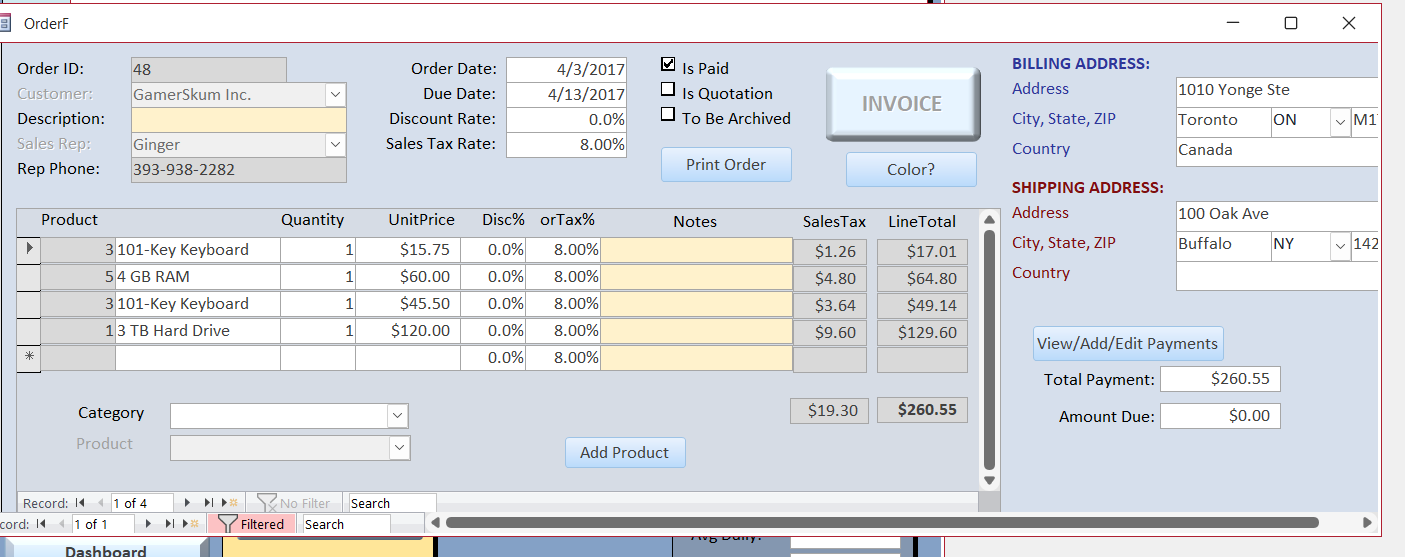
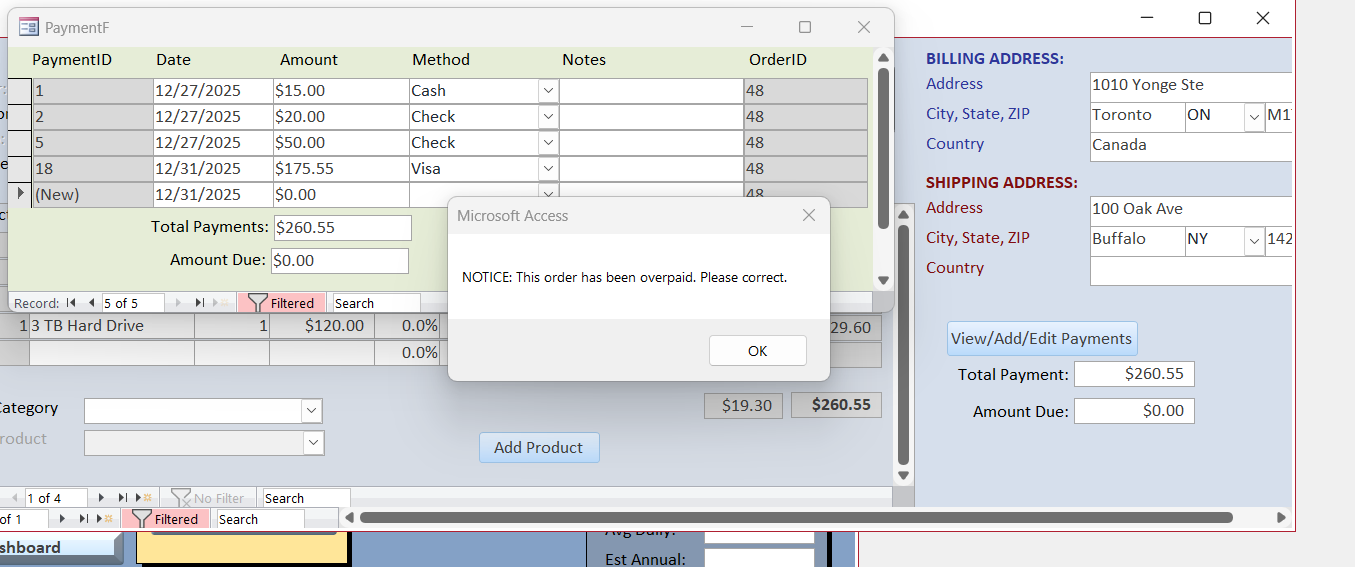
Richard, in Lesson 1, we encountered this problem, and we temporarily resolved it. However, in Lesson 2, I am experiencing the same issue again and cannot access Design mode due to the error. What can we do to resolve this issue completely? Attached are screenshots of the recurring issue.
Alex, yes to both questions. Once I hit the Add Payment button, it is the Payment form I cannot get into the design mode.
Ken WykoffOP
@Reply 9 months ago
Ken WykoffOP
@Reply 9 months ago
Kevin Robertson
@Reply 9 months ago
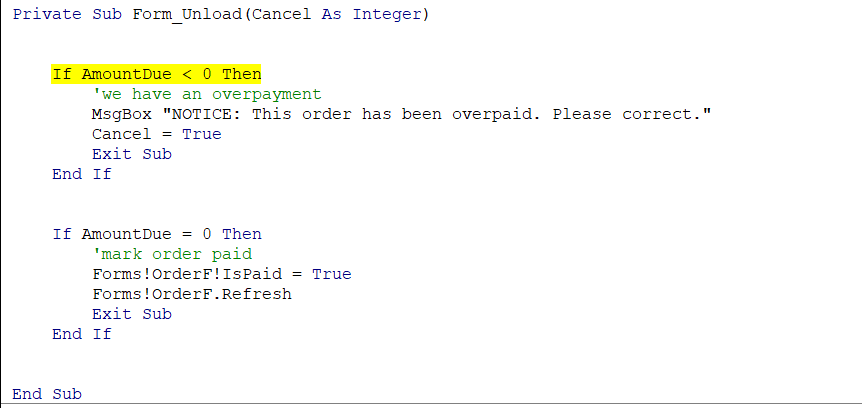
You can modify the code slightly to get the AmountDue from OrderF instead of PaymentF (they should be the same value).
This will prevent the error AND also prevent the Message Box popping up when you switch to Design View.
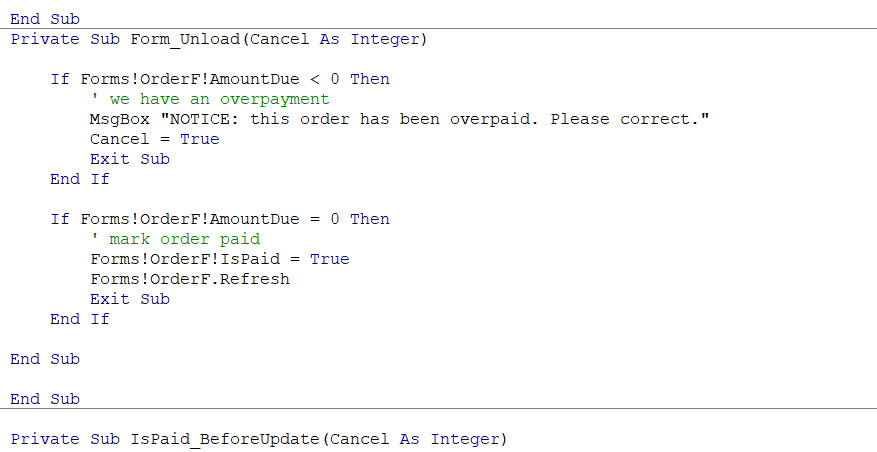
Private Sub Form_Unload(Cancel As Integer)


    If Forms!OrderF!AmountDue < 0 Then

        ' we have an overpayment

        MsgBox "NOTICE: this order has been overpaid. Please correct."

        Cancel = True

        Exit Sub

    End If


    If Forms!OrderF!AmountDue = 0 Then

        ' mark order paid

        Forms!OrderF!IsPaid = True

        Forms!OrderF.Refresh

        Exit Sub

    End If


End Sub
Note: this will only work if the AmountDue is not less than 0.
Ken WykoffOP
@Reply 9 months ago
What you sent goes in as additional coding and not in behind a button?
Kevin Robertson
@Reply 9 months ago
Ken You posted the code above. I just modified it.
Ken WykoffOP
@Reply 9 months ago
Kevin, I understand, unfortunately, that the code for unload is from the Payment form, which I cannot get into Design mode at the moment. If I go into the unlock area of the Order Form It has information in it now for password stuff. Can I just add the modified version you sent to the area?
Ken WykoffOP
@Reply 9 months ago
Kevin, my mistake, I read that password stuff from the Afterupdate area. The unload area was empty so I added there and will see haow that works
Kevin Robertson
@Reply 9 months ago
Go to the navigation pane and find PaymentF. Right click and select Design View.
Or
In the VB Editor click on View -- Project Explorer (or Ctrl+R). In the Project Explorer pane find Form_PaymentF and double click to open the code for that Form.
Ken WykoffOP
@Reply 9 months ago
Kevin I tried that like I said in the in the Unload area for OrderF and got the same thing. Showed the NOTICE warning and when I clicked OK, it disappeared and still will not allow me into the Design Mode for the PaymentF.
Ken WykoffOP
@Reply 9 months ago
Kevin Robertson
@Reply 9 months ago
IsPaid is on OrderF so you code is in the wrong Unload event.
It should be in the Unload event for PaymentF.
Ken WykoffOP
@Reply 9 months ago
Kevin, that worked. I entered by going to the navigation area and right-clicking to design view and pasted your modified version in, and everything is great now. Thanks again for your help and patience with me. Happy New Year!
Kevin Robertson
@Reply 9 months ago
Your welcome. All the best for 2026.
Sorry, only students may add comments.
Click here for more
information on how you can set up an account.
If you are a Visitor, go ahead and post your reply as a
new comment, and we'll move it here for you
once it's approved. Be sure to use the same name and email address.
This thread is now CLOSED. If you wish to comment, start a NEW discussion in
Access Developer 8.