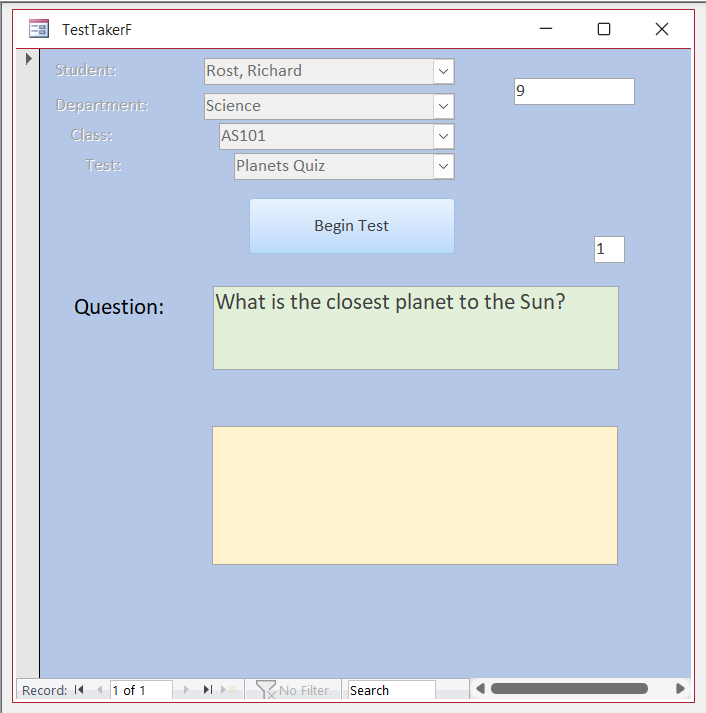
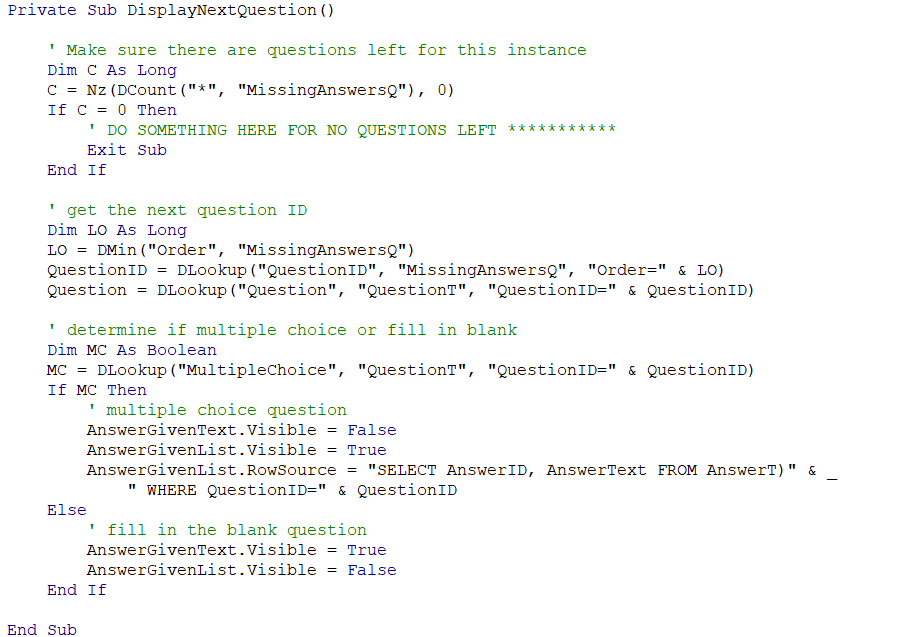
I just finished adding everything to the code for the AnswerTestList box in the DisplayNextQuestion coding, saved, and then reopened the TestTakerF, and it shows the question, but now not the answers to choose from. Hoping someone can give me answers to what is happening or what needs to be changed.
Ken WykoffOP
@Reply 10 months ago
Ken WykoffOP
@Reply 10 months ago
Michael Johnson
@Reply 10 months ago
You have a parenthesis symbol in your AnswerGivenList.RowSource SQL statement after "FROM AnswerT".
Michael Johnson
@Reply 10 months ago
Ken WykoffOP
@Reply 10 months ago
Thank you, Michael! I appreciate your help. It's often hard for me to spot the tiny errors like that. Now it works fine,
Michael Johnson
@Reply 10 months ago
Awesome! Glad it works! And same here. Little things like that trip me up all the time. And I’m sure everyone who programs can say the same. :)
Ken WykoffOP
@Reply 10 months ago
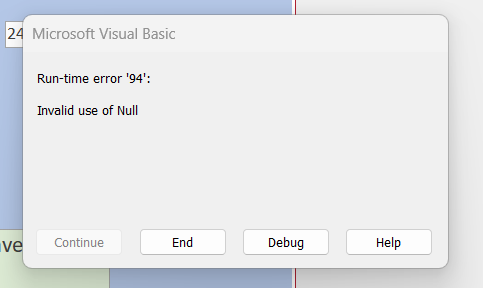
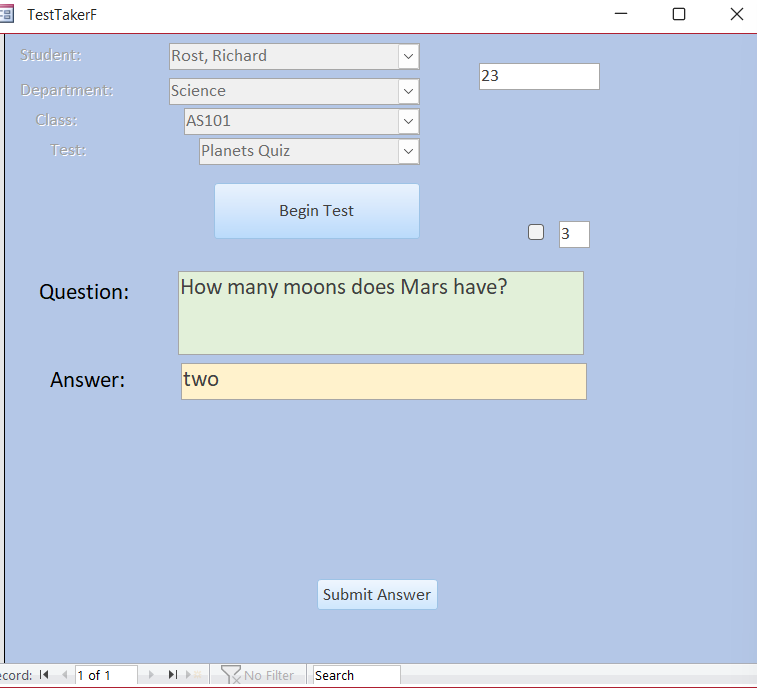
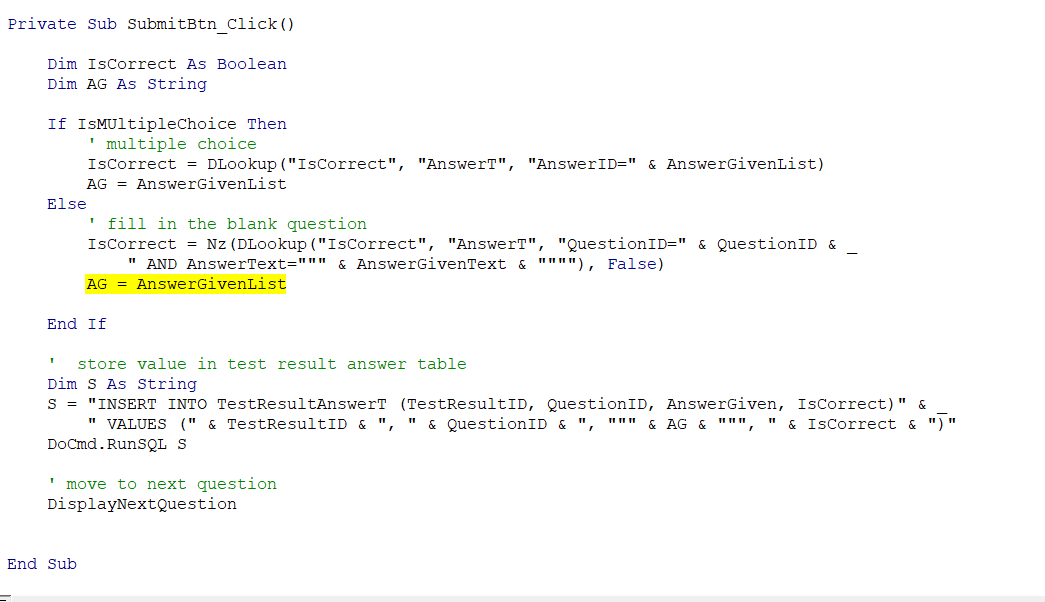
OK, now I am nearing the end of Lesson 3 for TestTaker 7. One hiccup that is not mentioned in the video or the handbook. While doing the test and advancing through each of the questions, it got hung up on the fill-in-the-blank question with a debug thing. I compared it to the video and the handbook, but nothing appears to be different, so I am not sure why it is not working. I corrected the one that the video showed a parameter error like I was shown, but now the debug is an entirely different area and will not accept answers for the number 2 or written two.
Ken WykoffOP
@Reply 10 months ago
Ken WykoffOP
@Reply 10 months ago
Ken WykoffOP
@Reply 10 months ago
Kevin Robertson
@Reply 10 months ago
The highlighted line is wrong. It should be AG = AnswerGivenText
Ken WykoffOP
@Reply 10 months ago
Thank you, Kevin.
Ken WykoffOP
@Reply 10 months ago
One more BIG THANK YOU to all of you who always stepped up to help me get through this Developer 10. Onto 11 now
Great job sticking with it, hope you enjoy Dev 11 :)
Ken WykoffOP
@Reply 10 months ago
Thanks, Alex. So far, so good with Developer 11. A couple of things I have discovered are that following the handbook closer helps a lot, but one of the things in it had mistakes, and the real coding was mentioned on the video. Soon will be moving on to the Dialog Box.
Sorry, only students may add comments.
Click here for more
information on how you can set up an account.
If you are a Visitor, go ahead and post your reply as a
new comment, and we'll move it here for you
once it's approved. Be sure to use the same name and email address.
This thread is now CLOSED. If you wish to comment, start a NEW discussion in
Access Developer 10.