|
||||||
Access Developer 10Test Workflow, Answer Tracking, Grading, ResultsWelcome to Access Developer 10. In this course you will learn how to build a Test Taker database with grading and test results in Microsoft Access, starting from identifying unanswered questions for each test and setting up forms to begin the test, to displaying questions and saving responses, determining correctness, and calculating the final grade to store in the Test Result table. We will discuss query generation, form configuration, question and answer display, and storing results to ensure a complete test-taking workflow. Completion of Level 9 is recommended before starting this course. Lessons
Resources
Lesson SummaryWelcome! Test Taker DB with Grading - Welcome to Microsoft Access Developer Level 10. In this course we will continue building the Test Taker database from Level 9, covering how to generate queries for unanswered questions, set up the form to begin the test and pull in question data, display questions and answers while saving responses and determining correctness, and finally calculate the grade and store results in the Test Result table. This course is suitable for most versions of Microsoft Access and builds directly on the previous lessons, so it is recommended that you complete Level 9 first.
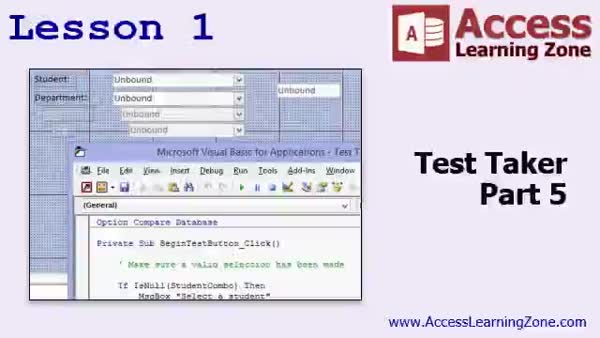
Lesson 1: List Unanswered Test Questions - In Lesson 1, we continue building the Test Taker 5 database by focusing on how to identify which questions have not yet been answered for a specific test instance. We will walk through creating and joining queries to list unanswered questions for the current test result, discuss how to use order for question sequencing, and look at handling auto numbers after compacting the database. We will also briefly discuss setting default values on forms and tips for facilitating test and question entry. This lesson lays the groundwork for progressing to the step where students actually begin taking the test.
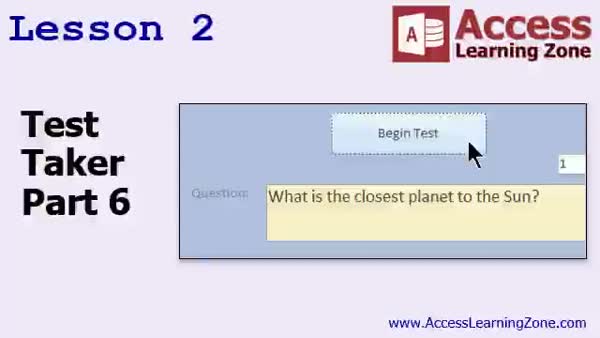
Lesson 2: Dynamic Test Question Boxes - In Lesson 2, we continue building the Test Taker 6 form by setting up the ability to display questions when the Begin Test button is clicked. We will walk through adding and configuring a text box to show the question, dynamically handling its size, and setting up scroll bars. I will show you how to check for remaining questions, retrieve the next question's ID and text using DCount and DLookup functions, and prepare the form to display the first question. We will discuss adding the answers in the next lesson.
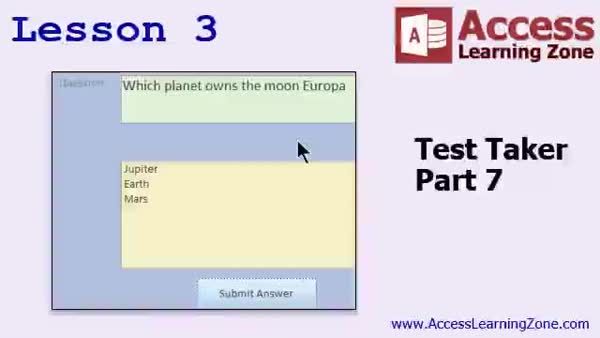
Lesson 3: Questions & Answers: MC & Fill Blank - In Lesson 3, we continue work on the Test Taker 7 project by adding functionality to display both multiple choice and fill-in-the-blank questions, letting users select or type their answers. I will show you how to use code to determine the question type, display the correct input control, check if the submitted answer is correct using DLookup, handle multiple correct answers, and save results into the answer table. We will also discuss error handling, user feedback options, and updating the interface as users proceed through questions. Finishing, we prepare to display results in the next lesson.
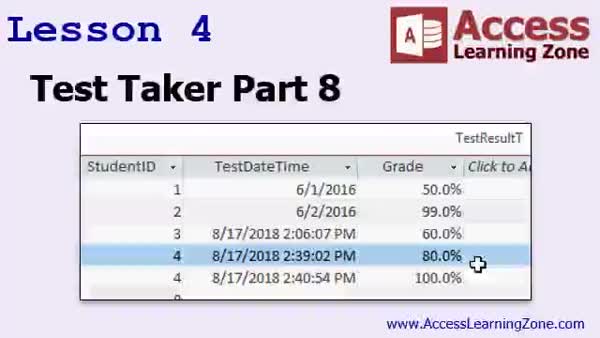
Lesson 4: Calculate Grades & Store Results - In Lesson 4, we will finish the Test Taker part 8 by calculating grades and storing results in the TestResult table. I will show you how to determine the total number of questions, count the correct answers, calculate the grade as a percentage, and update the test results using an update query. We will also discuss fixing some small interface issues, such as handling focus when submitting answers, and briefly mention adding timing features in future lessons. This wraps up the main functionality to ensure the test taker workflow is working correctly.
Lesson 5: Key Concepts & Next Topics - In this course we learned about the upcoming plans for Microsoft Access Developer 11, including additional features for the test taker and an introduction to barcoding and order entry systems. We discussed the availability of related seminars, resources for further learning, and ways to get support through forums and direct contact. The course also highlighted accessing previous classes and provided information about subscribing to updates, surveys for feedback, and connecting through social media.
NavigationKeywordstest taker database, grading, test results, unanswered questions, DMin, queries, question sequencing, Begin Test button, DCount, DLookup, multiple choice, fill in the blank, answer table, grade calculation, update query, TestResult table
More InformationTranscriptWelcome to Microsoft Access Developer Level 10 brought to you by AccessLearningZone.com. I am your instructor, Richard Rost. Today we are continuing with the Test Takeer database that we started in Access Developer Level 9. If you have not taken Level 9 yet, then I strongly recommend you get that class first and watch Level 9 because parts 1 through 4 of building this database are covered in Level 9. Whether or not you are going to be building a test in your personal or business endeavors, there are a lot of techniques, tricks, and tips covered in this database that will be of use to everybody. Of course, I recommend you take all of my classes: beginner, expert, advanced, and developer. There are lots of different lessons, and I suggest all of them. Each series has multiple levels. This is Level 10 of the developer series. The sample database can be found at this page if you want to pick up where I left off at the end of Developer 9. The Test Takeer database parts 1 through 4 can be found at this page. Of course, you need the password. Everything today should work with pretty much every version of Microsoft Access. I am going to officially support 2007 and 2016. I am using 2016 with Office 365. But I think everything I cover today will work with every version of Access going back to at least 2003 and maybe 2002. Let's now take a closer look at exactly what is covered in today's class. In lesson 1, we are going to continue the Test Takeer database that we started in Developer 9. This is Part 5. In this lesson, we are going to make a series of queries that will give us a list of the questions that have not been answered yet for the particular test being taken. In lesson 2, we are continuing the Test Takeer. We are going to set up the form so we can click the Begin Test button and it is going to actually go out, look at the list of questions that have not been answered, and pull in the question data. In lesson 3, we are at Test Takeer Part 7. Now we are going to actually put the question and answers up on the screen. We are going to write code so that when you pick an answer and submit it, the system can save that in the table and figure out if it is right or wrong and then move on to the next question. In lesson 4, we are going to finish up today with the Test Takeer Part 8. We are going to calculate the grade and store the results in the Test Result table. Thank you. IntroIn lesson 10 of the Microsoft Access Developer series, we continue building the Test Takeer database from Developer Level 9. We will create queries to list unanswered test questions, set up a form to begin the test and pull in question data, display questions and answers on screen while saving user responses and checking them for correctness, and finally calculate the test grade and store results in the Test Result table. QuizQ1. What is the main focus of Microsoft Access Developer Level 10? A. Building a customer management system from scratch B. Continuing development of the Test Takeer database C. Learning about Access security features D. Creating advanced reports and charts Q2. What prerequisite is recommended before taking Developer Level 10? A. Access Beginner Level 5 B. Access Developer Level 9 C. Access Advanced Level 7 D. Access Expert Level 2 Q3. What will be accomplished in Lesson 1 of this course? A. Creating a report for test results B. Making queries to list unanswered questions for a test C. Importing data from Excel D. Designing a navigation form Q4. What is the main task in Lesson 2? A. Securing the Test Takeer database B. Setting up a form to begin the test and pull in unanswered questions C. Printing test summaries D. Creating a login page Q5. In Lesson 3, what coding feature will be developed? A. Generating random questions for every test B. Writing code to display questions, submit answers, and grade responses C. Exporting results to PDF D. Customizing ribbon controls Q6. What is covered in Lesson 4 of Developer Level 10? A. Importing tests from other programs B. Calculating the grade and saving results to the Test Result table C. Backing up the database D. Creating a user guide for students Q7. According to the video, which versions of Access are officially supported for this course? A. Access 2019 and later only B. Only Access 2007 and 2016 C. Access 2007, 2016, and likely versions back to 2003, possibly 2002 D. Any version before 2000 Q8. Why is it recommended to take all Richard Rost's series (beginner, expert, advanced, developer)? A. Each series covers unrelated topics B. Each series is only for specific Access versions C. Each series has multiple levels and valuable lessons for all users D. Only the advanced series covers real-world applications Answers: 1-B; 2-B; 3-B; 4-B; 5-B; 6-B; 7-C; 8-C DISCLAIMER: Quiz questions are AI generated. If you find any that are wrong, don't make sense, or aren't related to the video topic at hand, then please post a comment and let me know. Thanks. SummaryToday's video from Access Learning Zone is Microsoft Access Developer Level 10. I'm your instructor, Richard Rost. In this lesson, we are picking up where we left off with the Test Takeer database that we began developing in Access Developer Level 9. If you have not yet completed Level 9, I strongly suggest you start there, as it covers the first four parts of building this database and provides important foundational material. Even if you do not plan on building a test application yourself, you will find that there are plenty of useful techniques, tips, and tricks in this course that are valuable for a wide variety of Access projects. I always recommend that all students work through my full series of classes: Beginner, Expert, Advanced, and Developer. Each series contains several levels of training, and this is Level 10 of the Developer sequence. If you want to follow along with the lessons, you can download the sample database I use. The version at the end of Developer Level 9 is available on my website, and you will also find the earlier parts of the Test Takeer project there as well. As always, you will need the password to access them. The material covered today should be compatible with nearly every recent version of Microsoft Access. I officially support versions 2007 through 2016, and I'm working with the 2016 version included in Office 365. However, the lessons and techniques should work with Access 2003 and possibly even 2002. Let me give you an overview of what we'll be working on in today's class: In lesson one, we will continue expanding the Test Takeer database, progressing to Part 5. Here, I will show you how to create a set of queries that will provide a list of unanswered questions for the current test the user is taking. Lesson two will build on this by modifying the form so the user can click a Begin Test button. When they do, the system will search for questions that have not been answered yet and will populate the form with new question data. For lesson three, which is Test Takeer Part 7, we will focus on displaying questions and possible answers on the screen. We will develop code to allow students to pick their answers and submit them, and then have the system track whether the answer is correct or not, moving to the next question accordingly. Finally, lesson four wraps up today's course as Test Takeer Part 8. We'll calculate the participant's score and store the results in the Test Result table. You can find a complete video tutorial with step-by-step instructions on everything discussed here on my website at the link below. Live long and prosper, my friends. Topic ListCreating queries to find unanswered test questions Setting up the Begin Test button functionality Pulling unanswered question data into forms Displaying questions and possible answers on a form Writing code to capture and save selected answers Determining if a submitted answer is correct Moving to the next unanswered question automatically Calculating the test grade after completion Storing test results in the Test Result table Primary TopicsMicrosoft Access, Test Taker database, unanswered question queries, test form logic, recording answers, grading, result storage Secondary TopicsAccess VBA, multiple Access versions compatibility |
||||||||||||||||||||||||||||||||||
|
| |||
| Keywords: test taker database, grading, test results, unanswered questions, DMin, queries, question sequencing, Begin Test button, DCount, DLookup, multiple choice, fill in the blank, answer table, grade calculation, update query, TestResult table PermaLink Microsoft Access Developer 10 |