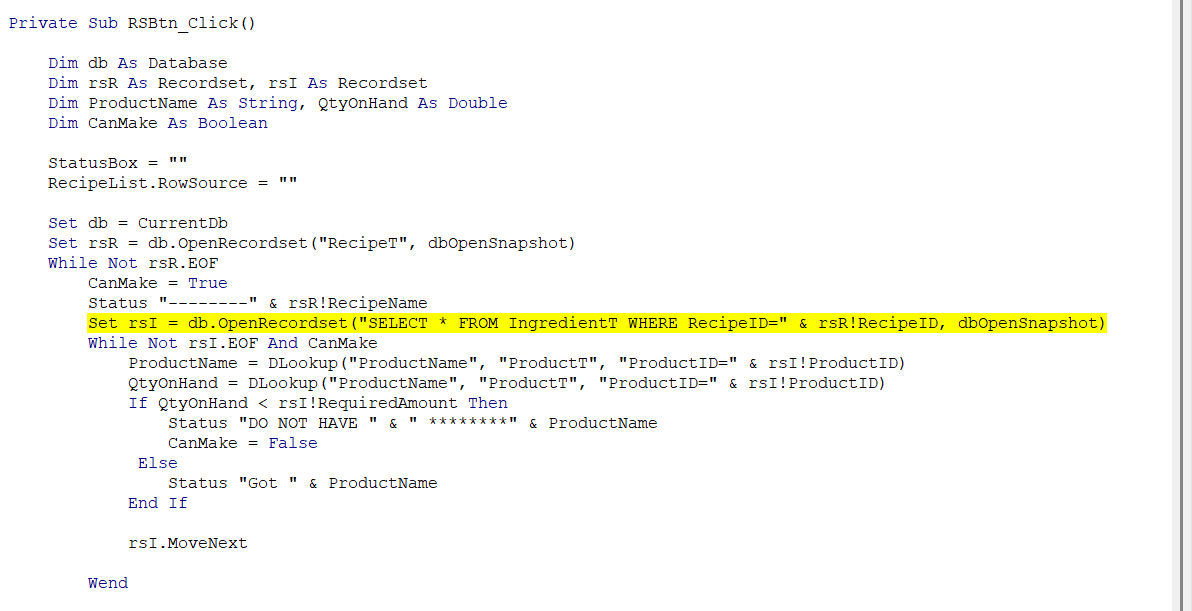
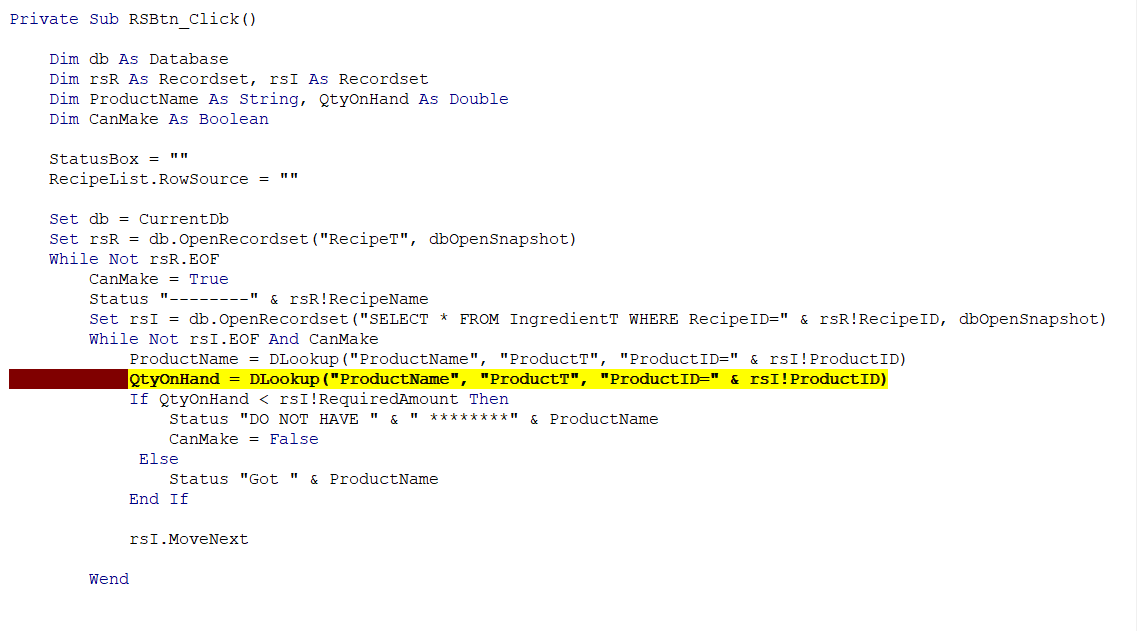
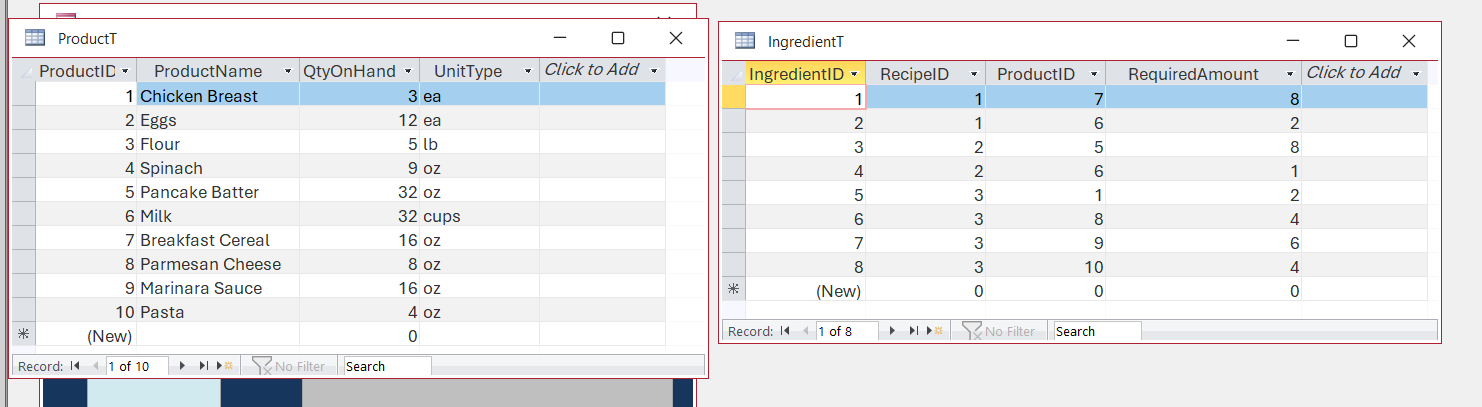
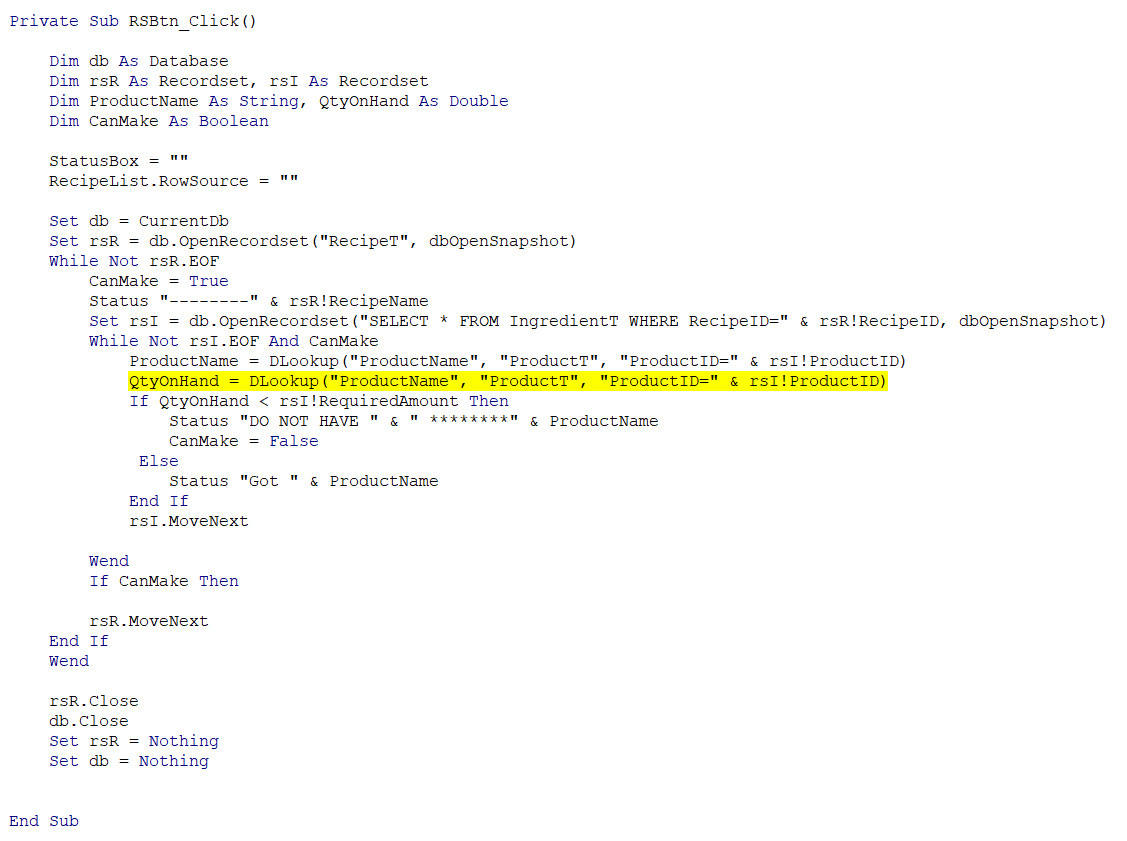
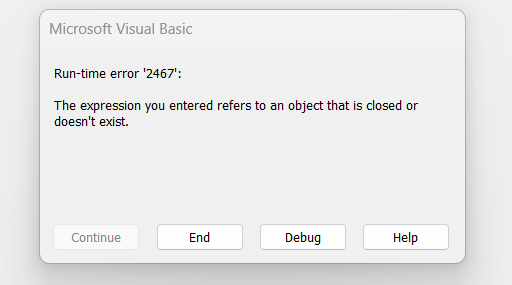
Once again, I'm getting a runtime error, and I checked everything I could think of and still couldn't see any mistakes between the video and my code for the lesson. I changed the QtyOnHand As String to Double, and now this is when the error showed up. First Runtime error was 3078. I googled that and found out that a table was misspelled. I fixed that. Then I hit the GO button again and got a different runtime error of that 13 type mismatch. I looked immediately at the spelling of the things in the Database, like Donald explained the last time, and that was ok. This time, I placed the mouse over the QtyOnHand line marked in yellow, and it showed a "0". I went to the Tables and checked the counts, and they are where they are supposed to be. So what else should I check? I cannot understand how it works in the learning video if everything appears to be the same, and it works, and mine doesn't. Please help again.
Ken WykoffOP
@Reply 9 months ago
Ken WykoffOP
@Reply 9 months ago
Ken WykoffOP
@Reply 9 months ago
Raymond Spornhauer
@Reply 9 months ago
Kevin Robertson
@Reply 9 months ago
Ken Your DLookup line for QtyOnHand is wrong. You are looking up ProductName instead of QtyOnHand.
Ken WykoffOP
@Reply 9 months ago
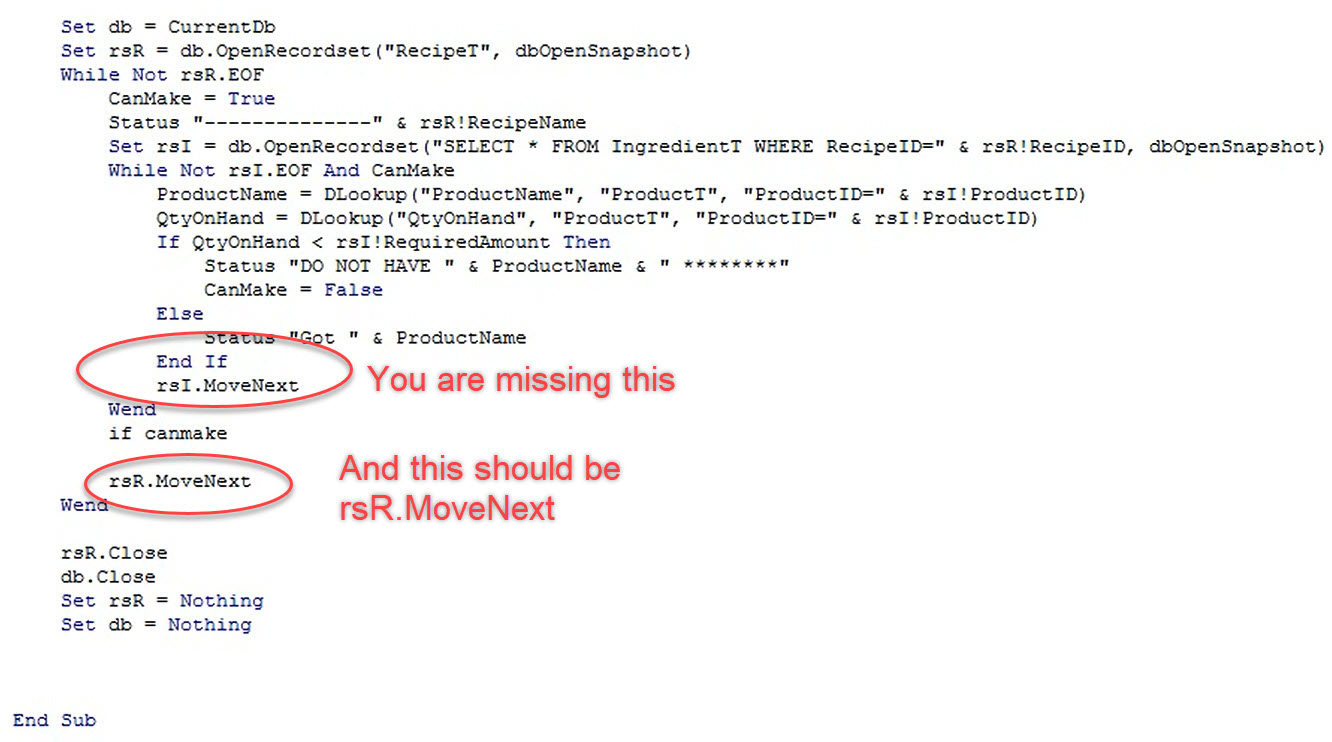
Hi Raymond, I didn't get the complete view in but I was missing "if canmake then". After adding that I am still getting that 13 runtime error.
Kevin, I changed that and it loaded up. Once I put 0 in a product item it gave me another new error message and it appeared to be stuck in an endless loop
Ken WykoffOP
@Reply 9 months ago
Kevin Robertson
@Reply 9 months ago
You have rsR.MoveNext inside the If CanMake block so it is only running if CanMake is True.
Ken WykoffOP
@Reply 9 months ago
Ok I see what you mean. I should remove that now and once the video gets to what goes in that space above that it should be fine. Let me see it that stops it all.
Ken WykoffOP
@Reply 9 months ago
Thanks again, I added more lines of code into that area, and now it is working fine.
Kevin Robertson
@Reply 9 months ago
You're welcome.
Sorry, only students may add comments.
Click here for more
information on how you can set up an account.
If you are a Visitor, go ahead and post your reply as a
new comment, and we'll move it here for you
once it's approved. Be sure to use the same name and email address.
This thread is now CLOSED. If you wish to comment, start a NEW discussion in
Access Developer 19.