Having followed this tutorial i have created a form which has a report button. When i click on it I get a 'preview' of the report. What i do not get and cannot work out how to get are all the print option s on the toolbar . Any ideas?
I could obviously create a button on the menu to actually print the report but this doesn't give me options.
Kevin Robertson
@Reply 8 months ago
Make sure you are not opening the Report in Report View.
Please show us what you are seeing.
Alfred CurlingOP
@Reply 8 months ago
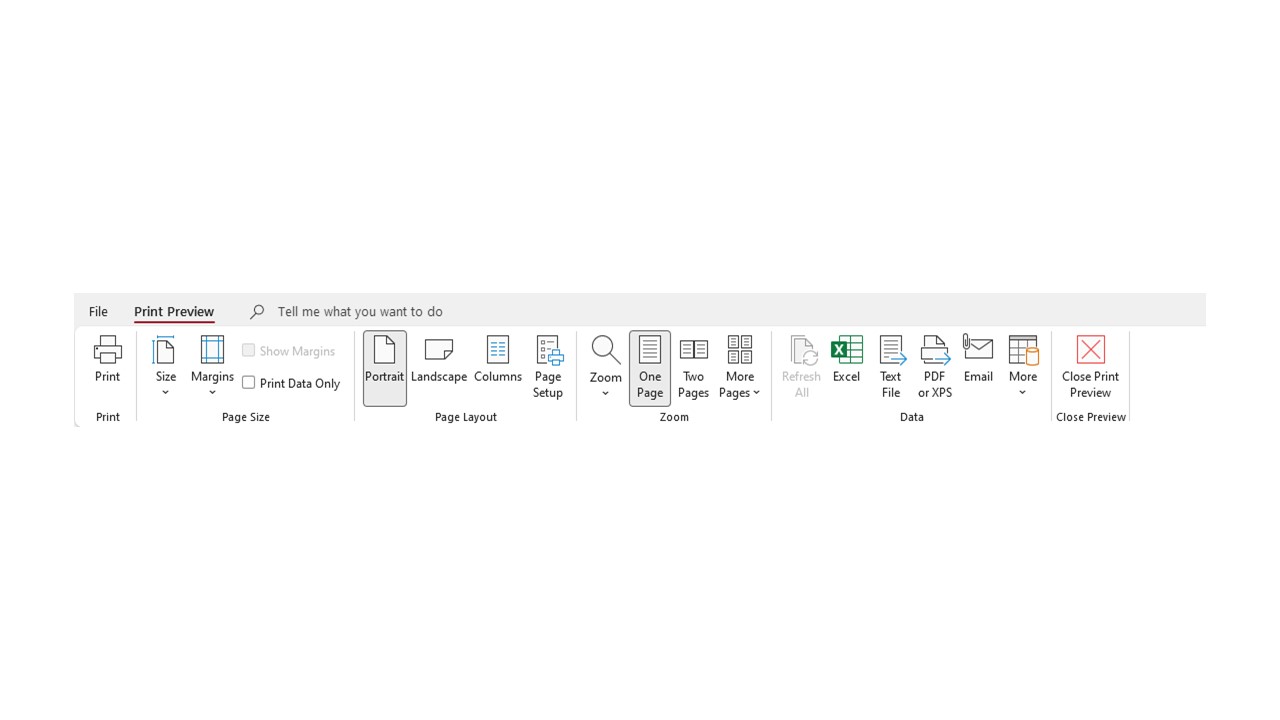
Yes I am opening as Print Preview. In lesson 3 at around 14.38 in it shows Richard showing his toolbar with all the print buttons which can be used once a preview has been initiated. they are the toolbar options i am trying to find.
Kevin Robertson
@Reply 8 months ago
Please post a screenshot of what you are seeing on your Ribbon.
Alfred CurlingOP
@Reply 8 months ago
Alfred CurlingOP
@Reply 8 months ago
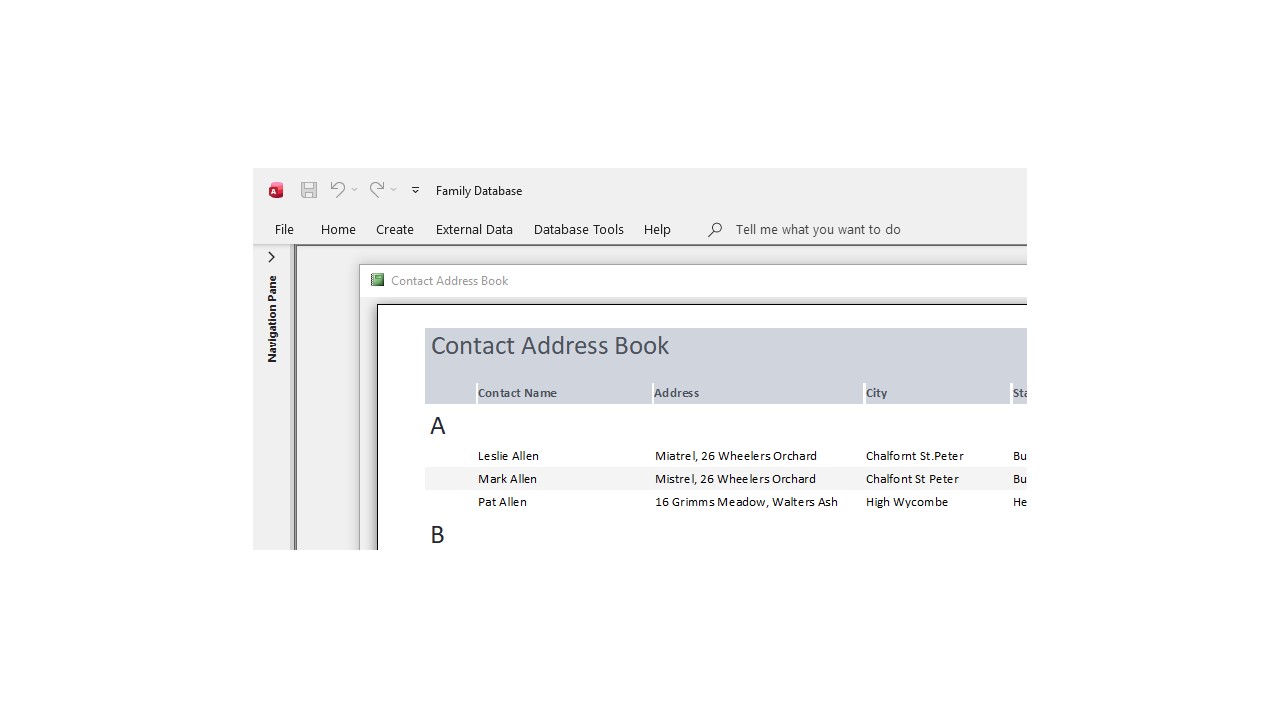
I am aware that all options are minimised. But on the main toolbar i thought Print options might appear between File and Home, or, somewhere on that line.
I can set it so that the user could press a Print Button having selected the print preview but that is potentially a bit of a pain.
Alfred CurlingOP
@Reply 8 months ago
P.S. Thanks Kevin
Kevin Robertson
@Reply 8 months ago
Your Ribbon is collapsed.
Double click on any of the Tab Headers (Home for example) and the Ribbon will expand.
Alfred CurlingOP
@Reply 7 months ago
Hi Kevin,
I have resolved my problem with the ribbon.
I had to set the Form Properties as follows:
Pop up = No
Modal = No
and
Default View = Print Preview.
This means that once I have the preview report open the main Access Toolbar Ribbon shows the Print Preview options as per the attached image. I put this here just in case someone else may find this helpful.
Alfred CurlingOP
@Reply 7 months ago
Sorry, only students may add comments.
Click here for more
information on how you can set up an account.
If you are a Visitor, go ahead and post your reply as a
new comment, and we'll move it here for you
once it's approved. Be sure to use the same name and email address.
This thread is now CLOSED. If you wish to comment, start a NEW discussion in
Access Beginner 7.