Free Lessons
Courses
Seminars
TechHelp
Fast Tips
Templates
Topic Index
Forum
ABCD
 
Home   Courses   TechHelp   Forums   Help   Contact   Merch   Join   Order   Logon  
 
Back to Search Form 2.0    Comments List
Upload Images   @Reply   Bookmark    Link   Email   Next Unseen 
Search Form Problem
Wayne Delaney 
    
5 years ago
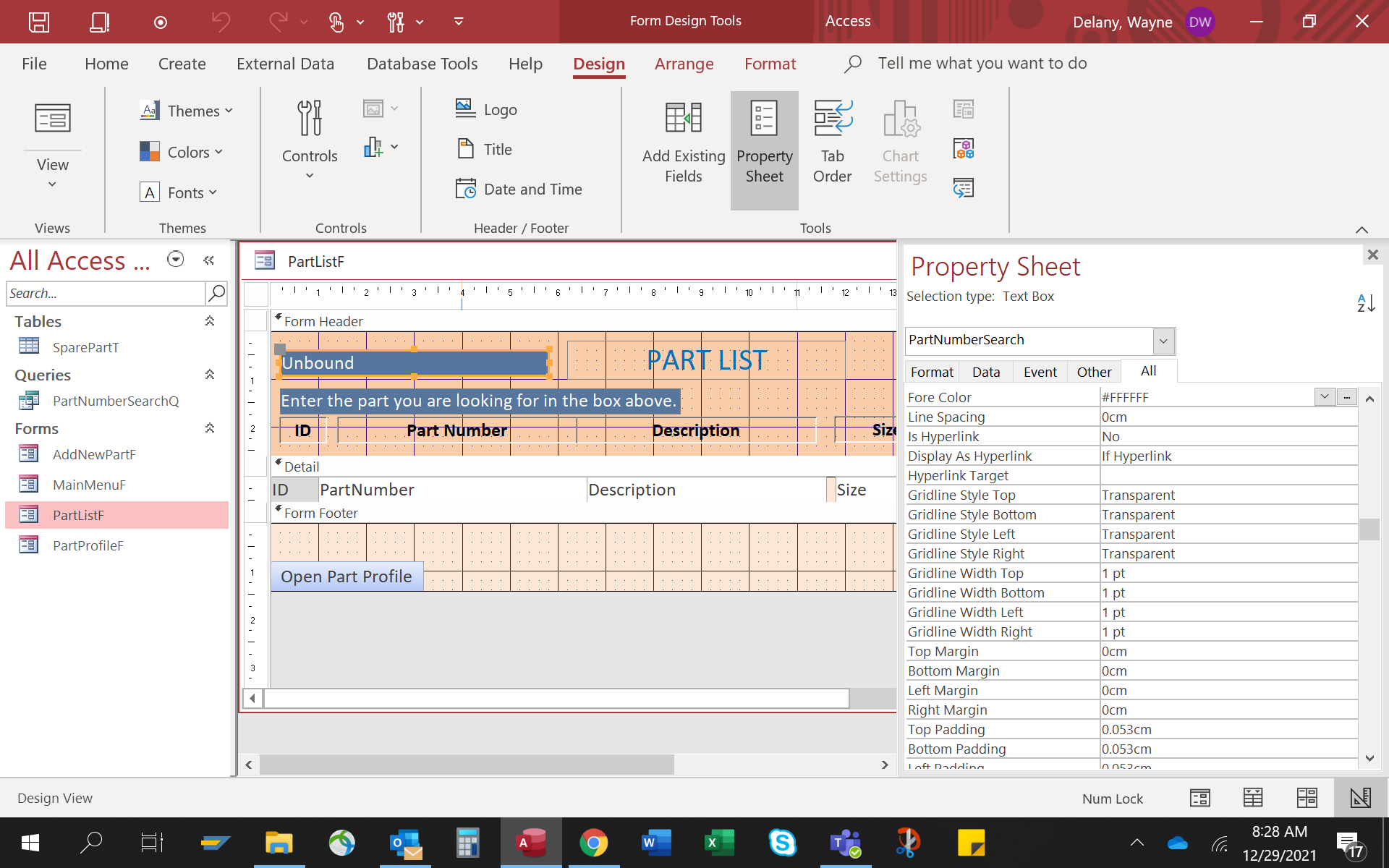
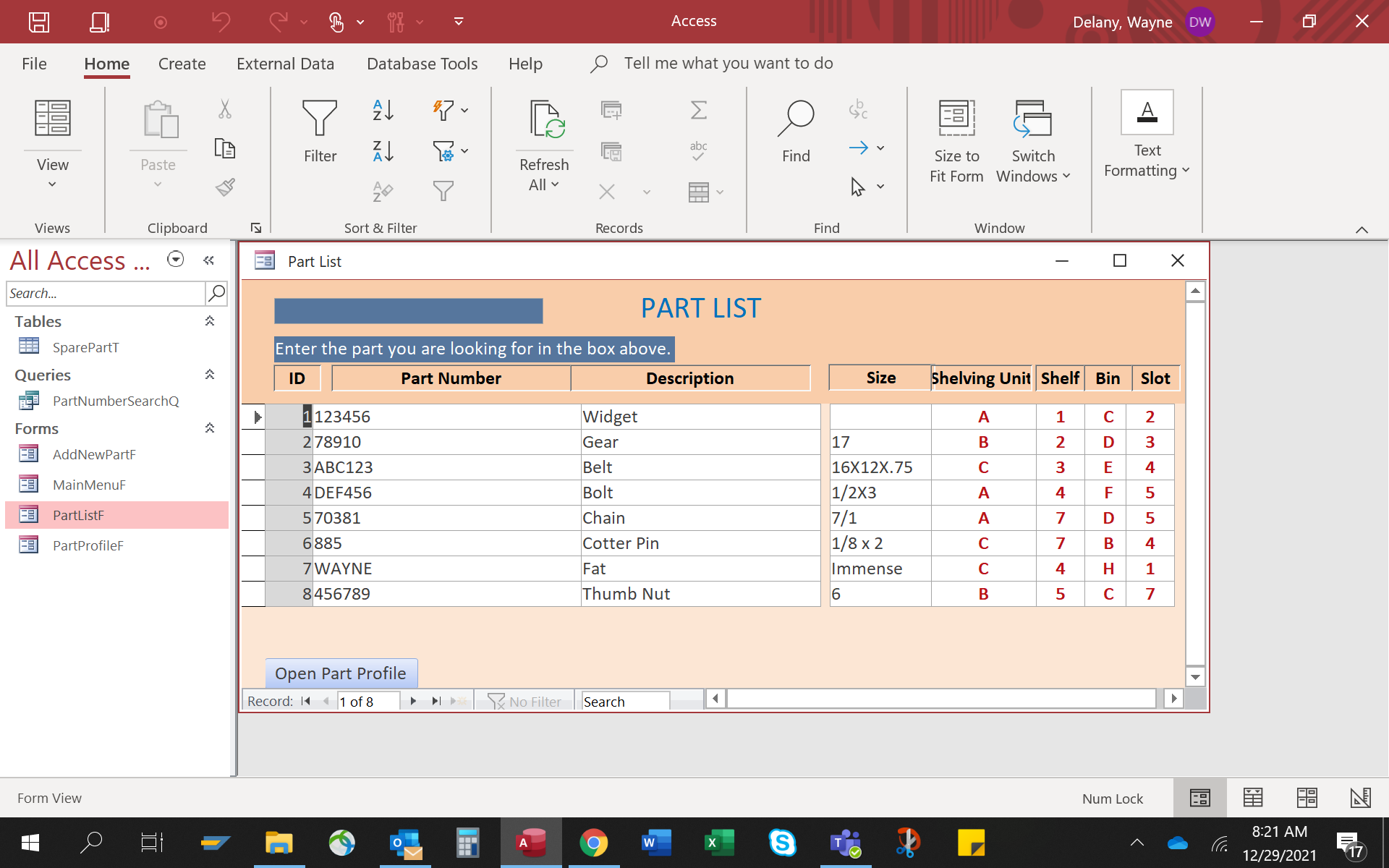
Once the search list form is completed I am unable to enter anything in the search field--there isn't eve a cursor.
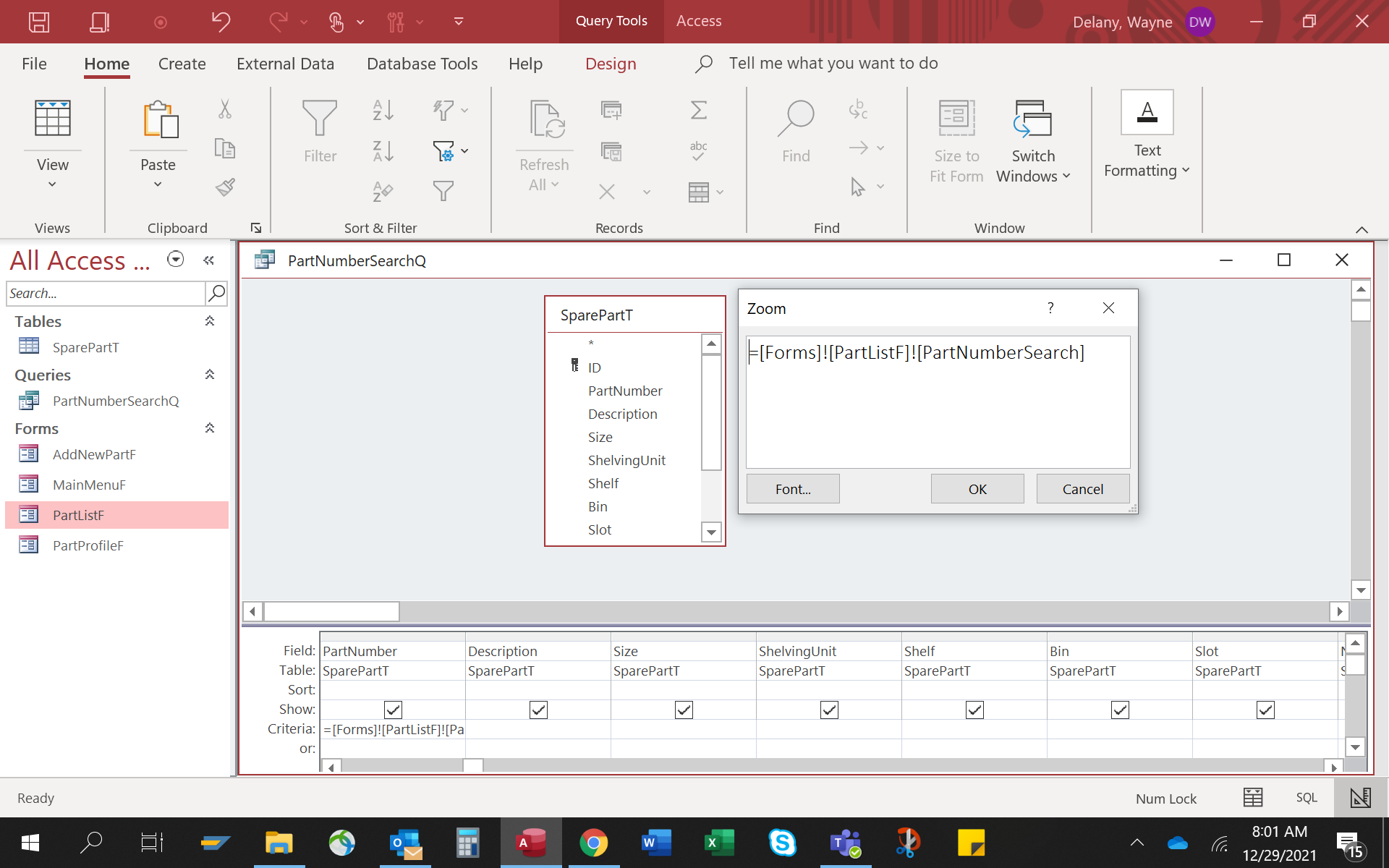
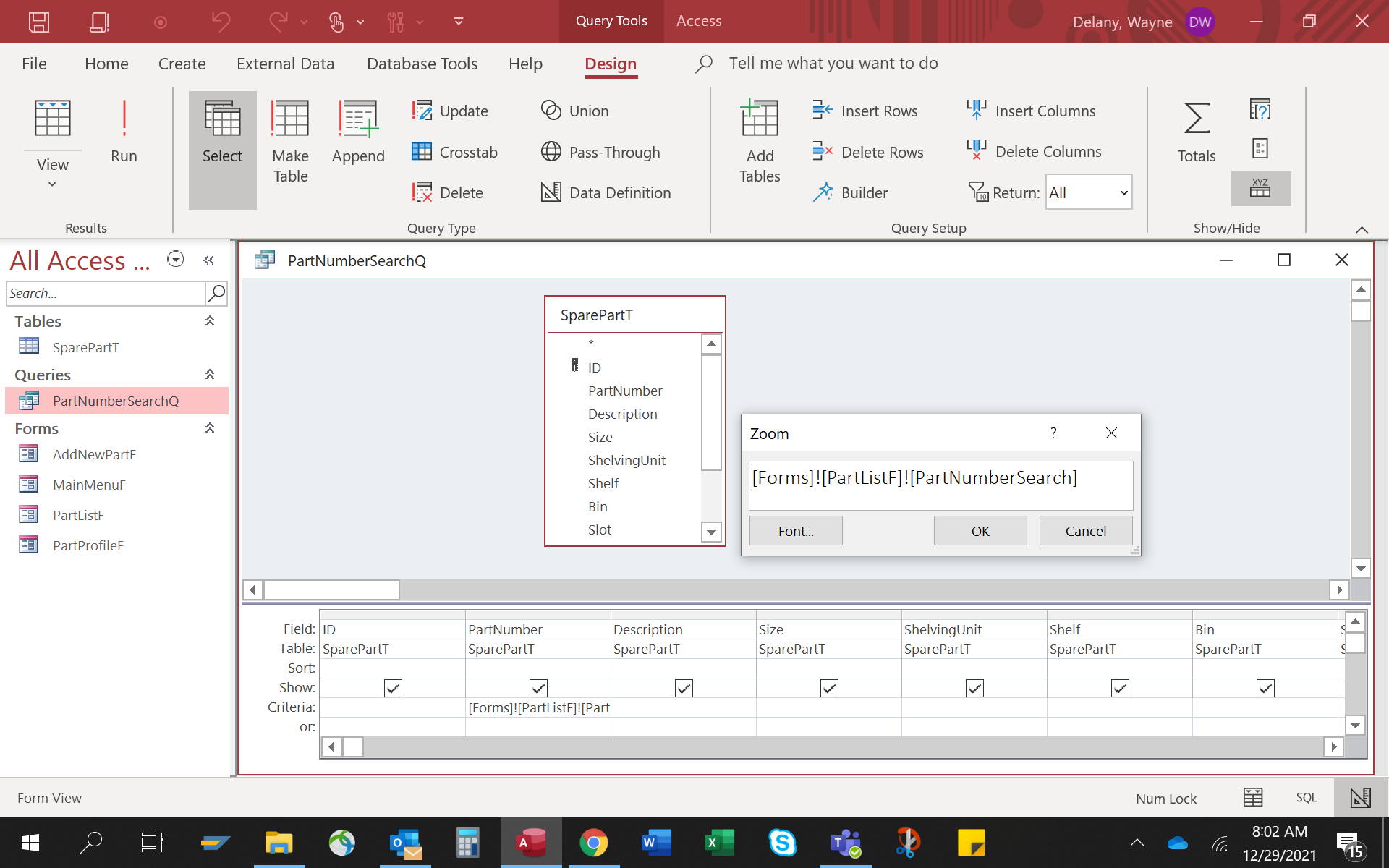
This may be related.  I put the = sign at the beginning of the query.  When I go out of the query anf go back in, the = sign is gone.  HELP!
Richard Rost  @Reply  
          
5 years ago
Can you post some screen shots so we can see what you're getting?
Wayne Delaney OP  @Reply  
    
5 years ago

Wayne Delaney OP  @Reply  
    
5 years ago

Wayne Delaney OP  @Reply  
    
5 years ago

Wayne Delaney OP  @Reply  
    
5 years ago

Wayne Delaney OP  @Reply  
    
5 years ago
Richard, I really appreciate your help.  I am trying to get the catalog complete and all parts on shelves ASAP.
If you need anything further, or, if you do not have time please point me in the right direction.
Wayne
Kevin Robertson  @Reply  
          
5 years ago
Wayne,

The criteria looks good. Try dynamically changing the RecordSource of the form in the AfterUpdate event for the search box.

Private Sub PartNumberSearch_AfterUpdate()

    If IsNull(PartNumberSearch) Or (PartNumberSearch) = "" Then
        Me.RecordSource = "SparePartT"
    Else
        Me.RecordSource = "PartNumberSearchQ"
    End If
    
End Sub
Scott Axton  @Reply  
        
5 years ago
Since you said you can't even click in the search box, double check the properties for the form as well as the search box.

Make sure the Allow Edits, Allow Additions are set to yes.  For the field itself make sure that Enabled is set to Yes and Locked is set to No
Wayne Delaney OP  @Reply  
    
5 years ago
Well Scott you got me half way there.  Thank you very much.  The query still has a issue.  I put the = sign in the criteria.
=[Forms]![PartListF]![PartNumberSearch]

But when I save and close, then reopen in design the = is gone.     [Forms]![PartListF]![PartNumberSearch]
Wayne Delaney OP  @Reply  
    
5 years ago
If I do not close the query.  the = sign remains and the search works.
Scott Axton  @Reply  
        
5 years ago
First of all - Are you getting any errors?  If so what are they.

Second - Try designing the query but instead hard code one of your parts into the criteria line.
Then open your form and make sure it works ok.
So using your picture above ="885"  should bring up Cotter Pin.

If that works let's rule out as much as possible.  Go to the Troubleshooter
I would start out buy running down the list up to and including the reboot.  I don't think a reinstall is called for.

Let us know what your results are.


Wayne Delaney OP  @Reply  
    
5 years ago
Scott
Many thanks.  Everything seems to be working well now.
Scott Axton  @Reply  
        
5 years ago
Wayne you're welcome.
What ended up being the issue?
Wayne Delaney OP  @Reply  
    
5 years ago
Your suggest to check Edits and Additions proved fruitful.
However, the missing = sign turned out to be a nonissue.  I discovered that Access removes the sign as a default.  I noticed that it was happening in Rick's Tech Help and his expressions worked fine.
I guess we'll chalk this up to NEWB error.
Thanks again.

This thread is now CLOSED. If you wish to comment, start a NEW discussion in Search Form 2.0.
 

Next Unseen

 
New Feature: Comment Live View


The following is a paid advertisement
Computer Learning Zone is not responsible for any content shown or offers made by these ads.
 

Learn
 
Access - index
Excel - index
Word - index
Windows - index
PowerPoint - index
Photoshop - index
Visual Basic - index
ASP - index
Seminars
More...
Customers
 
Login
My Account
My Courses
Lost Password
Memberships
Student Databases
Change Email
Info
 
Latest News
New Releases
User Forums
Topic Glossary
Tips & Tricks
Search The Site
Code Vault
Collapse Menus
Help
 
Customer Support
Web Site Tour
FAQs
TechHelp
Consulting Services
About
 
Background
Testimonials
Jobs
Affiliate Program
Richard Rost
Free Lessons
Mailing List
PCResale.NET
Order
 
Video Tutorials
Handbooks
Memberships
Learning Connection
Idiot's Guide to Excel
Volume Discounts
Payment Info
Shipping
Terms of Sale
Contact
 
Contact Info
Support Policy
Mailing Address
Phone Number
Fax Number
Course Survey
Email Richard
[email protected]
Blog RSS Feed    YouTube Channel

LinkedIn
Copyright 2026 by Computer Learning Zone, Amicron, and Richard Rost. All Rights Reserved. Current Time: 5/5/2026 6:26:19 PM. PLT: 1s