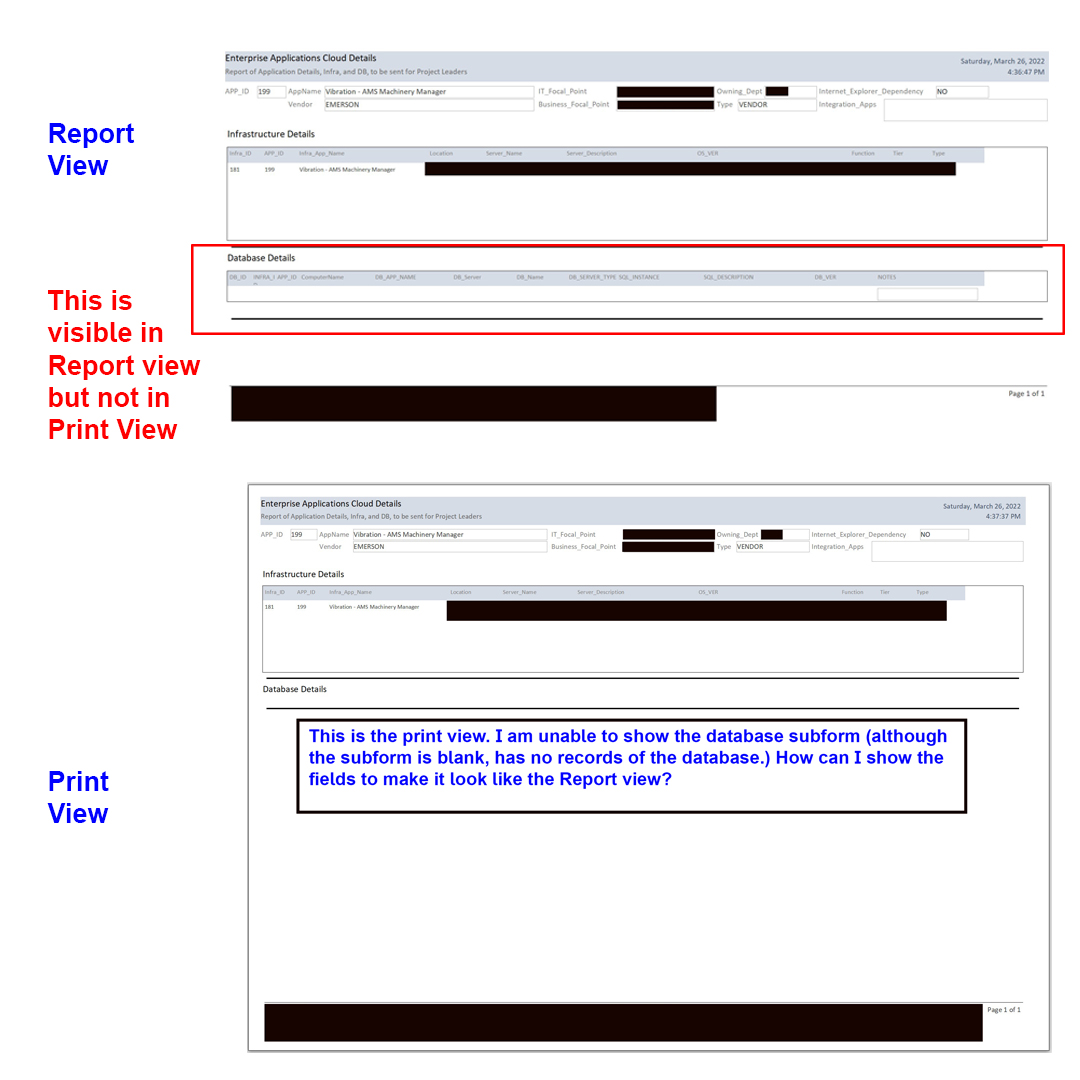
Hello Support. I have a sub-form in my report. The main report shows the servers. The sub shows the databases information. However not all servers are related to databases. When the database sub has info, I can see the continuous form in the print view. When the sub is blank, I just see the the caption of the sub form. How can I make it always visible in a print view?
Kevin Robertson
@Reply 4 years ago
Can't you simply hide the SubReport if it is blank?
Hint: use the Format event of the section in your report.
Scott Axton
@Reply 4 years ago
I'm not quite understanding what you are wanting to display. What are you expecting to see? If the subform is blank and there are no records to display, how do you display nothing?
Try setting the Can Shrink properties to NO in both the detail section and the fields of the SubForm.
You may need to post a screenshot or at least a mock-up of what you are trying to accomplish.
Use the Upload Images in your post above to do that.
Scott Axton
@Reply 4 years ago
Mo please see Rule #3 - Posting Rules For safety and security no one here will follow external links.
You can post your images here using the link above - Upload Images.
Mo AlbedahOP
@Reply 4 years ago
Adam Schwanz
@Reply 4 years ago
Like Scott said, is Can Shrink on in that section? You're wanting to show the empty row when there's no records?
Mo AlbedahOP
@Reply 4 years ago
I want to show the row with the headers yes, even when the row is empty. similar to report view. I have tried can shrink yes, can shrink no. Again, this report consists of two sub forms. one for the Infrastructure details (subf 1) and the database section is subform 2.
Kevin Robertson
@Reply 4 years ago
If you want it to show even if there are no records a better option may be a grouping level, rather than a SubReport.
It looks like you're using a datasheet view for your subreport. Get rid of that and build an actual report that looks the way you want, then you can show the header row as your own report header with labels.
Sorry, only students may add comments.
Click here for more
information on how you can set up an account.
If you are a Visitor, go ahead and post your reply as a
new comment, and we'll move it here for you
once it's approved. Be sure to use the same name and email address.
This thread is now CLOSED. If you wish to comment, start a NEW discussion in
Access Beginner 9.