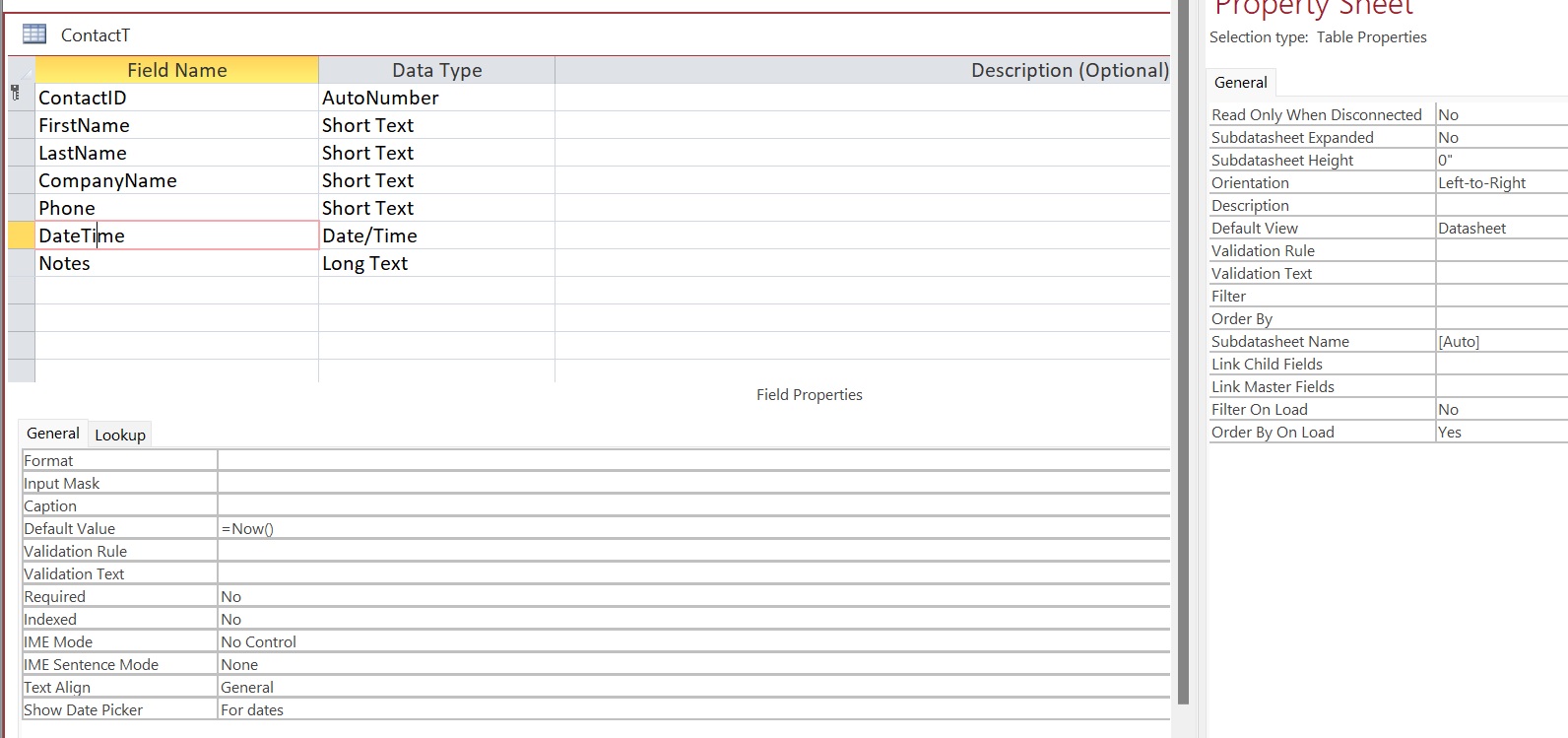
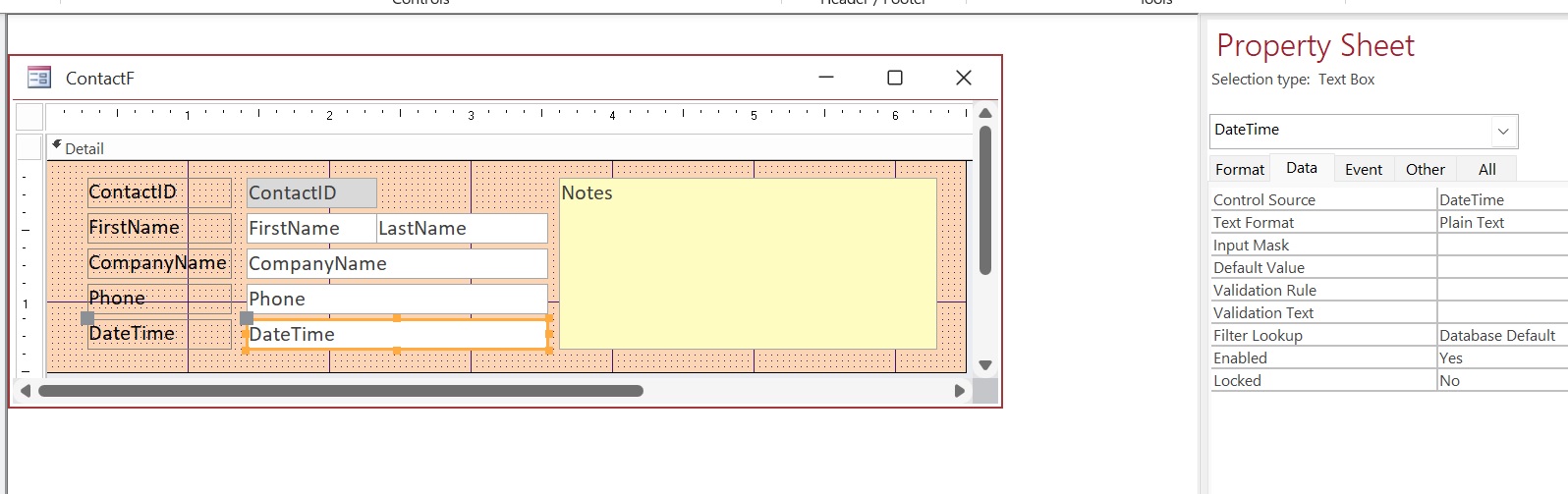
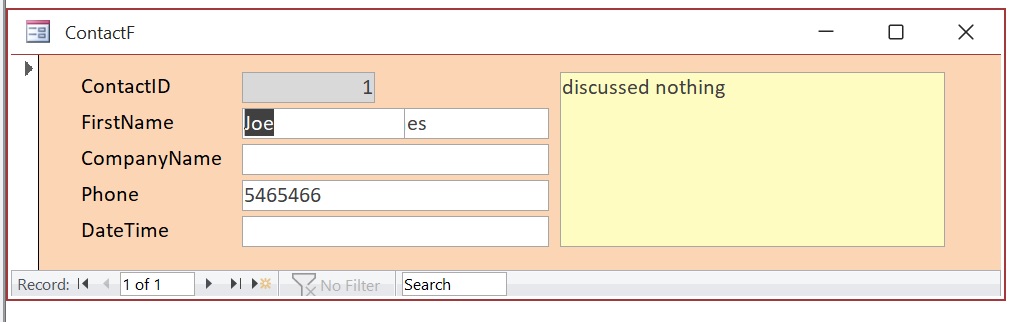
B9-L1 =Now() Populates the ContactT, but does not populate the ContactF. I have checked numerous things in both ContactT and ContactF and looked at the completed B9 DB table, form, fields and properties for each and could not see any differences. I deleted and recreated the form; still not luck. Any ideas?
Kevin Robertson
@Reply 4 years ago
I have just re-watched the lesson and the DateTime field does have the Date and Time in both the Table and the Form.
Can you post some screenshots showing what you have?
Peter DempewolffOP
@Reply 4 years ago
Peter DempewolffOP
@Reply 4 years ago
Peter DempewolffOP
@Reply 4 years ago
Peter DempewolffOP
@Reply 4 years ago
I did not include a picture of ContactT in regular view, but the new record includes the date.
Kevin Robertson
@Reply 4 years ago
The Default Value property won't populate the field for existing records.
Is the date and time showing on new records?
Scott Axton
@Reply 4 years ago
Peter -
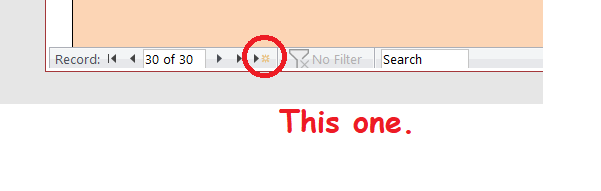
If you go to a new record in the form ( the >* button in the record selector) does it fill in the date and time?
Scott Axton
@Reply 4 years ago
Peter DempewolffOP
@Reply 4 years ago
Yeah, got it. Thanks. I thought I was in a new record, fields were blank, but ID must have been 1.
Sorry, only students may add comments.
Click here for more
information on how you can set up an account.
If you are a Visitor, go ahead and post your reply as a
new comment, and we'll move it here for you
once it's approved. Be sure to use the same name and email address.
This thread is now CLOSED. If you wish to comment, start a NEW discussion in
Access Beginner 9.