i was asked if i could build a database for a small church, there is a budget with 15 categories that money is drawn from every quarter. I am having a hard time conceptualizing how the tables would be set up. Anyone have a template or can point me to some ideas of how i can set this up?
I don't know what your experience is out side of here, but I don't recommend getting in to deep until you have a good base knowledge. Start pulling together your notes sure but get up to at least Expert 1 or 2 before real serious work on your project.
Kevin Yip
@Reply 4 years ago
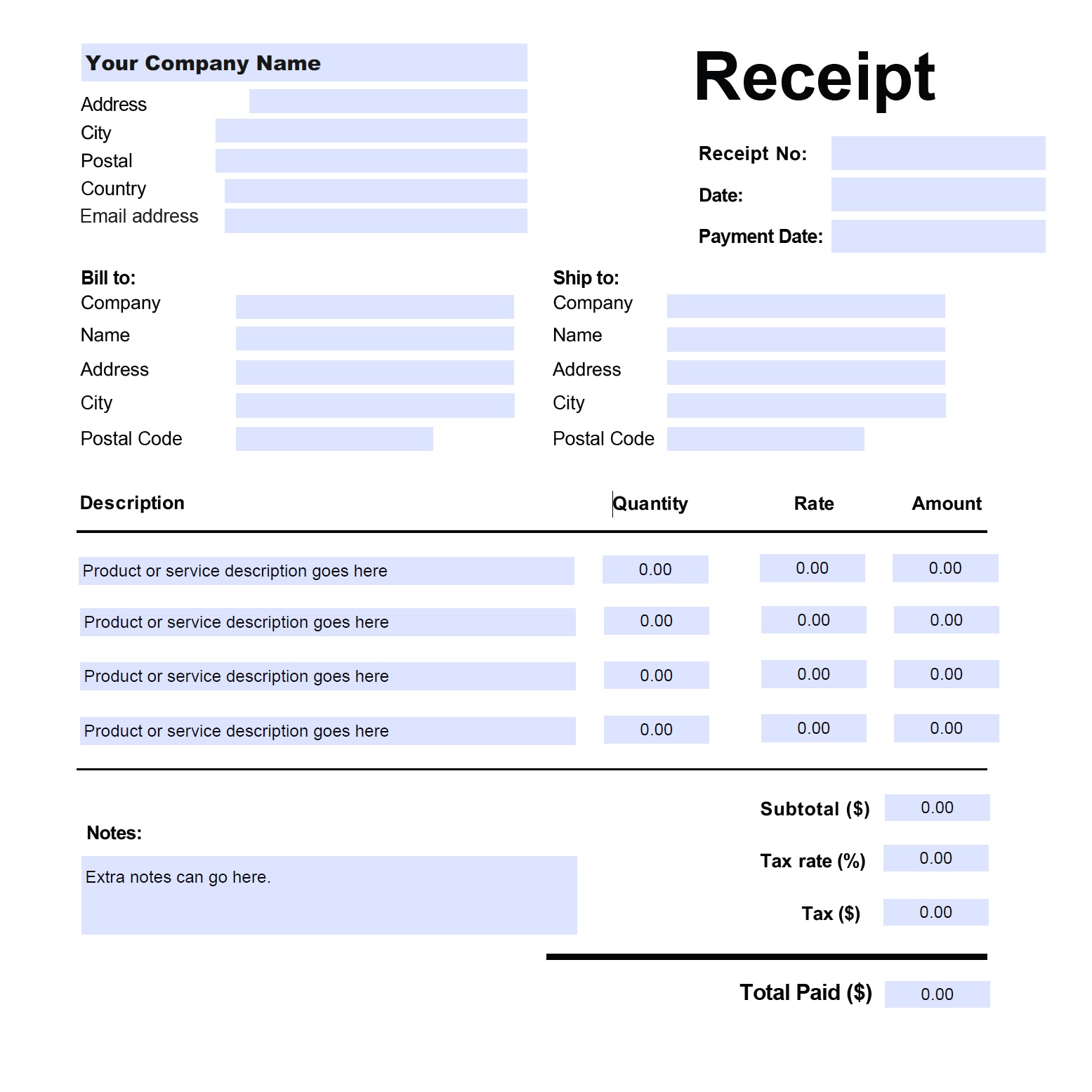
You usually organize your Access tables the same way you organize your real-life data. Look at the paperwork you get in your business (receipts, order forms, etc.) and see how the data are arranged (see pic below as an example). If you get this type of data, you need to store them in a similar fashion: a "header" table for storing bill-to, ship-to, company, name, receipt#, etc., and a detail table for storing product description, quantity, amount, etc. The receipt below means you need a one-to-many relationship, and your tables need to be set up for such purpose. Most transactions have this kind of structure, from grocery receipts to online orders. They usually have a "header" section and a "detail' section.
Kevin Yip
@Reply 4 years ago
Alan HigginsOP
@Reply 4 years ago
Thank you all for your help, i am a retired medical imaging IT engineer and also managed 4 access based EMRs. i have built several databases but ability to design table logics suffers, everything else i am pretty comfortable with. I was looking for some ideas on tables and your input here is appreciated.
Maggie M
@Reply 4 years ago
You might want to take Richard's Access Payables Seminar. Check out the outline. It will help you design a database to manage the accounts payable and bill payments for your small business and personal finances.
Sorry, only students may add comments.
Click here for more
information on how you can set up an account.
If you are a Visitor, go ahead and post your reply as a
new comment, and we'll move it here for you
once it's approved. Be sure to use the same name and email address.
This thread is now CLOSED. If you wish to comment, start a NEW discussion in
Access TechHelp.