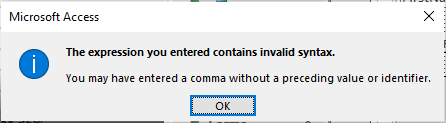
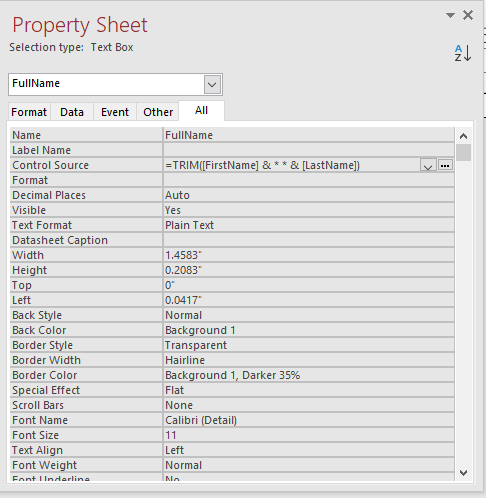
I am following your instructions. I am up to Level 9 lesson 4 and I am having a problem putting two fields together. It worked fine on my query but I keep getting an error when I try on forms. This happens at about 12:00 in your instruction video. By the way I am using Office 365. I have screen shot that I can send you to show you the error. But basically it says I have made a syntax error. I have checked and double checked the way it is typed in and I can't get it right.
Richard Van WagonerOP
@Reply 4 years ago
Richard Van WagonerOP
@Reply 4 years ago
Adam Schwanz
@Reply 4 years ago
Use Quotations " not Asterisks *
=Trim([FirstName] & " " & [LastName])
Richard Van WagonerOP
@Reply 4 years ago
Yes, I saw that after I posted that. I just had it in my mind those should have been Asterisks. My property box text is so small that it wasn't apparent at first. Thanks
Sorry, only students may add comments.
Click here for more
information on how you can set up an account.
If you are a Visitor, go ahead and post your reply as a
new comment, and we'll move it here for you
once it's approved. Be sure to use the same name and email address.
This thread is now CLOSED. If you wish to comment, start a NEW discussion in
Access Beginner 9.