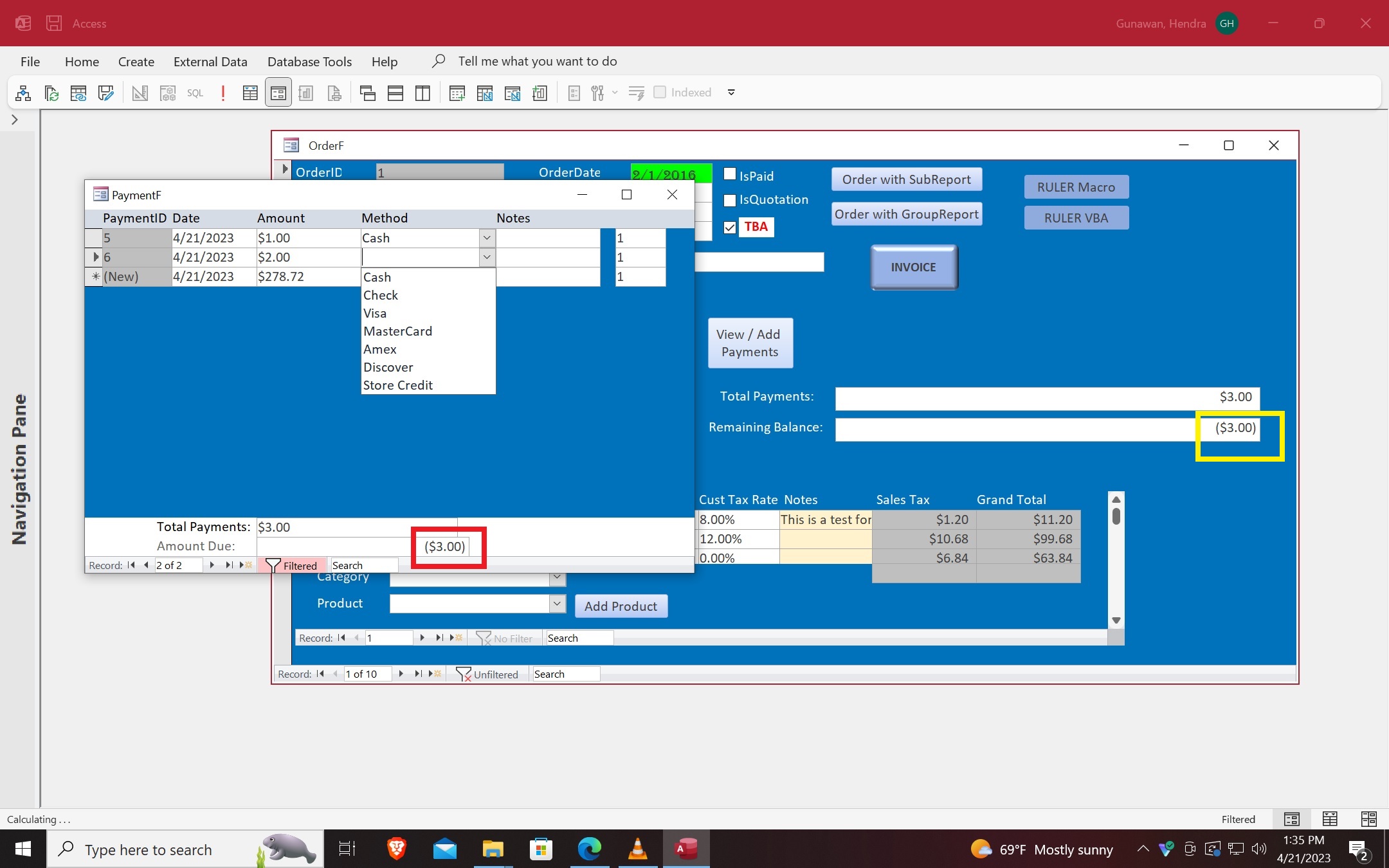
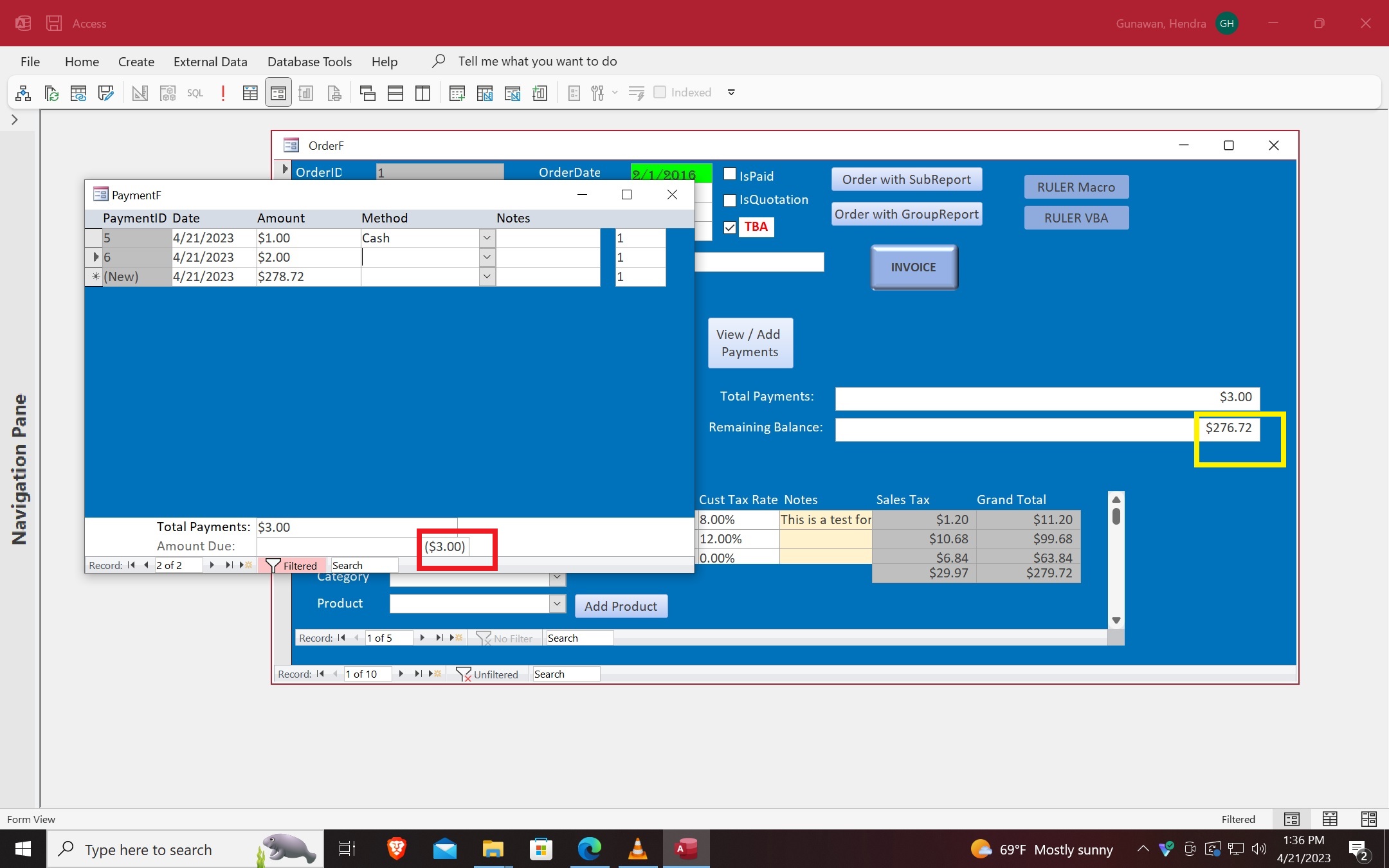
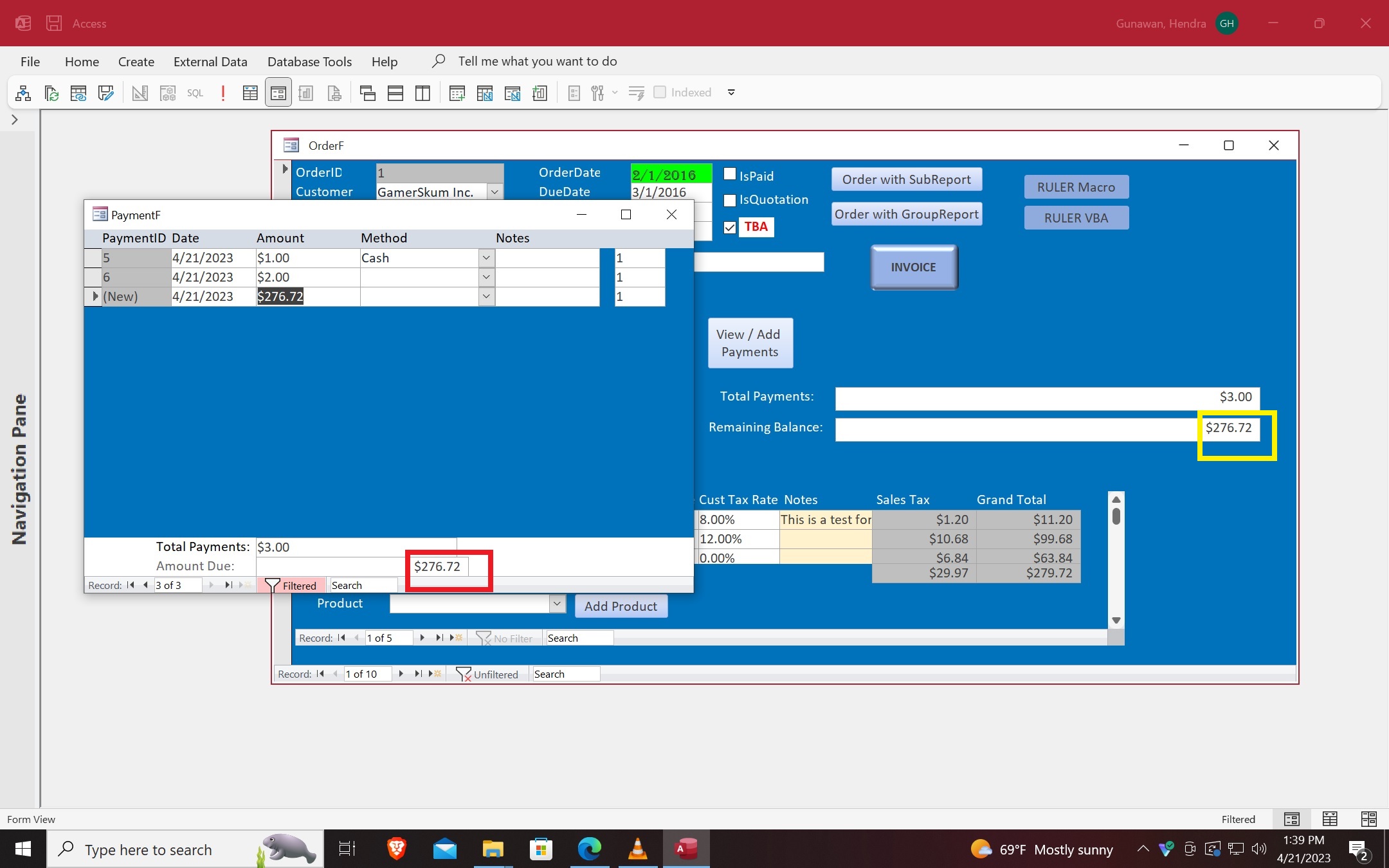
If I click View/Add Payments button, enter the amount and tab to the Combo box, the Amount Due is incorrect (Figure 1 and 2). But if I close the PaymentF and reopen, the Amount Due is correct (Figure 3).
The Amount Due (Boxed in red) is just a copy of Remaining Balance (Boxed in yellow). So, whatever in the yellow box would be copied to the red box.
The problem is when I tab to the Combo box, the yellow box shows an incorrect amount for a very brief one tenth of a second (Figure 2). The yellow box quickly corrects itself automatically shortly thereafter (Figure 3). But the incorrect amount has already been captured by the red box and it doesn't correct itself until I close and reopen the PaymentF form.
How do I correct this problem? My VBA code is just like those presented in the video. So, I don't know what the problem is.
Hendra GunawanOP
@Reply 3 years ago
Hendra GunawanOP
@Reply 3 years ago
Hendra GunawanOP
@Reply 3 years ago
Hendra GunawanOP
@Reply 3 years ago
Small correction: 4th paragraph said (Figure 2) and (Figure 3). It should have said: (Figure 1) and (Figure 2). The yellow box is supposed to 276.72 dollars and not 3 dollars
Sorry, only students may add comments.
Click here for more
information on how you can set up an account.
If you are a Visitor, go ahead and post your reply as a
new comment, and we'll move it here for you
once it's approved. Be sure to use the same name and email address.
This thread is now CLOSED. If you wish to comment, start a NEW discussion in
Access Developer 8.