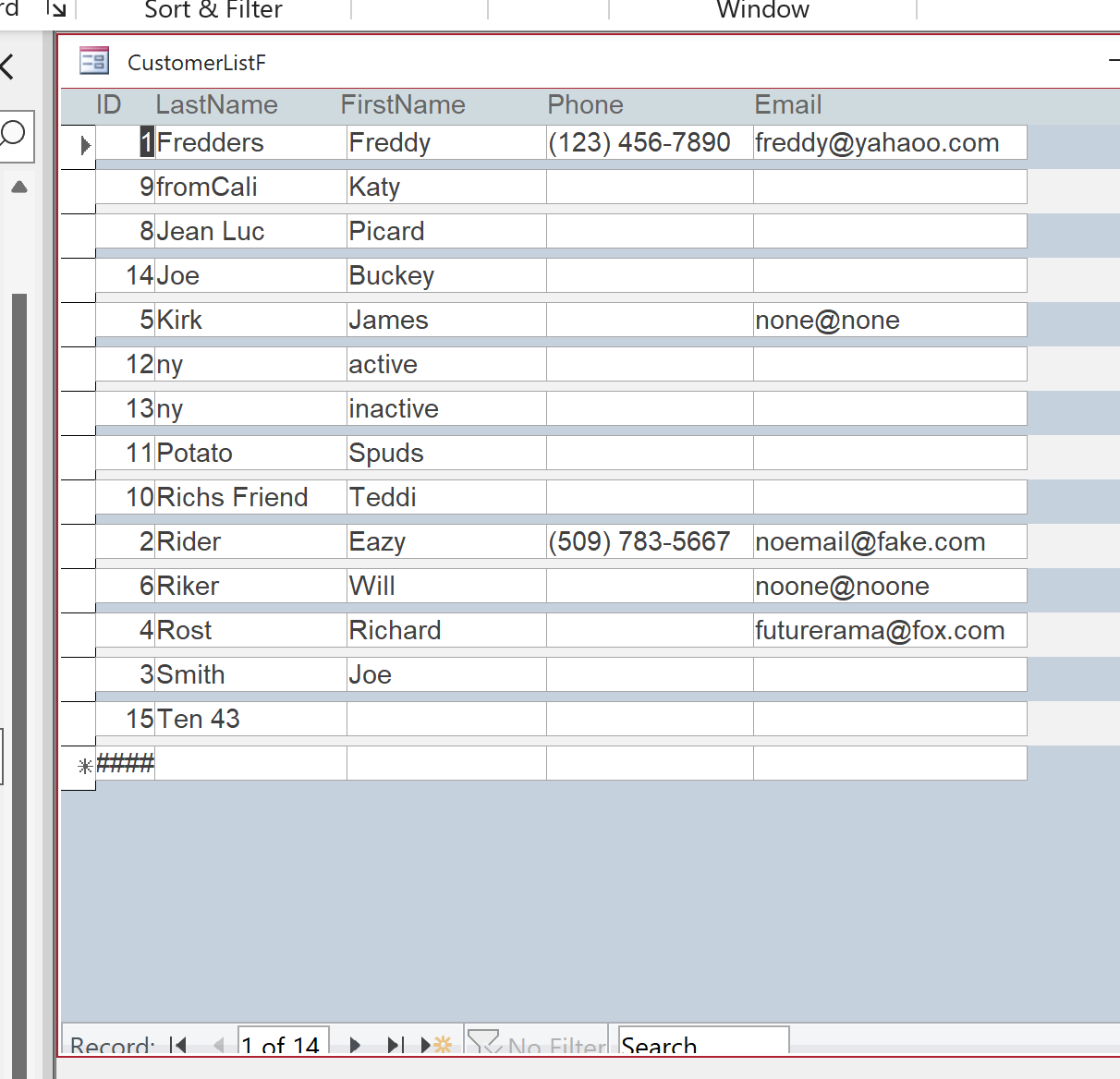
As I edit my Customer List Form then open it up, I've noticed that the Records and the list are not the same size and the navigation buttons are a cut off at the bottom. How do i fix this so that the records in the navigation pane on the left of each record are alligned and the same size? How do I get the navigation buttons along the bottom to not be cut off?
Scott Axton
@Reply 3 years ago
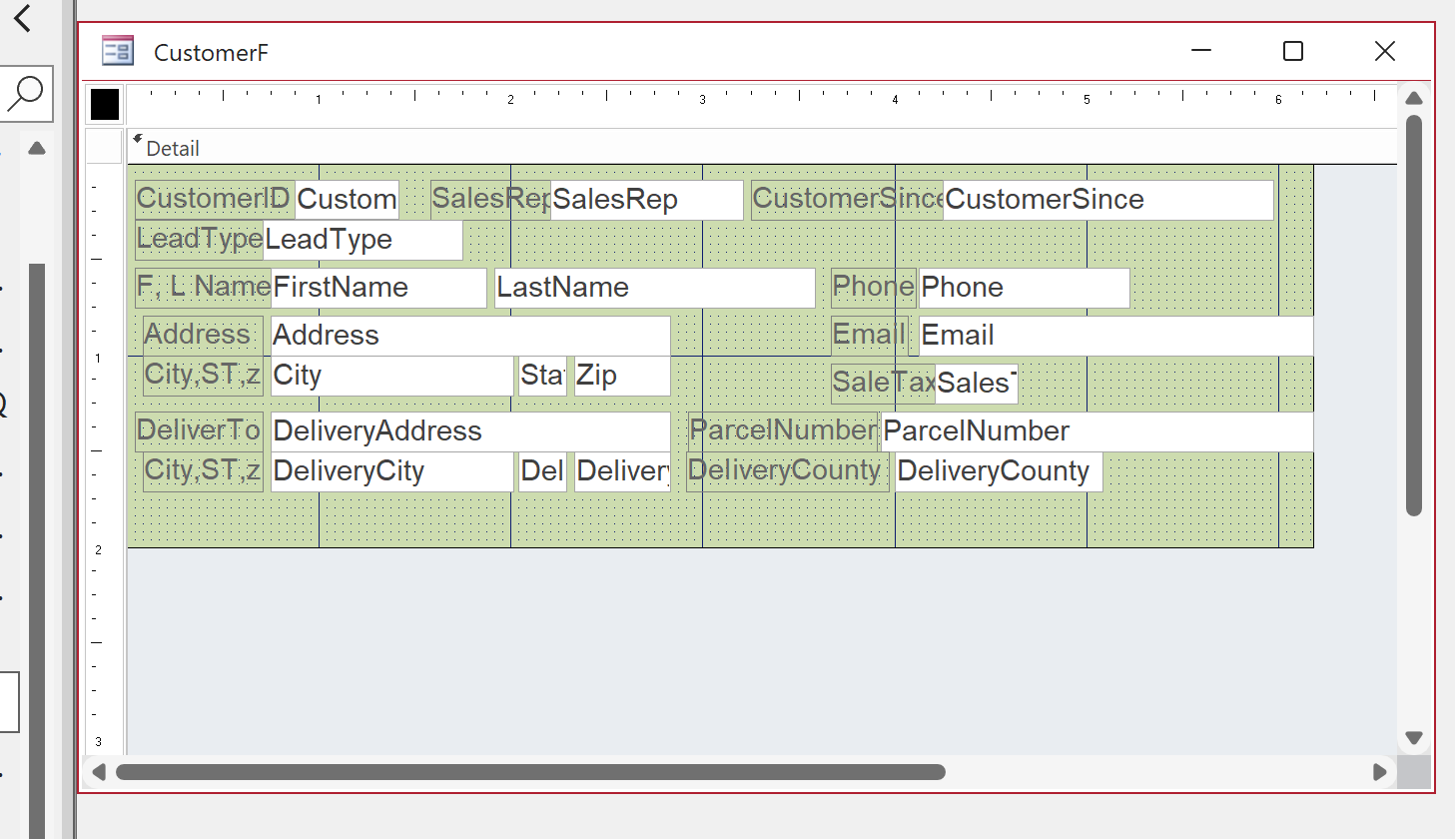
Is this a single form or a continuous form. Maybe provide a screen shot in design mode to show us what you are up against.
Matthew WendellOP
@Reply 3 years ago
Matthew WendellOP
@Reply 3 years ago
A single form. And it doesn't matter the size of the window it's in; full screen or any other size it's always cut off.
Matthew WendellOP
@Reply 3 years ago
in design view there are no record navigation icons
Matthew WendellOP
@Reply 3 years ago
Matthew WendellOP
@Reply 3 years ago
here is the other problem
Matthew WendellOP
@Reply 3 years ago
Matthew WendellOP
@Reply 3 years ago
Scott Axton
@Reply 3 years ago
" in design view there are no record navigation icons:"
There never is in Design Mode. That is something that Access renders when a form is generated.
It looks to me as though you are alternating between Layout Mode and Design Mode. I hate that Access kind of defaults to Layout View and I often disable that. File > Options > Current Database > Enable Layout View
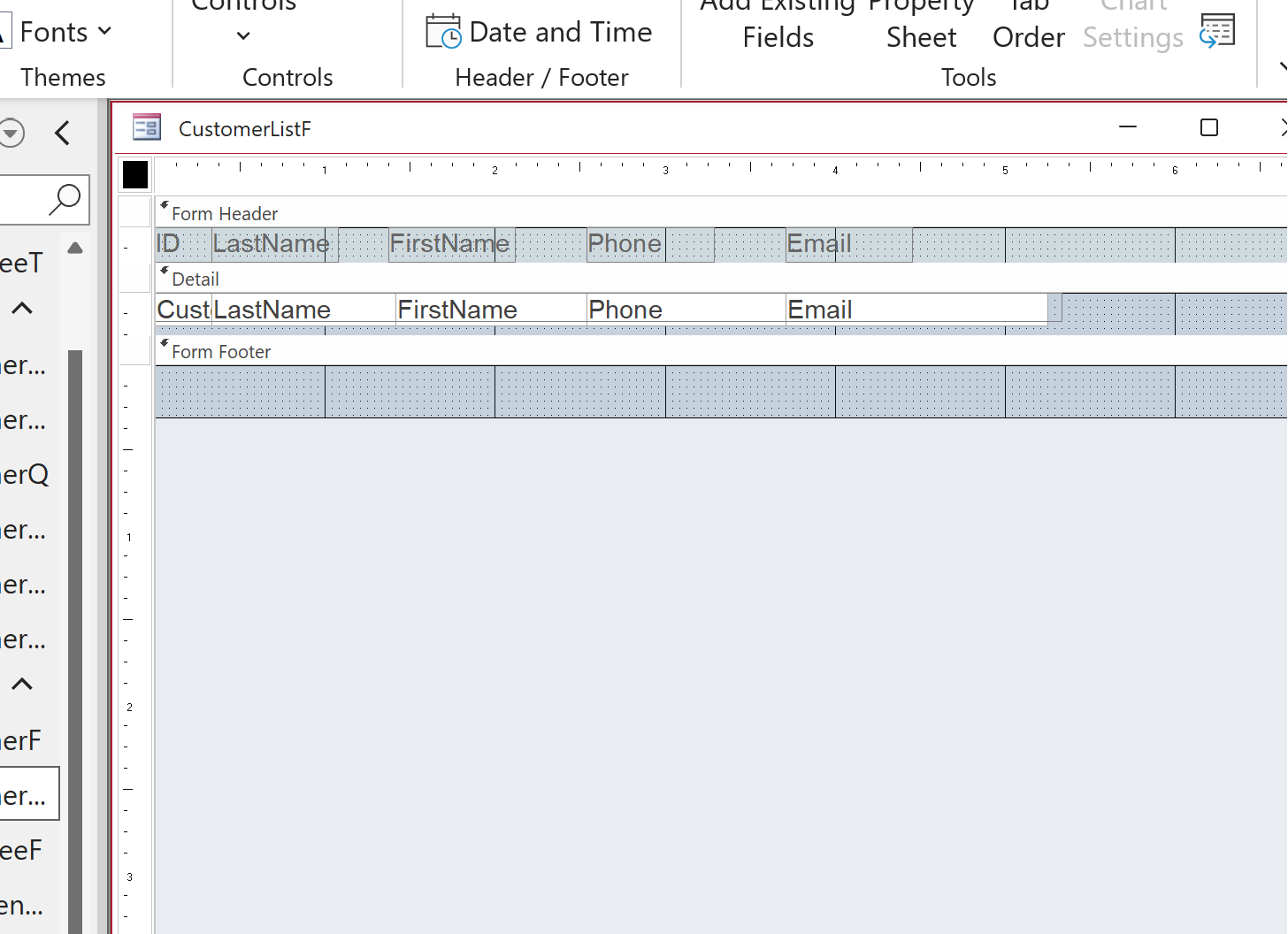
Regarding the record selector not matching the height of the fields in the row for the continuous form. It is because you have extra space below the "field boxes". If you want those to match you have to shrink the detail section up to the bottom of the field. Hover over the very top of the Form Footer section - in design mode - until you get the double headed arrow and drag it right up to the bottom of the fields.
If you did use Layout View it might be that Access has put you into a "grid" so to speak. You might have to remove the layout grid to really get things back working right. Go check out the Arrange Tabular video to see how to do that.
If you are a Visitor, go ahead and post your reply as a
new comment, and we'll move it here for you
once it's approved. Be sure to use the same name and email address.
This thread is now CLOSED. If you wish to comment, start a NEW discussion in
Access Beginner 7.